
1. Introduktion
Thank you for choosing the EDJO 2.4GHz Wireless Keyboard and Mouse Combo. This product is designed to provide a comfortable, efficient, and quiet computing experience. Featuring a full-size ergonomic keyboard with a wrist rest and a 3-DPI adjustable mouse, this combo offers seamless wireless connectivity and long-lasting rechargeable batteries. This manual will guide you through the setup, operation, and maintenance of your new device.
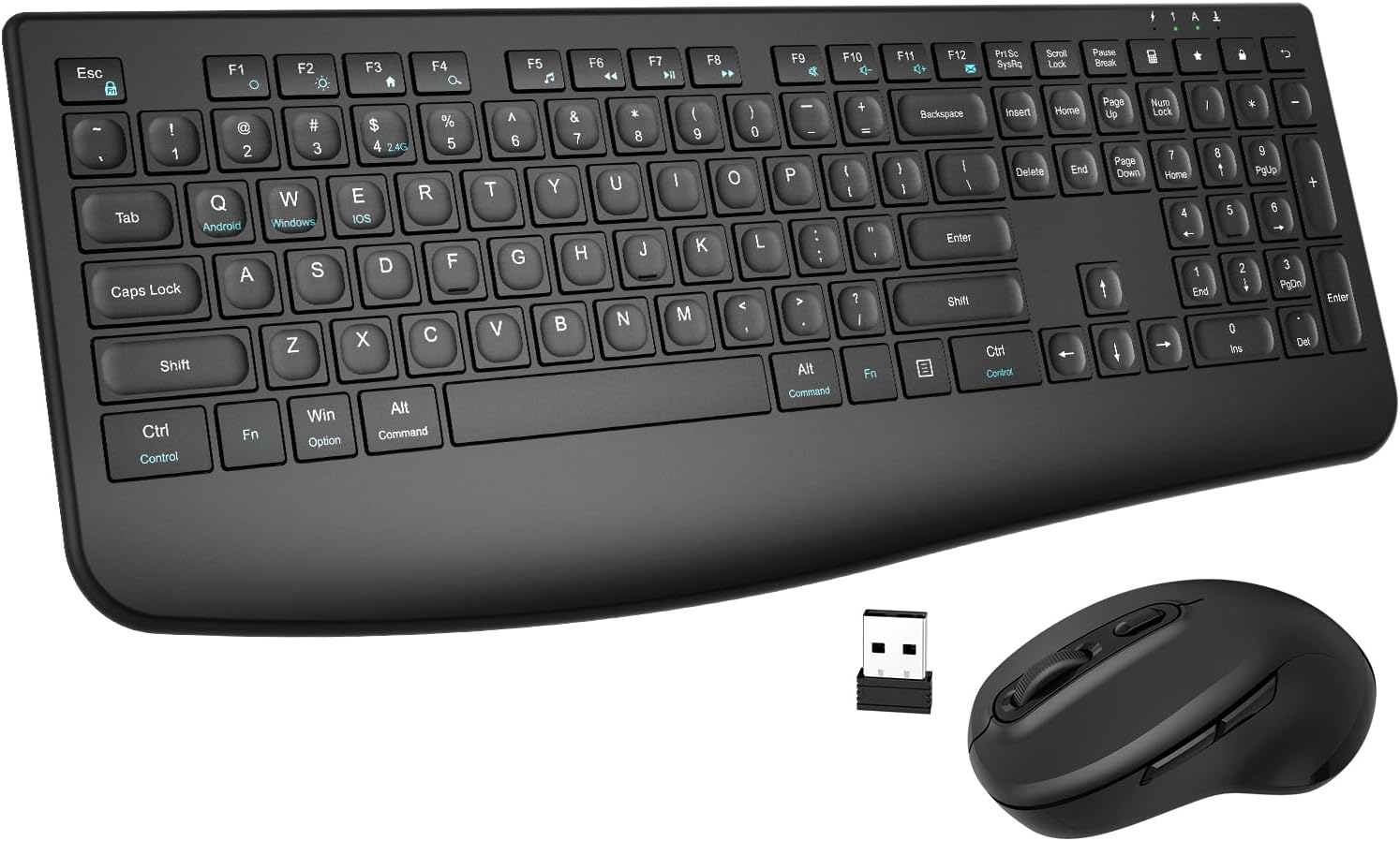
Image 1.1: The EDJO Wireless Keyboard and Mouse Combo, showcasing the full-size keyboard with integrated wrist rest and the ergonomic mouse, along with the compact USB receiver.
2. Pakkens indhold
Kontroller venligst pakken omhyggeligt for at sikre, at alle varer er til stede:
- 1 x trådløst tastatur
- 1 x trådløs mus
- 1 x USB Receiver (stored on the back of the keyboard)
- 1 x brugermanual
- 1 x Type-C ladekabel

Image 2.1: Illustration of the package contents, including the keyboard, mouse, USB receiver, user manual, and Type-C charging cable.
3. Produktet er slutview
3.1. Dimensioner og design
The keyboard and mouse are designed for portability and comfort. The keyboard features a slim profile and a 7-degree tilt for ergonomic typing, while the mouse offers a comfortable handshake grip.

Image 3.1: Detailed dimensions of the full-size wireless keyboard and mouse, highlighting their compact and ergonomic design.
3.2. Ergonomiske funktioner
The keyboard includes a gel-infused wrist rest and a 7-degree tilt angle to promote a more relaxed hand and wrist position, reducing fatigue during extended use. The mouse's design supports a natural hand posture.
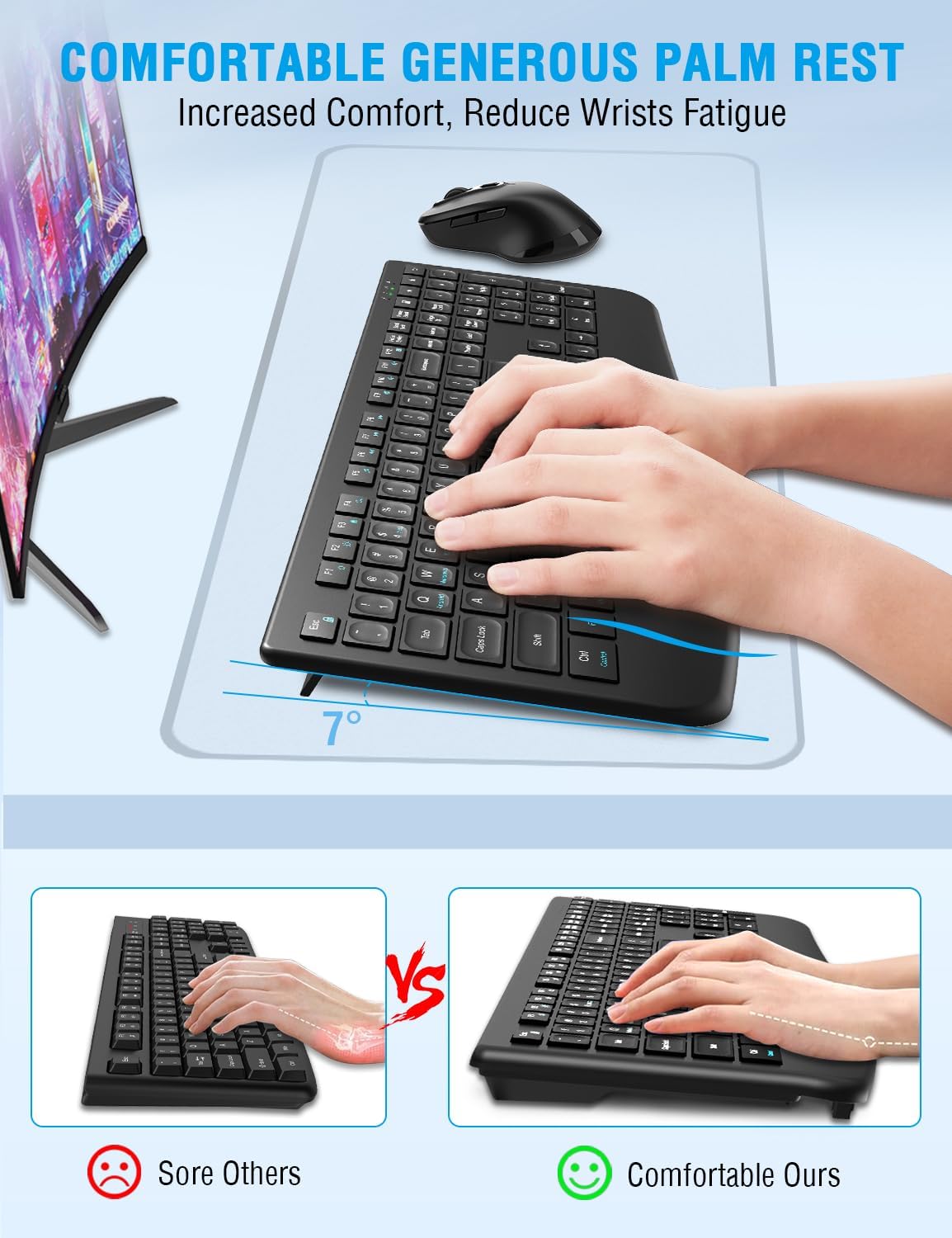
Image 3.2: Demonstration of the comfortable and generous palm rest on the keyboard, designed to increase comfort and reduce wrist fatigue.
3.3. Lydløs drift
Both the keyboard and mouse are engineered for silent operation. The keyboard's Silent-Elastic design reduces key clatter by 95%, and the mouse features micro-dampeners for quiet clicks, making it ideal for quiet environments.

Image 3.3: Visual representation of the silent design of both the keyboard and mouse, emphasizing reduced noise for improved focus.
4. Opsætningsvejledning
4.1. Tilslutning af USB-modtageren
- Locate the USB receiver. It is typically stored in a compartment on the back of the keyboard.
- Plug the USB receiver into an available USB port on your computer (PC, Laptop, Chromebook, etc.).
- Systemet vil automatisk registrere og installere de nødvendige drivere. Ingen yderligere softwareinstallation er nødvendig.

Image 4.1: Diagram showing the single USB receiver connecting both the keyboard and mouse to a laptop, illustrating the 2.4GHz wireless connection and 33ft wireless range.
4.2. Tænder
- Tastatur: Locate the ON/OFF switch, usually on the top edge or back of the keyboard, and slide it to the 'ON' position.
- Mus: Find tænd/sluk-knappen på undersiden af musen, og skub den til 'TIL'-positionen.
The devices should connect automatically to the USB receiver. If they do not connect, ensure the receiver is properly inserted and the devices are powered on.
4.3. Første opladning
The keyboard and mouse come with built-in rechargeable batteries. For optimal performance, it is recommended to fully charge them before first use.
- Connect the provided Type-C charging cable to the charging port on the keyboard and mouse, and the other end to a USB power source (e.g., computer USB port, USB wall adapter).
- En fuld opladning tager cirka 2 timer.

Image 4.2: Visual guide for charging the keyboard and mouse via their Type-C ports, indicating charging time and standby hours.
5. Betjeningsvejledning
5.1. Tastaturfunktioner
The full-size keyboard features 109 keys, including a numeric keypad and 12 convenient shortcut keys (F1-F12) for quick access to media controls, volume, and other functions. Refer to the key legends for specific shortcut functions.
5.2. Musefunktioner
The mouse is equipped with 6 buttons and adjustable DPI settings:
- Venstre/højre klik: Standard museknapper.
- Scrollhjul: Til lodret rulning.
- DPI-knap: Located behind the scroll wheel. Press to cycle through 3 DPI levels (800, 1200, 1600 DPI) to adjust cursor sensitivity.
- Frem/Tilbage-knapper: Located on the side of the mouse, typically used for navigating web sider.

Image 5.1: Diagram illustrating the 3 adjustable DPI settings (800, 1200, 1600) and the location of the DPI switch button on the mouse, along with other button functions.
5.3. Kompatibilitet
The EDJO Wireless Keyboard and Mouse Combo is widely compatible with various operating systems and devices, including:
- Windows 7/8/10/XP/Vista
- Mac OS
- Linux
- Chromebook
- Personlige computere (PC)
- Bærbare computere
- Televisions (with USB support)

Image 5.2: Visual representation of the wide compatibility of the keyboard and mouse with various operating systems and devices, including Windows, Mac, Chrome, and UNIX.
6. Vedligeholdelse
6.1. Rensning
- To clean the keyboard and mouse, power them off and disconnect the USB receiver.
- Brug en blød, fnugfri klud lidt dampafsluttes med vand eller en mild rengøringsopløsning.
- Undgå at bruge skrappe kemikalier, slibemidler eller overdreven fugt.
- Brug trykluft til at fjerne støv mellem tasterne.
6.2. Batteripleje
- The devices feature dual 350mAh/300mAh rechargeable batteries.
- A full charge provides over 480 hours of work/gaming time.
- The smart sleep mode reduces idle power consumption by 67%. The devices will enter sleep mode after 3 minutes of inactivity. Press any key or move the mouse to wake them up.
- Recharge when the low battery indicator light appears (if applicable) or when performance degrades.
7. Fejlfinding
If you encounter issues with your EDJO Wireless Keyboard and Mouse Combo, please refer to the following common solutions:
| Problem | Mulig årsag | Løsning |
|---|---|---|
| Tastatur/mus reagerer ikke | Low battery; Device is off; USB receiver disconnected; Interference. | Charge the devices; Ensure devices are ON; Re-insert USB receiver; Move closer to receiver or away from other wireless devices. |
| Forsinket eller forsinket respons | Afstand fra modtager; Interferens; Lavt batteri. | Ensure devices are within 33ft of the receiver; Minimize interference from other 2.4GHz devices; Charge the devices. |
| Musemarkøren er uregelmæssig eller bevæger sig ikke jævnt | Dirty sensor; Incorrect DPI setting; Uneven surface. | Clean the mouse optical sensor; Adjust DPI setting using the DPI button; Use on a smooth, opaque surface. |
| Tastaturtaster virker ikke | Dirt under key; Software issue. | Clean around the affected key; Restart your computer. |
8. Specifikationer
| Feature | Detalje |
|---|---|
| Produktdimensioner | 12.28 x 6.69 x 0.63 tommer |
| Varens vægt | 2.07 pund |
| Modelnummer | C231S |
| Forbindelsesteknologi | 2.4 GHz trådløs (USB-modtager) |
| Tastaturfunktioner | Full Size, Ergonomic Design, Wrist Rest, Rechargeable, Slim, Quiet |
| Musfunktioner | 3 DPI Adjustable (800/1200/1600), Rechargeable, Quiet |
| Batterikapacitet | Keyboard: 350mAh, Mouse: 300mAh |
| Opladningsport | Type-C |
| Kompatible enheder | Laptop, Television, Personal Computer, Chromebook |
| Farve | Sort |
9. Garanti og support
The EDJO Wireless Keyboard and Mouse Combo comes with a 12 måneders garantiserviceDenne garanti dækker fabrikationsfejl og sikrer, at dit produkt fungerer som tilsigtet under normal brug.
If you have any questions, concerns, or require technical assistance, please do not hesitate to contact EDJO customer support. Our team is committed to providing prompt and helpful responses to ensure your satisfaction.
Please refer to the contact information provided with your purchase or visit the official EDJO webwebsted for supportdetaljer.