
ZOETOUCH 9-JU15NA15
ZOETOUCH Smart Badevægt Brugermanual
Model: 9-JU15NA15
1. Introduktion
Thank you for choosing the ZOETOUCH Smart Bathroom Scale. This digital weighing scale is designed to provide comprehensive body composition analysis, helping you track your health and fitness progress. It measures 14 key metrics and syncs with the ZOETOUCH Health App for detailed insights.
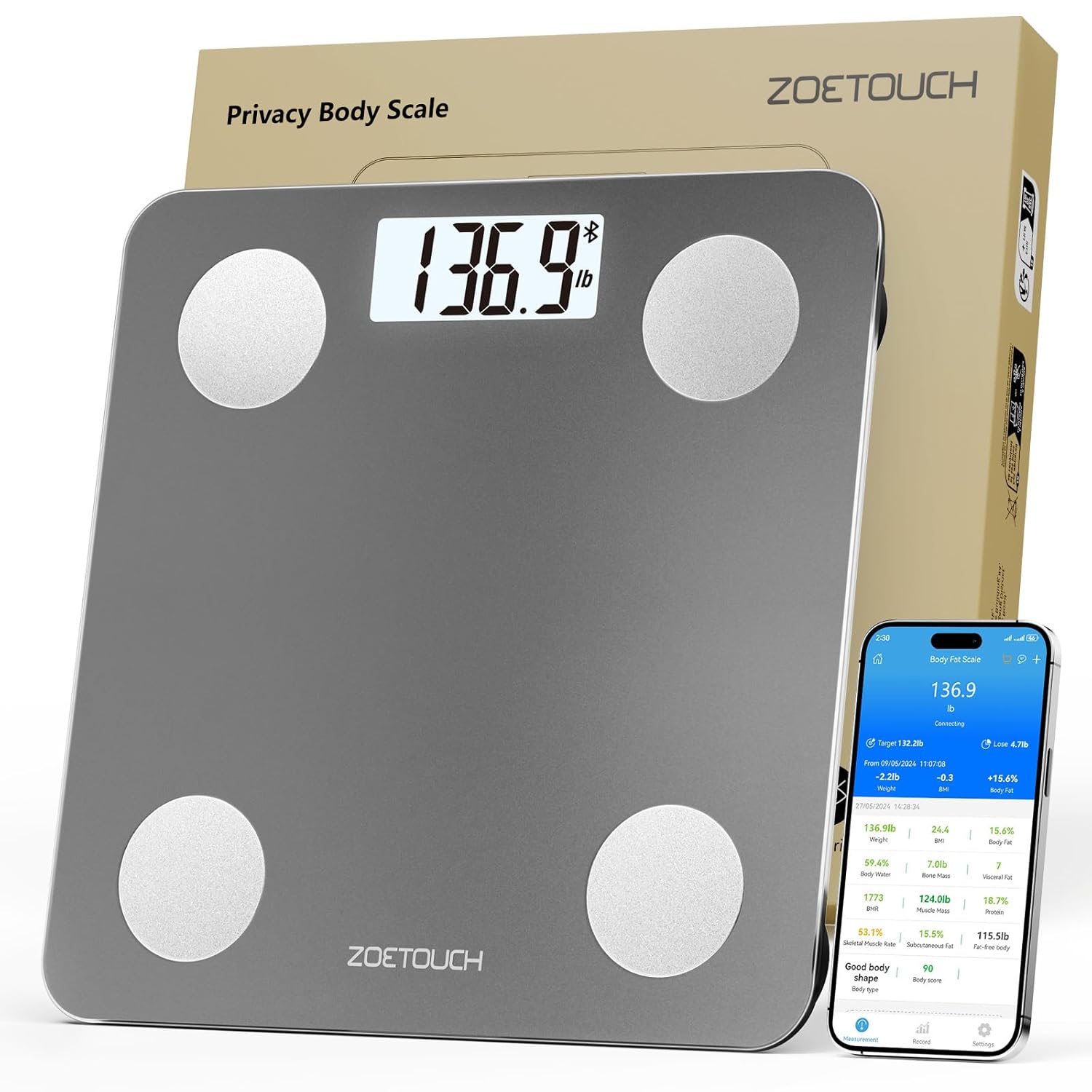
Image: The ZOETOUCH Smart Bathroom Scale in grey, showing a digital weight reading, alongside a smartphone displaying detailed body composition analysis from the connected app.
2. Hvad er der i æsken
- 1 x ZOETOUCH Smart Bathroom Scale
- 2 x AAA batterier
- 1 x brugermanual
- 1 x Quick Guide
3. Opsætningsvejledning
3.1. Batteriinstallation
- Åbn batterirummets dæksel på bagsiden af vægten.
- Isæt de to AAA-batterier, og sørg for at polerne vender korrekt (+/-).
- Luk batterirummets dæksel forsvarligt.
Video: This video demonstrates the process of installing batteries into the ZOETOUCH Smart Bathroom Scale and initial setup steps, including unit switching and calibration.
3.2. Enhedskonvertering
To switch between measurement units (lb, kg, st:lb), press the "UNIT" button located on the back of the scale.
3.3. Indledende kalibrering
For the most accurate reading, it is recommended to calibrate the scale before first use or if it has been moved. Place the scale on a hard, flat floor (avoid carpets). Step lightly on the scale with one foot to activate it and wait for "0.0" to appear. Step off, then step on again and stay still until the reading is locked and flashes.

Image: A visual guide demonstrating the three steps for calibrating the scale to ensure accurate measurements.
3.4. Download og tilslutning af appen
- Download the "ZOETOUCH Health" App from the Apple App Store or Google Play Store.
- Aktiver Bluetooth på din smartphone.
- Open the ZOETOUCH Health App.
- Step onto the scale with bare feet. The scale will activate and attempt to pair with the app.
- Confirm pairing within the app when prompted.

Image: This image illustrates the process of syncing the ZOETOUCH Smart Bathroom Scale with popular fitness apps via the ZOETOUCH Health App, showing app store icons.
4. Betjeningsvejledning
4.1. Grundlæggende vejning
Simply step onto the scale with bare feet. The backlit LCD display will instantly show your weight. For comprehensive body composition analysis, ensure the scale is connected to the ZOETOUCH Health App.

Image: A close-up of a foot stepping onto the scale, demonstrating its instant reading capability.
4.2. Privatlivstilstand
The scale features an "Invisible Mode" for privacy. Long press the "UNIT" button on the back of the scale to enter this mode. The display will show "--", hiding your weight data from immediate view. All measurements will only be visible within the connected ZOETOUCH Health App.

Image: This image shows how to activate the manual privacy mode by pressing the 'UNIT' button, which hides the display data on the scale, making it visible only in the app.
Video: This video highlights the privacy features of the ZOETOUCH Body Fat Scale, demonstrating how to activate privacy mode and view data exclusively through the app.
4.3. Tracking Body Composition (14 Metrics)
When connected to the ZOETOUCH Health App, the scale utilizes Bioelectrical Impedance Analysis (BIA) technology to track 14 health metrics:
- Vægt
- BMI (Body Mass Index)
- Kropsfedt
- Kropsvand
- Knoglemasse
- Visceralt fedt
- BMR (Basal Metabolic Rate)
- Muskelmasse
- Protein
- Skeletmuskelfrekvens
- Fedtfri kropsvægt
- Lean Body Mass
- Kropstype
- Kropsscore

Image: An infographic detailing the 14 key body composition metrics that the ZOETOUCH Smart Bathroom Scale can measure and track through its accompanying app.
4.4. Tracking Progress and Data Export
The ZOETOUCH Health App allows you to track your fitness progress over time with graphs by week, month, or year. You can also export your data for further analysis or sharing.

Image: A visual representation of the app's ability to track and monitor fitness progress through graphs showing weight, BMI, and body fat trends over weeks, months, and years.
4.5. Holding Baby Mode
The "Holding Baby Mode" allows you to accurately weigh infants or pets. First, weigh yourself. Then, hold your baby or pet and step on the scale together. The app will automatically calculate the baby's or pet's weight by subtracting your weight from the combined weight.

Image: This image demonstrates the "Baby & Pets Modes" feature, allowing users to track the weight data of their infants or pets by holding them on the scale.
4.6. Professionel til flere brugerefiles
The ZOETOUCH Health App supports creating multiple accounts for family members, allowing everyone to use the same scale while maintaining individual data tracking.

Image: A family is shown using the scale, highlighting the feature that allows for unlimited user profiles within the app, enabling each family member to track their data separately.
5. Vedligeholdelse
5.1. Rensning
Aftør skalaens overflade med adamp klud og et mildt rengøringsmiddel. Brug ikke slibende rengøringsmidler, og nedsænk ikke vægten i vand.
5.2. Opbevaring
Store the scale in a cool, dry place. Its compact size allows for easy storage under furniture or in cabinets.

Image: This image illustrates the compact size of the scale, showing how it can be easily stored in various spaces like under a cabinet or bed.
6. Fejlfinding
6.1. Scale Not Turning On
- Kontroller, om batterierne er installeret korrekt og har tilstrækkelig opladning. Udskift om nødvendigt.
- Ensure the scale is placed on a hard, flat surface.
6.2. Unøjagtige aflæsninger
- Kalibrer skalaen igen som beskrevet i afsnit 3.3.
- Ensure the scale is on a hard, flat, and stable surface. Avoid carpets or uneven flooring.
- Make sure your feet are bare and clean when stepping on the scale for body composition analysis.
6.3. Problemer med appforbindelse
- Sørg for, at Bluetooth er aktiveret på din smartphone.
- Make sure the ZOETOUCH Health App has Bluetooth permissions enabled in your phone settings.
- Prøv at genstarte appen og din telefons Bluetooth.
- If the scale was previously paired, go to the app's settings, find "Paired Device List," and delete the existing pairing. Then, attempt to pair again.
Video: This video demonstrates troubleshooting steps for the ZOETOUCH Smart Bathroom Scale, including how to re-pair the device with the app if connection issues arise.
6.4. "Lo" Indicator
The "Lo" indicator on the display means the battery is low. Please replace the batteries.
7. Specifikationer
| Feature | Detalje |
|---|---|
| Modelnummer | 9-JU15NA15 |
| Max vægtkapacitet | 396 lbs / 180 kg |
| Nøjagtighed | ±0.1 kg / 0.2 lb |
| Dimensioner | 10.23 x 10.23 tommer (26 x 26 cm) |
| Strømkilde | 2 x AAA batterier (medfølger) |
| Display Type | Baggrundsbelyst LCD |
| Forbindelse | Bluetooth |
| Body Composition Metrics | 14 (Weight, BMI, Body Fat, Body Water, Bone Mass, Visceral Fat, BMR, Muscle Mass, Protein, Skeletal Muscle Rate, Fat-free Body Weight, Lean Body Mass, Body Type, Body Score) |
| Særlige funktioner | Privacy Mode, Holding Baby Mode, Auto Shut Off, Anti-slip pads, Round corners |
8. Garanti og support
ZOETOUCH provides a standard warranty for this product. For detailed warranty information, technical support, or any inquiries, please refer to the contact information provided in your product packaging or visit the official ZOETOUCH webwebsted.