
1. Introduktion
This manual provides detailed instructions for the proper setup, operation, and maintenance of your FEELWORLD T10 Camera Monitor. Please read this manual thoroughly before using the product to ensure optimal performance and longevity. The FEELWORLD T10 is designed to enhance your videography and photography experience with its advanced monitoring capabilities.
2. Pakkens indhold
Bekræft at alle varer er til stede i din pakke:
- FEELWORLD T10 Camera Monitor
- F750 4400mAh Battery (or similar NP-F series battery)
- USB kabel
- Brugervejledning (dette dokument)
If any items are missing or damaged, please contact FEELWORLD customer support.
3. Opsætning
3.1. Batteriinstallation
The FEELWORLD T10 monitor is powered by an NP-F series battery. The package includes an F750 4400mAh battery.
- Sørg for, at skærmen er slukket.
- Locate the battery slot on the rear of the monitor.
- Align the battery with the slot, ensuring the contacts match.
- Skub batteriet ind i åbningen, indtil det klikker sikkert på plads.
- For at fjerne batteriet skal du trykke på batteriets udløserknap (hvis den er monteret) og skubbe batteriet ud.
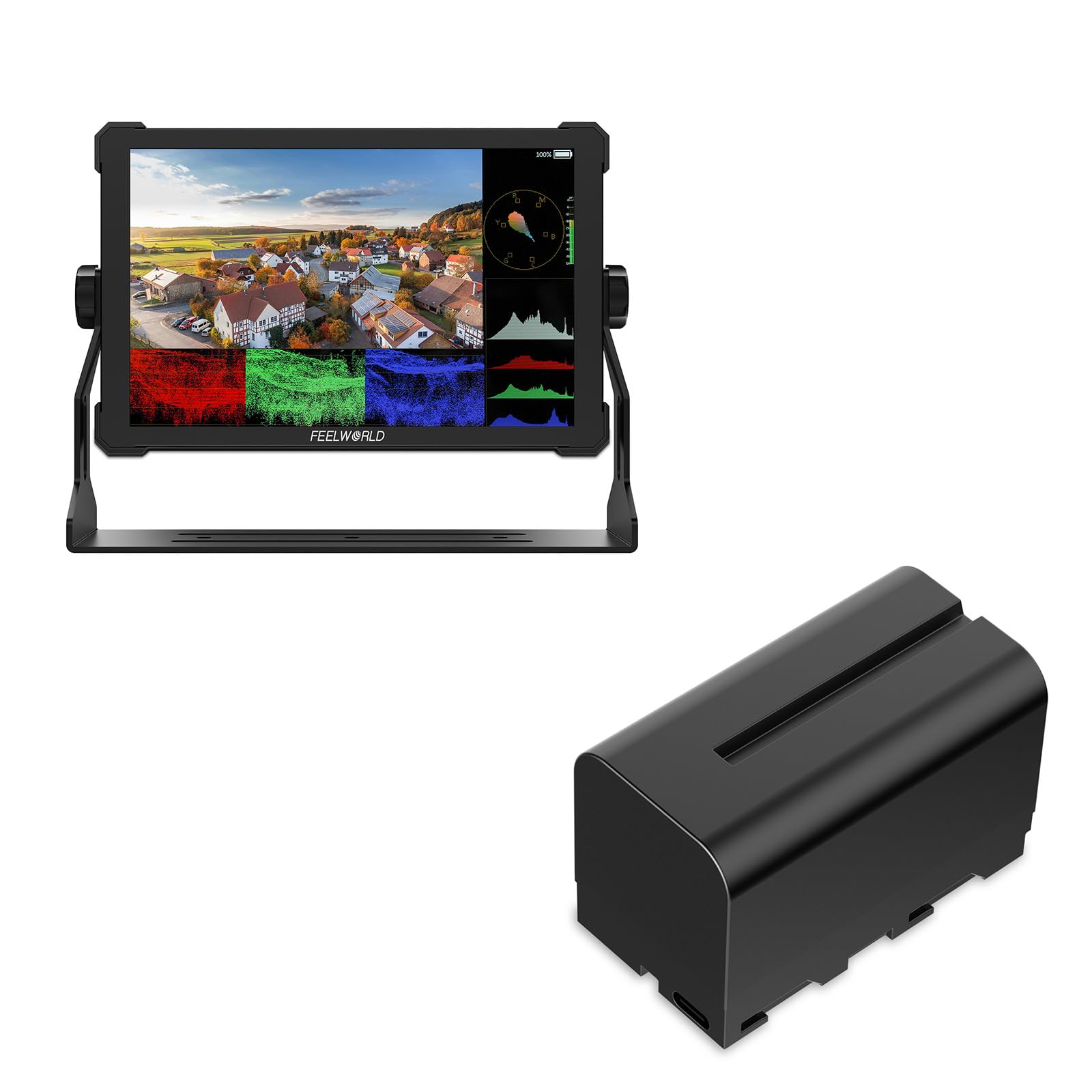
Billede 1: Bagside view of the FEELWORLD T10 Camera Monitor showing the battery slot. The F750 battery is designed to slide into this slot for power.
3.2. Connecting to a Camera/Device
The T10 monitor supports various input methods. Use the appropriate cable (not always included) to connect your camera or device.
- HDMI -indgang: Connect an HDMI cable from your camera's HDMI output to the monitor's HDMI input port.
- USB-forbindelse: The included USB cable can be used for firmware updates or power delivery (if supported by your power source).
4. Betjeningsvejledning
4.1. Tænd/sluk
Press and hold the power button (usually located on the side or top of the monitor) for a few seconds to turn the monitor on or off. A short press may activate/deactivate the screen or enter standby mode, depending on settings.
4.2. Basic Navigation and Menu System
The T10 monitor typically features a menu button and navigation buttons (up/down/left/right or a scroll wheel) to access and adjust settings.
- Tryk på MENU knappen for at åbne hovedmenuen.
- Brug navigationsknapperne til at rulle gennem menupunkterne.
- Tryk på OK/SET button (often the center of the navigation cluster) to select an option or confirm a setting.
- Tryk på MENU button again or an EXIT knappen for at lukke menuen.
4.3. Nøglefunktioner og indstillinger
The FEELWORLD T10 offers various features to assist with videography and photography:
- Aspektforhold: Adjust the display aspect ratio (e.g., 16:9) to match your camera's output or desired viewing format.
- Videoopløsning: The monitor supports up to 1080p video resolution. Ensure your camera's output matches or is compatible.
- Fokus Assist: Utilize peaking or other focus assist tools to ensure sharp focus.
- Exposure Tools: Features like false color or zebras can help monitor exposure levels.
- Brugerdefinerede funktionsknapper: Assign frequently used functions to programmable buttons for quick access.
5. Vedligeholdelse
5.1. Rengøring af skærmen
- Brug en blød, fnugfri klud til forsigtigt at tørre skærmen og kabinettet af.
- Til genstridige pletter, let dampRengør kluden med vand eller en skærmrengøringsopløsning, der er specielt designet til elektronik.
- Undgå at bruge skrappe kemikalier, opløsningsmidler eller slibende materialer, da disse kan beskadige skærmen ellerasing.
5.2. Batteripleje
- Oplad batteriet helt inden første brug.
- Opbevar batterierne på et køligt, tørt sted, når de ikke er i brug.
- Avoid fully discharging lithium-ion batteries frequently, as this can reduce their lifespan.
- Hvis batteriet opbevares i længere perioder, skal det oplades til cirka 50-60% kapacitet.
5.3. Opbevaring
When not in use, store the monitor in a protective case or bag to prevent scratches and impact damage. Keep it away from extreme temperatures, humidity, and direct sunlight.
6. Fejlfinding
| Problem | Mulig årsag | Løsning |
|---|---|---|
| Skærmen tænder ikke. | Batteriet er dødt eller ikke installeret korrekt. | Oplad batteriet, eller sørg for, at det er korrekt isat. |
| Intet signal vises. | Incorrect input source selected; cable not connected properly; camera not outputting signal. | Check cable connections; select correct input source in monitor menu; verify camera's output settings. |
| Billedet er forvrænget eller flimrer. | Faulty cable; incompatible resolution/frame rate; interference. | Try a different cable; adjust camera output resolution; move away from strong electromagnetic sources. |
| Batteriet aflades hurtigt. | High screen brightness; old battery; cold environment. | Reduce screen brightness; replace old battery; operate in moderate temperatures. |
Hvis du støder på problemer, der ikke er nævnt her, bedes du henvise til supportafsnittet eller kontakte kundeservice.
7. Specifikationer
| Feature | Detalje |
|---|---|
| Mærke | FEELWORLD |
| Modelnavn | T10 |
| Aspektforhold | 16:9 |
| Videooptagelsesopløsning | 1080p |
| Understøttet File Format | MP4, AVI, MOV |
| Batteritype | Lithium Ion (NP-F series compatible) |
| Batteriets gennemsnitlige levetid | Approximately 3 Hours (with included F750 battery) |
| Kompatible enheder | Personal Computer, Smartphone, Tablet (via appropriate adapters/cables) |
| Specifikke anvendelser af produktet | Videography, Photography |
| Skærmopløsning Maksimal | FHD |
| Autofokus | Yes (Focus Assist features) |
8. Garanti og support
8.1. Garantioplysninger
FEELWORLD products typically come with a limited warranty. Please refer to the warranty card included with your product or visit the official FEELWORLD webwebstedet for de mest aktuelle og detaljerede garantivilkår og -betingelser. Gem din købsbevis til garantikrav.
8.2. Kundesupport
For technical assistance, troubleshooting, or service inquiries, please contact FEELWORLD customer support through their official website or the contact information provided in your product packaging. You may need to provide your product model (T10) and serial number.
FEELWORLD Official Store: Visit the FEELWORLD Store on Amazon