
Docooler NPT69542448697367MU
Docooler BT-Controller for Motorcycle, Handlebar Remote Control
Brugermanual
Indledning
This manual provides detailed instructions for the proper use and maintenance of your Docooler BT-Controller. Please read this manual thoroughly before using the device to ensure optimal performance and safety. This device is designed for convenient control of calls and music while riding motorcycles, electric bicycles, or standard bicycles.

Image: The Docooler BT-Controller, a compact black device with illuminated blue buttons for call, volume, power, and voice assistant functions.
Opsætning
Pakkens indhold
Før du fortsætter, skal du kontrollere, at alle varer er til stede i pakken:
- 1 x Wireless Key Controller (DX1 device)
- 1 x ladekabel
- 1 x Fixed Mounting Bracket
- 1 x brugermanual

Image: The components included in the product package: the DX1 device, fixed fittings (mounting bracket), charging cable, and manual.
Opladning af enheden
The device is powered by a built-in 90 mAh lithium battery. For first use, or if the battery is low, charge the device using the provided charging cable.
- Connect the charging cable to the charging port on the controller.
- Connect the other end of the cable to a standard USB power source (e.g., computer USB port, USB wall adapter).
- The charging indicator (red) will illuminate during charging.
- A full charge takes approximately 1 hour. The indicator light will change or turn off once charging is complete.

Image: An illustration showing the battery performance of the controller, indicating a standby time of 30 days, duration of use of 22 days, and a charging time of 1 hour.
Installation
The controller is designed for easy installation on various handlebars of motorcycles, electric bicycles, and standard bicycles.
- Select a suitable position on your handlebar that allows for easy access to the buttons without obstructing your view eller kontrol.
- Use the fixed mounting bracket to secure the controller firmly to the handlebar. Ensure it is tight enough to prevent movement during riding.

Image: The Docooler BT-Controller securely mounted on a motorcycle handlebar, positioned for easy access by the rider's thumb.
Bluetooth-parring
The device uses BT 5.4 technology for a stable and fast connection to your smartphone.
- Sørg for, at din smartphones Bluetooth er aktiveret.
- Turn on the Docooler BT-Controller by pressing and holding the Power On/Off button (center button with power icon) until the BT indicator (blue) starts flashing, indicating it's in pairing mode.
- Søg efter tilgængelige Bluetooth-enheder på din smartphone.
- Select "DX1" or a similar name from the list of found devices to initiate pairing.
- Once paired, the blue BT indicator light will become solid, indicating a successful connection.
Betjeningsvejledning
The Docooler BT-Controller features intuitive buttons for managing calls, music, and voice assistant functions.

Image: A diagram illustrating the function of each button on the Docooler BT-Controller, including call, volume, power/play/pause, and voice assistant controls.
Knapfunktioner overview
- Call Button (Top, Phone Icon): Manages phone calls.
- Volume Down / Previous Song Button (Left, Minus Icon): Sænker lydstyrken eller springer til det forrige spor.
- Power On/Off / Play/Pause Button (Center, Power Icon): Powers the device on/off and controls music playback.
- Volume Up / Next Song Button (Right, Plus Icon): Øger lydstyrken eller springer til næste spor.
- Voice Assistant Button (Bottom, Microphone Icon): Activates the smartphone's voice assistant.
Opkaldsstyring
Effortlessly manage your calls while riding:
- Accept/Hang Up: Tryk kort på opkaldsknappen.
- Genopkald sidste nummer: Double-click the Call button.
- Afvis indgående opkald: Long press the Call button.

Image: An illustration demonstrating the one-touch operation for wireless calls, showing how short press, double-click, and long press actions on the call button correspond to answering/hanging up, redialing, and rejecting calls, respectively.
Musik kontrol
Control your music playback with ease:
- Afspil/pause: Short press the Power On/Off / Play/Pause button.
- Næste nummer: Short press the Volume Up / Next Song button.
- Forrige nummer: Short press the Volume Down / Previous Song button.
- Lydstyrke op: Long press the Volume Up / Next Song button.
- Skrue ned for lyden: Long press the Volume Down / Previous Song button.
Stemmeassistent
Enjoy hands-free functionality for calls and music with simple voice commands:
- Aktiver stemmeassistent: Tryk kort på stemmeassistentknappen.
Once activated, you can issue commands such as "Play music" or "Open navigation" to your smartphone's voice assistant.

Image: An illustration showing the intelligent voice assistant operation, where a short press of the microphone button activates the voice assistant, allowing commands like "play music" or "open navigation."
Opretholdelse
Rensning
To maintain the device's appearance and functionality, clean it regularly:
- Brug en blød, tør klud til at tørre overfladen på controlleren af.
- Til genstridigt snavs, let dampRengør kluden med vand. Undgå at bruge skrappe kemikalier eller slibende rengøringsmidler.
Vandmodstand
The Docooler BT-Controller features an IPX6 waterproof design, meaning it is protected against powerful water jets. This makes it suitable for use in various weather conditions, including rainy days.
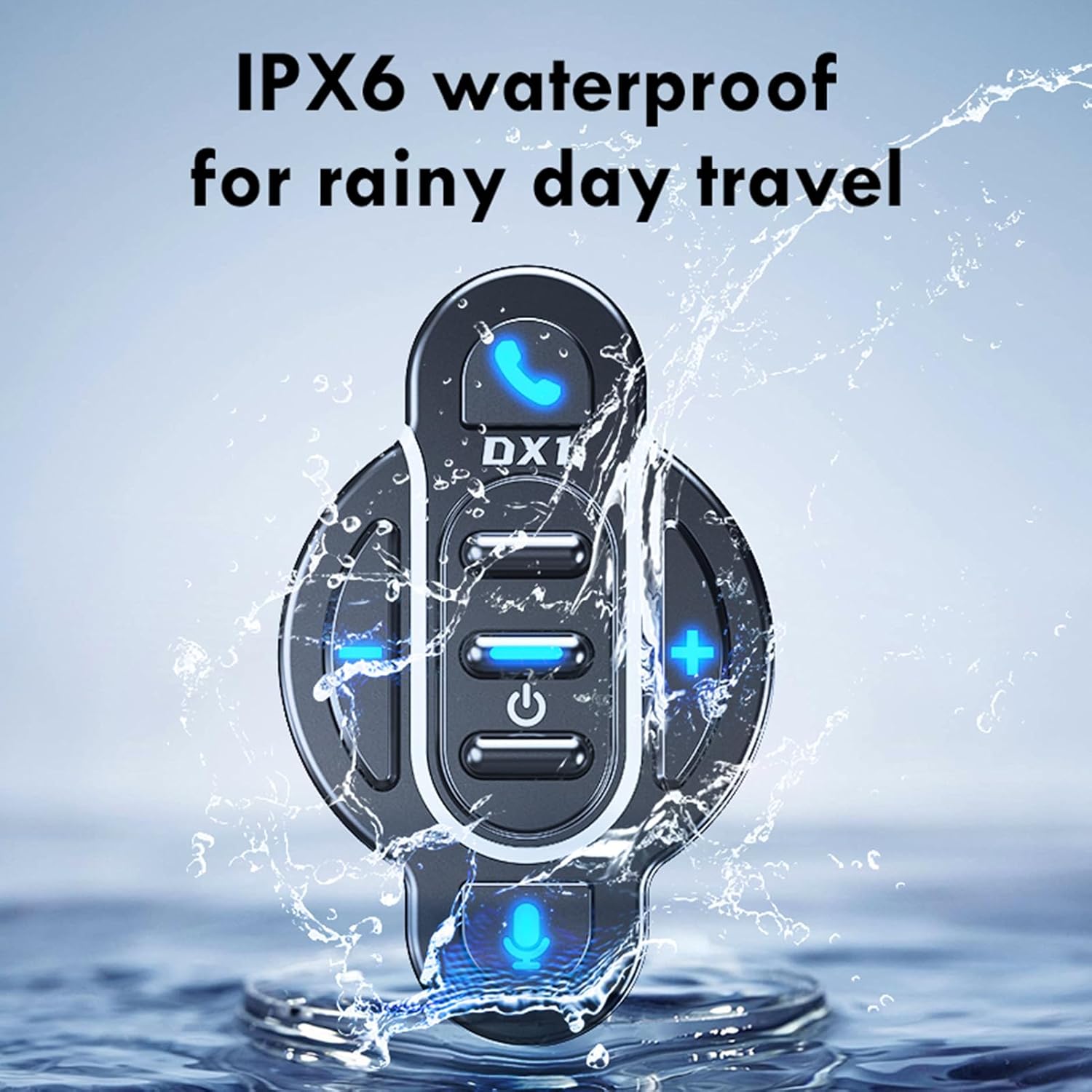
Image: The Docooler BT-Controller being splashed with water, illustrating its IPX6 waterproof rating for use in rainy conditions.
While the device is water-resistant, avoid submerging it in water or exposing it to high-pressure water streams for extended periods.
Opbevaring
Når enheden ikke er i brug i længere perioder, skal den opbevares køligt og tørt, væk fra direkte sollys og ekstreme temperaturer.
Fejlfinding
If you encounter issues with your Docooler BT-Controller, refer to the following common problems and solutions:
| Problem | Mulig årsag | Løsning |
|---|---|---|
| Enheden tændes ikke. | Batteriet er afladet. | Charge the device for at least 1 hour. |
| Kan ikke parres med smartphone. | Bluetooth er slået fra på smartphonen; enheden er ikke i parringstilstand; for langt fra smartphonen. | Ensure smartphone Bluetooth is on. Put controller in pairing mode (flashing blue light). Move device closer to smartphone (within 10 meters). |
| No sound or control response. | Device not connected; volume too low; app issue. | Verify Bluetooth connection. Increase volume on both controller and smartphone. Restart music/call app. |
| Knapperne reagerer ikke. | Device frozen; low battery. | Try turning the device off and on again. Charge the device. |
If the problem persists after trying these solutions, please contact Docooler customer support for further assistance.
Specifikationer
| Feature | Detalje |
|---|---|
| BT version | 5.4 |
| Transmission Range | 10 meter (uden forhindringer) |
| Batteritype | Indbygget 3.7V polymerlitiumbatteri |
| Batterikapacitet | 90 mAh |
| Driftstid | Ca.. 22 dage |
| Standby tid | Ca.. 30 dage |
| Opladningstid | Ca. 1 time |
| Vandtæt vurdering | IPX6 |
| Farve | Sort |
| Varestørrelse | Ca.. 5.5 x 3.5 x 3 cm |
| Varens vægt | Ca. 20 gram |
| Antal knapper | 8 |
| Max understøttede enheder | 1 |
| Modelnummer | NPT6954248697367MU |
Garanti og support
Specifikke garantioplysninger for dette produkt findes ikke i denne manual. For detaljer vedrørende garantidækning, returnering eller teknisk support henvises til produktemballagen, forhandlerens website where you purchased the device, or contact Docooler customer service directly.
For the latest support information and frequently asked questions, please visit the official Docooler webwebstedet eller kontakt deres supportkanaler.
Ask a question about this manual
Ask about setup, troubleshooting, compatibility, parts, safety, or missing instructions. Manuals+ will review the question and use this page’s manual context to help answer it.