
1. Introduktion
The MESTEK Electrical Test Kit is a comprehensive set of tools designed for home inspectors, electricians, and DIY enthusiasts. This kit includes a dual-range non-contact voltage tester (AC50), a GFCI outlet tester (ST06), and a pinless digital moisture meter (WM710). These tools are essential for safely testing electrical outlets, circuits, wires, and detecting moisture levels in various materials.
This manual provides detailed instructions for the safe and effective use of each device within the kit. Please read it thoroughly before operation.
2. Sikkerhedsoplysninger
Always prioritize safety when working with electrical systems. Failure to follow these safety guidelines may result in electric shock, injury, or damage to property.
- Gå altid ud fra, at kredsløb er spændingsførende, indtil det modsatte er bevist.
- Do not use the tools if they appear damaged or are not functioning correctly.
- Ensure your hands are dry and you are standing on a non-conductive surface when testing electrical components.
- The AC50 Non-Contact Voltage Tester is not suitable for testing Christmas lights.
- Overhold det angivne voltage ratings for each device (e.g., AC50: CAT III 1000V, CAT IV 600V; ST06: CAT II 135V).
- Keep children away from electrical testing equipment.
- Refer to local electrical codes and regulations for proper electrical work.
3. Pakkens indhold
Your MESTEK Electrical Test Kit includes the following items:
- 1 x MESTEK AC50 Non-Contact Voltage Tester Pen
- 1 x MESTEK ST06 GFCI Outlet Tester
- 1 x MESTEK WM710 Digital Moisture Meter
- 7 x AAA Batteries (for all devices)
- 1 x Opbevaringspose
- 1 x mini skruetrækker
- User Manuals (for each device)

Image: All components included in the MESTEK Electrical Test Kit.
4. Produktet er slutview
4.1 MESTEK AC50 Non-Contact Voltage Tester Pen
The AC50 is a non-contact voltage-detektor designet til hurtig og sikker identifikation af spændingsførende AC-volumentage. It features dual-range sensitivity, a built-in flashlight, and audible/visual alarms.

Image: MESTEK AC50 Non-Contact Voltage Tester Pen components.
4.2 MESTEK ST06 GFCI Outlet Tester
The ST06 is designed for North American 3-wire 120V electrical outlets. It detects common wiring faults and can test GFCI devices to ensure proper functionality and electrical safety.

Image: MESTEK ST06 GFCI Outlet Tester components.
4.3 MESTEK WM710 Digital Moisture Meter
The WM710 is a pinless, non-destructive digital moisture meter. It uses electromagnetic wave induction to measure moisture content up to 20mm deep in various materials like drywall, masonry, softwood, and hardwood. It features a VA color screen, data hold, and automatic shutdown.

Image: MESTEK WM710 Digital Moisture Meter display and controls.
5. Opsætning
All devices in the MESTEK Electrical Test Kit require AAA batteries for operation. Please follow these steps to install batteries:
- Locate the battery compartment on the back of each device (AC50, ST06, WM710).
- Use the provided mini screwdriver to open the battery cover if necessary.
- Isæt de nødvendige AAA-batterier, og sørg for at polariteten (+/-) vender korrekt.
- Luk dækslet til batterirummet forsvarligt.
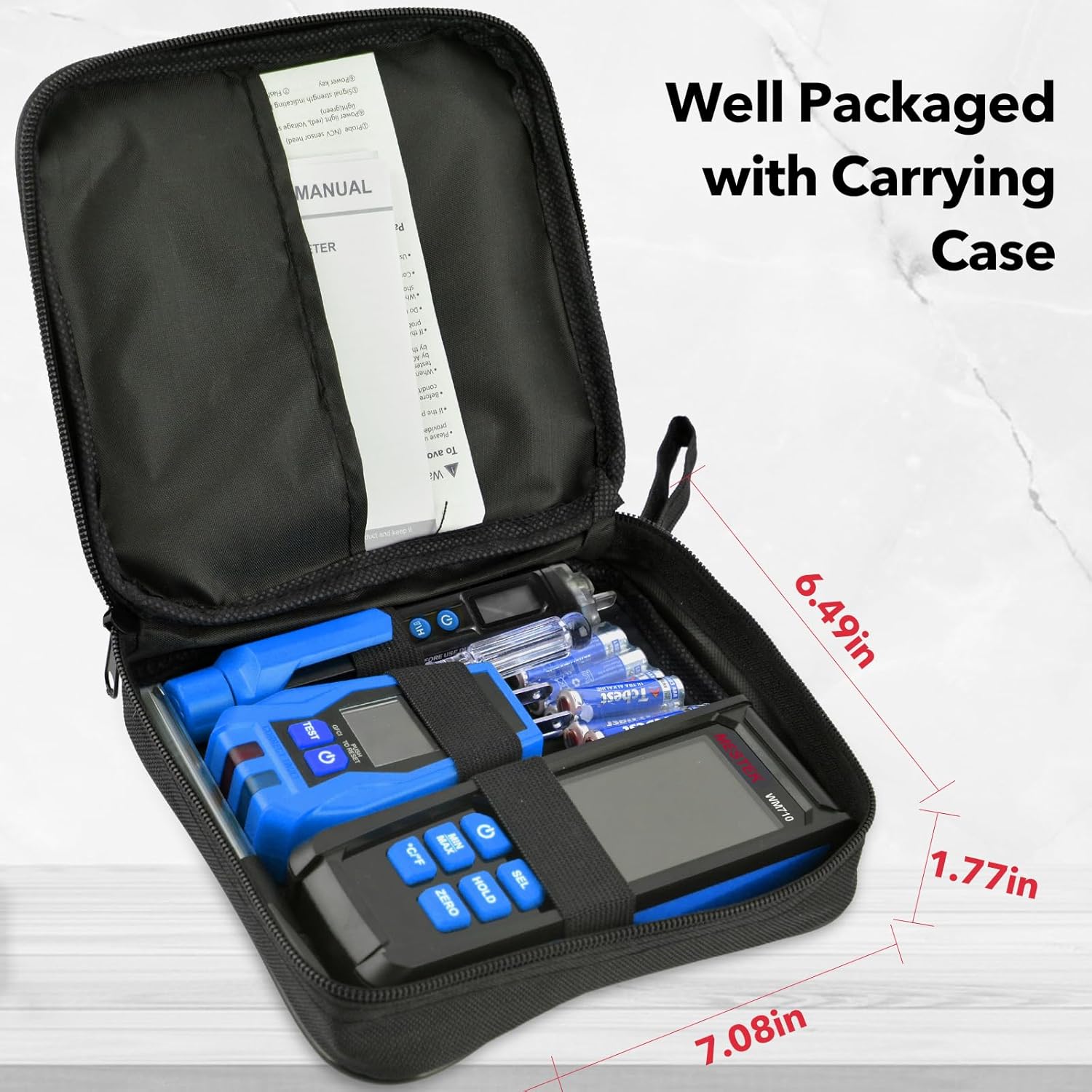
Image: MESTEK WM710 Digital Moisture Meter in use.
6. Betjeningsvejledning
6.1 MESTEK AC50 Non-Contact Voltage Tester Pen
- Tænd: Press the power button to turn on the device. The default sensitivity is low (48V-1000V), indicated by "LO" on the screen.
- Juster følsomhed: Short press the H/L button to switch to high sensitivity (12V-1000V), indicated by "HI" on the screen.
- Voltage Detektion: Place the tip of the tester near the wire, outlet, or circuit you wish to test. If AC voltage is detected, the tip will flash, and the tester will emit an audible beep. The LCD will show a red bar for live wires and a green bar for null wires.
- Lommelygte: Press the flashlight button to activate the built-in flashlight for use in dimly lit areas.
- Wire Breakpoint Detection: Move the NCVT along a wire. The alarm will stop at the breakpoint.

Image: AC50 NCVT detecting voltage in an outlet.

Image: Live and Null Wire Testing with AC50.
6.2 MESTEK ST06 GFCI Outlet Tester
- Tilslut: Insert the ST06 tester into a standard North American 3-wire 120V electrical outlet.
- Read Indication: The clear LCD will display the wiring condition (e.g., "CORRECT," "OPEN GRD," "HOT/NEU REV"), voltage, and the time required to trip a GFCI device. The green and red LEDs will also provide visual indications.
- Test GFCI: Press the "TEST" button to simulate a ground fault. A working GFCI outlet should trip (turn off power) within the displayed time.
- Nulstil: After testing, press the "RESET" button on the GFCI outlet itself to restore power.

Image: ST06 GFCI Outlet Tester showing correct wiring.

Image: Various wiring conditions detected by ST06.
6.3 MESTEK WM710 Digital Moisture Meter
- Tænd: Tryk på tænd/sluk-knappen for at tænde enheden.
- Select Material Mode: Short press the "SEL" button to cycle through the four measurement modes: Drywall, Masonry, Softwood, and Hardwood. Select the mode appropriate for the material you are testing.
- Måling: Place the back of the meter (where the sensor is located) flat against the surface of the material. The display will show the moisture content percentage. The analog bar will indicate Green (DRY), Yellow (RISK), or Red (WET).
- Data Hold: Press the "HOLD" button to freeze the current reading on the screen. Press again to release.
- Min/Max: Tryk på knappen "MIN/MAX" for at view the minimum or maximum recorded moisture values.
- Nulstilling: Press the "ZERO" button to calibrate the meter to zero in a dry environment.
- Temperatur/fugtighed: The meter also displays ambient temperature and humidity. Press the °C/°F button to switch units.

Image: WM710 Measurement Modes and indications.

Image: WM710 in use on various materials.
7. Vedligeholdelse
- Rensning: Tør enhederne af med en tør, blød klud. Brug ikke slibende rengøringsmidler eller opløsningsmidler.
- Opbevaring: Store the kit in the provided carrying case in a cool, dry place away from direct sunlight and extreme temperatures.
- Udskiftning af batteri: Replace batteries when the low battery indicator appears on the screen. Remove batteries if the devices will not be used for an extended period to prevent leakage.
8. Fejlfinding
- Enheden tænder ikke: Kontroller batteriinstallationen, og sørg for, at batterierne er friske.
- Inaccurate Readings (Moisture Meter): Ensure the meter is calibrated (zeroed) in a dry environment. Make sure the sensor is flat against the surface.
- NCVT Not Detecting Voltage: Ensure the device is powered on and the sensitivity is set appropriately (HI for lower voltage-detektion).
- GFCI Tester Not Indicating Correctly: Ensure the tester is fully inserted into the outlet. Verify the outlet is a standard 3-wire 120V North American type.
- GFCI Test Button Not Tripping Outlet: The GFCI mechanism in the outlet may be faulty, or the outlet may not be a GFCI type. Consult a qualified electrician.
9. Specifikationer
| Feature | Specifikation |
|---|---|
| Mærke | MESTEK |
| Modelnummer | AC50+ST06+WM710 |
| Strømkilde | Batteri (AAA) |
| AC50 VoltagRækkevidde | 12-1000V AC / 48-1000V AC (Dual Range) |
| AC50 Safety Rating | IEC CAT III 1000V, CAT IV 600V |
| ST06 Outlet Type | North American 3-wire 120V |
| ST06 Safety Rating | KAT II 135V |
| WM710 Measurement Depth | Op til 20 mm (0.78 tommer) |
| WM710 Measurement Type | Pinless Induction |
| Inkluderede komponenter | Moisture meter, GFCI outlet tester, Voltage tester, Storage bag, Batteries |
10. Garanti og support
MESTEK provides lifetime customer support to ensure your satisfaction with this product. If you encounter any issues or have questions regarding the operation, maintenance, or troubleshooting of your Electrical Test Kit, please contact MESTEK customer service for assistance.
For warranty claims or technical support, please refer to the contact information provided with your purchase or visit the official MESTEK webwebsted.
