
Edifier K750W
Edifier K750W Wireless Stereo Headset User Manual
Model: K750W | Mærke: Edifier
1. Introduktion
Thank you for choosing the Edifier K750W Wireless Stereo Headset. This headset is designed to provide a superior audio experience for calls, music, and various multimedia applications. Featuring advanced AI call noise cancellation, a detachable swivel microphone, long-lasting battery life, and multipoint Bluetooth 5.4 connectivity, the K750W offers versatility and comfort for all-day use.
This manual provides detailed instructions on how to set up, operate, and maintain your headset to ensure optimal performance and longevity.
2. Pakkens indhold
Kontroller venligst indholdet af din pakke for at sikre, at alle varer er til stede:
- Edifier K750W Wireless Stereo Headset
- Detachable Swivel Microphone
- USB-A til USB-C ladekabel
- Brugervejledning (dette dokument)

Image: The Edifier K750W headset with its detachable microphone.
3. Produktet er slutview
The Edifier K750W headset features a lightweight, ergonomic design for extended comfort. Key components include:
- Ørekopper: Soft, circum-aural earcups provide comfort and passive noise isolation.
- Pandebånd: Justerbar for en sikker og komfortabel pasform.
- Kontrolelementer: Integrated buttons on the earcup for power, volume, and multi-function operations.
- Mikrofonport: Dedicated port for attaching the detachable swivel microphone.
- USB-C opladningsport: For praktisk og hurtig opladning.
- 40 mm dynamiske drivere: Deliver rich and delicate musical sound effects.

Image: An illustration showing the internal structure of the 40mm dynamic driver.

Image: A person wearing the Edifier K750W headset, highlighting its comfortable and lightweight design (weighs only 178 grams).
4. Opsætning
4.1 Opladning af headsettet
Before first use, fully charge the headset. Connect the provided USB-A to USB-C charging cable to the headset's USB-C port and a power source (e.g., computer USB port, USB wall adapter).
- A full charge provides up to 55 hours of music playback or 33 hours of talk time.
- The headset supports fast charging: 10 minutes of charge provides approximately 4.5 hours of use.
- Opladningsindikatorlampen viser opladningsstatussen.

Image: The headset being charged, illustrating its 55 hours of music mode battery life, 33 hours of sidetone mode, and fast charging capability (10 minutes charge for 4.5 hours use).
4.2 Montering af mikrofonen
The K750W features a detachable swivel microphone for clear voice pickup during calls. To attach:
- Locate the microphone port on the left earcup.
- Align the microphone's 3.5mm jack with the port and insert firmly until it clicks into place.
- Adjust the flexible boom arm to position the microphone optimally near your mouth.
For at afmontere den skal du forsigtigt trække mikrofonen lige ud af porten.
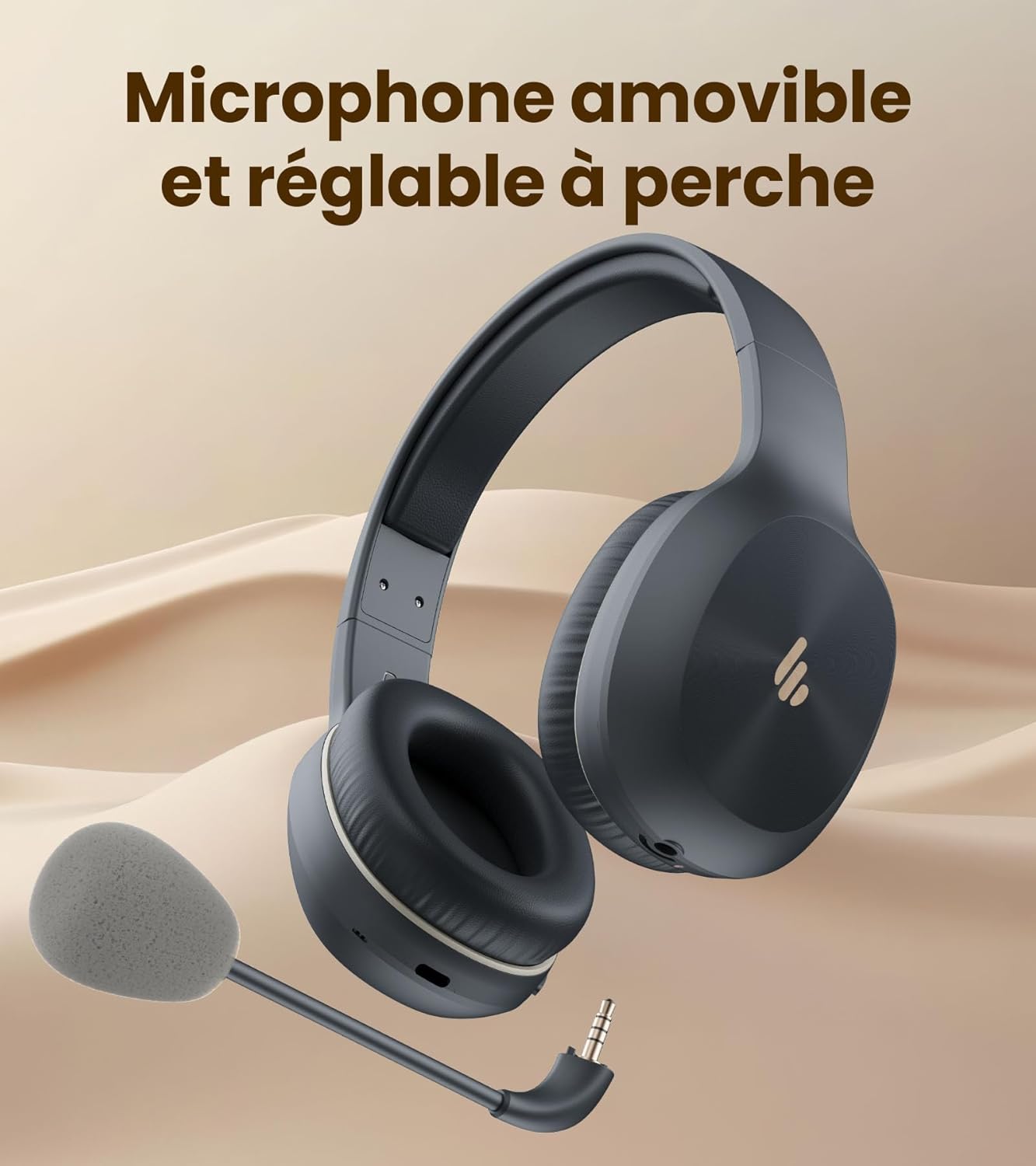
Image: The headset shown with its removable and adjustable boom microphone.
4.3 Bluetooth -parring
The K750W uses Bluetooth 5.4 for fast, stable, and energy-efficient wireless connection.
- Tænd: Tryk på multifunktionsknappen, og hold den nede, indtil indikatorlampen blinker, hvilket angiver parringstilstand.
- Aktiver Bluetooth: Aktiver Bluetooth på din enhed (smartphone, bærbar computer osv.).
- Vælg enhed: In your device's Bluetooth settings, select "Edifier K750W" from the list of available devices.
- Bekræft forbindelse: Once paired, the headset will provide an audio prompt, and the indicator light will change.
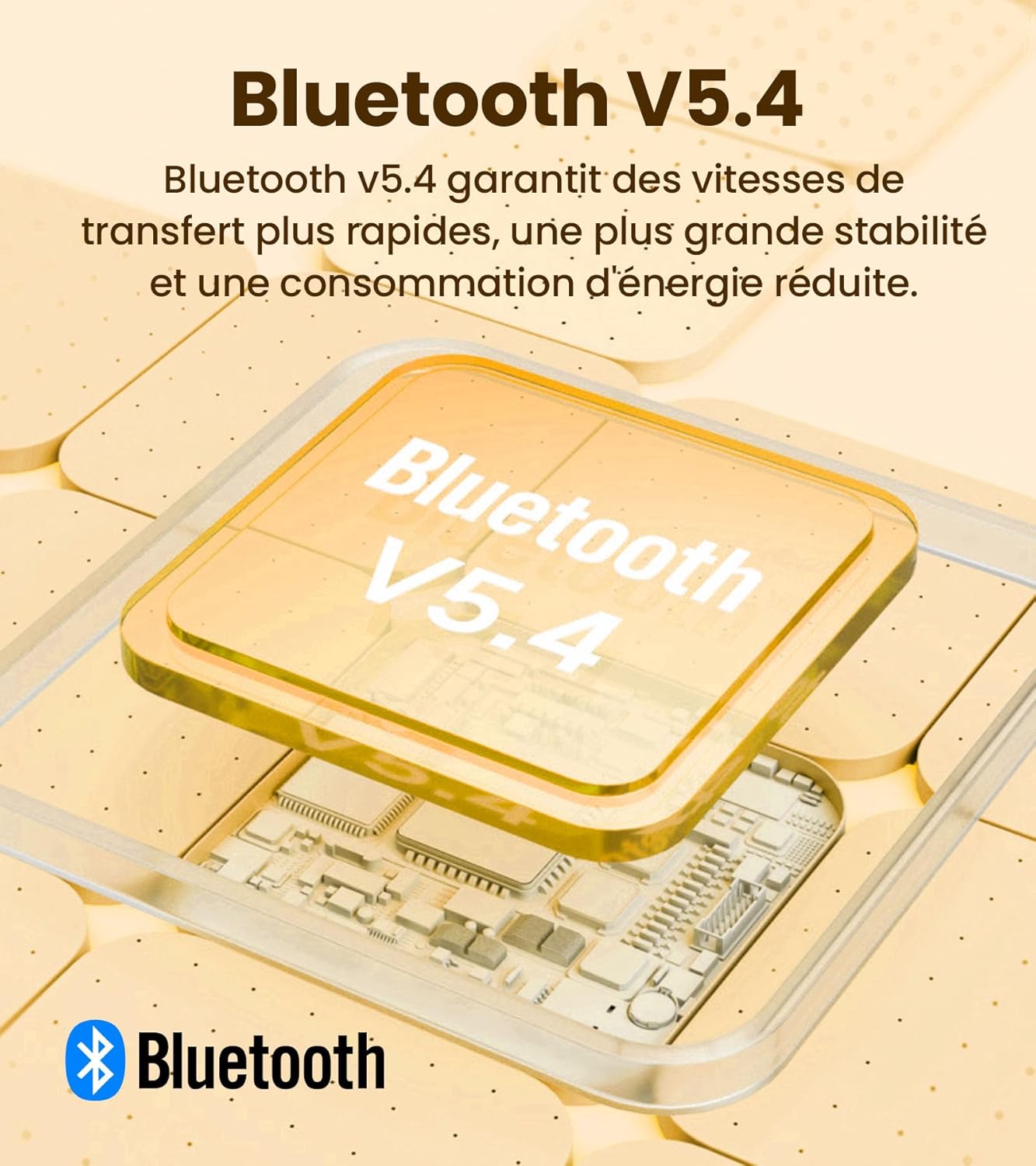
Image: An illustration of the Bluetooth V5.4 chip, emphasizing faster transfer speeds, greater stability, and reduced power consumption.
4.4 Multipunktforbindelse
The K750W supports multipoint connection, allowing you to connect to two Bluetooth devices simultaneously (e.g., a laptop and a smartphone). This enables seamless switching between audio sources.
- Par headsettet med den første enhed som beskrevet i afsnit 4.3.
- Disconnect the headset from the first device (or put the headset back into pairing mode if it automatically reconnects).
- Par headsettet med den anden enhed.
- Reconnect the headset to the first device from its Bluetooth settings. The headset should now be connected to both devices.
Audio will automatically switch to the device that is actively playing media or receiving a call.
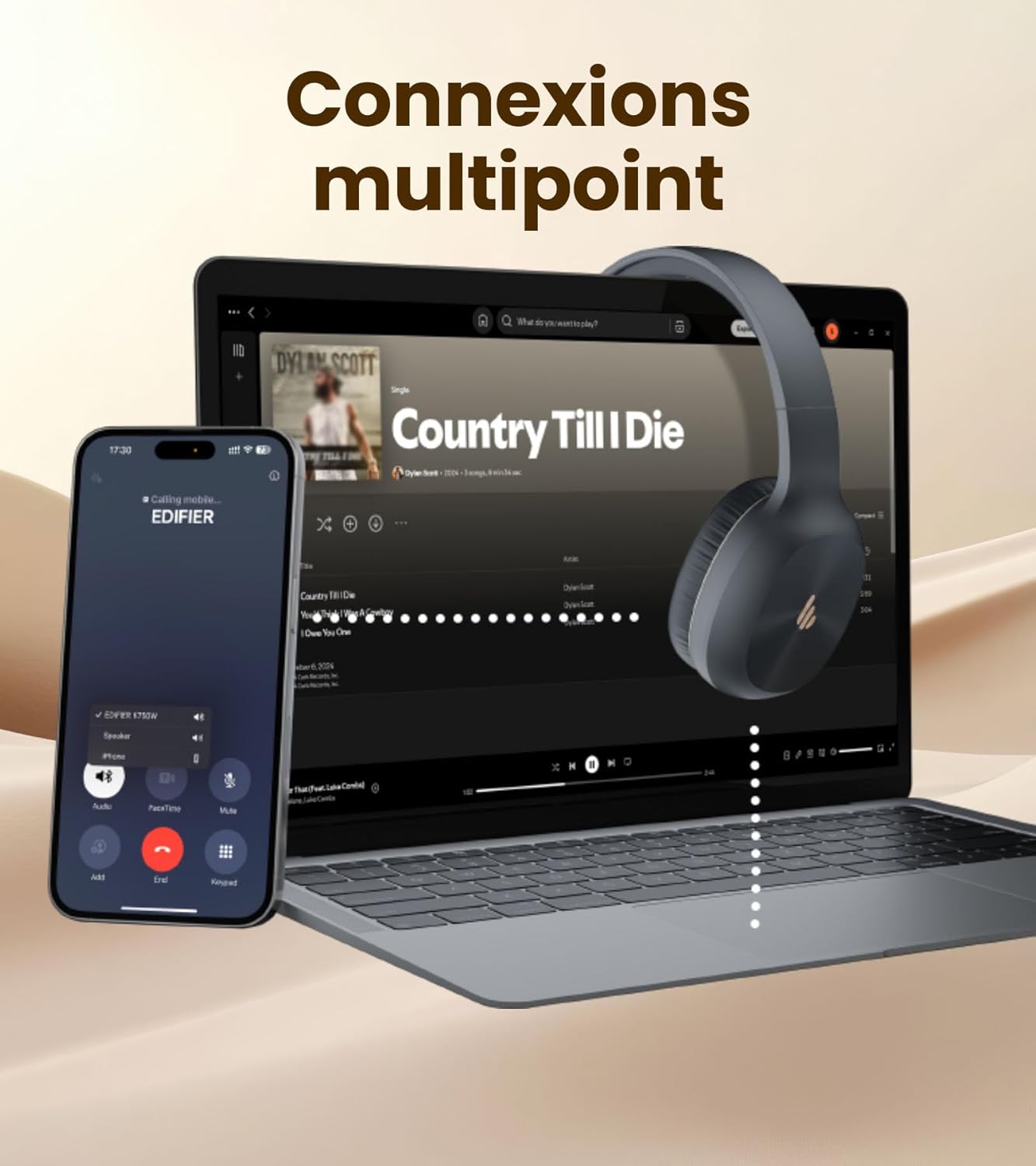
Image: The headset demonstrating multipoint connectivity, simultaneously linked to a laptop playing music and a smartphone receiving a call.
5. Betjeningsvejledning
5.1 Grundlæggende kontroller
| Knap/handling | Fungere |
|---|---|
| Multifunktionsknap (Tryk og hold) | Tænd/sluk, skift til parringstilstand |
| Multifunktionsknap (Enkelt tryk) | Afspil/pause musik, besvar/afslut opkald |
| Lydstyrke + knap (Enkelt tryk) | Øg lydstyrken |
| Lydstyrke - knap (Enkelt tryk) | Sænk lydstyrken |
| Lydstyrke + knap (Tryk og hold) | Næste spor |
| Lydstyrke - knap (Tryk og hold) | Forrige spor |
5.2 Støjreduktion ved AI-opkald
The K750W integrates AI-based noise reduction technology with two built-in anti-noise microphones. This system filters out ambient sounds and prioritizes your voice, minimizing background noise for clearer calls. This feature is automatically active when using the microphone for calls.

Image: A person wearing the headset, illustrating the auditory safety protection feature, keeping volume below 85dB.
5.3 Edifier ConneX-appen
Enhance your experience with the Edifier ConneX App, available for smartphones. The app allows you to:
- Adjust the equalizer for optimal sound.
- Rename your headset.
- Locate lost earbuds (if applicable, though primarily for finding the headset).
- Få adgang til yderligere indstillinger og funktioner.
Download the Edifier ConneX App from your device's app store or by scanning the QR code below:

Image: Screenshots of the Edifier ConneX App, showing options to adjust the equalizer, rename the headset, and find lost devices.
6. Vedligeholdelse
Proper care and maintenance will extend the life of your Edifier K750W headset.
- Rensning: Use a soft, dry cloth to clean the earcups and headband. Do not use liquid cleaners or abrasive materials.
- Opbevaring: Opbevar headsettet et køligt, tørt sted væk fra direkte sollys og ekstreme temperaturer.
- Batteripleje: For at spare på batteriet, undgå at aflade headsettet helt ofte. Oplad det regelmæssigt, selvom det ikke er i brug i længere perioder.
- Vandtæthed: Headsettet er ikke vandtæt. Undgå udsættelse for vand eller overdreven fugt.
7. Fejlfinding
If you encounter issues with your Edifier K750W headset, please refer to the following common problems and solutions:
| Problem | Mulig løsning |
|---|---|
| Headsettet tænder ikke. | Sørg for, at headsettet er fuldt opladet. Tilslut det til en strømkilde, og prøv igen. |
| Kan ikke parres med enheden. | Ensure the headset is in pairing mode (flashing indicator light). Turn off and on Bluetooth on your device. Move the headset closer to the device. Clear previous Bluetooth connections on your device. |
| Ingen lyd eller lav lydstyrke. | Check the volume levels on both the headset and your connected device. Ensure the headset is properly paired. Try playing audio from a different application or device. |
| Mikrofon virker ikke. | Ensure the detachable microphone is securely attached. Check microphone settings on your connected device (e.g., ensure it's selected as the input device). Ensure the microphone is not muted. |
| Periodisk forbindelse/lydudfald. | Move closer to your connected device. Avoid obstacles between the headset and device. Reduce interference from other wireless devices. |
If the issue persists after trying these solutions, please contact Edifier customer support.
8. Specifikationer
Detailed technical specifications for the Edifier K750W headset:
| Feature | Detalje |
|---|---|
| Bluetooth version | V5.4 |
| Bluetooth-protokol | A2DP, AVRCP, HFP |
| Audio Codec | SBC |
| Bluetooth rækkevidde | 10m |
| Frekvensrespons | 20Hz - 20kHz |
| Lydtrykniveau | 92 ± 3 dB (A) |
| Musik afspilningstid | Op til 55 timer |
| Talk Time (Sidetone Mode) | Op til 33 timer |
| Hurtig opladning | 10 minutes charge = 4.5 hours use |
| Fuld opladningstid | Cirka 2.5 timer |
| Input | DC 5V = 200mA |
| Opladningsport | USB-C |
| Vægt | 178 g |
| Impedans | 32 ohm |
| Batterisammensætning | Lithium-ion |
9. Garanti og support
The Edifier K750W headset comes with a manufacturer's warranty. Please refer to your purchase documentation for specific warranty terms and conditions.
- Garantiperiode: 1 Year (from date of purchase).
- Støtte: For technical assistance, troubleshooting beyond this manual, or warranty claims, please contact Edifier customer support through their official webwebstedet eller de kontaktoplysninger, der følger med dit produkt.
Gem venligst din købsbevis af garantihensyn.
Ask a question about this manual
Ask about setup, troubleshooting, compatibility, parts, safety, or missing instructions. Manuals+ will review the question and use this page’s manual context to help answer it.