Indledning
This manual provides detailed instructions for the safe and efficient operation of your Generic KW02 Retro Bluetooth Speaker. Please read this manual thoroughly before using the product and retain it for future reference.

Billede: Forside view of the Generic KW02 Retro Bluetooth Speaker, featuring a green vinyl record design and a red 'KAWOO' tag på siden.
Sikkerhedsoplysninger
- Udsæt ikke enheden for ekstreme temperaturer, direkte sollys eller høj luftfugtighed.
- Undgå at tabe eller udsætte enheden for kraftige stød.
- Du må ikke selv adskille eller forsøge at reparere enheden. Kontakt kvalificeret servicepersonale.
- Hold enheden væk fra vand og andre væsker.
- Brug kun det medfølgende opladningskabel eller et tilsvarende certificeret kabel.
Pakkens indhold
Bekræft at alle varer er til stede i pakken:
- 1 x Generic KW02 Retro Bluetooth Speaker
- 1 x USB Type-C opladningskabel
- 1 x Brugermanual (dette dokument)
Produkt overview og opsætning
Familiarize yourself with the speaker's components and prepare it for first use.

Image: The Generic KW02 Retro Bluetooth Speaker positioned on a wooden shelf, highlighting its vintage vinyl record player aesthetic.
Opladning af højttaleren
- Tilslut det medfølgende USB Type-C-opladerkabel til opladningsporten på højttaleren.
- Tilslut den anden ende af kablet til en USB-strømadapter (medfølger ikke) eller en computers USB-port.
- Opladningsindikatorlampen lyser under opladning og slukker, når den er fuldt opladet.
- En fuld opladning tager typisk cirka 2-3 timer.
Betjeningsvejledning
Tænd/sluk
- To power on, press and hold the power button for a few seconds until the indicator light illuminates.
- To power off, press and hold the power button again for a few seconds until the indicator light turns off.
Bluetooth-parring

Image: The Generic KW02 Retro Bluetooth Speaker with its central disc glowing with blue RGB light, indicating active operation or Bluetooth mode.
- Sørg for, at højttaleren er tændt og i Bluetooth-parringstilstand (indikatorlampen blinker).
- Aktiver Bluetooth på din enhed (smartphone, tablet osv.) og søg efter tilgængelige enheder.
- Vælg "KW02" fra listen over enheder.
- Once paired, the speaker will emit a confirmation sound, and the indicator light will become solid.
Multiple Playback Functions (Bluetooth, TF Card, AUX)

Image: A visual representation of the Generic KW02 Retro Bluetooth Speaker's multiple playback options, including Bluetooth, TF card, AUX input, and white noise.
- Bluetooth-tilstand: Efter vellykket parring afspilles lyd fra din tilsluttede enhed gennem højttaleren.
- TF-kortafspilning: Indsæt et TF-kort (microSD) med lyd files i den angivne plads. Højttaleren skifter automatisk til TF-korttilstand og begynder afspilning.
- AUX-indgang: Connect an audio device using a 3.5mm AUX cable (not included) to the AUX input port. The speaker will switch to AUX mode.
- Use the mode button (if available) to cycle between Bluetooth, TF Card, and AUX input modes.
White Noise Function

Image: The Generic KW02 Retro Bluetooth Speaker generating white noise, with visual cues for various nature sounds like waves, birds, fire, and stream.
The speaker includes pre-loaded white noise sounds to aid relaxation and sleep.
- Press the dedicated white noise button (or cycle through modes) to activate the white noise function.
- Cycle through the available white noise sounds (waves, fire, song of birds, stream) using the appropriate control button.
RGB lysstyring
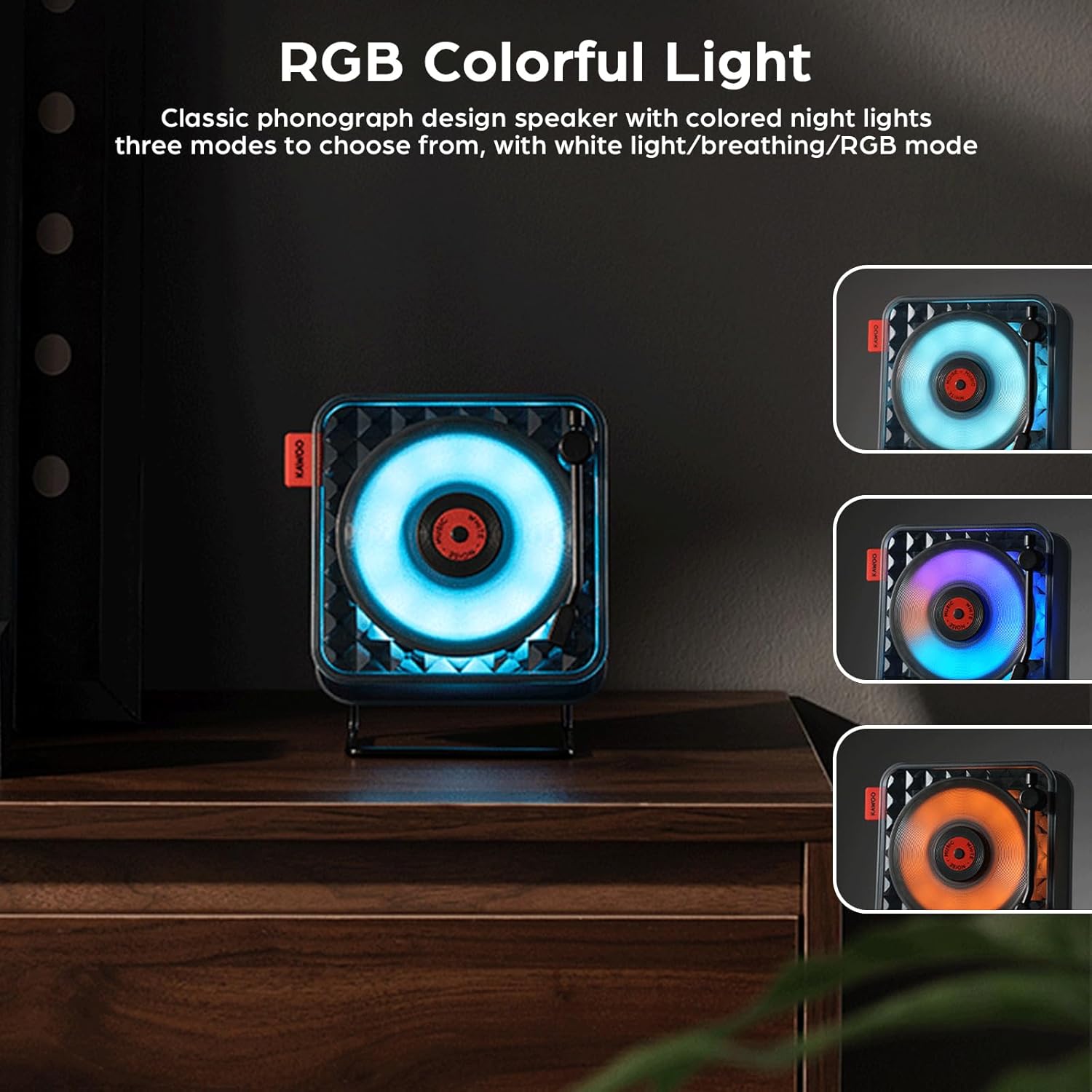
Billede: Tre views of the Generic KW02 Retro Bluetooth Speaker, each demonstrating a different RGB lighting mode: blue, purple, and orange, highlighting its ambient light capabilities.
The speaker features colorful ambient lighting with multiple modes.
- Press the light mode button to cycle through different lighting effects: white light, breathing mode, and RGB mode.
- Press the button again to change the lighting effect or turn it off.
Lydstyrkekontrol
Adjust the volume using the dedicated volume controls on the speaker or through your connected device.
Multi-vinkel justering

Image: The Generic KW02 Retro Bluetooth Speaker shown with its stand allowing for multi-angle adjustment, and also being held by hand, illustrating its portability.
The speaker's stand allows for multi-angle adjustment, enabling optimal sound direction. It can also be hung or handheld for portability.
Opretholdelse
- Rensning: Brug en blød, tør klud til at rengøre højttalerens yderside. Brug ikke slibende rengøringsmidler eller opløsningsmidler.
- Opbevaring: Når højttaleren ikke er i brug i længere perioder, skal den opbevares køligt og tørt, væk fra direkte sollys og ekstreme temperaturer.
- Batteripleje: For at forlænge batteriets levetid bør du undgå at aflade batteriet helt ofte. Oplad højttaleren regelmæssigt, selvom den ikke er i aktiv brug.
Fejlfinding
| Problem | Mulig løsning |
|---|---|
| Højttaleren tænder ikke. | Ensure the battery is charged. Connect the speaker to a power source using the charging cable. |
| Kan ikke parres via Bluetooth. |
|
| Ingen lyd. |
|
| White noise not playing. | Ensure the white noise function is activated and the desired sound is selected. |
Specifikationer
| Feature | Detalje |
|---|---|
| Modelnavn | KW02 |
| Bluetooth version | VER5.0 |
| Bluetooth-modtagelsesafstand | ≤10m (33 feet) |
| Højttaler output | Φ40mm 4Ω 5 Watts |
| Signal-støjforhold | ≥75dB |
| Frekvensområde | 80Hz-20KHz |
| Batteri | 3.7V/1500mAh |
| Input bindtage | DC5V/1A |
| Opladningsport | Type-C |
| Opladningstid | Ca. 2-3 timer |
| Spilletid | ≤6 hours (varies by volume) |
| Materiale | ABS (Acrylonitril Butadien Styren) |
| Produktdimensioner | 150 x 80 x 150mm (5.9 x 3.15 x 5.9 inches) |
| Varens vægt | 508 g (1.12 pund) |
| Særlige funktioner | AUX Input, Portable, TF Card Playback, White Noise, RGB Night Lights |
Garanti og support
This product comes with a standard manufacturer's warranty. For specific warranty details, please refer to the documentation provided at the time of purchase or contact your retailer.
For technical support or inquiries, please contact the seller or manufacturer through the platform where the product was purchased.


