
Temank Temank-10000W-48V
PowMr 10000W Split Phase Solar Inverter User Manual
Model: Temank-10000W-48V | Brand: Temank
1. Introduktion
This manual provides essential information for the safe and efficient operation of your PowMr 10000W Split Phase Solar Inverter. This low-frequency pure sine wave inverter is designed for off-grid home backup power, featuring a built-in 120A MPPT controller and a 105A AC charger. It supports both solar and AC input, providing reliable 120V/240V output from a 48V battery system.
Læs venligst denne manual grundigt inden installation og brug, og gem den til senere brug.
2. Sikkerhedsinstruktioner
Overholdelse af disse sikkerhedsretningslinjer er afgørende for at forhindre personskade og skader på inverteren eller tilsluttet udstyr.
- Elektrisk sikkerhed: Installation and maintenance must be performed by qualified personnel. Ensure all power sources are disconnected before working on the inverter.
- Ventilation: Install the inverter in a well-ventilated area to prevent overheating. Maintain adequate clearance around the unit.
- Miljø: Avoid exposure to water, moisture, direct sunlight, and flammable materials. Operate within specified temperature and humidity ranges.
- Jording: The inverter must be properly grounded. Ensure the protective earth conductor is connected first.
- Batterisikkerhed: Work with batteries carefully. Wear protective eyewear. Do not short-circuit battery terminals.
- Overbelastningsbeskyttelse: Do not exceed the inverter's rated power capacity.
3. Produktet er slutview
The PowMr 10000W Split Phase Solar Inverter is a robust low-frequency unit designed for stable and reliable power conversion. Its key features include a large toroidal transformer for enhanced surge capacity and durability, a 120A MPPT solar charge controller, and a 105A AC charger.
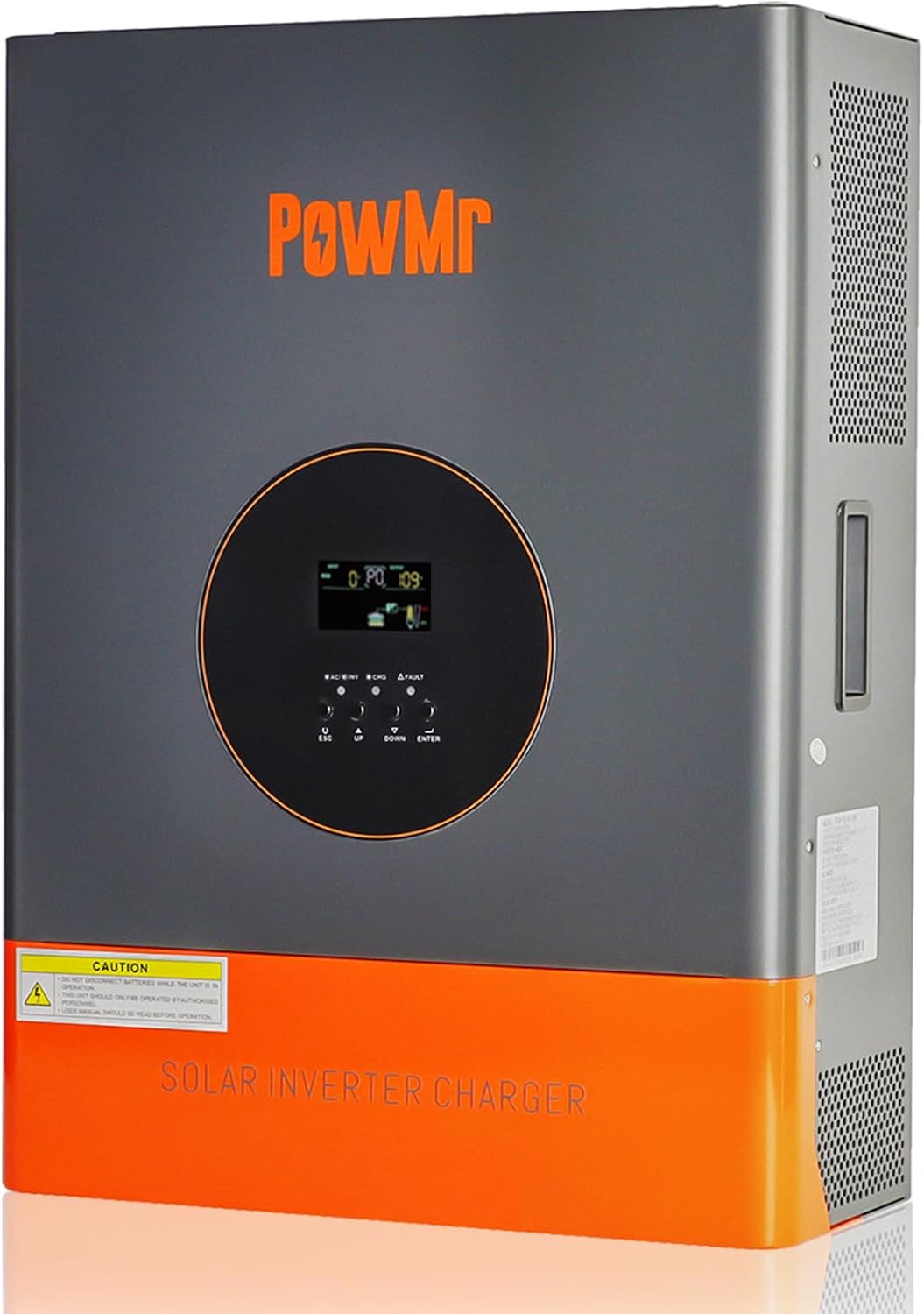
Figur 3.1: Forside view of the PowMr 10000W Split Phase Solar Inverter, showing the display and control buttons.
3.1 Nøglefunktioner
- Low-Frequency Design: Utilizes a large toroidal transformer for superior reliability, stability, and enhanced surge power capacity (30000W peak).
- Integreret MPPT-controller: Built-in 120A MPPT solar charge controller for efficient solar energy harvesting.
- AC oplader: Features a 105A AC charger for utility or generator charging.
- Batterikompatibilitet: Supports various battery types including LiFePO4, Lead-Acid (AGM, GEL, FLD, SLD), and user-defined settings.
- Split-Phase Output: Provides 120V/240V split-phase output for a wide range of household and office loads.
- Omfattende beskyttelse: Includes multiple built-in protection functions and precise alarm mechanisms for system safety.
- UPS-funktionalitet: Ultra-fast 10ms UPS ensures uninterrupted operation during power transitions.

Figur 3.2: Overview of the inverter's key specifications and features, including 10KW AC output, 30KW peak power, and 120A max PV charging.
3.2 Komponentidentifikation
Refer to the diagram below for identification of the inverter's external components and connection terminals.

Figure 3.3: Diagram illustrating the location of the LCD screen, LED indicators, LCD buttons, toggle switch, AC input/output terminals, PV input terminal, communication port, and battery circuit fuse.
4. Opsætning og installation
Proper installation is critical for the safe and optimal performance of your inverter. Follow these steps carefully.
4.1 Montering af inverteren
- Vælg et tørt, køligt og godt ventileret sted.
- Ensure the mounting surface is strong enough to support the inverter's weight (approximately 129 pounds).
- Allow sufficient clearance around the unit for airflow.
4.2 Ledningsforbindelser
All wiring must comply with local electrical codes and standards. Use appropriate wire gauges for all connections.

Figure 4.1: Detailed wiring diagram showing connections for solar panels, battery, AC input (utility/generator), and AC output to loads. Includes technical specifications for each connection point.
- Jording: Connect the ground wire first to the inverter's ground terminal and then to a reliable earth ground.
- Batteriforbindelse: Connect the 48V battery bank to the inverter's battery terminals. Ensure correct polarity (positive to positive, negative to negative). The battery must be connected for the inverter to operate. Recommended battery capacity is 200 Amp Timer.
- PV-indgangsforbindelse: Connect your solar panels to the PV input terminals. Ensure the maximum PV input power (6400W) and voltage (150V VOC) are not exceeded. Starting voltage skal være større end 60V.
- AC-indgangsforbindelse: Connect the utility grid or a generator to the AC input terminals. The AC input voltage is 120Vac±5% (50Hz/60Hz).
- AC-udgangstilslutning: Connect your household or office loads to the AC output terminals. The inverter provides 10000W continuous AC output power.
4.3 Valg af batteritype
The inverter is compatible with various 48V battery types. Select the appropriate battery type in the inverter's settings menu for optimal charging and discharge performance.
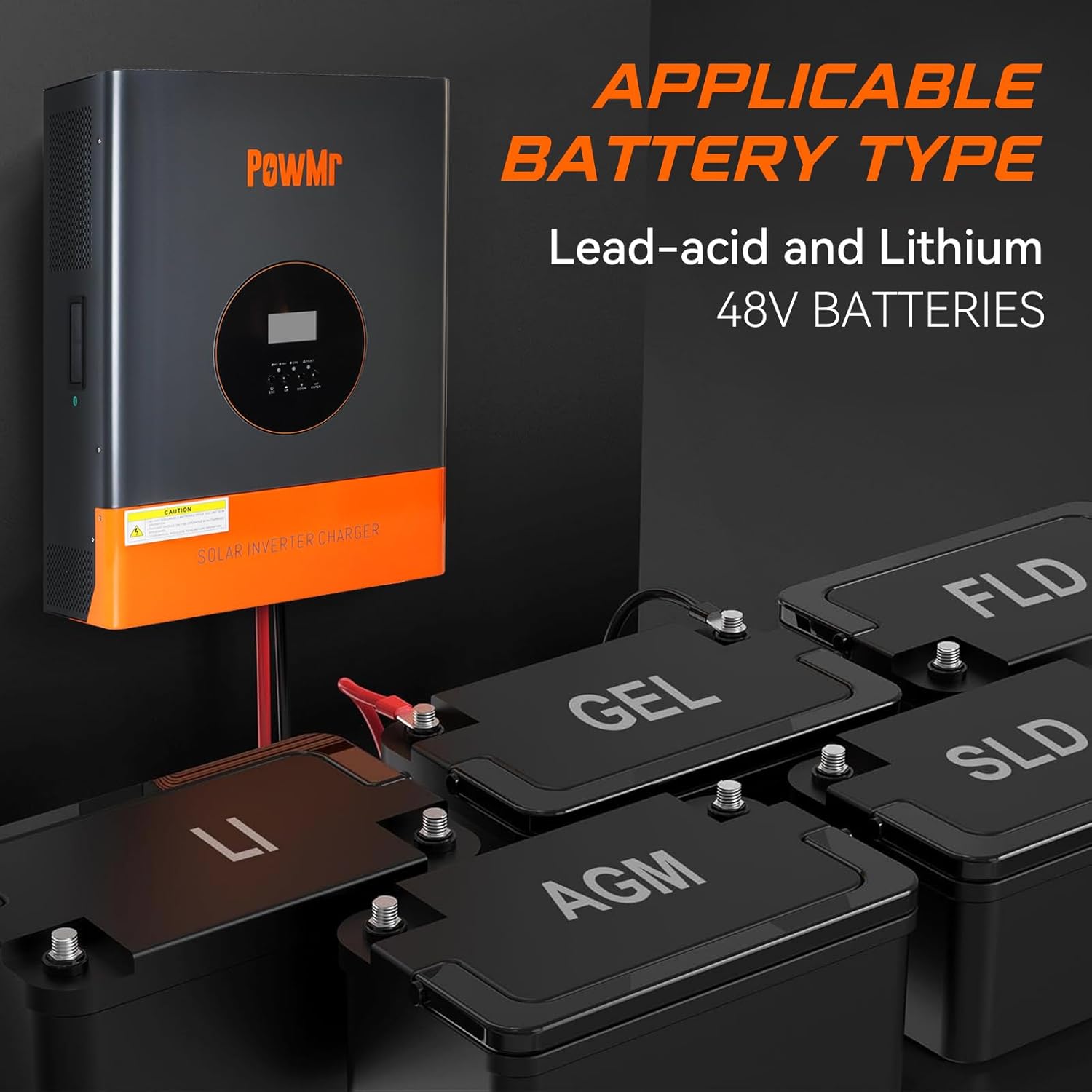
Figure 4.2: Illustration showing the inverter's compatibility with various 48V battery types, including Lead-acid (AGM, GEL, FLD, SLD) and Lithium (LiFePO4).
5. Betjening af inverteren
Once installed, the inverter offers flexible operating modes to suit your energy needs.
5.1 Tænd/sluk
- For at tænde: Ensure all connections are secure. Switch on the battery breaker, then the AC input breaker (if applicable), and finally the inverter's power switch.
- For at slukke: Reverse the power-on sequence: inverter switch off, then AC input breaker off, and finally battery breaker off.
5.2 opladningstilstande
The inverter supports three battery charging modes, configurable via the LCD display:

Figure 5.1: Visual representation of the three battery charging modes (Utility Priority, Solar Priority, Only Solar) and three load output modes (Utility Priority, Solar Priority, Inverter Priority).
- Prioritet af forsyningsvirksomheder: The inverter primarily uses utility power to charge the battery. Solar power acts as a supplementary charging source.
- Solprioritet: Solar power is the primary source for battery charging. Utility power is used only when solar power is insufficient.
- Kun solenergi: Kun solenergi bruges til at oplade batteriet. Strøm fra forsyningsselskaber bruges ikke til opladning.
5.3 Outputtilstande
The inverter also offers three load output working modes:
- Prioritet af forsyningsvirksomheder: Loads are primarily supplied by utility power. If utility power fails, the inverter switches to battery power.
- Solprioritet: Loads are primarily supplied by solar power. If solar power is insufficient, the inverter switches to battery power. If both solar and battery are insufficient, utility power is used (if available).
- Inverterprioritet: Loads are primarily supplied by the inverter from battery power. Utility power is used only when the battery voltage drops to a low warning level.
5.4 LCD-skærm og betjeningselementer
The LCD display provides real-time operational status, battery voltage, charging current, and output power. Use the navigation buttons (UP, DOWN, ENTER, ESC) to browse menus and adjust settings.
6. Vedligeholdelse
Regelmæssig vedligeholdelse sikrer din inverters levetid og optimale ydeevne.
- Rensning: Rengør inverterens yderside regelmæssigt med en tør klud. Sørg for, at ventilationsåbningerne er fri for støv og snavs.
- Tilslutningstjek: Annually inspect all electrical connections (battery, solar, AC input/output) for tightness and corrosion. Tighten any loose connections.
- Batteriinspektion: Regularly check battery terminals for corrosion and ensure battery fluid levels (for flooded lead-acid batteries) are adequate.
- Firmwareopdateringer: Tjek producentens webwebsted for tilgængelige firmwareopdateringer.
7. Fejlfinding
This section addresses common issues you might encounter. For problems not listed here, contact technical support.
| Problem | Mulig årsag | Løsning |
|---|---|---|
| Inverteren tænder ikke | No battery connection; Low battery voltage; Blown fuse | Check battery connections; Charge battery; Check battery circuit fuse. |
| Ingen AC-udgang | Overload; Over-temperature; Output breaker tripped | Reduce load; Allow inverter to cool; Reset output breaker. |
| Solcelleopladning virker ikke | PV indgang voltage too low/high; Incorrect PV connection; MPPT controller fault | Kontroller PV-generatorens volumentage; Verify PV wiring polarity; Consult technical support. |
| Incorrect 220V split-phase output | Incorrect wiring hook-up | Carefully re-check the wiring diagram and use a voltmeter to confirm terminal connections for 120V/240V output. Ensure L1, L2, and Neutral are correctly identified and connected. |
8. Tekniske specifikationer
| Feature | Specifikation |
|---|---|
| Modelnummer | Temank-10000W-48V |
| AC udgangseffekt | 10000W |
| Peak Power | 30000W |
| Batteri Voltage | 48V |
| AC Output Voltage | 120V/240V (Split-Phase) |
| Maks. PV-indgangseffekt | 6400W |
| Max PV-indgang Voltage (VOC) | 150V |
| Max PV Output Current | 120A (MPPT Controller) |
| AC opladerstrøm | 105A |
| Hybridopladning Maks. strøm | 120A (AC-oplader + PV-oplader) |
| Starter Voltage | >60V |
| UPS-overførselstid | 10 ms |
| Anbefalet batterikapacitet | 200 Amp Timer |
| Varens vægt | 129 pund |
| Pakkedimensioner | 26 x 20 x 10 tommer |
9. Hvad er der i æsken
Upon unpacking, please verify that all items listed below are included and undamaged.

Figure 9.1: Image showing the inverter unit and its included accessories.
- PowMr 10000W Low-Frequency Solar Inverter Unit
- Communication Cable (RS-232/RS-422)
- Monteringsbeslag og hardware
- Brugervejledning (dette dokument)
10. Garanti og support
Your PowMr 10000W Split Phase Solar Inverter is covered by a manufacturer's warranty. Please refer to the warranty card included in your package for specific terms and conditions, including warranty duration and coverage details.
For technical assistance, troubleshooting, or warranty claims, please contact Temank customer support through the retailer where the product was purchased or visit the official Temank webwebsted for kontaktoplysninger.
Fabrikant: Temank
Dato først tilgængelig: 27. juni 2024
Ask a question about this manual
Ask about setup, troubleshooting, compatibility, parts, safety, or missing instructions. Manuals+ will review the question and use this page’s manual context to help answer it.