
Indledning
Tak for købetasing the ZEBRONICS Sound Feast 800 Portable Bluetooth Speaker. This manual provides essential information for the safe and efficient operation of your device. Please read it thoroughly before use and retain it for future reference.
Vigtige sikkerhedsinstruktioner
- Udsæt ikke højttaleren for ekstreme temperaturer, direkte sollys eller høj luftfugtighed.
- Undgå at tabe eller udsætte højttaleren for kraftige stød.
- Keep the speaker away from water and other liquids. While it is splash-proof, it is not fully waterproof and should not be submerged.
- Forsøg ikke selv at skille ad, reparere eller modificere højttaleren. Overlad al service til kvalificeret personale.
- Brug kun det medfølgende opladningskabel eller et tilsvarende certificeret kabel.
- Sørg for ordentlig ventilation, når du bruger højttaleren.
- Rengør højttaleren med en blød, tør klud. Brug ikke slibende rengøringsmidler eller opløsningsmidler.
- Opbevares utilgængeligt for børn.
Pakkens indhold
Markér venligst feltet for følgende elementer:
- ZEBRONICS Sound Feast 800 Speaker - 1 unit
- Wireless Microphone - 1 unit
- Charging Cable (Type-C) - 1 unit
- AUX Cable - 1 unit
- QR-kodeguide - 1 enhed

Image: The ZEBRONICS Sound Feast 800 speaker in black with a purple-lit grille, accompanied by its wireless microphone.
Produkt overview
Nøglefunktioner
- Dynamisk kraft: 55 Watts output for robust sound.
- Powerful Driver: Equipped with a 16.51 cm (6.5 inch) driver for enhanced audio.
- Multiforbindelse: Supports Bluetooth v5.3, USB, mSD, AUX, and FM radio.
- Forlænget spilletid: Up to 6 hours of playback on a single charge (at 50% volume with LED off).
- RGB LED-lys: Multiple light modes to enhance ambiance.
- TWS -funktion: Connect two Sound Feast 800 speakers for a stereo experience.
- Klar til karaoke: Includes a 6.3mm mic input and a wireless microphone.
- Convenient Mobile Holder: Integrated holder for smartphones.
- Sprøjtsikkert design: Yder beskyttelse mod stænk.
Kontrol og porte
Familiarize yourself with the control panel and connectivity ports for optimal use.

Billede: Detaljeret view of the speaker's control buttons (Power, Mode, Play/Pause, Volume/Track, RGB light control, Bass) and connectivity ports (6.3mm Mic In, USB, mSD, AUX In, Type-C Charging).
- Power knap: Tryk og hold for at tænde/slukke.
- Mode-knap (M): Short press to switch between Bluetooth, USB, mSD, AUX, and FM modes.
- Afspil/pause knap: Kort tryk for at afspille eller sætte lyd på pause.
- Lydstyrke ned / forrige nummer: Kort tryk for forrige nummer, langt tryk for at sænke lydstyrken.
- Lydstyrke op / næste nummer: Kort tryk for næste nummer, langt tryk for at øge lydstyrken.
- RGB lyskontrol: Button to cycle through different RGB light modes.
- Bas knap: Aktiverer eller deaktiverer basforstærkning.
- TWS knap: Starter ægte trådløs stereoparring.
- 6.3 mm mikrofonindgang: Til tilslutning af en kablet mikrofon.
- USB-port: Til afspilning fra USB-drev.
- mSD Card Slot: For mSD card playback.
- AUX-indgang: Til tilslutning af eksterne lydenheder via AUX-kabel.
- Type-C opladningsport: Til opladning af højttaleren.
Opsætningsvejledning
Indledende opladning
- Before first use, fully charge the speaker. Connect the provided Type-C charging cable to the speaker's charging port and the other end to a USB power adapter (not included).
- The charging indicator will illuminate during charging and turn off once fully charged. A full charge takes approximately 4 hours.
Tænd/sluk
- For at tænde skal du trykke på og holde nede Power-knap indtil højttaleren aktiveres.
- For at slukke, skal du trykke på og holde nede Power-knap igen, indtil højttaleren slukker.
Betjeningsvejledning
Bluetooth-tilstand
- Turn on the speaker. It will automatically enter Bluetooth mode, indicated by a prompt sound.
- Enable Bluetooth on your mobile device and search for "ZEB-SOUND FEAST 800" in the list of available devices.
- Select the speaker to pair. Once paired, you will hear a confirmation sound.
- Du kan nu afspille lyd fra din enhed via højttaleren.
USB / mSD Card Mode
- Insert a USB drive or mSD card (with audio files) i den respektive port på højttaleren.
- The speaker will automatically detect the storage device and begin playback. If not, press the Mode-knap (M) to switch to USB or mSD mode.
- Brug Forrige/Næste nummer buttons to navigate songs and Afspil/pause til afspilningskontrol.
AUX-tilstand
- Connect one end of the provided AUX cable to the speaker's AUX input and the other end to the audio output of your external device (e.g., smartphone, MP3 player).
- Tryk på Mode-knap (M) for at skifte til AUX-tilstand.
- Styr afspilning og lydstyrke fra din tilsluttede enhed.
FM-radiotilstand
- Tryk på Mode-knap (M) for at skifte til FM-radiotilstand.
- Tryk længe på Afspil/pause knap to automatically scan and save available FM channels.
- Brug Forrige/Næste nummer buttons to switch between saved channels.
True Wireless Stereo (TWS) funktion
The TWS function allows you to connect two ZEB-SOUND FEAST 800 speakers wirelessly for a stereo sound experience.
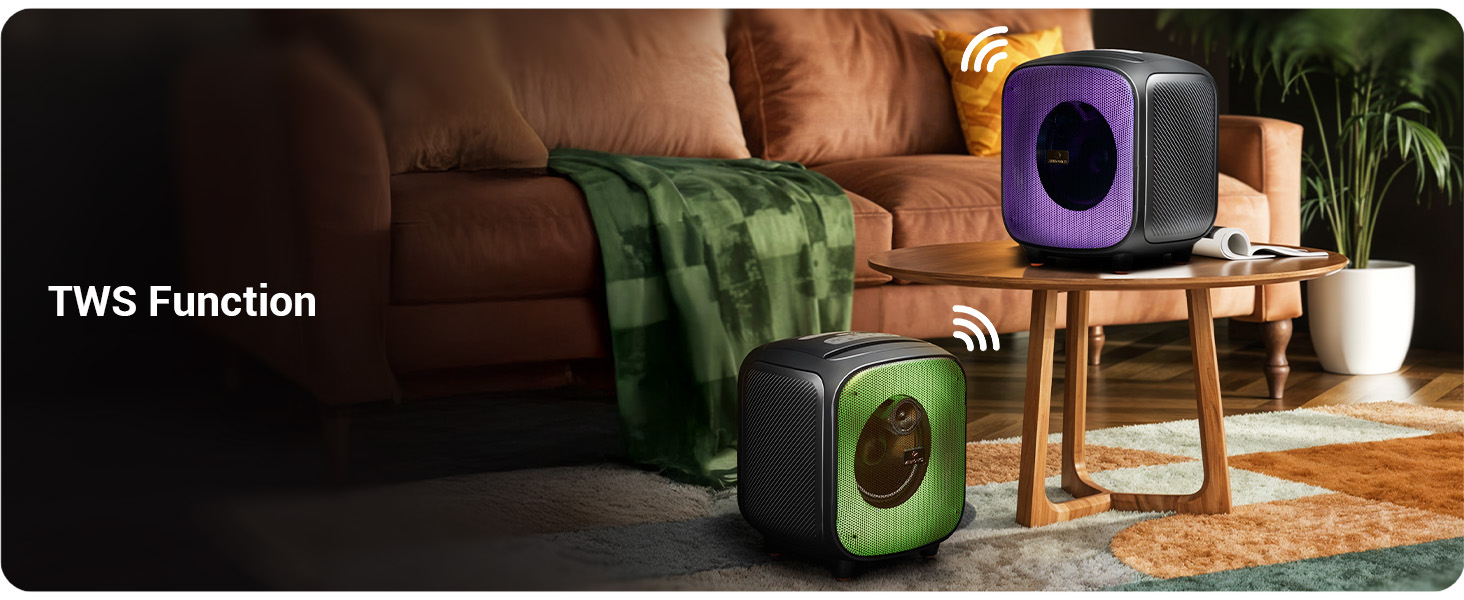
Image: Two Sound Feast 800 speakers positioned in a living room, illustrating the TWS connection.
- Ensure both ZEB-SOUND FEAST 800 speakers are powered on and in Bluetooth mode, but not connected to any device.
- På en af højttalerne (dette vil være den primære højttaler) skal du trykke kort på TWS knap. It will search for the secondary speaker.
- Once connected, you will hear a confirmation sound. The primary speaker's Bluetooth indicator will flash, and the secondary speaker's indicator will be solid.
- Now, connect your mobile device to the primary speaker via Bluetooth as described in the Bluetooth Mode section.
- Audio will play in stereo through both speakers.
Karaoke-funktion

Image: A woman holding the wireless microphone, demonstrating the karaoke function.
- Ensure the speaker is powered on and playing music (e.g., via Bluetooth, USB, or AUX).
- Turn on the provided wireless microphone. It will automatically connect to the speaker.
- Alternatively, connect a wired microphone to the 6.3mm Mic Input port.
- Adjust the microphone volume and echo effect (if available on the mic) for your desired karaoke experience.
RGB LED lys
The speaker features dynamic RGB LED lights with various modes.
- Tryk kort på RGB Light Control button to cycle through different light modes.
- Press and hold the button to turn the RGB lights off or on.
Opretholdelse
- Rensning: Use a soft, dry, lint-free cloth to clean the speaker's exterior. Do not use liquid cleaners, aerosols, or solvents.
- Opbevaring: Når højttaleren ikke er i brug i længere perioder, skal den opbevares køligt og tørt, væk fra direkte sollys og ekstreme temperaturer.
- Batteripleje: For at forlænge batteriets levetid bør du undgå at aflade højttaleren helt ofte. Oplad højttaleren regelmæssigt, selvom den ikke er i brug, for at opretholde batteriets sundhed.
- Vandeksponering: While splash-proof, avoid direct exposure to heavy rain or submersion in water. Ensure all ports are dry before charging.
Fejlfinding
| Problem | Mulig årsag | Løsning |
|---|---|---|
| Højttaleren tænder ikke. | Lavt batteri. | Oplad højttaleren helt med det medfølgende Type-C-kabel. |
| Ingen lyd. | Lydstyrken er for lav; forkert tilstand; enhed er ikke tilsluttet. | Increase speaker and source device volume. Ensure correct input mode (BT, AUX, USB, mSD). Re-pair Bluetooth device. |
| Bluetooth-parring mislykkes. | Højttaler ikke i parringstilstand; enhed for langt væk; interferens | Ensure speaker is in Bluetooth mode and discoverable. Move device closer to speaker. Turn off other Bluetooth devices. |
| Mikrofon virker ikke. | Microphone off; battery low (wireless mic); incorrect connection. | Ensure wireless mic is powered on and charged. For wired mic, ensure it's fully inserted into the 6.3mm port. |
| TWS-forbindelsen mislykkes. | Speakers already paired to a device; speakers too far apart. | Ensure both speakers are disconnected from other devices. Place speakers within close proximity (e.g., 5 meters). |
| Speaker turns off frequently. | Low battery; overheating; unstable power supply. | Charge the speaker. Ensure adequate ventilation. If problem persists, contact customer support. |
Specifikationer

Image: Diagram showing the dimensions of the ZEBRONICS Sound Feast 800 speaker: 25.5cm Depth, 26.4cm Width, 30.2cm Height.
| Feature | Detalje |
|---|---|
| Modelnavn | ZEB-LYD FEST 800 |
| Højttaler type | Bærbar højttaler |
| Udgangseffekt | 55 watt |
| Driver størrelse | 16.51 cm (6.5 tommer) |
| Forbindelse | Bluetooth v5.3, USB, mSD, AUX, FM Radio |
| Trådløs kommunikationsteknologi | Bluetooth |
| Strømkilde | Batteridrevet |
| Batteriets gennemsnitlige levetid | Up to 6 Hours (at 50% volume, LED off) |
| Opladningstid | Cirka 4 timer |
| Kontrolmetode | Tryk knap |
| Signal-støjforhold | 65 dB |
| Frekvensrespons | 60 Hz |
| Produktmål (D x B x H) | 25.5 x 26.4 x 30.2 centimeter |
| Varens vægt | 3.65 kg |
| Farve | Sort |
| Særlige funktioner | Wireless MIC, Karaoke Function, RGB LED Lights, TWS Function, Mobile Holder, Splash-proof |
Garanti og support
The ZEBRONICS Sound Feast 800 comes with a Begrænset garanti. For detailed warranty terms and conditions, please refer to the QR Code Guide included in your package or visit the official ZEBRONICS webwebsted.
For technical support, service, or any queries regarding your product, please contact ZEBRONICS customer service. Contact information can typically be found on the official ZEBRONICS webwebstedet eller på produktemballagen.
Manufacturer: Zebronics India Private Limited, No.13/7, Smith Road, Royapettah, Chennai - 600 002.