
1. Hvad er der i æsken
Upon opening your Tiksounds Wireless Earbuds A12 package, please verify that all the following components are included:
- Trådløse øretelefoner (venstre og højre)
- Opladningsetui
- Ørepropper (størrelser S, M, L)
- Type-C opladerkabel
- Brugermanual

Image: All items included in the Tiksounds A12 Wireless Earbuds package.
2. Produktet er slutview
The Tiksounds A12 Wireless Earbuds are designed for an enhanced audio experience, featuring a secure fit and advanced connectivity. Key features include:
- Bluetooth 5.3-forbindelse: Sikrer en stabil og effektiv trådløs forbindelse.
- 72 timers samlet spilletid: 8 hours per earbud, with an additional 64 hours provided by the charging case.
- ENC Noise Canceling Mic: For clear call quality by reducing environmental noise.
- IPX7 vandtæt bedømmelse: Provides protection against sweat and rain, suitable for workouts.
- Over-Ear Hook Design: Offers a secure and comfortable fit, ideal for active use.
- 14.2 mm dynamiske drivere: Delivers deep bass and clear audio.
- LED-strømskærm: On the charging case for easy battery monitoring.
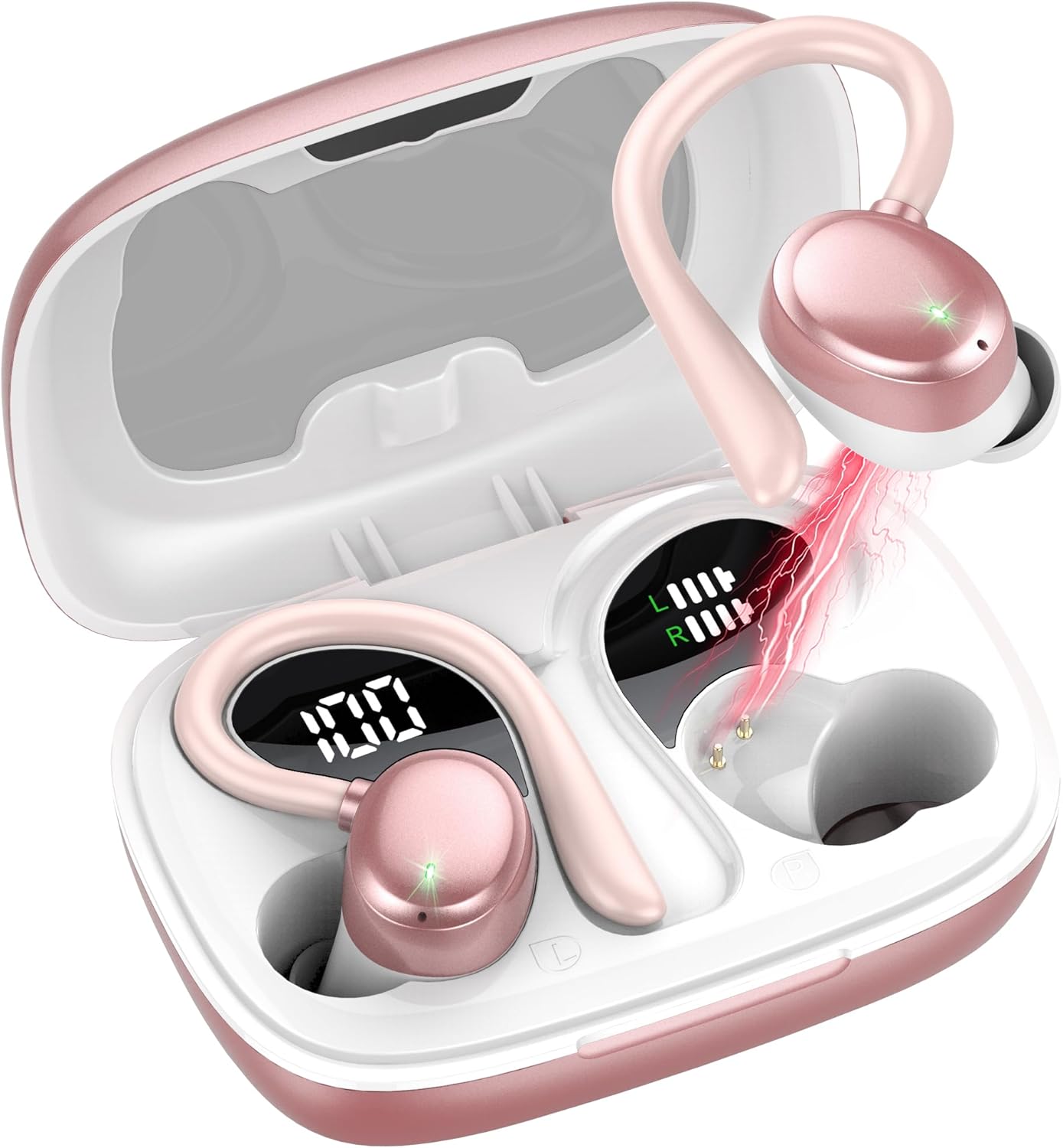
Image: Tiksounds A12 Wireless Earbuds and Charging Case.

Image: Internal structure of the earbud highlighting the 14.2mm driver for enhanced bass.

Image: Earbud with ENC Noise Cancelling Microphone for clear calls.
3. Indledende opsætning
3.1 Første brug og opladning
Before using your Tiksounds A12 earbuds for the first time, it is recommended to fully charge both the earbuds and the charging case.
- Placer begge ørepropper i opladningsetuiet.
- Tilslut Type-C-opladerkablet til opladningsporten på etuiet, og sæt den anden ende i en USB-strømadapter (medfølger ikke).
- The LED display on the charging case will show the battery level. Allow the case and earbuds to charge until the display indicates 100% for the case and full charge for the earbuds.
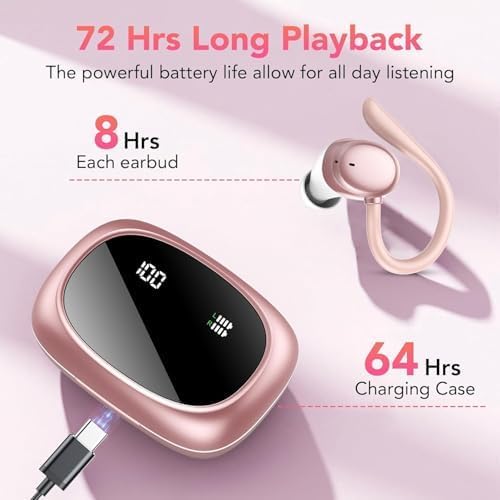
Image: Charging the earbuds and case, illustrating battery life.
4. Bluetooth-parring
4.1 Parring med din enhed
Follow these steps to connect your Tiksounds A12 earbuds to your smartphone, tablet, or other Bluetooth-enabled device:
- Sørg for, at øretelefonerne er fuldt opladede.
- Åbn opladningsetuiet. Ørepropperne går automatisk i parringstilstand, og deres indikatorlamper blinker.
- Gå til Bluetooth-indstillinger på din enhed, og slå Bluetooth til.
- Søg efter tilgængelige enheder, og vælg "A12" fra listen.
- Once connected, the earbud indicator lights will turn off, and your device will show "Connected".

Image: One-step pairing process with a mobile device.
4.2 Pairing Demonstration Video
Video: A visual guide demonstrating the pairing process and key features of Tiksounds Bluetooth Earbuds. This video shows the earbuds opening, connecting via Bluetooth 5.3, touch controls, and charging.
5. Tryk på Kontrolelementer
The Tiksounds A12 earbuds feature intuitive touch controls on each earbud for easy management of audio playback and calls. The specific functions are:
| Handling | Venstre øretelefon | Højre ørepropper |
|---|---|---|
| Afspil/pause musik | Enkelt tryk | Enkelt tryk |
| Næste spor | Dobbelttryk | Dobbelttryk |
| Forrige spor | Tredobbelt tryk | Tredobbelt tryk |
| Lydstyrke op | Tryk og hold | N/A |
| Lydstyrke ned | N/A | Tryk og hold |
| Besvar/afslut opkald | Enkelt tryk | Enkelt tryk |
| Afvis opkald | Tryk og hold | Tryk og hold |
| Aktiver Voice Assistant | Firedobbelt tryk | Firedobbelt tryk |
Note: Some functions may vary slightly depending on your connected device and operating system.
6. Opladning af øretelefoner og etuiet
6.1 Opladning af øretelefoner
To charge the earbuds, simply place them back into the charging case. They will automatically begin charging from the case's internal battery. The LED indicators on the earbuds will show charging status, and the case's display will show the earbuds' individual charge levels.
6.2 Opladning af etui
When the charging case battery is low, connect it to a power source using the provided Type-C USB cable. The LED display on the case will show the current battery percentage, der angiver opladningsstatus.
A full charge provides approximately 8 hours of listening time for the earbuds, and the charging case extends this to a total of 72 hours.
Image: Visual representation of earbud and case battery life and charging via Type-C.
7. Sådan tager du ørepropperne på
For optimal sound quality and comfort, it is important to wear the earbuds correctly. The Tiksounds A12 earbuds feature flexible earhooks and multiple eartip sizes to ensure a secure fit.
- Vælg de rigtige ørepropper: Experiment with the included S, M, and L eartips to find the size that provides the best seal and comfort for your ears. A good seal is crucial for bass response and noise isolation.
- Position the Earbud: Indsæt forsigtigt øretelefonen i din øregang.
- Adjust the Earhook: Loop the flexible earhook over the top of your ear. Adjust it until it rests comfortably and securely behind your ear, holding the earbud in place.
- Tjek pasformen: The earbud should feel snug but not uncomfortable. It should remain stable even during movement.

Image: Guide to achieving a secure and comfortable fit with the earhooks and interchangeable eartips.
8. IPX7 Waterproof Protection
The Tiksounds A12 earbuds are rated IPX7 waterproof, meaning they are protected against immersion in water up to 1 meter for up to 30 minutes. This makes them suitable for:
- Workouts and intense exercise (sweat resistance)
- Running in light rain
- Accidental splashes
Vigtige overvejelser:
- Opladningsetuiet er ikke waterproof. Do not expose the charging case to liquids.
- Avoid using the earbuds in saltwater, chlorinated water, or other chemical liquids.
- Sørg for, at ørepropperne er helt tørre, før du sætter dem tilbage i opladningsetuiet, for at forhindre skader.

Image: Earbuds demonstrating IPX7 waterproof capability.
9. Produktspecifikationer
Detailed technical specifications for the Tiksounds A12 Wireless Earbuds:
| Feature | Specifikation |
|---|---|
| Modelnavn | A12 |
| Forbindelsesteknologi | Trådløs (Bluetooth) |
| Bluetooth version | 5.3 |
| Bluetooth rækkevidde | 15 meter |
| Audio driver størrelse | 14.2 millimeter |
| Batterilevetid (ørepropper) | 8 timer (enkelt opladning) |
| Samlet spilletid (med etui) | 72 timer |
| Støjkontrol | Hybrid Noise Cancellation (ENC Mic) |
| Vandmodstandsniveau | IPX7 vandtæt |
| Kontrolmetode | Røre |
| Øreplacering | Over Ear (with earhooks) |
| Kompatible enheder | Smartphones, Tablets, Laptops, Smartwatches |
| Varens vægt | 0.11 kilogram (ca. 3.84 ounces) |
| Produktdimensioner | 1.81 x 1.26 x 1.02 tommer |
10. Fejlfinding
If you encounter any issues with your Tiksounds A12 earbuds, please refer to the following common problems and solutions:
10.1 Ørepropper parrer ikke
- Ensure Charge: Make sure both earbuds and the charging case have sufficient battery.
- Nulstil ørepropper: Place both earbuds back into the charging case, close the lid for 5 seconds, then open it again.
- Glem enhed: On your device's Bluetooth settings, forget or delete "A12" from the list of paired devices. Then, attempt to pair again following the instructions in Section 4.
- Nærhed: Ensure the earbuds are close to your device during pairing.
10.2 Ingen lyd eller lav lydstyrke
- Tjek lydstyrke: Increase the volume on both your connected device and the earbuds (using touch controls).
- Reparation: Frakobl øretelefonerne og par dem med din enhed igen.
- Clean Eartips: Ensure eartips are clean and free of debris that might block sound.
- Korrekt pasform: Adjust the earbuds for a secure fit in your ear canal to ensure optimal sound delivery.
10.3 Opladningsproblemer
- Tjek kabel: Ensure the Type-C charging cable is securely connected to both the case and the power source. Try a different cable or power adapter.
- Rengør opladningskontakter: Gently clean the charging contacts on both the earbuds and inside the charging case with a dry cotton swab.
- Etui batteri: Sørg for, at selve opladningsetuiet har strøm.
10.4 Problemer med opkaldskvalitet
- Mikrofonposition: Sørg for, at mikrofonen på ørepropperne ikke er blokeret.
- Miljø: Flyt til et mere stille miljø, hvis det er muligt, da ENC fungerer bedst på vedvarende baggrundsstøj.
- Signalstyrke: Stay within the Bluetooth range of your connected device.
11. Garanti og support
Tiksounds products are designed with quality and customer satisfaction in mind. For specific warranty information, including coverage duration and terms, please refer to the warranty card included in your product packaging or visit the official Tiksounds webwebsted.
If you require technical assistance, have questions about your product, or need to initiate a warranty claim, please contact Tiksounds customer support through the following channels:
- E-mail: Se din produktemballage eller den officielle webwebstedet for support-e-mailadressen.
- Webwebsted: Besøg Tiksounds Official Store on Amazon for ofte stillede spørgsmål og kontaktmuligheder.
Please have your product model number (A12) and purchase details ready when contacting support to ensure efficient service.