
ZERFUN K29
ZERFUN Mini Karaoke Machine User Manual
Model: K29 | Brand: ZERFUN
Indledning
Thank you for choosing the ZERFUN Mini Karaoke Machine. This portable system is designed to provide hours of entertainment for both children and adults, featuring high-fidelity sound, colorful LED lights, and versatile connectivity options. Please read this manual carefully to ensure proper use and maintenance of your device.
Pakkens indhold
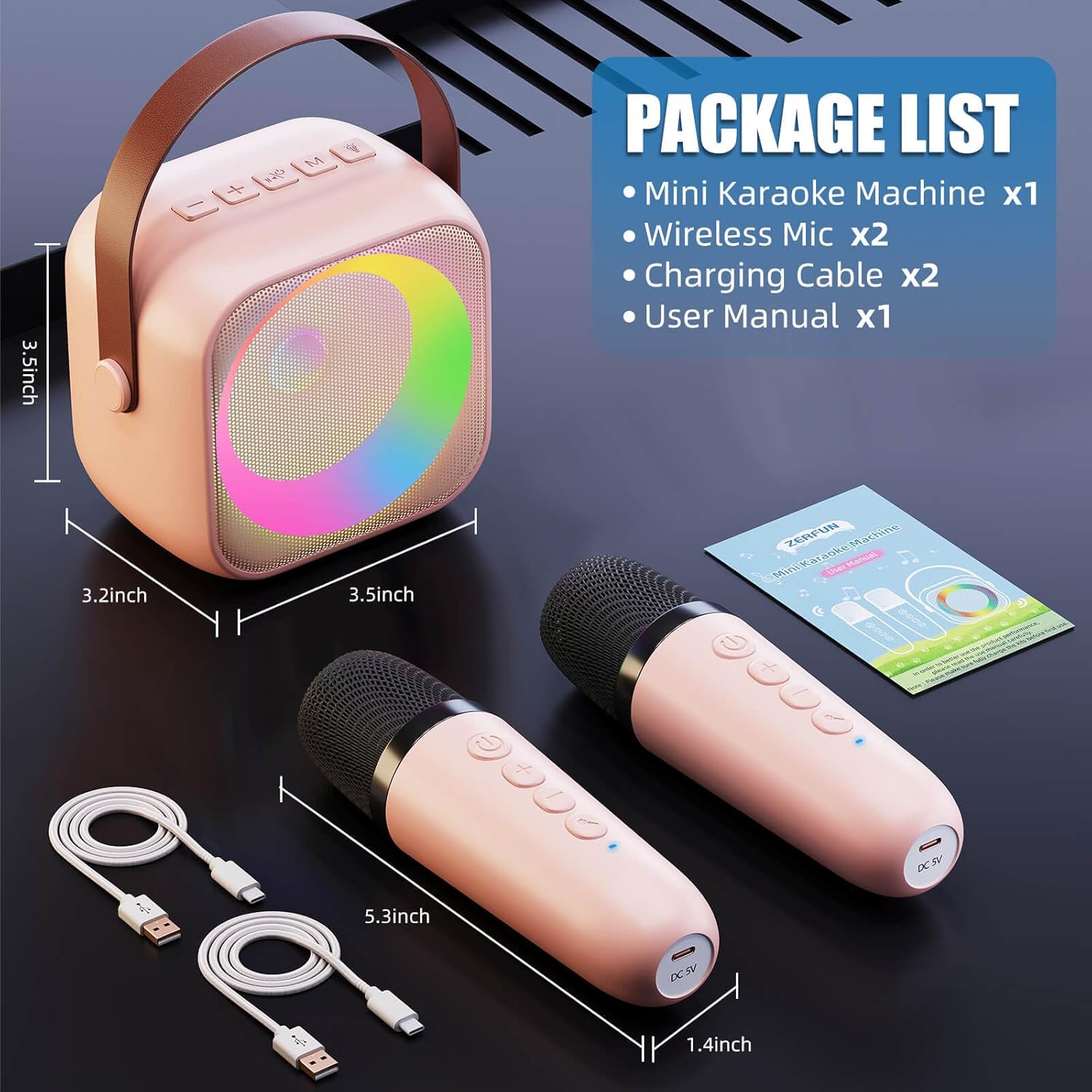
Image: Package contents of the ZERFUN Mini Karaoke Machine.
Markér venligst feltet for følgende elementer:
- Mini Karaoke Machine x 1
- Trådløs mikrofon x 2
- Ladekabel x 2
- Brugervejledning x 1
Produktegenskaber
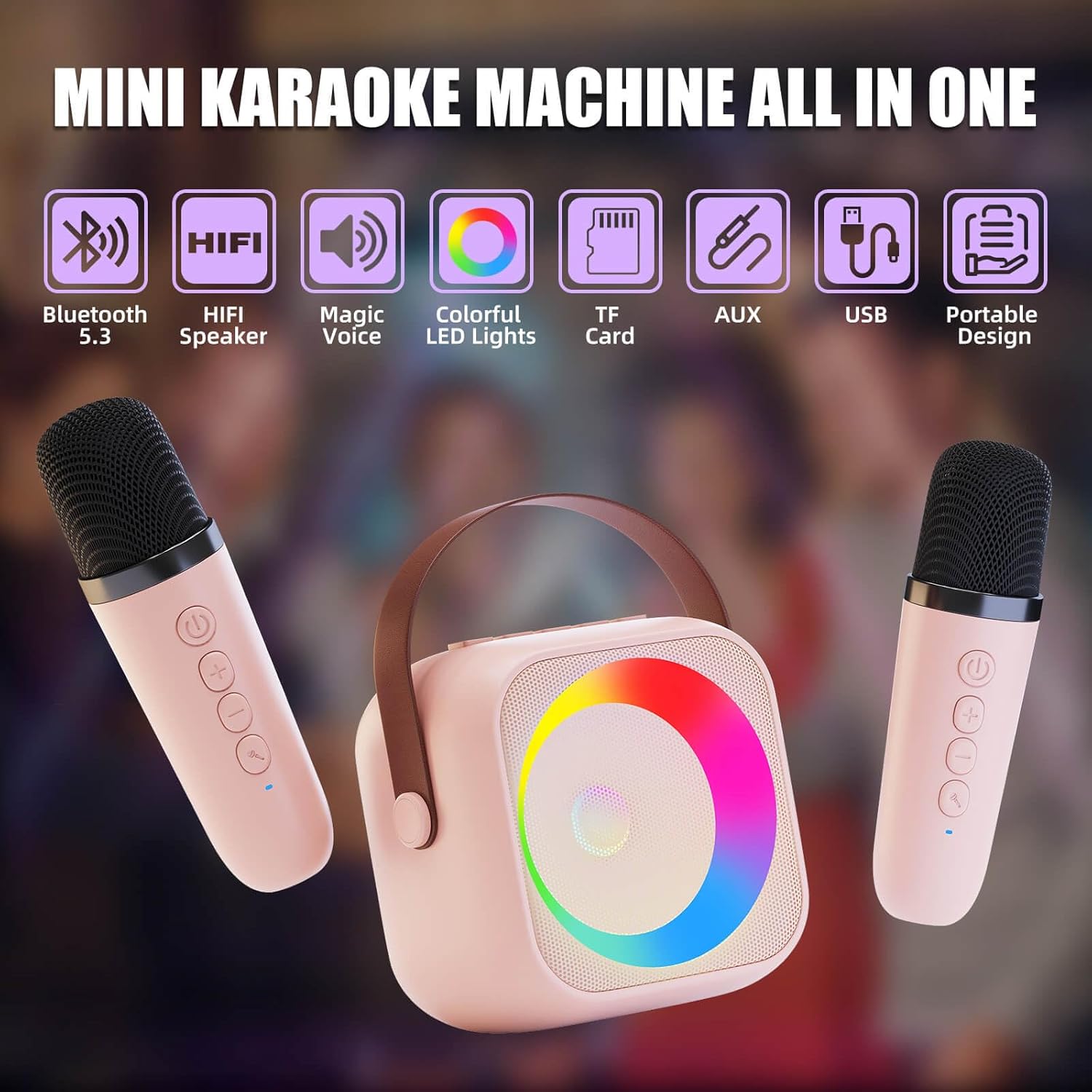
Billede: Overview of the ZERFUN Mini Karaoke Machine's key features.
- Familievenlig underholdning: Includes 2 rechargeable handheld wireless microphones and Bluetooth 5.3 connectivity for smartphones, tablets, or TVs. Features built-in voice-changing effects (Original, Baby, Female, Male, Monster 5 modes).
- Club-Quality Sound & Colorful Dynamic Lighting: High-fidelity speaker with adjustable reverb/volume mics for balanced audio. Built-in colorful LED light ring creates a vibrant karaoke atmosphere.
- All-Day Playtime with Smart Power: Equipped with a rechargeable battery offering 5-10 hour runtime at 50% volume and USB-C fast charging (3-4 hours for full charge). Includes 3.5mm AUX input, headphone monitoring, and USB/TF card slot. Auto-shutoff after 5 minutes of inactivity.
- Child-Safe & Adventure-Ready Design: Constructed with shock-resistant ABS plastic and rounded edges, lightweight (0.7lbs/320g) with a non-slip silicone base. Materials meet CE/FCC/CPC safety standards.
Opsætning
1. Opladning af enheden
Before first use, fully charge the karaoke machine and both microphones. Use the provided USB-C charging cables.
- Connect the USB-C cable to the charging port on the karaoke machine and a compatible USB power adapter (not included).
- Connect the smaller USB-C cables to the charging ports on each microphone and a compatible USB power adapter.
- The indicator lights will show charging status and turn off when fully charged. Charging typically takes 3-4 hours.
2. Tænd/sluk
- To power on the karaoke machine, press and hold the power button until the LED lights illuminate.
- To power on each microphone, press and hold the power button on the microphone until the indicator light turns on.
- To power off, press and hold the respective power buttons again.
3. Bluetooth-forbindelse
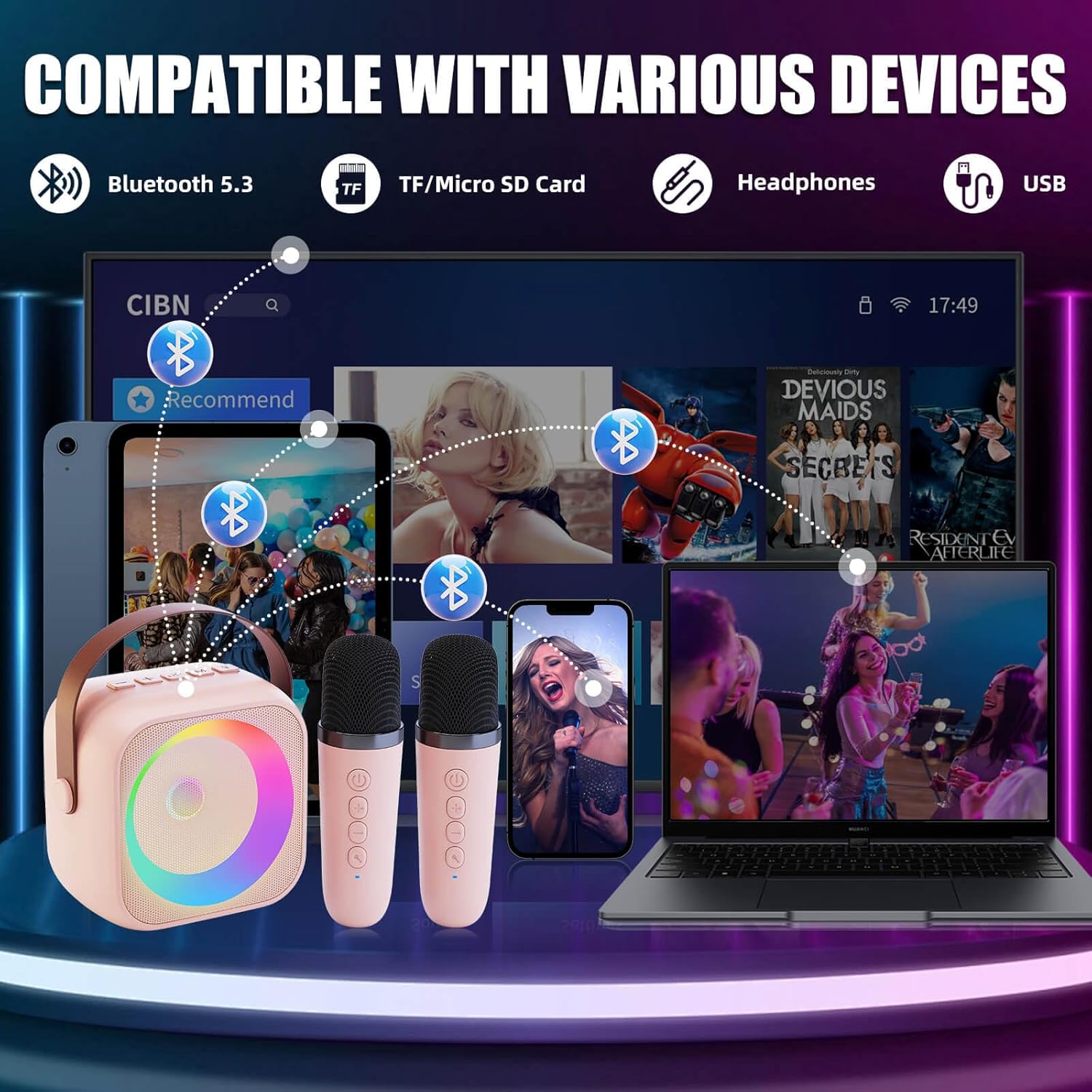
Image: Bluetooth connectivity options for the karaoke machine.
- Sørg for, at karaokemaskinen er tændt. Den vil automatisk gå i Bluetooth-parringstilstand.
- On your smartphone, tablet, or TV, enable Bluetooth and search for "ZERFUN K29" (or similar name).
- Vælg den enhed, der skal parres. En bekræftelseslyd angiver, at parringen er gennemført.
- The microphones will automatically connect to the karaoke machine when both are powered on.
Betjeningsvejledning
1. Musikafspilning
- Bluetooth: Once paired, play music from your connected device.
- AUX-indgang: Connect non-Bluetooth devices using a 3.5mm AUX cable (not included) to the AUX port.
- USB/TF-kort: Insert a USB drive or TF/Micro SD card into the respective slot for offline music playback.
2. Lydstyrkekontrol
- Use the '+' and '-' buttons on the karaoke machine to adjust the speaker volume.
- Use the '+' and '-' buttons on the microphones to adjust individual microphone volume.
3. Stemmeændrende effekter

Image: Voice changing effects available on the karaoke machine.
Press the voice change button on the microphone to cycle through the 5 available modes:
- Original
- Baby
- Kvinde
- Han
- Uhyre
4. LED-lysring
The built-in LED light ring automatically illuminates and changes colors during operation, enhancing the karaoke experience. There are no manual controls for the light patterns.
Opretholdelse
- Rensning: Tør enheden af med en blød, tør klud. Brug ikke slibende rengøringsmidler, og nedsænk den ikke i vand.
- Opbevaring: Store the karaoke machine and microphones in a cool, dry place away from direct sunlight and extreme temperatures.
- Batteripleje: For at forlænge batteriets levetid skal enheden oplades regelmæssigt, selvom den ikke bruges hyppigt. Undgå at aflade batteriet helt i længere perioder.
Fejlfinding
| Problem | Mulig årsag | Løsning |
|---|---|---|
| Ingen lyd fra højttaleren. | Volume too low; not connected via Bluetooth/AUX; device off. | Increase volume; ensure proper connection; power on device. |
| Mikrofonerne virker ikke. | Microphones not powered on; low battery; out of range. | Power on microphones; charge microphones; ensure close proximity to speaker. |
| Kan ikke oprette forbindelse via Bluetooth. | Device not in pairing mode; Bluetooth off on source device; interference. | Restart karaoke machine; ensure Bluetooth is enabled on source device; move closer to speaker. |
| Kort batterilevetid. | Not fully charged; high volume usage; aging battery. | Ensure full charge; reduce volume; contact support if issue persists. |
Specifikationer
| Feature | Detalje |
|---|---|
| Modelnummer | K29 |
| Varens vægt | 1.21 pund (ca. 0.55 kg) |
| Pakkedimensioner | 6.1 x 5.59 x 3.46 tommer |
| Batteritype | Lithium Ion (1 AA battery required for operation, included) |
| Strømkilde | Batteridrevet |
| Forbindelse | Bluetooth 5.3, USB Type C, 3.5mm AUX, TF Card |
| Kompatible enheder | Television, Smartphone, Tablet |
| Talertal | 1 |
| Særlige funktioner | Portable, Indicator Light, Lightweight, Built-In Amplifier, Voice Changer |
Garanti og support
The ZERFUN Mini Karaoke Machine comes with a 1 års garanti fra købsdatoen, dækker fabrikationsfejl. Gem venligst din købsbevis i tilfælde af garantikrav.
For technical support, troubleshooting assistance, or warranty inquiries, please contact ZERFUN customer service through the retailer's platform or visit the official ZERFUN webwebsted for kontaktoplysninger.
Note: This warranty does not cover damage caused by misuse, accident, unauthorized modification, or normal wear and tear.