
1. Introduktion
Tak for købetasing the ZEBRONICS PROTONE ONE Portable Bluetooth Speaker. This powerful and versatile speaker is designed to deliver an immersive audio experience with its 120W output, dual full-range drivers, and dual tweeters. It features multiple connectivity options, including Bluetooth v5.0, USB, mSD, and AUX, along with dedicated inputs for a microphone and guitar. The PROTONE ONE also includes a wireless UHF microphone for karaoke and recording functions, making it ideal for various entertainment needs. Please read this manual carefully before using the product to ensure proper operation and to maximize its lifespan.
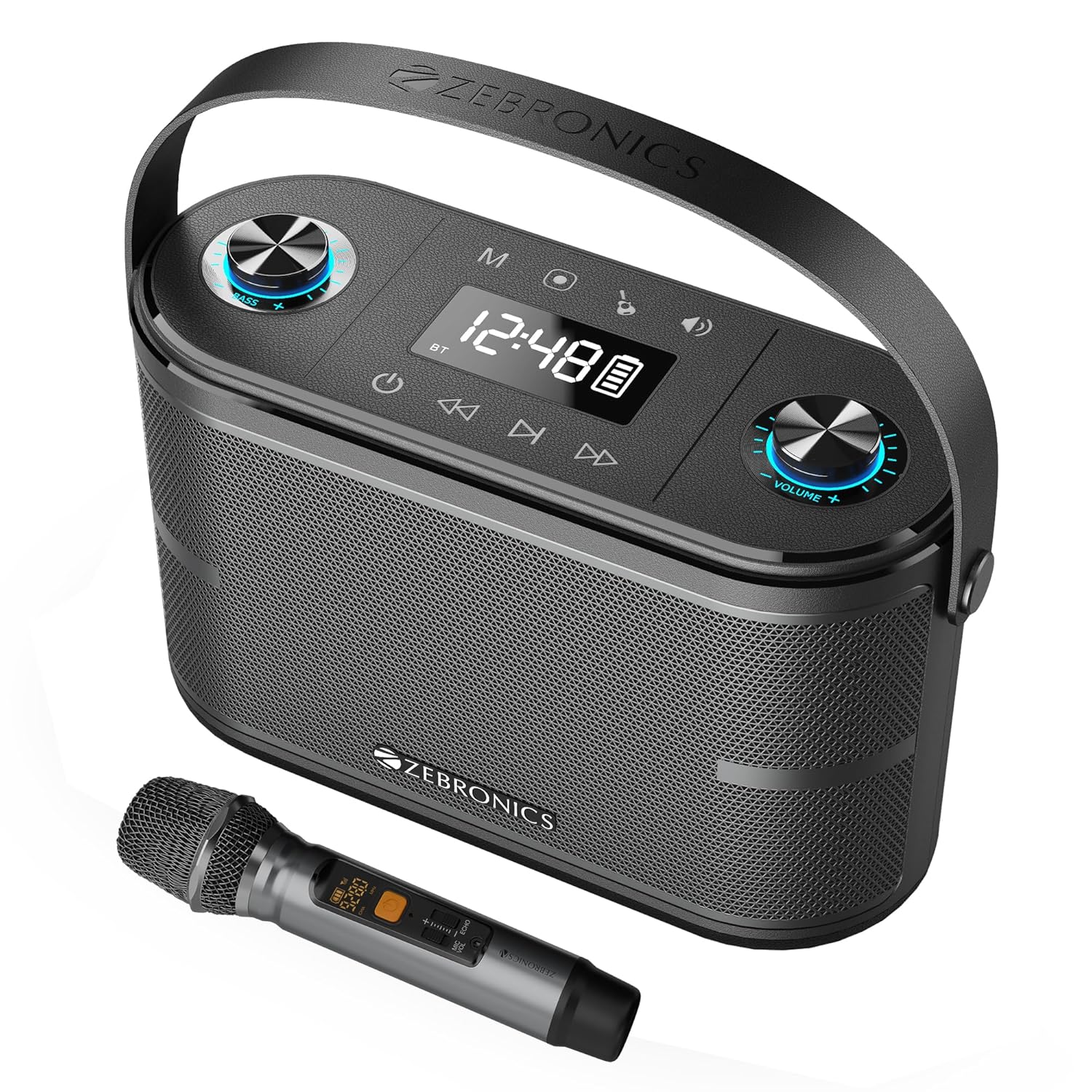
Image: The ZEBRONICS PROTONE ONE speaker shown with its accompanying wireless microphone, highlighting its portable design and integrated handle.
2. Sikkerhedsinstruktioner
For at sikre sikker drift og forhindre skader, bedes du overholde følgende forholdsregler:
- Udsæt ikke højttaleren for vand, fugt eller ekstreme temperaturer.
- Avoid placing the speaker near heat sources such as radiators, stoves, or other heat-producing appliances.
- Do not block any ventilation openings. Ensure proper airflow around the speaker.
- Brug kun tilbehør/tilbehør specificeret af producenten.
- Tag stikket ud af højttaleren under tordenvejr eller når den ikke bruges i længere perioder.
- Overlad al service til kvalificeret servicepersonale. Service er påkrævet, når apparatet er blevet beskadiget på nogen måde, såsom strømforsyningsledning eller stik er beskadiget, væske er blevet spildt, eller genstande er faldet ind i apparatet, apparatet har været udsat for regn eller fugt, ikke fungerer normalt , eller er blevet droppet.
- Skil ikke enheden ad. Dette vil ugyldiggøre garantien.
3. Pakkens indhold
Kontroller venligst pakkens indhold ved udpakning:
- ZEBRONICS PROTONE ONE Portable Bluetooth Speaker: 1 Unit
- Wireless UHF Microphone: 1 Unit
- Charging Adapter: 1 Unit
- AUX Cable: 1 Unit
- Brugermanual: 1 enhed
4. Produktlayout og kontroller
Familiarize yourself with the various parts and controls of your PROTONE ONE speaker.
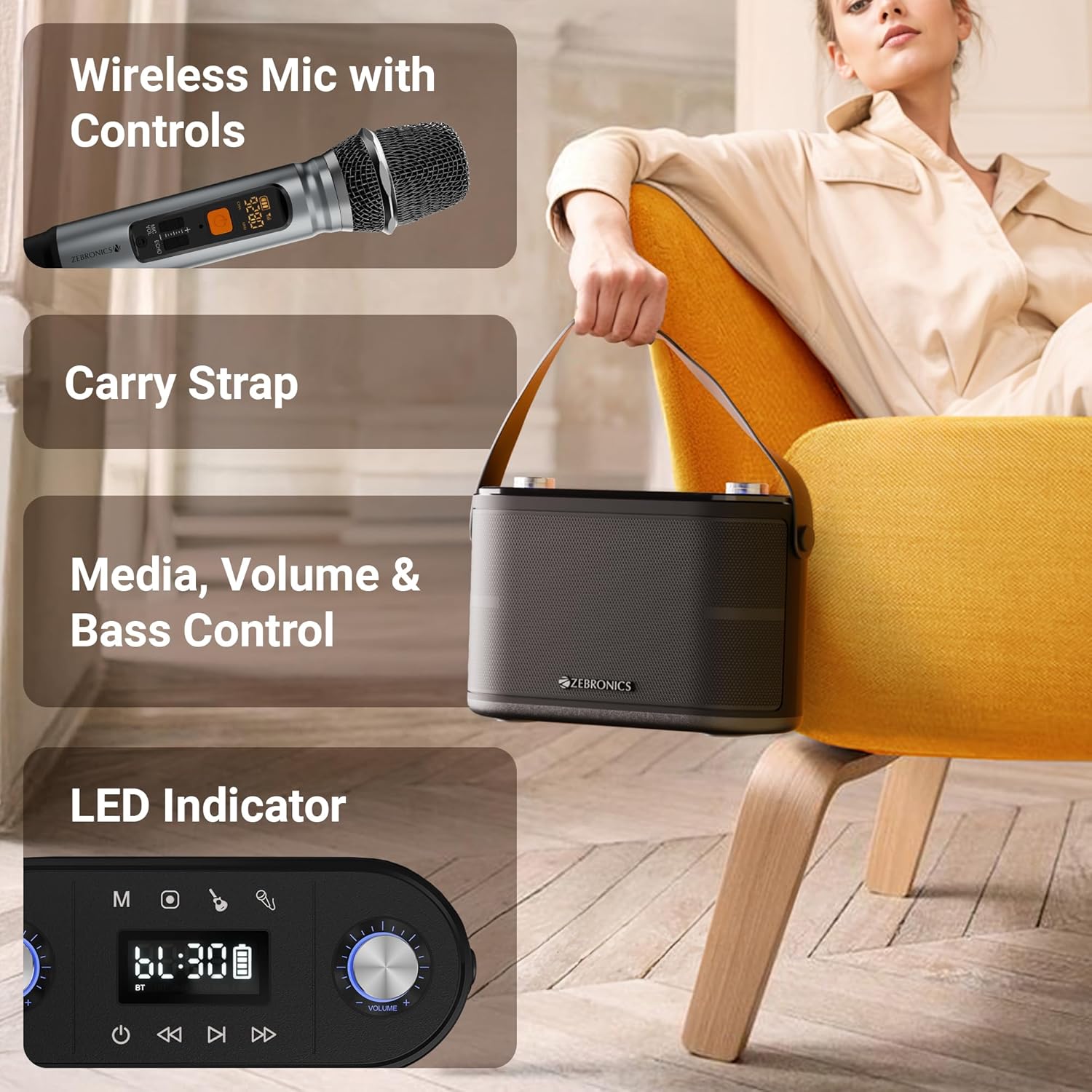
Billede: Detaljeret view of the speaker's top panel showing control knobs, LED display, and media controls, alongside the wireless microphone with its own display.
Øverste panelkontroller:
- Power knap: Tryk og hold nede for at tænde/slukke højttaleren.
- Mode-knap (M): Press to switch between Bluetooth, USB, mSD, and AUX modes.
- Afspil/pause knap: Tryk for at afspille eller sætte lyd på pause.
- Forrige spor-knap: Tryk for at gå til det forrige nummer.
- Knappen til næste spor: Tryk for at gå til det næste nummer.
- Lydstyrkeknap: Rotate to adjust the main speaker volume.
- Ekko-knap: Drej for at justere ekkoeffekten for mikrofonen.
- Mikrofonvolumenknap: Rotate to adjust the microphone volume.
- Basknap: Drej for at justere basniveauet.
- LED display: Shows current mode, track information, and battery status.
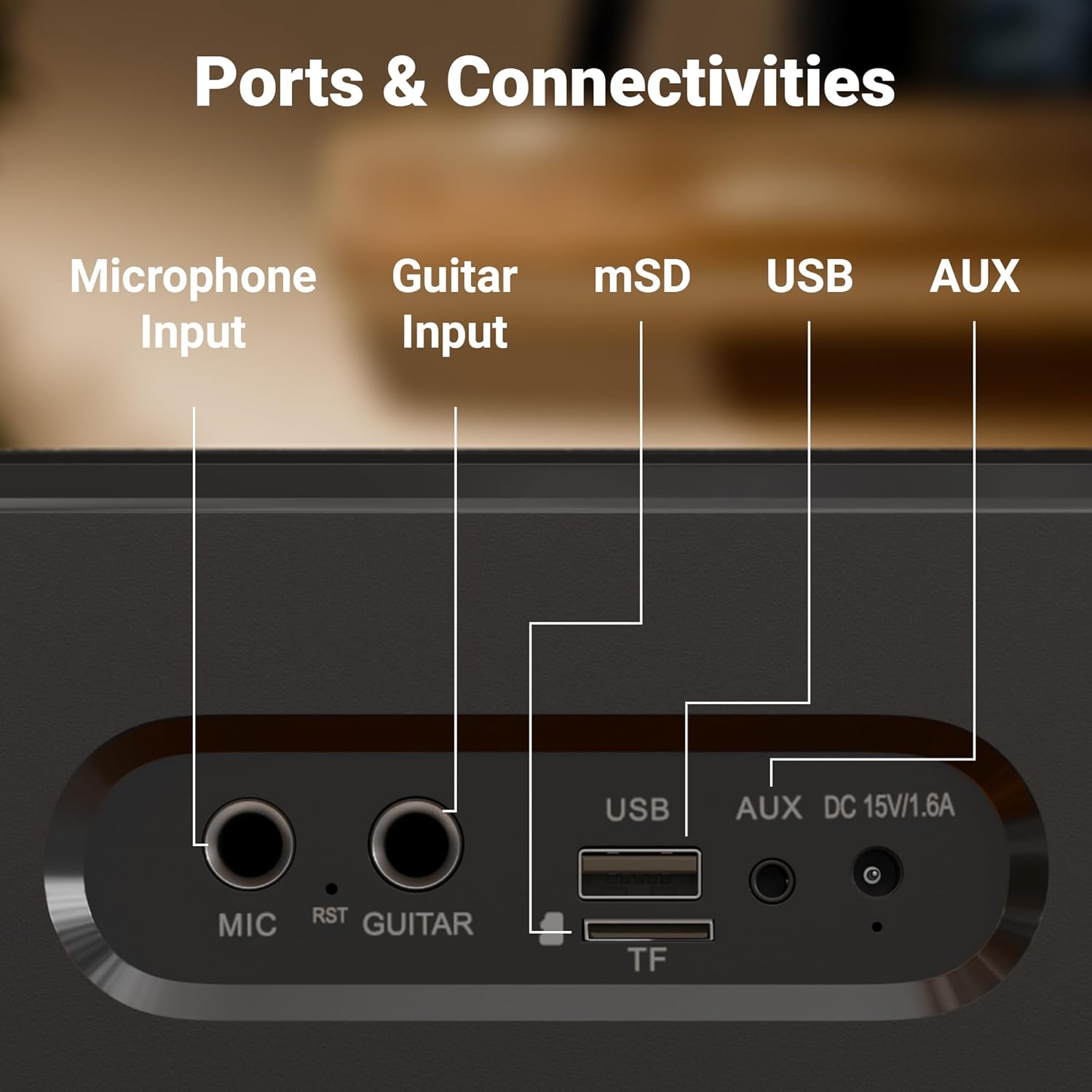
Billede: Nærbillede view of the rear panel of the speaker, clearly labeling the Microphone Input, Guitar Input, mSD card slot, USB port, AUX input, and DC 15V/1.6A charging port.
Bagpanelporte:
- Mikrofonindgang (6.3 mm): Til tilslutning af en ekstern, kablet mikrofon.
- GUITAR-indgang (6.3 mm): Til tilslutning af en guitar.
- mSD Card Slot (TF): For playing audio from a microSD card.
- USB-port: Til afspilning af lyd fra et USB-flashdrev.
- AUX-indgang: Til tilslutning af eksterne lydenheder via et 3.5 mm kabel.
- DC 15V/1.6A indgang: Til opladning af højttaleren.
5. Opsætning
Indledende opladning:
Before first use, fully charge the speaker. Connect the provided charging adapter to the DC 15V/1.6A input port on the speaker and plug it into a power outlet. The LED display will indicate charging status. Once fully charged, the charging indicator will change or turn off. A full charge provides up to 8 hours of playtime at 50% volume.
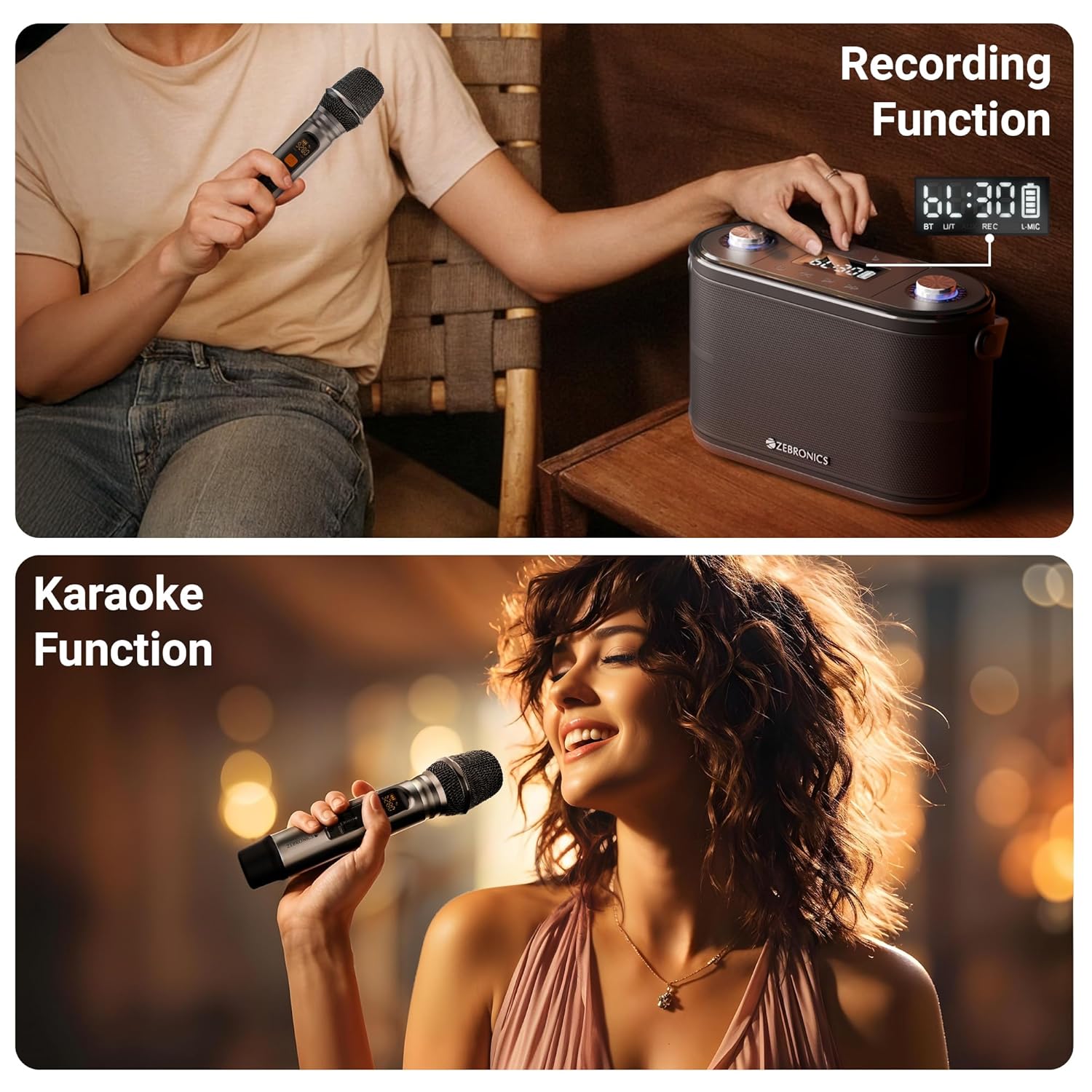
Image: The speaker is shown with an overlay indicating "Built-in Rechargeable Battery" and "Up to 8h* Backup", illustrating its portability and battery life.
Wireless Microphone Setup:
The wireless UHF microphone is pre-paired with the speaker. Simply insert batteries into the microphone (not included) and turn it on. The microphone will automatically connect to the speaker. Ensure the microphone's display shows a stable connection.
6. Betjeningsvejledning
Tænd/sluk:
Press and hold the Power button on the top panel to turn the speaker ON or OFF.
Valg af tilstand:
Press the "M" (Mode) button repeatedly to cycle through available input modes: Bluetooth, USB, mSD, and AUX.
Bluetooth Mode (BT v5.0):
- Turn on the speaker and switch to Bluetooth mode. The LED display will show "BT" and a blinking Bluetooth icon, indicating it's in pairing mode.
- Aktivér Bluetooth på din mobilenhed eller computer.
- Søg efter "ZEB-PROTONE ONE" in the list of available devices and select it to connect.
- Once connected, the Bluetooth icon on the speaker's display will stop blinking, and you will hear a confirmation tone.
- Du kan nu afspille lyd fra din enhed via højttaleren.
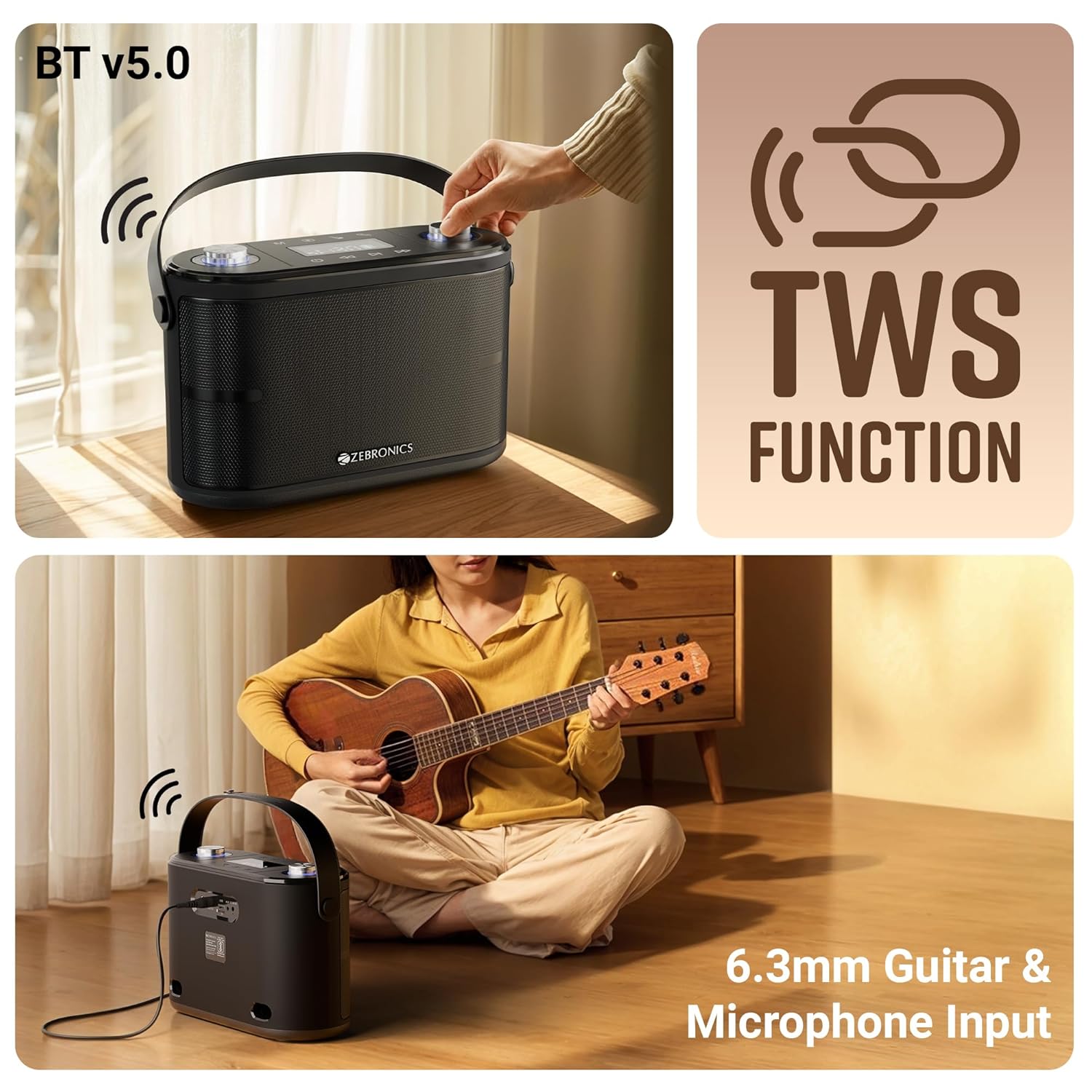
Image: This composite image illustrates the speaker's Bluetooth v5.0 connectivity, the TWS (True Wireless Stereo) function, and the 6.3mm Guitar & Microphone Input ports.
USB / mSD Mode:
Insert a USB flash drive or a microSD card (with pre-loaded MP3/WAV files) into the respective port. The speaker will automatically switch to USB or mSD mode and begin playing audio. Use the Play/Pause, Previous, and Next buttons to control playback.
AUX-tilstand:
Connect an external audio device (e.g., smartphone, MP3 player) to the AUX input port using the provided 3.5mm AUX cable. Switch the speaker to AUX mode using the Mode button. Audio will now play from your connected device.
Microphone Usage (Wireless & Wired):
- Trådløs mikrofon: Ensure the wireless microphone is powered on. It will automatically connect. Adjust microphone volume using the "Mic Vol" knob and echo effect using the "Echo" knob on the speaker.
- Kablet mikrofon: Plug a 6.3mm wired microphone (not included) into the "MIC" input port. Adjust volume and echo as with the wireless mic.
Guitar input:
Connect your guitar to the "GUITAR" input port using a 6.3mm cable. You can play your guitar along with music from other input sources.
TWS (True Wireless Stereo) funktion:
To experience true stereo sound, you can connect two ZEB-PROTONE ONE speakers together:
- Sørg for, at begge højttalere er tændt og i Bluetooth-tilstand.
- On one of the speakers (this will be the primary unit), press and hold the "Play/Pause" button for a few seconds until you hear a confirmation tone, indicating TWS pairing mode.
- Den primære højttaler vil automatisk søge efter og oprette forbindelse til den anden højttaler.
- Once connected, both speakers will play audio in stereo. You can control playback and volume from either speaker or your connected Bluetooth device.
Optagefunktion:
The speaker supports recording your microphone input directly to a USB drive or mSD card.
- Insert a USB drive or mSD card into the respective slot.
- Ensure the microphone is connected and working.
- Press the "REC" button (if available, or a combination of buttons as per specific model, typically Play/Pause or Mode button long press in recording mode) to start recording. The display may show "REC".
- Press the "REC" button again to stop recording. The recorded file will be saved on your USB drive or mSD card.

Image: This image demonstrates the speaker's recording capability, showing the display indicating recording status, and also illustrates the karaoke function with a person singing into the microphone.
Karaoke funktion:
To use the karaoke function, simply play music from any source (Bluetooth, USB, mSD, AUX) and use the connected microphone to sing along. Adjust the music volume, microphone volume, and echo effect to your preference for the best karaoke experience.
7. Opladning
The ZEBRONICS PROTONE ONE speaker features a built-in rechargeable battery. When the battery is low, the speaker will indicate this via the LED display or an audible prompt. To charge the speaker:
- Connect the provided charging adapter to the DC 15V/1.6A input port on the rear of the speaker.
- Plug the adapter into a standard wall power outlet.
- The LED display will show a charging indicator.
- Once fully charged, the indicator will change or turn off. Disconnect the charger to preserve battery life.
Note: Do not use any charger other than the one provided by the manufacturer. Overcharging or using an incompatible charger may damage the battery and void the warranty.
8. Vedligeholdelse
Proper care and maintenance will ensure the longevity of your speaker:
- Rensning: Brug en blød, tør klud til at rengøre højttalerens yderside. Brug ikke slibende rengøringsmidler, voks eller opløsningsmidler.
- Opbevaring: Når højttaleren ikke er i brug i længere perioder, skal den opbevares køligt og tørt, væk fra direkte sollys og ekstreme temperaturer.
- Batteripleje: For at forlænge batteriets levetid bør du undgå at aflade batteriet helt ofte. Oplad højttaleren regelmæssigt, selvom den ikke er i brug, for at opretholde batteriets sundhed.
- Håndtering: Håndter højttaleren forsigtigt. Undgå at tabe den eller udsætte den for hårde stød.
9. Fejlfinding
If you encounter any issues with your ZEBRONICS PROTONE ONE speaker, please refer to the following common problems and solutions:
| Problem | Mulig årsag | Løsning |
|---|---|---|
| Højttaleren tænder ikke. | Batteriet er afladet. | Oplad højttaleren helt. |
| Ingen lyd fra højttaleren. | Lydstyrken er for lav eller slået fra. Forkert tilstand valgt. Enheden er ikke tilsluttet korrekt. | Increase volume. Ensure correct input mode (BT, USB, AUX). Reconnect device. |
| Bluetooth-parring mislykkes. | Speaker not in pairing mode. Device Bluetooth off. Too far from speaker. | Ensure speaker is in BT pairing mode. Turn on device Bluetooth. Move device closer (within 10m). Forget device and re-pair. |
| Mikrofon virker ikke. | Microphone not powered on. Batteries low/dead. Not connected properly. | Ensure mic is ON. Replace mic batteries. Check mic connection (for wired mic). Adjust mic volume. |
| Dårlig lydkvalitet/forvrængning. | Volume too high. Source audio quality poor. Interference. | Reduce volume. Try different audio source. Move away from other electronic devices. |
| USB/mSD not playing. | Ikke understøttet file format. Beskadiget files. Drive/card not inserted correctly. | Sikre files are MP3/WAV. Reinsert drive/card. Try different drive/card. |
If the problem persists after trying these solutions, please contact ZEBRONICS customer support for further assistance.
10. Specifikationer
| Feature | Specifikation |
|---|---|
| Mærke | ZEBRONIK |
| Modelnavn | PROTONE ET |
| Højttaler Maksimal udgangseffekt | 120 watt |
| Forbindelsesteknologi | Bluetooth v5.0, Auxiliary, USB, mSD |
| Lydudgangstilstand | Stereoanlæg |
| Monteringstype | Floor Standing |
| Chauffører | Dual 9.3 cm full-range drivers, Dual 3.1 cm tweeters |
| Afspilningstid | Up to 8 hours (@ 50% volume) |
| Mikrofon | Wireless UHF Microphone included |
| Indgange | 6.3mm Mic Input, 6.3mm Guitar Input |
| Særlige funktioner | TWS Function, Karaoke, Recording Function, Carry Strap, LED Display, Control Knobs |
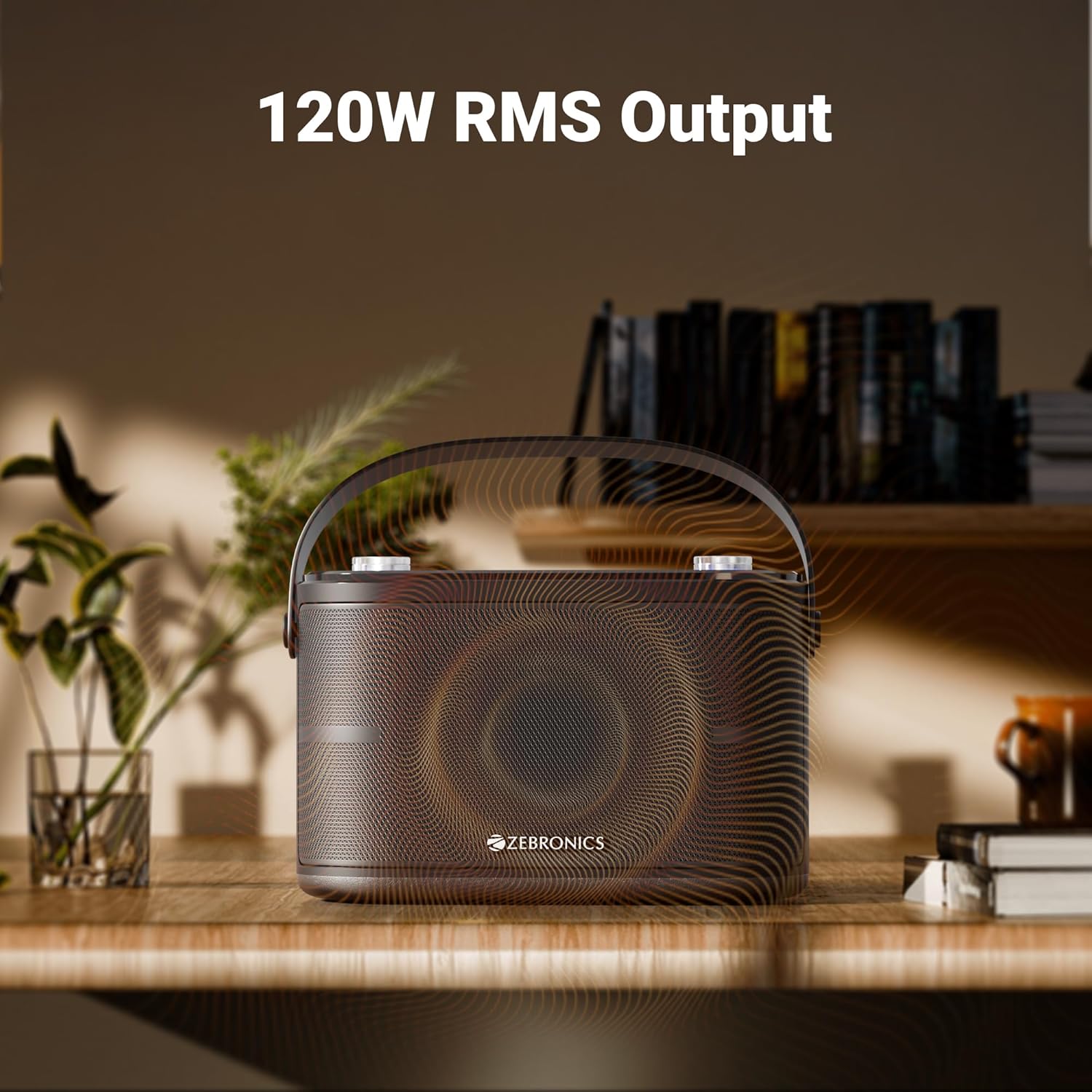
Image: The speaker is depicted with an overlay highlighting its "120W RMS Output", emphasizing its powerful audio capabilities.
11. Garanti og support
For warranty information and customer support, please refer to the warranty card included in your package or visit the official ZEBRONICS webwebsted. Behold din købskvittering som købsbevis i tilfælde af garantikrav.
ZEBRONICS Customer Service:
- Webwebsted: www.zebronics.com
- E-mail: Der henvises til webwebsted for support-e-mail.
- Telefon: Der henvises til website for customer care numbers.