
1. Introduktion
Thank you for choosing the CYCLAMI A2S Electric Mini Bike Pump. This compact and portable pump is designed for efficient and precise tire inflation for various bicycles, featuring a digital manometer and automatic stop function. Please read this manual carefully before use to ensure proper operation and to maximize the lifespan of your device.
2. Pakkens indhold
Bekræft at alle varer er til stede i din pakke:
- 1 x CYCLAMI A2S Electric Mini Bike Pump
- 1 x silikone beskyttelsesdæksel
- 1 x Schrader ventiladapter
- 1 x Presta ventiladapter
- 1 x Kuglenåleadapter
- 1 x Inflatable Hose (Schrader compatible)
- 1 x USB Type-C opladningskabel

Image 2.1: Contents of the CYCLAMI A2S package, including the pump, silicone cover, various valve adapters, ball needle, hose, and USB-C cable.
3. Produktfunktioner
- Kompakt og bærbar: Weighs only 136g and measures 7.6 x 4.5 x 2.8 cm, making it easy to carry and store.
- Digital Manometer: Equipped with a professional LED digital manometer displaying real-time pressure with an accuracy of ±1 PSI. Supports PSI and Bar units.
- Hurtig inflation: Inflates from 0 to 80 PSI in approximately 50 seconds, with a maximum air pressure of 120 PSI.
- Automatisk stop: Stopper automatisk oppustning, når det forudindstillede tryk er nået, hvilket forhindrer overoppustning.
- Dobbelt ventilkompatibilitet: Compatible with both Schrader and Presta valves (2-in-1 design).
- Genopladeligt batteri: 500mAh battery, capable of inflating up to 6 tires on a full charge.
- USB Type-C opladning: Quick charging, full in approximately 45 minutes.
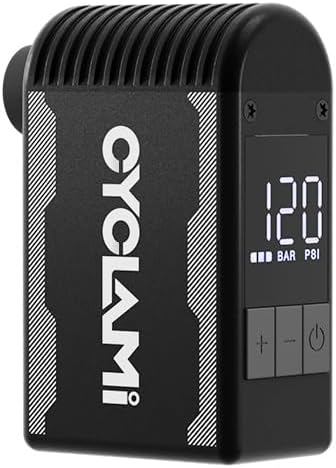
Image 3.1: The CYCLAMI A2S Electric Mini Bike Pump, showcasing dens kompakte design og digitale display.

Image 3.2: The pump held in a hand, illustrating its compact and lightweight design (approx. 136g) for easy portability.
4. Sikkerhedsoplysninger
- The pump may become hot during prolonged use. Handle with caution.
- The pump produces a certain level of noise (over 80dB). Use in appropriate environments.
- Lad ikke pumpen være uden opsyn under drift.
- Opbevares utilgængeligt for børn.
- Må ikke udsættes for vand eller ekstreme temperaturer.
- Ensure the correct pressure is set for your tire to avoid over-inflation and potential damage or injury. Refer to your tire's sidewall for recommended pressure.
5. Opsætning
5.1 Opladning af pumpen
- Connect the provided USB Type-C cable to the charging port on the pump.
- Connect the other end of the cable to a USB power source (e.g., wall adapter, power bank, computer).
- The LED display will indicate charging status. A full charge takes approximately 45 minutes.

Image 5.1: The CYCLAMI A2S pump being charged via its USB Type-C port, indicating a full charge in 45 minutes.
5.2 Attaching the Valve Adapter
The pump is compatible with both Schrader (AV) and Presta (FV) valves. The inflatable hose is primarily for Schrader valves, and a separate adapter is provided for Presta valves.
- For Schrader-ventiler: Directly screw the inflatable hose onto the pump's output port, then firmly attach the other end of the hose to the tire's Schrader valve.
- Til Presta-ventiler: First, screw the Presta adapter onto the tire's Presta valve. Then, attach the inflatable hose to the Presta adapter.

Image 5.2: The pump connected to a tire valve using the extension hose for stable inflation.
6. Betjeningsvejledning
6.1 Tænd/sluk
- Tryk og hold tænd/sluk-knappen (⏻) for at tænde eller slukke pumpen.
6.2 Indstilling af ønsket tryk
- Once powered on, the digital display will show the current tire pressure.
- Use the '+' and '-' buttons to adjust the target pressure. The display will show the preset value.
- Refer to your tire's sidewall for the recommended pressure range.
6.3 Start og stop af oppustning
- After setting the desired pressure, press the power button (⏻) for at starte inflationen.
- Pumpen stopper automatisk, når det forudindstillede tryk er nået.
- To manually stop inflation at any time, press the power button (⏻) igen.
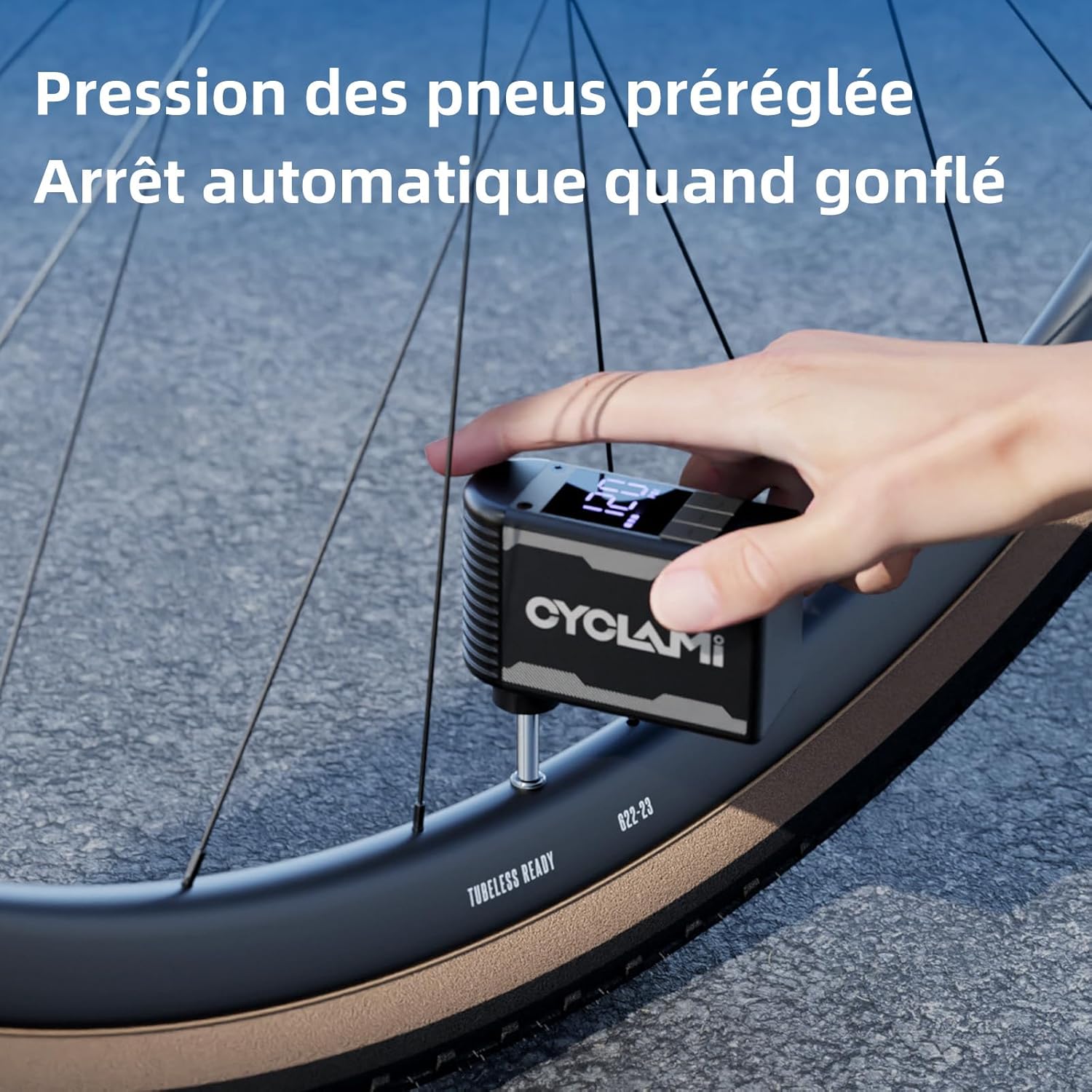
Image 6.1: The pump in operation, inflating a tire to a preset pressure, with the digital display showing the current status.
7. Vedligeholdelse
- Rensning: Wipe the pump with a soft, dry cloth. Do not use harsh chemicals or immerse in water.
- Opbevaring: Opbevar pumpen på et køligt, tørt sted væk fra direkte sollys og ekstreme temperaturer.
- Batteripleje: For optimal battery life, charge the pump fully before long-term storage and recharge every 3-6 months if not in use.
8. Fejlfinding
| Problem | Mulig årsag | Løsning |
|---|---|---|
| Pumpen tænder ikke | Lavt batteri; Tænd/sluk-knappen er ikke trykket korrekt ind | Oplad pumpen; Tryk på tænd/sluk-knappen og hold den nede i 2-3 sekunder |
| Pump inflates slowly or not at all | Valve not properly connected; Hose leak; Obstruction | Ensure secure connection; Check hose for damage; Inspect valve for debris |
| Pumpen bliver varm under brug | Normal operation during prolonged use | Allow pump to cool down between uses; Use the silicone protective cover |
| Upræcis trykaflæsning | Valve connection not secure; Sensor issue | Ensure secure connection; Contact customer support if issue persists |
9. Specifikationer
- Model: A2S
- Mærke: CYCLAMI
- Materiale: Aluminium
- Farve: Sort
- Dimensioner: 7.6 x 4.5 x 2.8 cm (ca.)
- Vægt: 136 gram (ca.)
- Max tryk: 120 PSI
- Batterikapacitet: 500mAh
- Opladningsport: USB Type-C
- Strømkilde: Batteridrevet

Image 9.1: Dimensions of the mini pump, highlighting its compact size.
10. Garanti og support
For warranty information or technical support, please refer to the product packaging or contact CYCLAMI customer service directly through their official webwebstedet eller forhandleren, hvor produktet blev købt. Gem din købskvittering som købsbevis.