
Indledning
Welcome to the GUHUAVMI GT4 Pro Smartwatch user manual. This guide provides detailed instructions on how to set up, operate, and maintain your new smartwatch. The GT4 Pro combines advanced health monitoring, comprehensive fitness tracking, and smart connectivity features in a durable, stylish design. Please read this manual carefully to ensure optimal performance and longevity of your device.
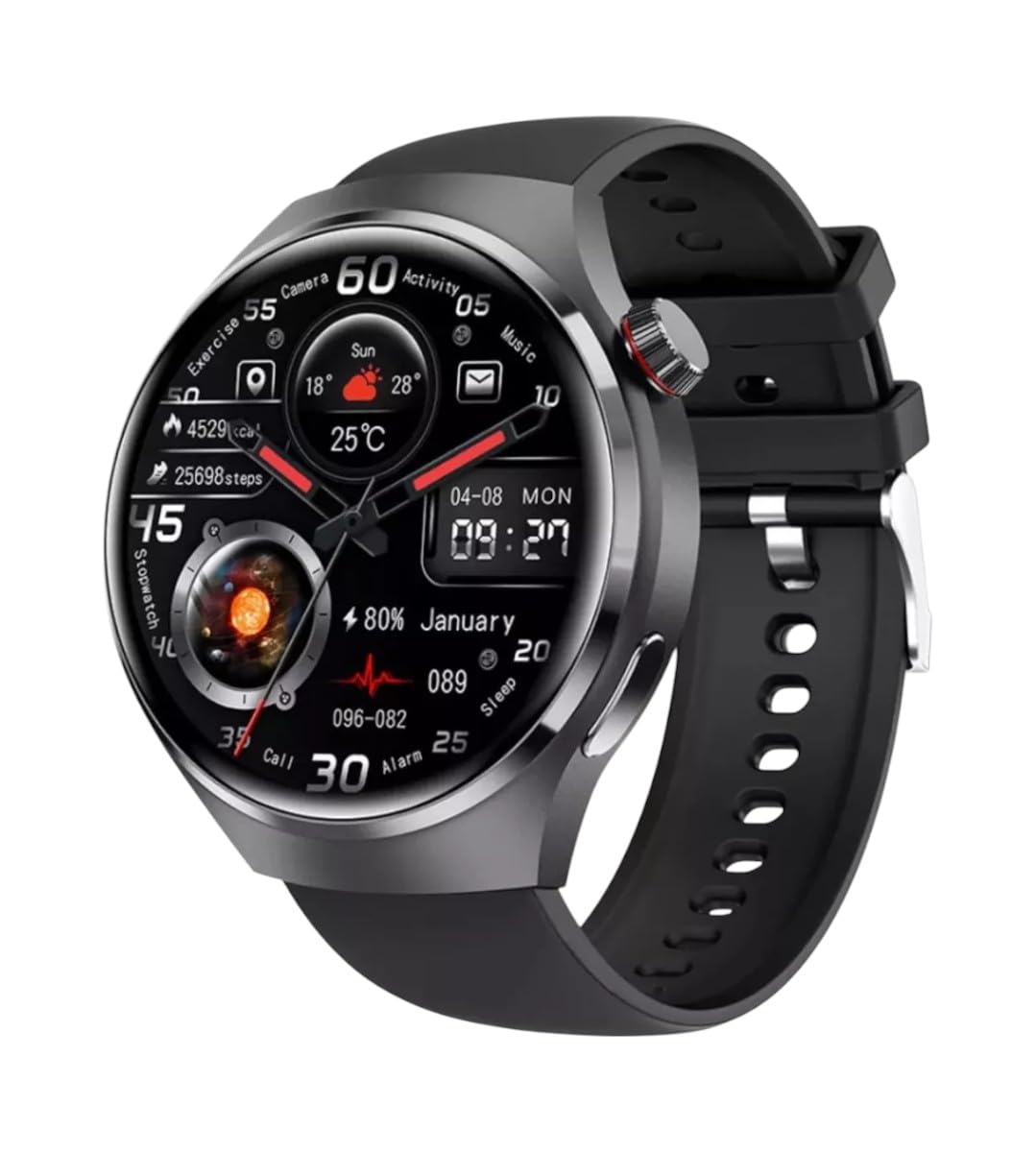
Billede: Forside view of the GUHUAVMI GT4 Pro Smartwatch, showcasing dens elegante design og display.
Opsætning
1. Udpakning og komponenter
Før du begynder, skal du sørge for, at alle komponenter er til stede i pakken:
- GUHUAVMI GT4 Pro Smartwatch
- Trådløs oplader
- Brugervejledning (dette dokument)
2. Opladning af smartwatchet
For first-time use, fully charge your GT4 Pro Smartwatch. Connect the wireless charger to a USB power adapter (not included) and place the smartwatch onto the magnetic charging base. The watch will indicate charging status on its screen.
- Opladningstid: Cirka 3 timer for en fuld opladning.
- Batterilevetid: Typical usage provides 5-7 days of battery life.

Image: The GUHUAVMI GT4 Pro Smartwatch placed on its magnetic wireless charger, displaying battery life and charging time information.
3. Tænd/sluk
- Tænd: Tryk og hold sideknappen nede, indtil skærmen lyser op.
- Sluk: Tryk og hold sideknappen nede, og vælg derefter indstillingen 'Sluk' på skærmen.
4. Download og parring af app
To unlock the full potential of your GT4 Pro, download the companion app on your smartphone. Scan the QR code provided in the watch's initial setup screen or search for the app name (usually indicated on the watch or packaging) in your phone's app store.
- Aktiver Bluetooth på din smartphone.
- Åbn den tilhørende app, og følg instruktionerne på skærmen for at oprette en konto eller logge ind.
- In the app, select 'Add Device' or 'Pair Device' and choose 'GT4 Pro' from the list of available devices.
- Bekræft parringsanmodningen på både din smartphone og dit smartwatch.
Betjeningsvejledning
1. Grundlæggende navigation
The GT4 Pro features a 1.6-inch HD AMOLED touchscreen and a side crown button for navigation.
- Stryg op/ned: Rul gennem menuer og notifikationer.
- Stryg til venstre/højre: Få adgang til hurtige widgets eller forskellige urskiver.
- Tryk på: Vælg et element, eller åbn et program.
- Tryk på sideknappen: Gå tilbage til startskærmen eller åbn applisten.
2. AI-stemmeassistent
Your GT4 Pro is equipped with an integrated AI voice assistant for hands-free operation.
- Aktivering: Tap the voice assistant icon on the watch face or use a designated gesture/button press (refer to watch settings).
- Kommandoer: Speak clearly to ask questions, set reminders, make calls, or control music.
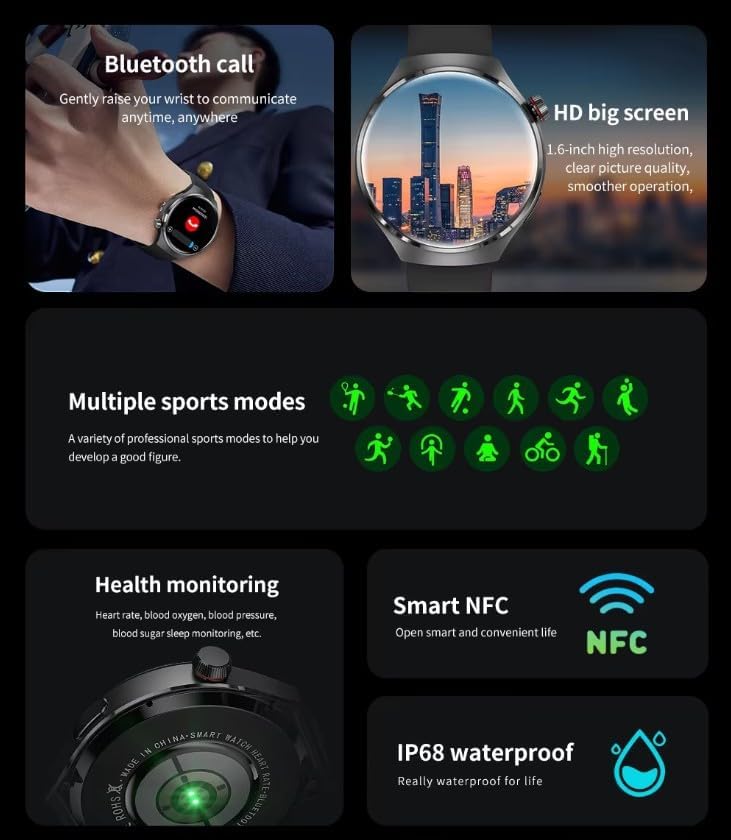
Image: The GUHUAVMI GT4 Pro Smartwatch displaying the AI voice assistant interface, showing exampfærre stemmekommandoer.
3. Bluetooth-opkald
Når den er parret med din smartphone, kan du foretage og modtage opkald direkte fra dit smartwatch.
- Foretage opkald: Access the dialer or contacts list on your watch.
- Modtagelse af opkald: Besvar eller afvis indgående opkald direkte fra urskærmen.
4. Sundhedsovervågning
The GT4 Pro provides real-time health data to help you monitor your well-being.
- Puls: Continuous monitoring throughout the day.
- Blodilt (SpO2): Mål dine iltmætningsniveauer i blodet.
- Blood Sugar: Provides estimated blood sugar readings.
- Søvnsporing: Overvåger søvntages og kvalitet.
View detailed health reports in the companion app.
5. Fitnesstracking
Spor dine træningspas og daglige aktiviteter med præcision.
- Flere sportstilstande: Select from various activities like running, cycling, swimming, and more for accurate data.
- Indbygget GPS: Records your route, distance, and pace during outdoor activities.
- Kompas: Provides directional guidance for outdoor adventures.

Image: The GUHUAVMI GT4 Pro Smartwatch showcasing icons for NFC, GPS, compass, heart rate, and Bluetooth call, highlighting its comprehensive features.
6. NFC Features
The GT4 Pro supports NFC for convenient interactions.
- Adgangskontrol: Use your watch for compatible access systems.
- Find My iPhone: Utilize NFC to locate your paired iPhone.
7. Dynamic Island Function
Experience enhanced interactive displays for notifications, music, and charging status.
- Interactive Displays: Smart displays adapt to show relevant information dynamically.
- OTA-opgraderinger: New functional interactive displays may be added through future over-the-air updates.
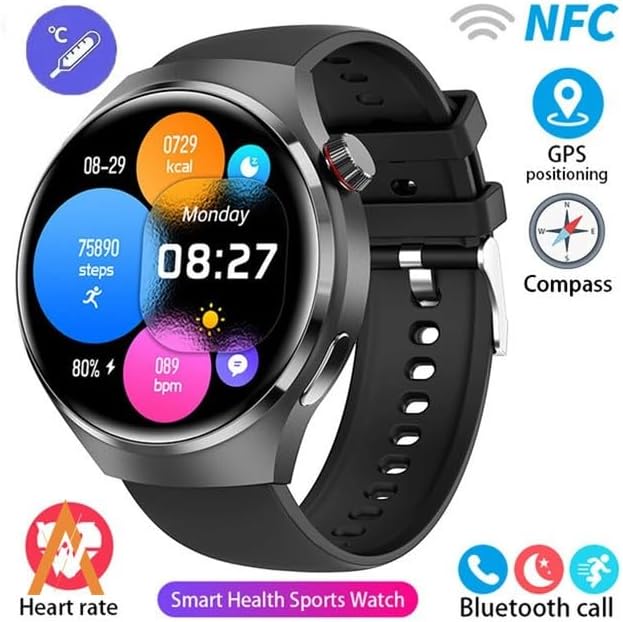
Image: The GUHUAVMI GT4 Pro Smartwatch screen demonstrating the Dynamic Island function, showing notifications and active processes.
8. Other Utility Features
The smartwatch includes several convenient tools:
- Fjernkamera: Styr dit smartphonekamera på afstand.
- Vækkeur: Indstil alarmer direkte fra dit håndled.
- Stopur og timer: For precise timekeeping.
- Temperaturmåling: Monitor ambient temperature.
- Multi-Time Zone Settings: Keep track of different time zones.
- Musikafspilningskontrol: Manage music on your paired smartphone.
Opretholdelse
1. Vandtæthed (IP68)
The GT4 Pro has an IP68 waterproof rating, meaning it is resistant to dust and can withstand immersion in water up to 1.5 meters for 30 minutes. It is suitable for swimming and use in rainy conditions.
- Do not use in hot water, saunas, or steam rooms.
- Avoid exposure to high-velocity water.
- Efter udsættelse for vand, tørres uret af med en blød klud.
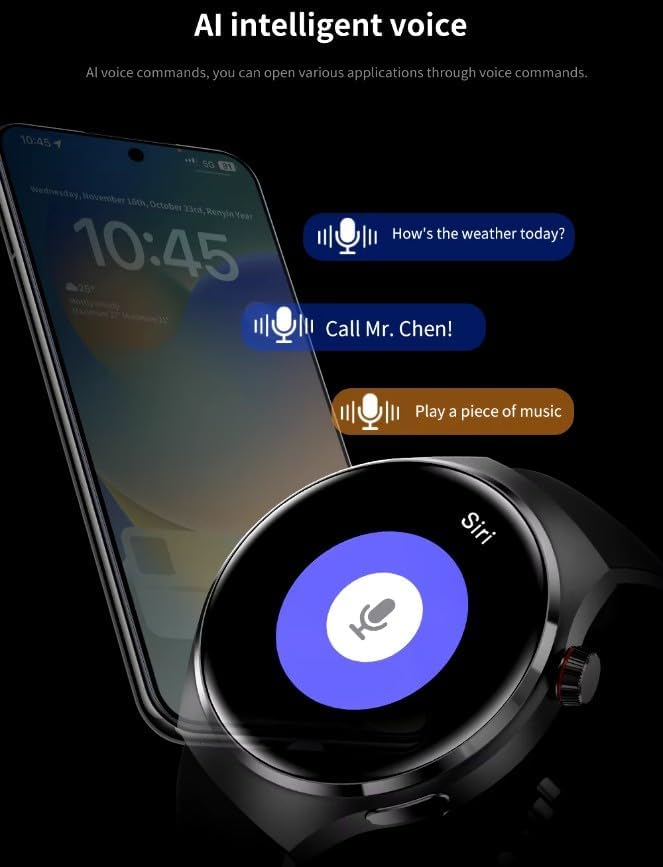
Image: Two GUHUAVMI GT4 Pro Smartwatches shown with water droplets, illustrating their IP68 waterproof capability.
2. Rensning
Regularly clean your smartwatch to maintain its appearance and sensor accuracy.
- Tør skærmen og kabinettet af med en blød kludamp, fnugfri klud.
- Clean the charging contacts and heart rate sensor on the back of the watch to ensure proper function.
- Undgå at bruge skrappe kemikalier eller slibende materialer.
3. Softwareopdateringer
Periodically check for software updates through the companion app. Updates can provide new features, performance improvements, and bug fixes.
Fejlfinding
- Uret tænder ikke: Sørg for, at uret er fuldt opladet. Tilslut det til opladeren i mindst 30 minutter.
- Kan ikke parres med smartphone:
- Sørg for, at Bluetooth er aktiveret på din telefon og uret.
- Sørg for, at uret er inden for din telefons rækkevidde.
- Genstart både uret og din telefon.
- Tjek om den tilhørende app er opdateret til den nyeste version.
- Unøjagtige sundhedsdata:
- Sørg for, at uret sidder tæt på dit håndled, hverken for stramt eller for løst.
- Rengør sensorerne på bagsiden af uret.
- Undgå overdreven bevægelse under målingerne.
- Kort batterilevetid:
- Reducer skærmens lysstyrke.
- Deaktiver unødvendige notifikationer eller funktioner.
- Begræns kontinuerlig pulsmåling, hvis det ikke er nødvendigt.
Specifikationer
| Feature | Beskrivelse |
|---|---|
| Modelnummer | GT4 Pro |
| Vise | 1.6-tommer HD AMOLED-skærm med 360x360 opløsning |
| Forbindelse | Bluetooth 5.0 |
| Vandtæt vurdering | IP68 |
| Sundhedsovervågning | Heart Rate, Blood Oxygen, Blood Sugar, Sleep Tracking |
| Fitness Tracking | Built-in GPS, Compass, Multiple Sports Modes |
| Stemmeassistent | AI Voice Assistant Integrated |
| NFC | Supported (e.g., Find My iPhone, Access Control) |
| Opladningstype | Magnetisk trådløs opladning |
| Typisk batterilevetid | 5-7 dage |
| Opladningstid | Ca. 3 timer |
| Inkluderede komponenter | Smartwatch, User Manual, Wireless Charger |
Garanti og support
Garantioplysninger
The GUHUAVMI GT4 Pro Smartwatch comes with a 6 måneders garanti fra købsdatoen. Denne garanti dækker fabrikationsfejl ved normal brug. Den dækker ikke skader forårsaget af misbrug, ulykker, uautoriserede ændringer eller normal slitage.
Kundesupport
If you encounter any issues or have questions regarding your GUHUAVMI GT4 Pro Smartwatch, please refer to the troubleshooting section of this manual. For further assistance, contact your retailer or the manufacturer's customer support channel. Please have your purchase receipt and product model number (GT4 Pro) ready when contacting support.