
1. Introduktion
This manual provides essential information for setting up, operating, and maintaining your GMKtec Mini PC G10. Please read these instructions carefully before using the device to ensure optimal performance and longevity.
2. Pakkens indhold
Bekræft at alle varer er til stede i pakken:
- GMKtec Nucbox G10 Mini PC
- Strømadapter og kabel
- HDMI kabel
- VESA-beslag og skruer
- Brugermanual

Image: Contents of the GMKtec Mini PC G10 package, including the mini PC, power adapter, HDMI cable, VESA mount, and user manual.
3. Produktet er slutview og grænseflader
The GMKtec Mini PC G10 features a compact design with a variety of ports for connectivity. Familiarize yourself with the available interfaces:
Frontpanel:
- 1x CTIA Audio Jack
- 2x USB 3.2 (5Gbps) Ports
- 1x Power knap
Bagside:
- 1x USB-C Power Input (PD Only)
- 1x USB-C (Full-function: DisplayPort, Data, Power Delivery)
- 1 x USB 2.0 port
- 1x 2.5G Gigabit Ethernet (LAN) Port
- 1x HDMI 2.1 (4K@60Hz) Port
- 1x DisplayPort 1.4 (4K@60Hz)
- 1x Kensington-låseslot

Billede: Detaljeret view of the front and rear ports of the GMKtec Mini PC G10, illustrating USB, HDMI, DisplayPort, Ethernet, and power connections.
4. Opsætning
Follow these steps to set up your GMKtec Mini PC G10:
- Tilslut til skærm: Connect your monitor(s) to the Mini PC using the HDMI, DisplayPort, or USB-C (DisplayPort Alt Mode) outputs. The device supports up to three displays simultaneously.
- Tilslut ydre enheder: Tilslut dit tastatur, din mus og andre USB-enheder til de tilgængelige USB-porte.
- Netværks forbindelse: For a wired connection, connect an Ethernet cable to the 2.5G LAN port. For wireless, ensure Wi-Fi is enabled in the operating system settings after initial boot.
- Tænd: Connect the power adapter to the Mini PC's USB-C power input and then to a power outlet. Press the power button on the front panel to turn on the device.
- Indledende opsætning: Følg instruktionerne på skærmen for at fuldføre Windows 11 Pro-opsætningen.
5. Operativsystem
The GMKtec Mini PC G10 comes pre-installed with Windows 11 Pro. It is also compatible with Windows 10 and various Linux distributions.
Windows 11 Pro Features:
- Forbedrede sikkerhedsfunktioner.
- BitLocker device encryption.
- Remote Desktop capabilities.
- Domain Join and Group Policy management.
Ensure your operating system is regularly updated for security and performance improvements.
6. Ydeevne og lagring
The Mini PC G10 is designed for efficient daily computing and light gaming, featuring robust components for smooth operation.
Processor:
Udstyret med en AMD Ryzen 5 3500U Processor, a 64-bit quad-core CPU with 8 threads, based on AMD's 12nm Zen+ architecture. It offers a base frequency of 2.1 GHz and a boost frequency of up to 3.7 GHz, with a TDP of 15W (configurable up to 35W for higher performance).
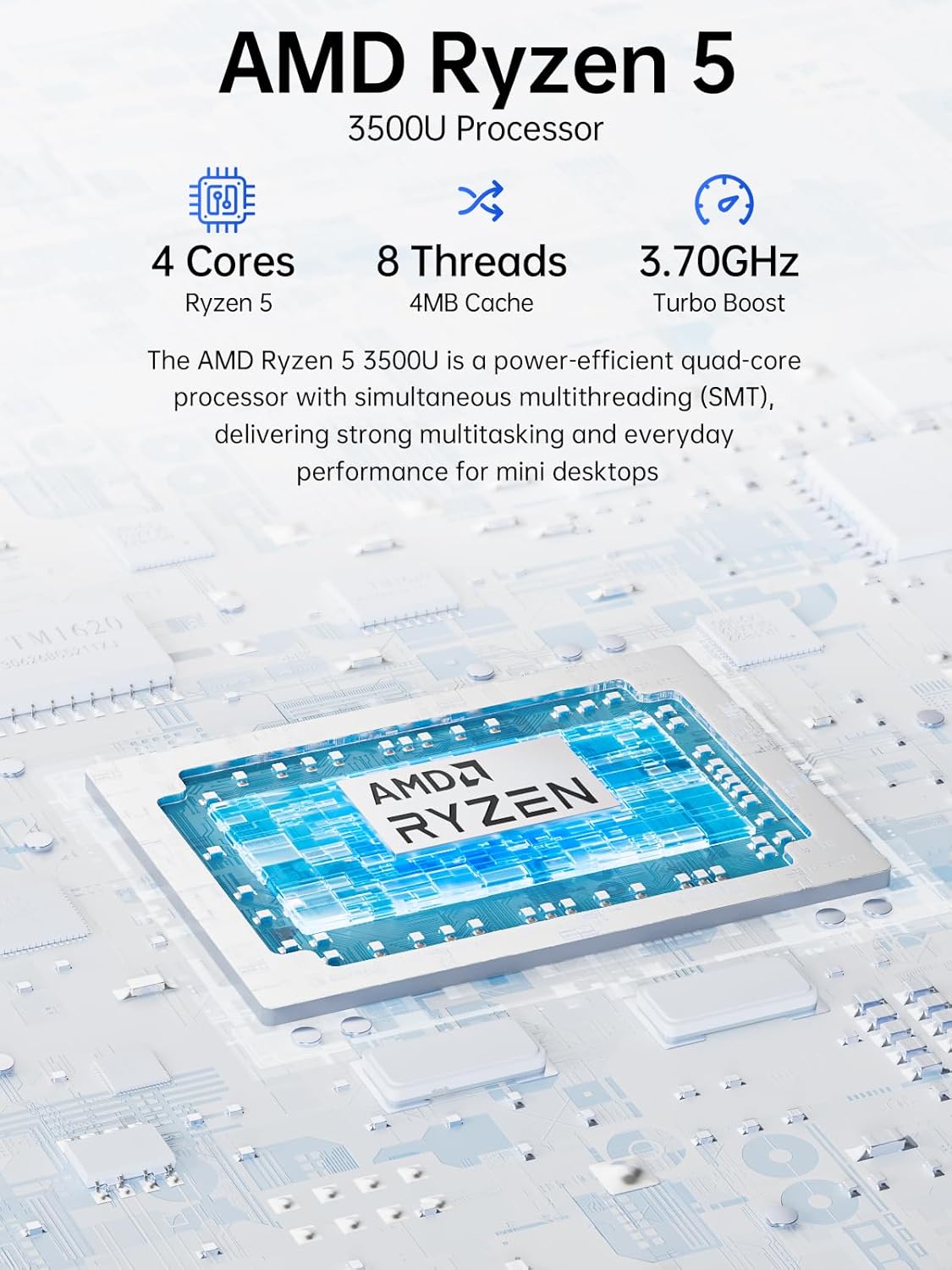
Image: Visual representation of the AMD Ryzen 5 3500U processor, highlighting its 4 cores, 8 threads, 4MB cache, and 3.70GHz turbo boost.
Grafik:
Integreret Radeon Vega 8 Grafikkort (up to 1.2 GHz) provides capable performance for video editing, multimedia playback, and casual gaming.
Hukommelse (RAM):
Systemet omfatter 16GB of DDR4 SO-DIMM dual-channel RAM (2 x 8GB). The memory is expandable up to 32GB.
Opbevaring:
Funktioner a 1 TB PCIe 3.0 x4 NVMe SSD, offering significantly faster data transfer speeds (up to 3500 MB/s) compared to traditional SATA SSDs. This results in quicker boot times, faster application loading, and smoother file overførsler.
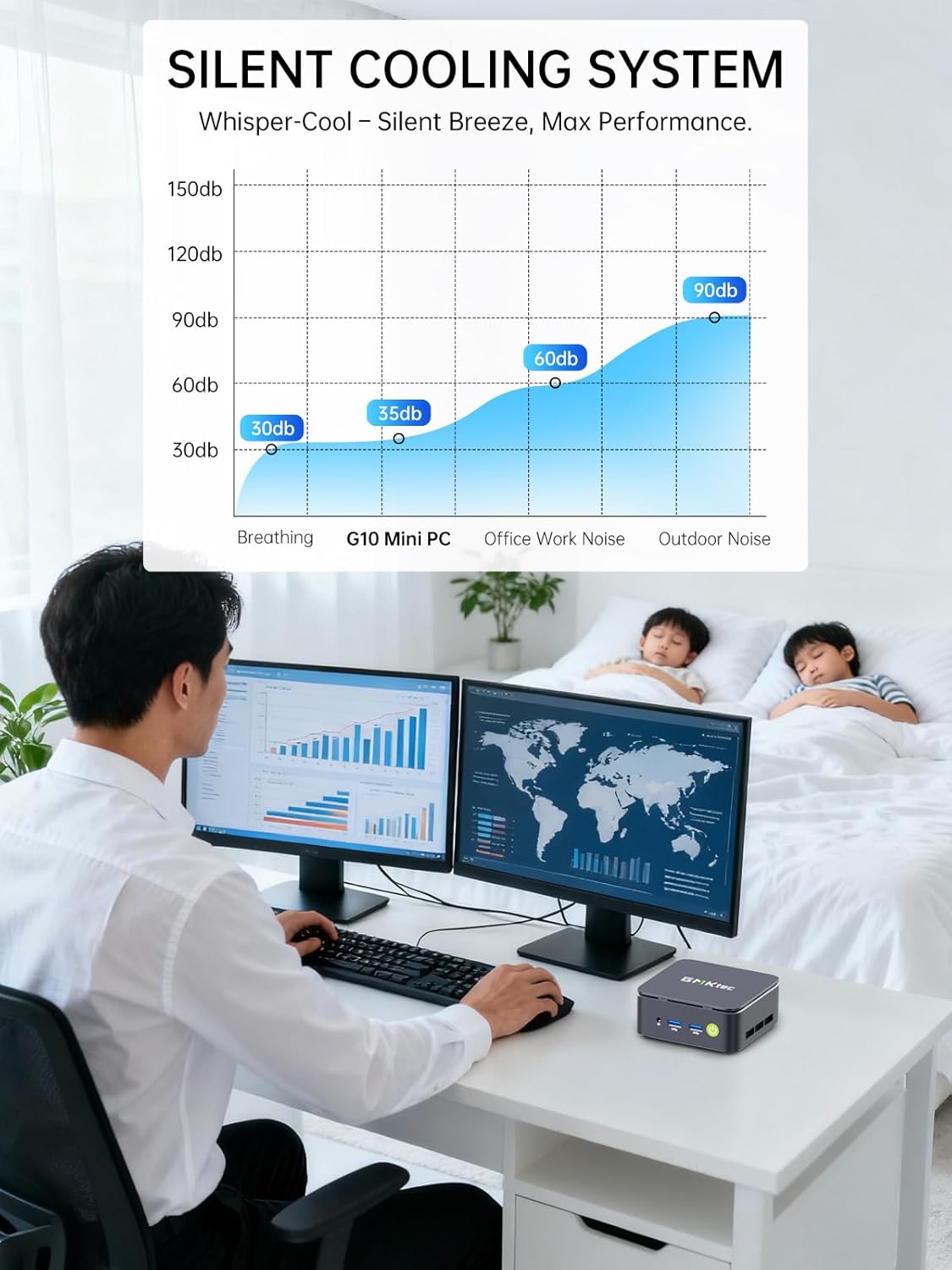
Image: Comparison illustrating the speed advantage of PCIe 3.0 NVMe SSDs (up to 3500 MB/s) over SATA SSDs (up to 550 MB/s).
Udvidelse af opbevaring:
The Mini PC G10 is equipped with two M.2 2280 PCIe 3.0 slots, allowing for storage expansion up to 16TB (with 2 x 8TB SSDs, not included).

Image: Diagram showing the dual SO-DIMM DDR4 slots for RAM expansion up to 64GB and two M.2 2280 SSD slots for storage expansion up to 16TB.
7. Skærmkonfiguration
The GMKtec Mini PC G10 supports a triple display setup, allowing for enhanced productivity and immersive multimedia experiences.
- Connect up to three monitors simultaneously using the HDMI 2.1, DisplayPort 1.4, and full-function USB-C ports.
- All display outputs support 4K resolution at 60Hz.

Image: An illustration of a triple monitor setup connected to the Mini PC, demonstrating its multi-display capability for a productive workspace.
8. Forbindelse
The Mini PC G10 offers versatile connectivity options for both wired and wireless networks and peripherals.
- Wi-Fi 5: Provides fast wireless internet access.
- Bluetooth 5.0: Til tilslutning af trådløst periferiudstyr såsom tastaturer, mus og hovedtelefoner.
- 2.5 Gigabit Ethernet: An ultra-fast wired network connection for high-speed data transfer and low-latency applications.

Image: A visual representation of the Mini PC connected wirelessly via Wi-Fi and Bluetooth, and wired via 2.5GbE Ethernet, highlighting its comprehensive connectivity.
9. Silent Cooling System
The GMKtec Mini PC G10 incorporates a silent turbo cooling fan designed to maintain optimal operating temperatures while minimizing noise output. This ensures stable performance even under load.

Billede: En eksploderet view of the Mini PC G10 showing the internal silent turbo cooling fan and its airflow path.
10. Vedligeholdelse
Regelmæssig vedligeholdelse er med til at sikre din mini-pc's lange levetid og optimale ydeevne.
- Rensning: Periodically clean the exterior of the Mini PC with a soft, dry cloth. Use compressed air to clear dust from ventilation openings. Ensure the device is powered off and unplugged before cleaning.
- Softwareopdateringer: Hold dit operativsystem og dine drivere opdateret til de nyeste versioner. Dette forbedrer sikkerhed, stabilitet og ydeevne.
- Ventilation: Ensure the Mini PC is placed in a well-ventilated area and that its vents are not obstructed. Proper airflow is crucial for cooling.
- Lagerstyring: Administrer din lagerplads regelmæssigt ved at slette unødvendige filer fileog applikationer for at opretholde optimal SSD-ydeevne.
11. Fejlfinding
If you encounter issues with your GMKtec Mini PC G10, refer to the following common troubleshooting steps:
Ingen strøm / Systemet starter ikke:
- Sørg for, at strømadapteren er korrekt tilsluttet både mini-pc'en og en fungerende stikkontakt.
- Kontroller, at stikkontakten fungerer ved at tilslutte en anden enhed.
- Tryk hårdt på tænd/sluk-knappen.
Ingen skærmoutput:
- Check that the HDMI, DisplayPort, or USB-C cable is securely connected to both the Mini PC and the monitor.
- Sørg for, at skærmen er tændt og indstillet til den korrekte inputkilde.
- Prøv et andet skærmkabel eller en anden skærm, hvis det er muligt.
No Wi-Fi / Bluetooth Connection:
- Check if Wi-Fi or Bluetooth is enabled in the Windows settings.
- Genstart mini-pc'en og din router/modem.
- Sørg for, at driverne er opdaterede.
Langsom ydeevne:
- Luk unødvendige programmer, der kører i baggrunden.
- Check for sufficient free storage space on the SSD.
- Ensure the Mini PC is well-ventilated to prevent thermal throttling.
- Kør en systemscanning for malware eller virus.
If these steps do not resolve the issue, please contact GMKtec customer support.
12. Specifikationer
Detailed technical specifications for the GMKtec Mini PC G10:
| Feature | Specifikation |
|---|---|
| Mærke | GMKtec |
| Model | Nucbox G10 |
| Operativsystem | Windows 11 Pro |
| CPU model | AMD Ryzen 5 3500U |
| CPU hastighed | 2.1 GHz (Boost up to 3.7 GHz) |
| Antal processorer | 4 (8 Threads) |
| Grafik coprocessor | Radeon Vega 8 |
| Installeret RAM | 16 GB DDR4 |
| Max RAM Size | 64 GB |
| RAM Speed | 2400 MHz |
| Lagerkapacitet | 1 TB SSD (PCIe 3.0 x4 NVMe) |
| Udvidelse af lager | 2x M.2 2280 PCIe 3.0 slots (up to 16TB total) |
| Video Output Interface | HDMI 2.1, DisplayPort 1.4, USB-C (DP Alt Mode) |
| Maksimal skærmopløsning | 3840 x 2160 (4K) ved 60Hz |
| Trådløs teknologi | Wi-Fi 5 (802.11ac), Bluetooth 5.0 |
| Kablet tilslutning | 2.5 Gigabit Ethernet |
| USB-porte | 2x USB 3.2, 1x USB 2.0, 1x USB-C (full-function) |
| Lydudgang | 1x CTIA Audio Jack |
| Strømindgang | USB-C (PD) |
| Modelår | 2023 |
13. Garanti og support
GMKtec provides comprehensive warranty and support for your Mini PC G10.
- Garanti: Each Mini PC comes with a limited 3-year warranty from the date of purchase. This includes replacement during the first year and repair services for the subsequent two years, covering design and manufacturing defects.
- Kundesupport: For any inquiries or technical assistance, you can contact GMKtec's professional after-sales team.
Kontaktoplysninger:
- Amazon Support: Log ind på din Amazon-konto, gå til "Dine ordrer", og vælg "Stil et produktspørgsmål" for at få direkte hjælp.
- Eftersalgs-e-mail: Send en mail til eu-cs@gmktec.com til kundesupport døgnet rundt.

Image: Details on GMKtec's warranty and support, including contact methods for Amazon support and the after-sales email address.