
HyperGear 15842
User Manual: HyperGear 10,000mAh Portable Power Bank
Model: 15842
1. Introduktion
Thank you for choosing the HyperGear 10,000mAh Portable Power Bank. This device is designed to provide reliable and fast charging for your mobile devices on the go. With its high capacity, dual charging ports, and intelligent LED display, it ensures your devices stay powered throughout your day. Please read this manual carefully before use to ensure optimal performance and safety.
2. Sikkerhedsoplysninger
For at sikre sikker drift og forhindre skader, bedes du overholde følgende forholdsregler:
- Udsæt ikke powerbanken for ekstreme temperaturer (over 45 °C/113 °F eller under 0 °C/32 °F), direkte sollys eller høj luftfugtighed.
- Enheden må ikke skilles ad, ændres eller forsøges at repareres. Dette vil ugyldiggøre garantien og kan forårsage skade.
- Holdes væk fra vand og andre væsker.
- Undgå at tabe eller udsætte powerbanken for kraftige stød.
- Brug kun certificerede opladningskabler og adaptere.
- Opbevares utilgængeligt for børn.

Image: The HyperGear Power Bank features SmartChip technology for comprehensive protection against overcharge, overvoltage, short circuits, and temperature fluctuations, ensuring safe charging for your devices.
3. Pakkens indhold
Tjek venligst pakken for følgende varer:
- HyperGear 10,000mAh Portable Power Bank
- USB-C til USB-C opladerkabel
- Brugervejledning (dette dokument)

Image: The product packaging, illustrating the HyperGear 10,000mAh Power Bank and its key features, including 38W Next-Gen Portable Power Delivery and +35 hours extra battery life.
4. Produktet er slutview
The HyperGear 10,000mAh Power Bank is designed for portability and efficiency. It features a compact design with a digital LED display for battery status and multiple charging ports.
- USB-C PD-port: For fast input and output charging.
- USB-A-port: For standard output charging.
- LED digitalt display: Viser den resterende batteriprocenttage.
- Power knap: Aktiverer displayet og starter opladning.

Billede: En front view of the HyperGear 10,000mAh Portable Power Bank, highlighting its digital LED display showing '100' for full charge, and the HyperGear branding.

Image: This graphic illustrates the key features of the Power Pack Pro Series, including 45% more charging power, a digital battery display, and an ultra-compact design, with the power bank shown from an angled perspective.

Image: The HyperGear Power Bank is displayed alongside common items like a smartphone, a wallet, and keys, demonstrating its compact and pocket-sized dimensions of 2.4 x 3.2 x 1.03 inches.
5. Opsætning
Første opladning af powerbanken
Before first use, fully charge your HyperGear Power Bank. This ensures optimal battery performance and longevity.
- Connect the included USB-C to USB-C cable to the USB-C PD port on the power bank.
- Connect the other end of the cable to a compatible USB-C wall charger (not included). For fastest charging, use a 20W or higher USB-C PD charger.
- The LED display will show the charging progress, increasing fra 0 til 100.
- Once the display shows '100', the power bank is fully charged and ready for use.
6. Betjeningsvejledning
Opladning af dine enheder
The power bank supports fast charging for compatible devices via its USB-C PD port and standard charging via its USB-A port.
- Tilslut din enheds opladningskabel til den relevante port på powerbanken (USB-C eller USB-A).
- Tilslut den anden ende af kablet til din enhed.
- Powerbanken begynder automatisk at oplade din enhed. LED-displayet viser powerbankens resterende batteriniveau i procent.tage.
- For at stoppe opladningen skal du blot frakoble kablet fra din enhed eller powerbanken.
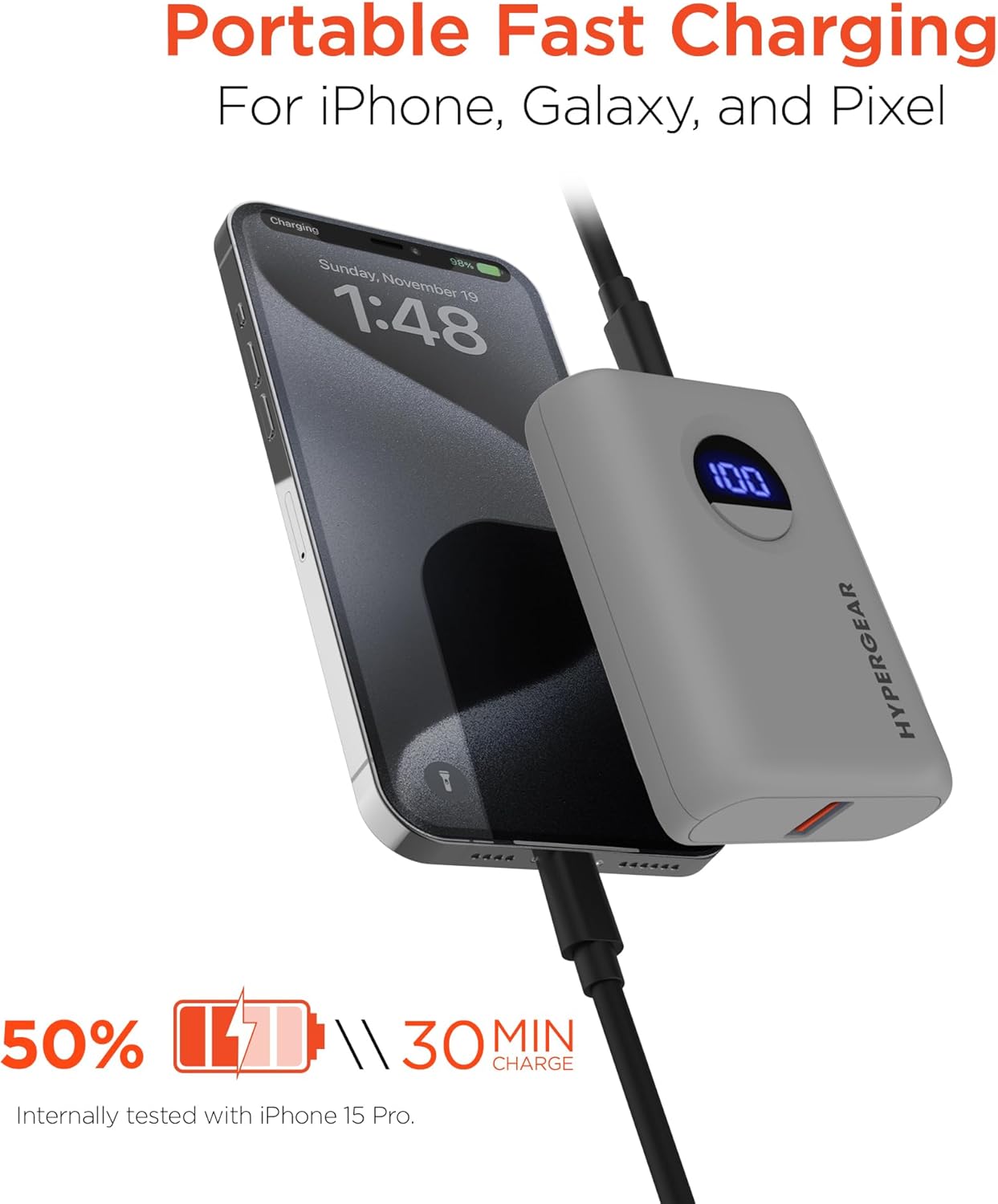
Image: The HyperGear Power Bank is shown connected to an iPhone via a charging cable, demonstrating its portable fast charging capability. The image highlights that it can charge 50% in 30 minutes, based on internal testing with an iPhone 15 Pro.
Opladning af dobbelt enhed
Du kan oplade to enheder samtidigt ved hjælp af både USB-C- og USB-A-portene.
- Connect the first device to the USB-C PD port.
- Tilslut den anden enhed til USB-A-porten.
- Both devices will charge concurrently.

Image: This image demonstrates the dual high-speed charging capability of the HyperGear Power Bank, showing it simultaneously charging a smartphone and a pair of wireless earbuds. It also highlights universal compatibility with various devices like iPhones, Androids, Earbuds, Watches, Cameras, Speakers, and Controllers.
Kontrol af batteriniveau
Tryk én gang på tænd/sluk-knappen for at aktivere det digitale LED-display, som viser den aktuelle batteriprocent.tage af powerbanken.
7. Vedligeholdelse
Korrekt pleje vil forlænge levetiden på din powerbank:
- Rengør powerbanken med en blød, tør klud. Brug ikke skrappe kemikalier eller slibende materialer.
- Opbevares på et køligt, tørt sted, når det ikke er i brug.
- Hvis den opbevares i længere perioder, skal du oplade powerbanken til cirka 50% hver 3. måned for at opretholde batteriets sundhed.
8. Fejlfinding
| Problem | Mulig årsag | Løsning |
|---|---|---|
| Powerbank oplader ikke | Problem med kabel eller adapter; powerbank fuldt opladet; defekt port. | Try a different cable or wall adapter. Check if the power bank is already at 100%. Try a different port if available. |
| Enheden oplader ikke fra powerbanken | Power bank battery low; cable issue; device compatibility. | Genoplad powerbanken. Prøv et andet opladningskabel. Sørg for, at din enhed er kompatibel med USB-opladning. |
| Langsom opladning | Cable quality; device not supporting fast charge; multiple devices charging. | Use a high-quality, certified cable. Ensure your device supports fast charging for the port used. Disconnect other devices if charging slowly. |
| LED display virker ikke | Powerbanken er slukket; internt problem. | Press the power button. If it still doesn't light up, contact customer support. |
9. Specifikationer
| Feature | Detalje |
|---|---|
| Modelnummer | 15842 |
| Batterikapacitet | 10,000 mAh |
| USB-C PD udgang | 20W (with PPS) |
| USB-A-output | 18W Adaptive Fast Charge |
| Indgang (USB-C PD) | 20W |
| Produktdimensioner | 2.4 x 3.2 x 1.03 tommer |
| Varens vægt | 6.4 ounce |
| Kompatibilitet | Universal (iPhone, Galaxy, Pixel, iPad, AirPods, etc.) |

Image: A chart illustrating the long-lasting power of the 10,000mAh capacity HyperGear Power Bank, providing approximately +35 hours for iPhone 15 Pro, +35 hours for Galaxy S23+, and +33 hours for Pixel 8 Pro.
10. Garanti og support
Garantioplysninger
This HyperGear product is covered by a standard manufacturer's warranty. Please refer to the warranty card included in your package or visit the official HyperGear webhjemmeside for detaljerede garantivilkår.
Kundesupport
If you encounter any issues or have questions regarding your HyperGear Portable Power Bank, please contact HyperGear Customer Support. Contact information can typically be found on the product packaging or the official HyperGear webwebsted.
Ask a question about this manual
Ask about setup, troubleshooting, compatibility, parts, safety, or missing instructions. Manuals+ will review the question and use this page’s manual context to help answer it.