
1. Vigtige sikkerhedsoplysninger
- Du må ikke skille ørepropperne eller opladningsetuiet ad eller ændre dem.
- Hold enheden væk fra ekstreme temperaturer, fugtighed og væsker.
- Undgå langvarig eksponering for høje lydstyrker for at forhindre høreskader.
- Brug kun de medfølgende eller certificerede opladningskabler.
- Bortskaf produktet ansvarligt i henhold til lokale regler.
2. Pakkens indhold
Kontroller venligst pakkens indhold ved åbning:
- Wireless Earbuds (2)
- Opladningsetui (1)
- Type-C ladekabel (1)
- Brugervejledning (1)

Image: Contents of the Jxrev J51 Wireless Earbuds package.
3. Produktet er slutview
The Jxrev J51 Wireless Earbuds offer a high-quality audio experience with advanced features. They are designed for comfort and convenience, suitable for various activities.
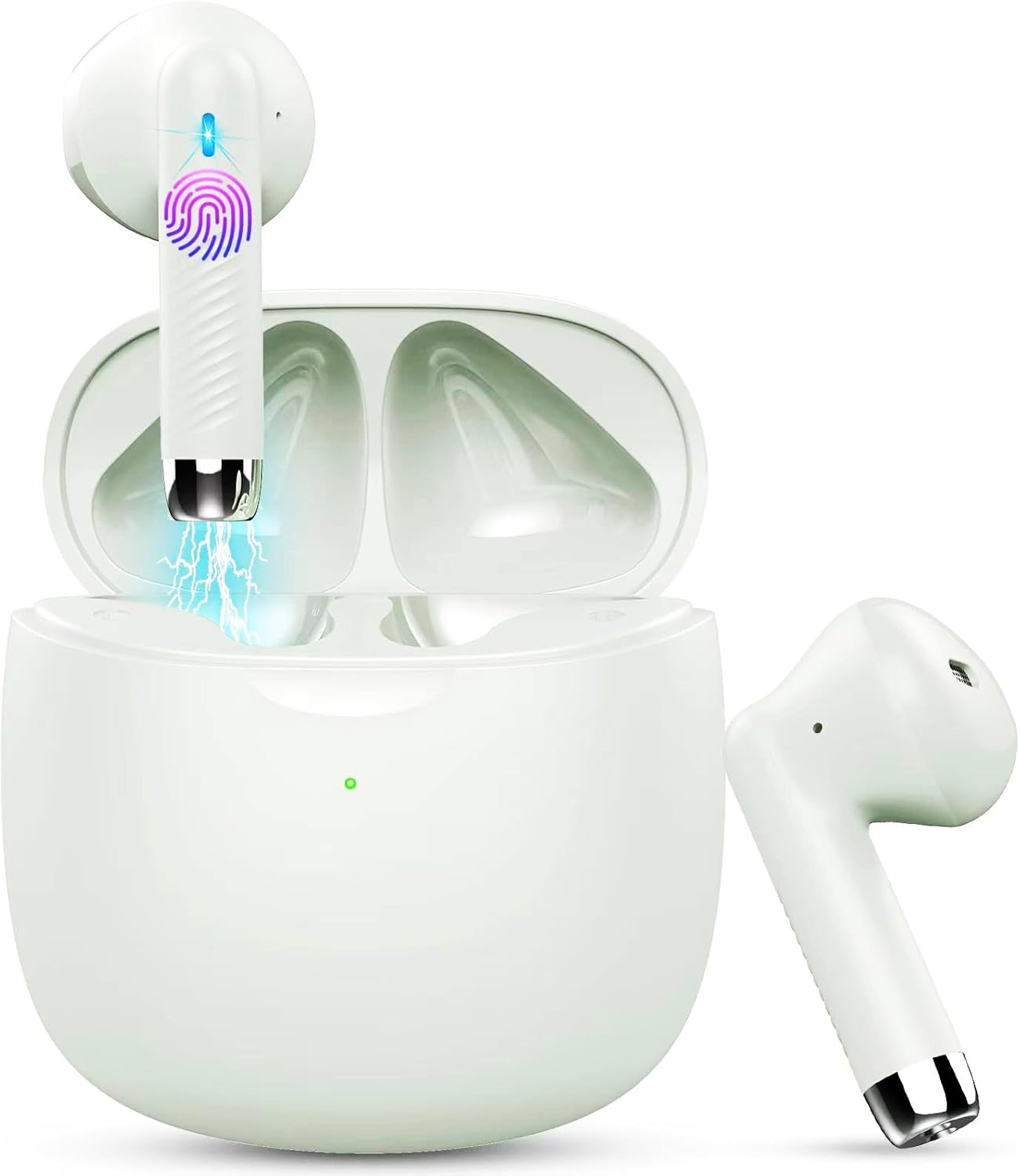
Image: Jxrev J51 Wireless Earbuds and their charging case.
Nøglefunktioner:
- Bluetooth 5.4-teknologi: Giver en stabil og hurtig trådløs forbindelse.
- 13 mm dynamiske drivere: Leverer klar lyd med forbedret bas.
- IP7 vandtæt rating: Resistant to sweat and splashes, ideal for sports.
- Touch Control: Intuitiv kontrol af musik, opkald og stemmeassistent.
- Letvægtsdesign: Hver øreprop vejer cirka 3 g for behagelig brug.

Image: Illustration of the 13mm dynamic driver for audio quality.

Billede: Intern view of an earbud showcasing the Bluetooth chip for stable connectivity.
4. Opsætning og første brug
4.1 Opladning af etuiet og øretelefonerne
- Indledende opkrævning: Oplad opladningsetuiet og ørepropperne helt inden første brug.
- Tilslut kabel: Insert the Type-C charging cable into the charging port on the case and connect the other end to a USB power source.
- Opladningsindikator: The indicator light on the charging case will show the charging status. A full charge typically takes about 1 hour for the case.
- Opladning af øretelefoner: Placer ørepropperne i opladningsetuiet. De vil automatisk begynde at oplade.

Image: Charging case with earbuds, illustrating USB-C charging and battery capacity.
4.2 Parring med din enhed
Ørepropperne har parring i ét trin for nemheds skyld.
- Tænd: Åbn opladningsetuiet. Ørepropperne tændes automatisk og går i parringstilstand.
- Aktiver Bluetooth: Gå til Bluetooth-indstillingerne på din smartphone eller anden Bluetooth-aktiveret enhed, og tænd Bluetooth.
- Vælg enhed: Look for 'J51' in the list of available devices and select it to connect.
- Bekræftelse: Når der er forbindelse, hører du en lydmeddelelse, og ørepropperne er klar til brug.
- Automatisk genforbindelse: Efter den første parring opretter ørepropperne automatisk forbindelse til den sidst parrede enhed, når de tages ud af etuiet.

Image: Visual guide for one-step Bluetooth pairing with a smartphone.
5. Betjeningsvejledning
5.1 Sådan tager du ørepropperne på
The J51 earbuds are designed for an ergonomic and secure fit.
- Identificér venstre/højre: Locate the 'L' and 'R' markings on each earbud.
- Indsæt: Indsæt forsigtigt øretelefonen i din øregang.
- Justere: Rotate the earbud slightly until it feels comfortable and secure. The lightweight design ensures minimal pressure.

Image: Demonstrating the lightweight and ergonomic fit of the earbuds.
5.2 Tryk på kontrolelementer
The earbuds feature touch-sensitive areas for easy control of various functions.

Image: Comprehensive guide to earbud touch controls.
| Handling | Venstre øretelefon (L) | Højre øretelefon (R) |
|---|---|---|
| Afspil/pause | Dobbeltklik | Dobbeltklik |
| Næste sang | N/A | Hold 2 sekunder |
| Forrige sang | Hold 2 sekunder | N/A |
| Lydstyrke ned | Enkeltklik | N/A |
| Lydstyrke op | N/A | Enkeltklik |
| Besvar/afslut opkald | Dobbeltklik | Dobbeltklik |
| Afvis opkald | Hold 2 sekunder | Hold 2 sekunder |
| Aktiver Voice Assistant | Triple-klik | Triple-klik |
5.3 Mono Mode (Single Earbud Use)
You can use either the left or right earbud independently. Simply take one earbud out of the charging case, and it will automatically connect to your device. The other earbud can remain in the case or be used by another person in 'Sharing mode' if desired.
5.4 Binaural Mode (Both Earbuds Use)
For stereo sound, use both earbuds. They will automatically pair with each other and your device when removed from the charging case.

Image: Depiction of Mono and Twin (Binaural) usage modes.
5.5 Stemmeassistent
Triple-click either earbud to activate your device's voice assistant (e.g., Siri, Google Assistant).

Image: Activating the voice assistant feature.
6. Vedligeholdelse og pleje
6.1 Rengøring
- Rengør regelmæssigt ørepropperne og opladningsetuiet med en blød, tør og fnugfri klud.
- Brug ikke slibende rengøringsmidler, alkohol eller kemiske opløsningsmidler.
- Sørg for, at opladningskontakterne på både ørepropper og etuiet er rene og tørre for optimal opladning.
6.2 Vandtæthed (IP7)
The Jxrev J51 earbuds are IP7 waterproof, meaning they are protected against temporary immersion in water. This makes them suitable for workouts and use in light rain.
- Do not intentionally submerge the earbuds in water for extended periods.
- The charging case is not waterproof. Keep it dry.
- Sørg for, at ørepropperne er helt tørre, før du sætter dem tilbage i opladningsetuiet, for at forhindre skader.

Image: Earbuds demonstrating IP7 waterproof capability.
6.3 Opbevaring
Når ørepropperne ikke er i brug, skal de opbevares i deres opladningsetui for at beskytte dem og holde dem opladede.
7. Fejlfinding
Hvis du støder på problemer, kan du bruge følgende almindelige løsninger:
- Ørepropper parrer sig ikke med hinanden: Place both earbuds back into the charging case, close the lid for a few seconds, then open it again. They should automatically re-sync.
- Øretelefoner opretter ikke forbindelse til enheden:
- Sørg for, at Bluetooth er aktiveret på din enhed.
- Delete 'J51' from your device's Bluetooth history and try pairing again.
- Sørg for, at ørepropperne er opladet.
- Ingen lyd fra den ene øreprop: Place both earbuds back in the case, close the lid, then open it again. Check if both are connected.
- Opladningsproblemer:
- Kontroller opladningskablet og adapteren.
- Sørg for, at opladningskontakterne på ørepropperne og etuiet er rene og fri for snavs.
- Touch-kontroller reagerer ikke: Sørg for, at dine fingre er rene og tørre. Prøv at genstarte ørepropperne ved at lægge dem i etuiet og tage dem ud igen.
8. Specifikationer
| Modelnavn | J51 |
| Forbindelsesteknologi | Trådløs (Bluetooth) |
| Bluetooth version | 5.4 |
| Bluetooth rækkevidde | Op til 15 meter |
| Audio driver størrelse | 13 millimeter |
| Frekvensområde | 20Hz - 20,000Hz |
| Impedans | 40 Ohm |
| Vandmodstandsniveau | IP7 vandtæt |
| Earbud vægt | Approx. 3 Grams (each) |
| Opladningsetui Batterilevetid | Up to 32 Hours (with case) |
| Enkelt spilletid | 6-8 timer |
| Opladningstid (etui) | Approx. 1 Hour (USB-C) |
| Kontroltype | Tryk på kontrol |
| Kompatible enheder | Cellphones, PCs, Tablets, Laptops, TVs |
9. Garanti og support
Jxrev products are designed for reliability and performance. For specific warranty details, please refer to the warranty card included in your product packaging or contact Jxrev customer support.
Kundesupport:
If you have any questions, concerns, or require technical assistance, please contact Jxrev customer support through the official webwebstedet eller kontaktoplysningerne i din produktdokumentation.