
1. Introduktion
Thank you for choosing the Digitek DFL-220 Handheld TTL Flash Speedlite. This powerful and versatile flash unit is designed to provide professional-quality lighting for various photography scenarios, both indoors and outdoors. Featuring a 200W power output, 5600K color temperature, and advanced modes like TTL, Manual, and Multi-flash, the DFL-220 offers precise control and high-speed synchronization for capturing dynamic moments.
Please read this manual carefully before using the product to ensure proper operation and to maximize its performance and lifespan. Keep this manual for future reference.
2. Sikkerhedsoplysninger
- Adskil eller modificer ikke blitzenheden. Reparationer bør kun udføres af autoriseret servicepersonale.
- Keep the unit dry. Do not expose it to rain, moisture, or high humidity.
- Undgå direkte eksponering for blitzlyset fra øjnene, især på tæt hold, da det kan forårsage midlertidig synsnedsættelse.
- Opbevares utilgængeligt for børn.
- Use only the specified battery and charger. Improper use can lead to fire, explosion, or electric shock.
- Ensure the flash is securely mounted to prevent accidental drops.
3. Pakkens indhold
Bekræft at alle varer er til stede i din pakke:
- 1 x Digitek TTL Flash Speedlite DFL-220 (with included Li-ion Battery)
- 1 x oplader
- 1 x Flash Holder
- 1 x beskyttelsestaske
- 1 x brugermanual
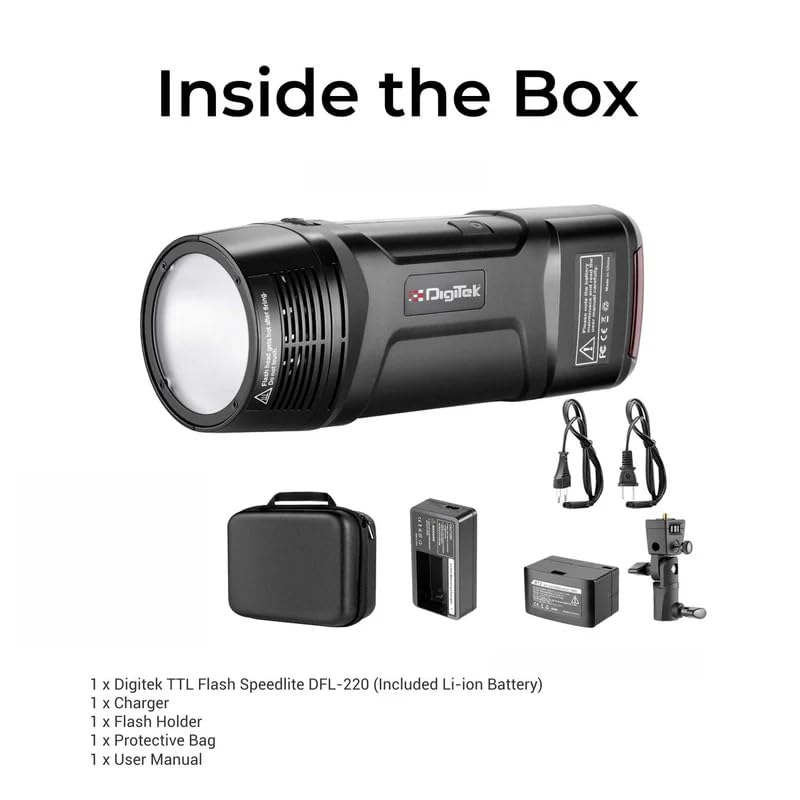
Figure 3.1: Digitek DFL-220 Package Contents
4. Produktet er slutview
Familiarize yourself with the main components and controls of the DFL-220 flash unit:
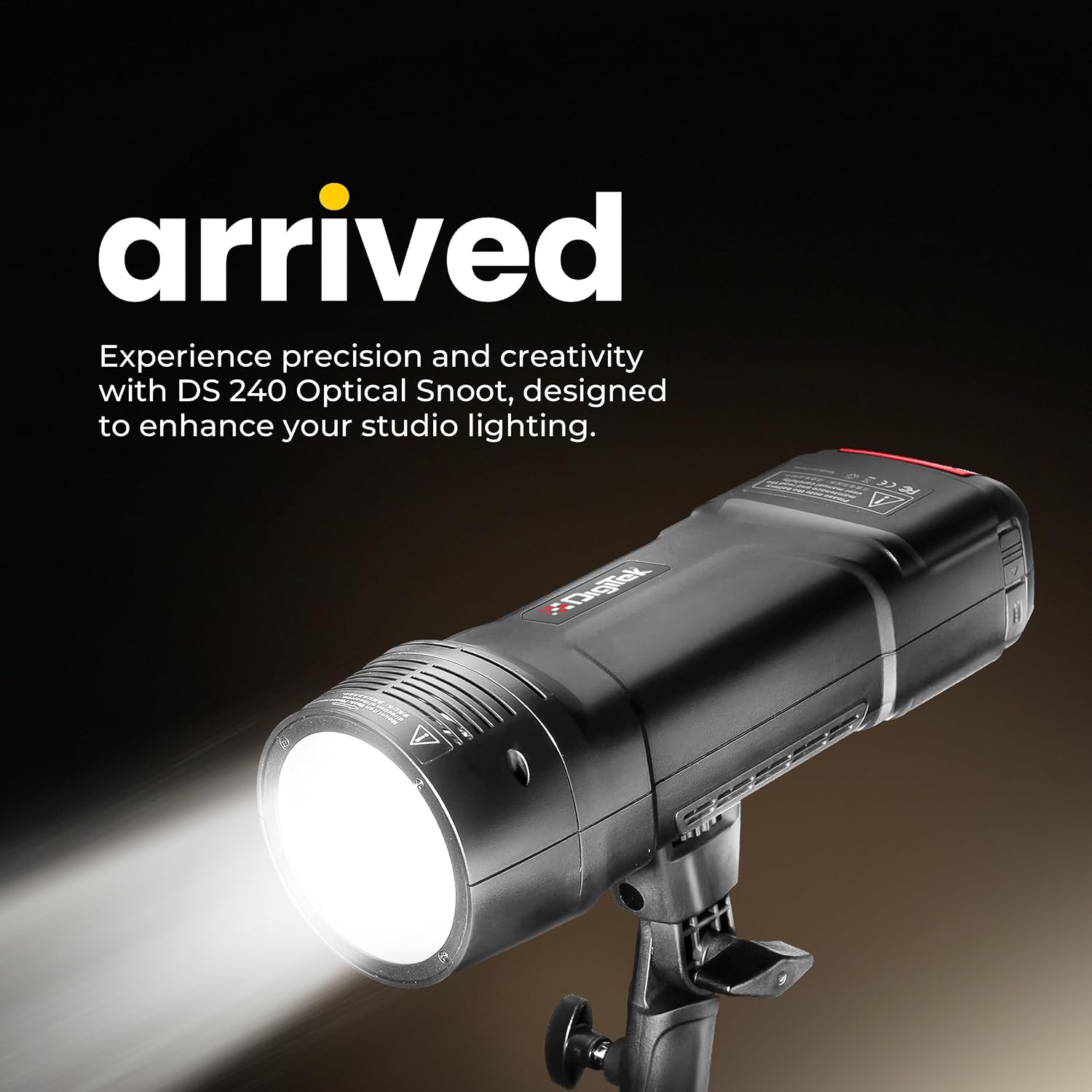
Figure 4.1: Digitek DFL-220 Front View

Figure 4.2: DFL-220 Controls and Components
Nøglekomponenter:
- Flash-rør: Udsender hovedblitzlyset.
- LED modellering Lamp: Giver kontinuerligt lys til præ-viewlyseffekter.
- Lampshade Bayonet: For attaching light modifiers like reflectors.
- Refleks: Directs and shapes the light.
- Reflector Release Button: For detaching the reflector.
- Photo Cell: Detects other flashes for slave mode operation.
- 2.5mm Sync Port: Til kablet synkronisering med kameraer eller triggere.
Kontrolpanel:
- Modellering L.amp Knap: Activates/deactivates the modeling lamp.
- Confirmation Button (OK): Bekræfter valg.
- Justeringsknap: Navigates menus and adjusts settings (e.g., power output, channel).
- Testblitz-knap: Udløser en testblitz.
- Channel / Group Setting: Accesses wireless channel and group settings.
- Flash Mode Selection: Cycles through TTL, Manual, and Multi modes.
- Menu-knap: Giver adgang til yderligere indstillinger.
5. Batteriinstallation og opladning
5.1 Batteriinstallation
- Find batterirummet på blitzenheden.
- Insert the provided Li-ion battery, ensuring correct polarity.
- Luk batterirummets dæksel forsvarligt.
5.2 Opladning af batteriet
The DFL-220 uses a high-performance Li-ion battery. Use the dedicated charger provided.
- Tilslut opladeren til en stikkontakt.
- Place the battery into the charger. The indicator light on the charger will show the charging status (e.g., red for charging, green for fully charged).
- En fuld opladning tager typisk cirka 2 timer.

Figur 5.1: Batteriopladningsproces
6. Opsætning og montering
6.1 Mounting on a Camera Hot Shoe
The DFL-220 is compatible with Nikon, Canon, and Sony cameras equipped with a hot shoe mount.
- Slide the flash unit's hot shoe foot into the camera's hot shoe slot.
- Tighten the locking mechanism (if present) on the flash unit to secure it to the camera.
6.2 Using the Flash Holder
For off-camera use, attach the DFL-220 to the provided flash holder, which can then be mounted on a light stand.
7. Driftstilstande
7.1 Tænd/sluk
Tryk på tænd/sluk-knappen og hold den nede for at tænde eller slukke blitzenheden.
7.2 Mode Selection (TTL / Manual / Multi)
Tryk på Valg af flashtilstand knap til at gennemgå de tilgængelige blitztilstande:
- TTL automatisk blitztilstand: The flash automatically adjusts its output for correct exposure based on camera metering.
- Manuel blitztilstand: Allows you to manually set the flash power output from 1/256 to 1/1 in 1/3-stop increments using the Adjustment Dial.
- Multi (Stroboscopic) Flash Mode: Udløser en serie af hurtige blitz under en enkelt eksponering for at indfange flere bevægelser af et motiv.

Figure 7.1: Multi and Stroboscopic Flash Capabilities
7.3 Højhastighedssynkronisering (HSS)
The DFL-220 supports High-Speed Sync up to 1/18000s, allowing you to use flash at shutter speeds faster than your camera's native sync speed. This is ideal for freezing fast action or using wide apertures in bright conditions.

Figure 7.2: High-Speed Sync in Action
7.4 2.4G Wireless Remote Trigger System
The integrated 2.4G wireless system offers 32 channels and 5 groups for reliable communication and flexible positioning of multiple flash units. Use the Channel / Group Setting button to configure wireless parameters.
7.5 Modellering Lamp
Tryk på Modellering L.amp Knap to activate the LED modeling lamp, which helps in visualizing the light's direction and shadows before taking a shot.
8. Avancerede indstillinger
8.1 Consistent Color Temperature
The DFL-220 maintains a consistent color temperature of 5600K (+/-100K) across its entire power range, ensuring natural and accurate color balance in your images.

Figure 8.1: Consistent Color Output
9. Specifikationer
| Feature | Specifikation |
|---|---|
| Mærke | Digitek |
| Modelnummer | DFL-220 |
| Strømudgang | 200W |
| Farvetemperatur | 5600K (+/-100K) |
| Genbrugstid | Ca. 2 sekunder |
| Flash-synkroniseringshastighed | Op til 1/18000s (Højhastighedssynkronisering) |
| Trådløs teknologi | 2.4 GHz |
| Kanaler | 32 |
| Optagetilstande | TTL Auto Flash, Manual, Multi |
| Effekt rækkevidde | 1/256 to 1/1 (in 1/3-stop increments) |
| Kompatible monteringer | Nikon, Canon, Sony (Hotshoe) |
| Varedimensioner (D x B x H) | 12D x 5B x 6H Centimeter |
| Varens vægt | 400 gram |
| Oprindelsesland | Kina |

Figure 9.1: DFL-220 Portability and Dimensions
10. Vedligeholdelse og pleje
- Rensning: Brug en blød, tør klud til at rengøre blitzenheden. Ved genstridigt snavs, gnid letamp en tør klud kan bruges. Brug ikke opløsningsmidler eller slibende rengøringsmidler.
- Opbevaring: When not in use for extended periods, remove the battery and store the flash unit in a cool, dry place, preferably in its protective bag.
- Batteripleje: Recharge the battery periodically even if not in use to maintain its health. Avoid fully discharging the battery frequently.
- Undgå påvirkning: Protect the flash from strong impacts or drops, which can damage internal components.
11. Fejlfinding
| Problem | Mulig årsag | Løsning |
|---|---|---|
| Blitzen går ikke ud. | Battery low or not inserted correctly. Flash not powered on. Incorrect camera settings. | Check battery level and insertion. Turn on flash. Ensure camera flash settings are correct (e.g., external flash enabled). |
| Blitzudgangen er for svag/stærk. | Incorrect power setting in Manual mode. TTL metering issue. | Adjust power output in Manual mode. Check camera's exposure compensation or flash exposure compensation. |
| Trådløs trigger virker ikke. | Incorrect channel/group settings. Distance too far. Interference. | Ensure flash and trigger (if external) are on the same channel and group. Reduce distance. Change channels to avoid interference. |
| Lang genbrugstid. | Battery low. High power output setting. | Recharge or replace battery. Reduce flash power output. |
12. Garanti og support
12.1 Garantioplysninger
The Digitek DFL-220 Handheld TTL Flash Speedlite comes with a 1 måneders garanti fra købsdatoen. Gem venligst din købskvittering som garantibevis.
12.2 Kundesupport
For any technical assistance, warranty claims, or product inquiries, please contact Digitek customer support:
- Gratis nummer: 1800-123-544-444
- E-mail: support@digitek.net.in
- Producent / importør: IMS Mercantiles Pvt. Ltd., 704, 7th floor, Ring Road Mall, Sec-3, Rohini, Delhi 110085.