
1. Produktet er slutview
The Nanlite FS-300B is a 300W bi-color LED spotlight designed for professional photography and videography applications. It offers adjustable color temperature from 2700K to 6500K, high color rendering accuracy (CRI 96, TLCI 97), and multiple control options including on-panel, 2.4G wireless remote, and app control. The unit features a Bowens mount for compatibility with a wide range of light modifiers.
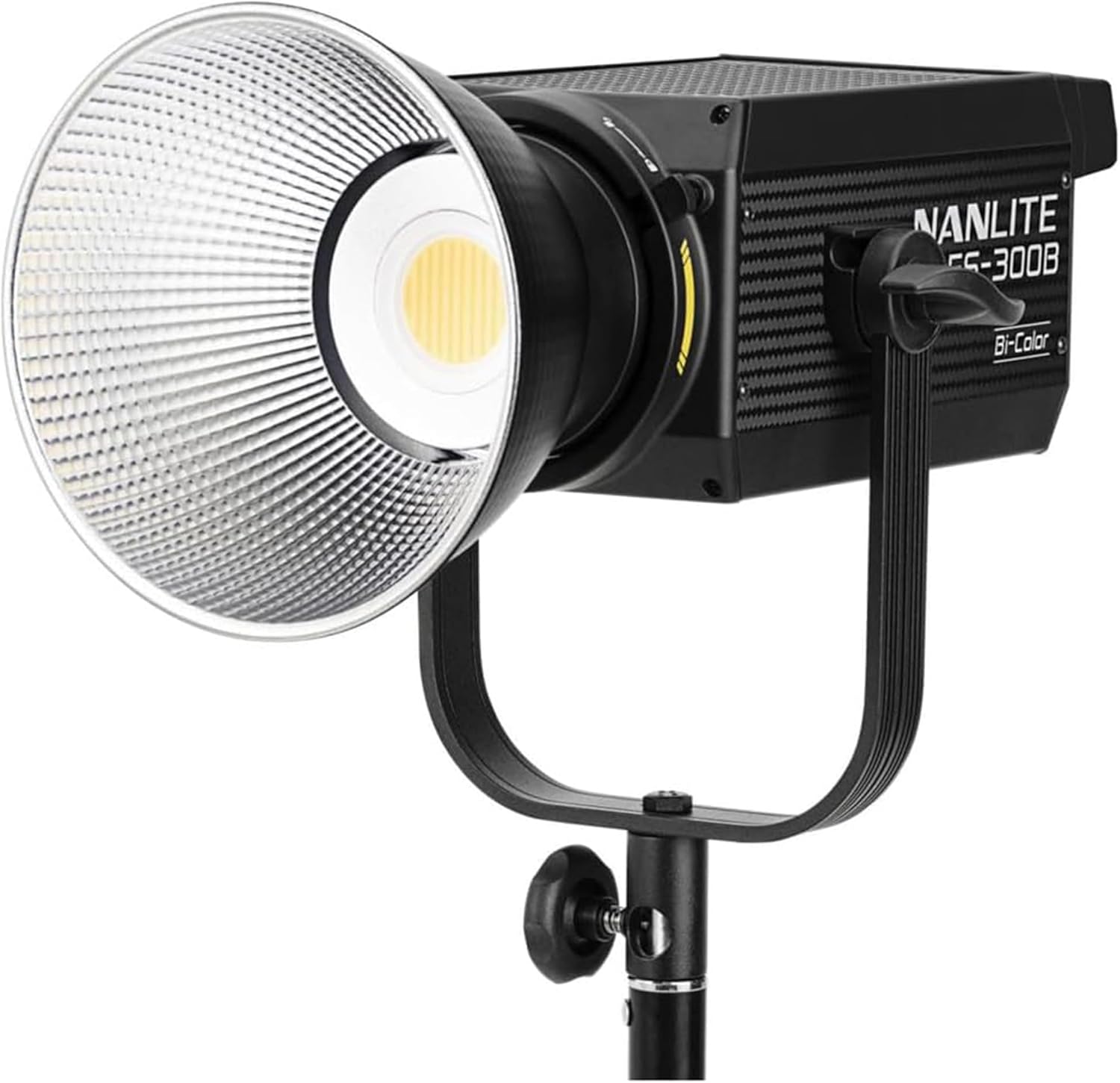
Image 1.1: The Nanlite FS-300B LED Spotlight with its standard reflector attached, ready for use.
2. Hvad er der i æsken
- Nanlite FS-300B COB LED Video Light (x1)
- Power Cable 4.5M (x1)
- Reflector (x1)
- COB Protective Cap (x1)
- Brugervejledning (x1)

Image 2.1: All components included in the Nanlite FS-300B package.
3. Opsætningsvejledning
- Montering af lyset: Attach the FS-300B to a compatible light stand using its integrated yoke and stand mount. Ensure the light is securely fastened.
- Montering af reflektoren: Align the Bowens mount reflector with the front of the COB LED. Twist clockwise until it locks into place. For protection during transport or storage, use the COB Protective Cap when the reflector is not attached.
- Strømtilslutning: Connect the provided 4.5M power cable to the AC input port on the rear panel of the light. Plug the other end into a standard 100-240VAC power outlet.
- Første gang tændt: Flip the power switch on the rear panel to the 'ON' position. The OLED display will illuminate, showing current settings.

Image 3.1: Rear panel of the Nanlite FS-300B, highlighting the power input and control interface.
4. Betjeningsvejledning
4.1 On-Panel Control
- Use the control knobs and buttons on the rear panel to adjust brightness (dimming from 10%-100%) and CCT (2700K-6500K).
- The OLED display provides real-time feedback on color temperature and dimming levels.
4.2 App Control (NANLINK App)
- Download the NANLINK app from your device's app store.
- Aktiver Bluetooth på din mobilenhed.
- Open the NANLINK app and follow the on-screen instructions to connect to your FS-300B.
- Once connected, you can wirelessly control brightness, CCT, and access the 12 customizable lighting effects.
4.3 Wireless Remote Control (2.4G)
- The FS-300B supports 2.4G wireless remote control for convenient adjustments from a distance.
- Refer to your 2.4G remote's manual for pairing and operation instructions.

Image 4.1: Controlling the Nanlite FS-300B via the NANLINK mobile application.
4.4 Lyseffekter
The FS-300B includes 12 customizable lighting effects to enhance creative productions. These effects can be accessed and adjusted via the on-panel controls or the NANLINK app.

Billede 4.2: Overview of the 12 customizable lighting effects.
5. Vedligeholdelse
- Rensning: Brug en blød, tør klud til at rengøre lampens yderside. Brug ikke slibende rengøringsmidler eller opløsningsmidler.
- Kølesystem: The FS-300B features an active cooling system. Ensure the ventilation grilles are free from dust and obstructions to maintain optimal performance and prevent overheating.
- Opbevaring: When not in use, store the light in a dry, dust-free environment. Always attach the COB Protective Cap to prevent damage to the LED.
- Firmwareopdateringer: The unit includes a USB port for firmware updates. Regularly check the Nanlite official website for the latest firmware versions to ensure access to new features and performance improvements.
Image 5.1: The cooling system and USB port for firmware updates on the Nanlite FS-300B.
6. Fejlfinding
- Lyset tænder ikke:
- Check if the power cable is securely connected to both the light and the power outlet.
- Sørg for, at tænd/sluk-knappen er i 'ON'-positionen.
- Kontroller, at stikkontakten fungerer.
- No Response from Remote/App:
- Sørg for, at lyset er tændt.
- For app control, verify Bluetooth is enabled on your device and the light is paired correctly in the NANLINK app.
- For 2.4G remote, check battery levels and ensure the remote is paired to the correct channel.
- Advarsel om overophedning:
- Check if the ventilation grilles are obstructed. Clear any dust or debris.
- Ensure the light is operating in a well-ventilated area.
- Reduce the output power if operating in high ambient temperatures.
7. Specifikationer
| Model | FS-300B |
| Strømforbrug | 300W |
| Farvetemperatur (CCT) | 2700K-6500K |
| CRI | 96 |
| TLCI | 97 |
| Illumination (with Reflector @1m) | 38720 lux (5600K) |
| Kontrolmetoder | On-panel, 2.4G Wireless, Bluetooth (NANLINK App) |
| Montering | Bowen's Mount |
| Produktdimensioner | 9.2 x 4.8 x 13.6 tommer |
| Varens vægt | 6.67 pund |
| Strømindgang | 100-240VAC |
8. Officielle produktvideoer
Nanlite FS-300B 300W Bi-Color LED Spotlight for Photography
Video 8.1: Denne video giver en oversigtview of the Nanlite FS-300B, showcasing its features and applications in photography settings. It highlights the bi-color capabilities and ease of use for various creative needs.
Nanlite FS 300B - Cinematic Light for Every Creator
Video 8.2: This video demonstrates the Nanlite FS-300B's versatility for cinematic applications, including its wide CCT range, customizable effects, and app control. It illustrates how the light can be used to achieve various creative looks in film and video production.
9. Garanti og support
For garantioplysninger og teknisk support henvises til den officielle Nanlite-butik. webwebstedet eller kontakt deres kundeservice direkte. Gem din købskvittering som købsbevis i tilfælde af garantikrav.
- Beskyttelsesplaner: Extended protection plans are available for purchase separately. Options include 2-Year, 3-Year, and Complete Protect plans.
- Returnerer: The standard return policy allows for refunds or replacements within 30 days of purchase.