
ECHTPower B0DNN27RS5
Brugermanual til trådløs ECHTPower-controller
Model: B0DNN27RS5
This manual provides instructions for the setup, operation, and maintenance of your ECHTPower Wireless Switch Controller.
Indledning
Tak for købetasing the ECHTPower Wireless Switch Controller. This controller is designed to provide a versatile and immersive gaming experience across multiple platforms, including Nintendo Switch, Switch Lite, iOS, Android, and PC. Its unique design combines nostalgic retro aesthetics with modern performance features.

Image: The ECHTPower Wireless Switch Controllers in purple and starry sky blue, showcasing their distinct designs.
1. Opsætning
1.1 Indledende opladning
Before first use, fully charge the controller. Connect the provided USB cable to the controller's charging port and the other end to a USB power source (e.g., console, PC, or USB wall adapter). The indicator lights on the controller will show charging status and turn off when fully charged.
1.2 Parring med Nintendo Switch/Switch Lite
- Turn on your Nintendo Switch/Switch Lite console.
- Fra HOME-menuen skal du vælge "Controllere" > "Skift greb/rækkefølge".
- On the controller, press and hold the SYNC button (usually a small button on the top or back) for 3-5 seconds until the indicator lights start flashing rapidly.
- Once paired, the corresponding player indicator light(s) on the controller will remain solid.
1.3 Connecting to PC (Wired/Wireless)
Kablet tilstand: Tilslut controlleren til din pc med USB-kablet. PC'en burde automatisk registrere og installere de nødvendige drivere.
Trådløs tilstand (Bluetooth):
- Sørg for, at din pc har Bluetooth aktiveret.
- Gå til indstillingerne "Bluetooth og andre enheder" på din pc.
- Vælg "Tilføj Bluetooth eller anden enhed" > "Bluetooth".
- On the controller, press and hold the SYNC button until the indicator lights flash rapidly.
- Vælg den controller, der skal parres, fra listen over tilgængelige enheder på din pc.
1.4 Connecting to iOS/Android Devices
- Enable Bluetooth on your iOS/Android device.
- On the controller, press and hold the SYNC button until the indicator lights flash rapidly.
- Søg efter and select the controller from the list of available Bluetooth devices on your mobile device to pair.
2. Betjeningsvejledning
2.1 Grundlæggende kontroller
The controller features standard gaming buttons including A/B/X/Y, D-pad, Left/Right Analog Sticks, L/R/ZL/ZR shoulder buttons, Home, Capture, Plus (+), Minus (-), and a Turbo button.

Billede: En detaljeret view of the purple controller, highlighting its button layout and ergonomic design.
2.2 Turbofunktion
The controller supports both manual and auto turbo functions, allowing for rapid button presses. The manual turbo function can achieve up to 25 shots per second.
- Indstilling af turbo: Press and hold the button you wish to set for turbo (e.g., A) then press the Turbo button once. The button will now rapidly repeat when held down.
- Indstilling af automatisk turbo: Press and hold the turbo-enabled button (e.g., A) and press the Turbo button a second time. The button will now automatically repeat without being held down.
- Rydning af Turbo: Press and hold the turbo-enabled button and press the Turbo button a third time to clear the turbo setting for that button. To clear all turbo settings, press and hold the Turbo button for 5 seconds.
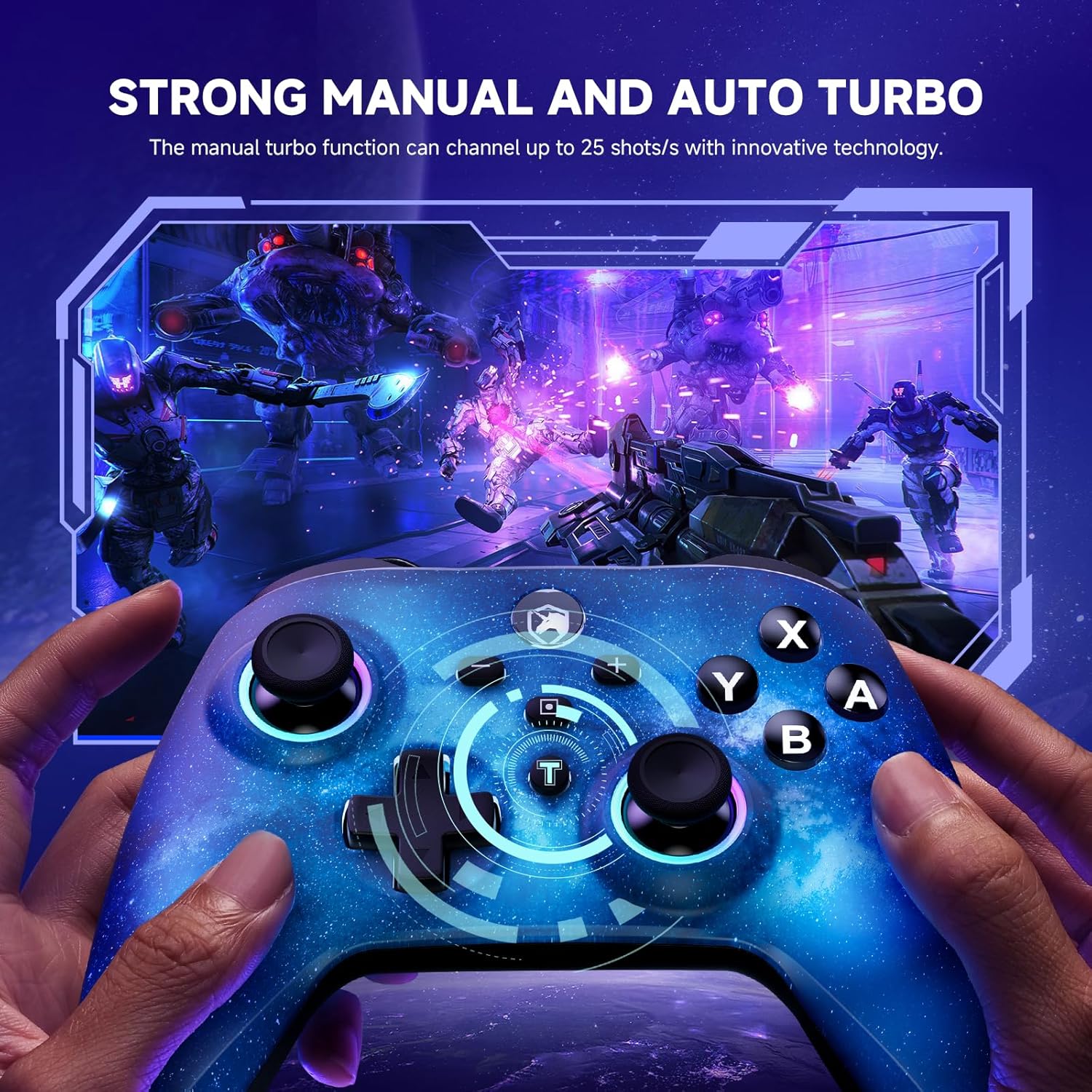
Image: The starry sky blue controller in use, demonstrating the rapid fire capability of the turbo function in a gaming scenario.
2.3 Dual Vibration
The controller features adjustable dual vibration motors, offering 4 vibration speed intensities for a more realistic gaming experience.
- Justering af vibration: While connected, press the Turbo button and the Up/Down direction on the D-pad simultaneously to cycle through vibration intensities.
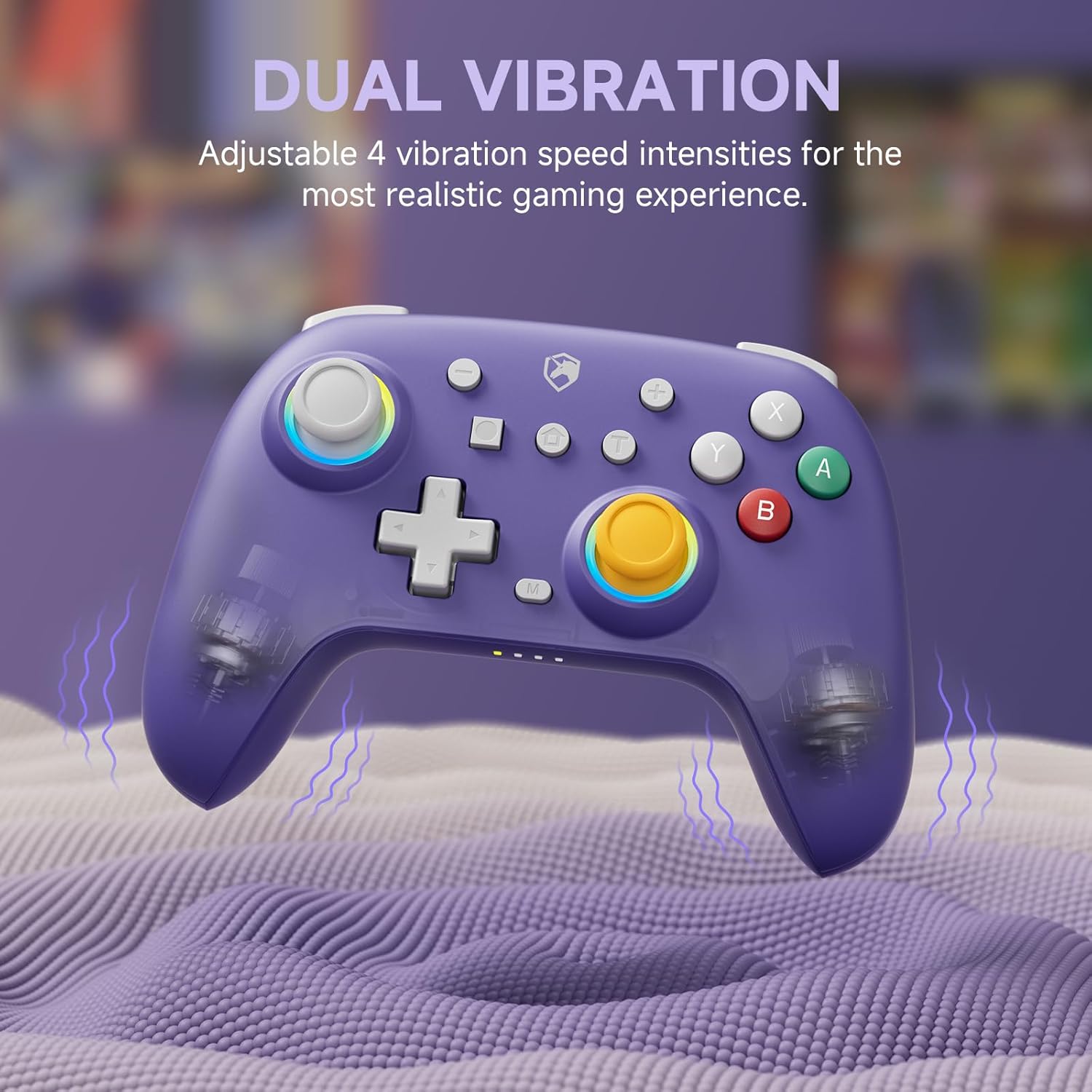
Image: The purple controller illustrating its dual vibration feature, enhancing tactile feedback during gameplay.
2.4 RGB-belysning
The controller features sparkly 9 RGB lighting colors and 4 light modes, adding a visual flair to your gaming setup.

Image: The starry sky blue controller showcasing its customizable RGB lighting, creating an immersive visual effect.
2.5 Hall Effect Sticks
Equipped with Hall Effect sticks, the controller offers precise and durable position detection, reducing stick drift and extending lifespan.

Image: A diagram explaining the Hall Effect stick technology, emphasizing its precision and durability for accurate input.
3. Vedligeholdelse
- Rensning: Brug en blød, tør klud til at rengøre controlleren. Ved genstridigt snavs, tør letampRengør kluden med vand. Brug ikke skrappe kemikalier eller slibende rengøringsmidler.
- Opbevaring: Opbevar controlleren et køligt, tørt sted væk fra direkte sollys og ekstreme temperaturer.
- Batteripleje: For at forlænge batteriets levetid bør du undgå at aflade controlleren helt ofte. Oplad den regelmæssigt, selvom den ikke er i brug i længere perioder.
- Undgå dråber: Beskyt controlleren mod fald og stød, som kan beskadige de interne komponenter.
4. Fejlfinding
| Problem | Mulig årsag | Løsning |
|---|---|---|
| Controller won't turn on. | Lavt batteri. | Oplad controlleren i mindst 30 minutter. |
| Kan ikke parres med enheden. | Controlleren er ikke i parringstilstand; enhedens Bluetooth er slukket; interferens. | Ensure controller is in pairing mode (flashing lights). Check device Bluetooth settings. Move closer to the device. Try resetting the controller (if applicable, usually a small pinhole button). |
| Inputforsinkelse eller afbrydelse. | Distance from device; low battery; wireless interference. | Move closer to the device. Charge the controller. Reduce other wireless device interference. |
| Buttons/sticks not responding correctly. | Calibration issue; physical damage; software glitch. | Try recalibrating sticks/buttons via console/PC settings. Reset the controller. If issues persist, contact support. |
5. Specifikationer
- Mærke: ECHTPower
- Model: B0DNN27RS5
- Forbindelse: Trådløs (Bluetooth), Kablet (USB)
- Kompatible enheder: Nintendo Switch, Nintendo Switch Lite, iOS, Android, PC
- Farve: Purple, Starry Sky Blue
- Strømkilde: Batteridrevet
- Controller type: Gamepad
- Særlige funktioner: Dual Vibration, Turbo Function, Hall Effect Sticks, RGB Lighting
6. Garanti og support
ECHTPower products come with a standard manufacturer's warranty. For specific warranty details, please refer to the product packaging or contact ECHTPower customer support.
If you encounter any issues not covered in this manual or require further assistance, please contact ECHTPower customer support via their official webwebstedet eller den forhandler, hvor du købte produktet.
Online support: Besøg ECHTPower-butikken på Amazon
Ask a question about this manual
Ask about setup, troubleshooting, compatibility, parts, safety, or missing instructions. Manuals+ will review the question and use this page’s manual context to help answer it.