
Indledning
This manual provides detailed instructions for the safe and effective use of your Bewinner 5K 72MP HD Digital Camera. Please read this manual thoroughly before operating the camera and retain it for future reference. This camera is designed for capturing high-resolution photos and videos with features like dual cameras, a 2.8-inch screen, timelapse photography, and 18X digital zoom.
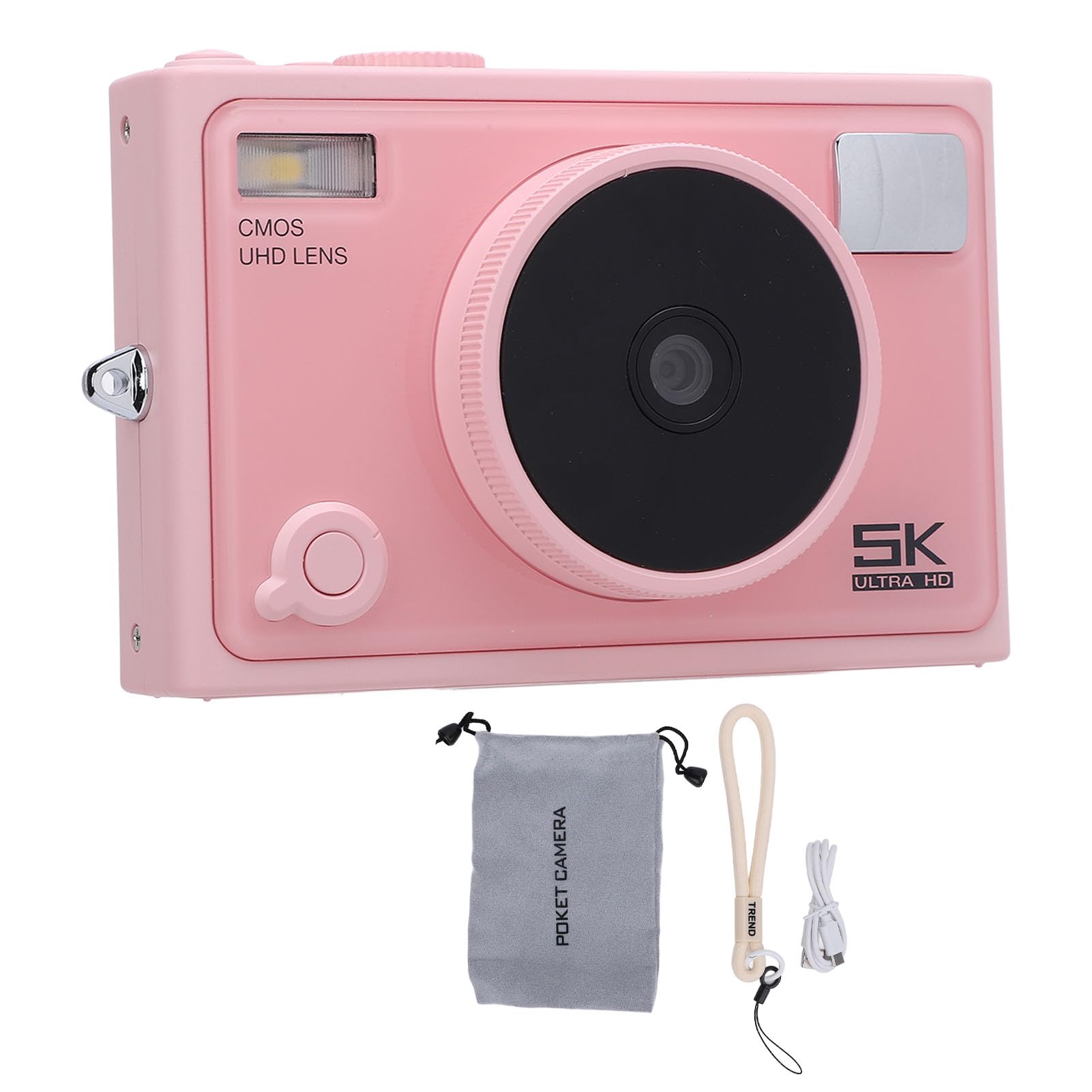
Billede: Forside view of the Bewinner 5K 72MP HD Digital Camera.
Sikkerhedsoplysninger
- Udsæt ikke kameraet for vand eller fugt.
- Undgå at tabe kameraet eller udsætte det for hårde stød.
- Hold kameraet væk fra direkte sollys og høje temperaturer.
- Use only the specified battery type (NP-40) and charger.
- Forsøg ikke at skille kameraet ad eller ændre det.
- Opbevares utilgængeligt for små børn.
Pakkens indhold
Bekræft at alle varer er til stede i pakken:
- 1 x 5K digitalkamera
- 1 x Camera Strap
- 1 x USB-kabel
- 1 x brugermanual
- 1 x Camera Pouch
Note: A standard memory card is not included and must be purchased separately. The camera supports up to 128GB.
Produkt overview
The Bewinner 5K 72MP HD Digital Camera offers a range of features for capturing high-quality images and videos:
- 5K 72MP opløsning: Capture crisp details with 5K 72MP resolution for photos and professional 5K videos.
- 18X digital zoom: Magnify your subjects with 18 times digital zoom.
- 2.8-tommer HD-skærm: View your shots clearly on the 2.8-inch HD screen with enhanced light transmission and color reproduction.
- Trådløs forbindelse: Connect to smartphones or tablets for remote control and instant sharing of photos and videos.
- Special Effects Filters: Apply various photography filters for creative styles.
- Timelapse and Slow Motion: Explore creative possibilities with built-in timelapse and slow motion photography modes.
- 1300mAh batteri med høj kapacitet: Enjoy extended usage with the included 1300mAh lithium-ion battery.
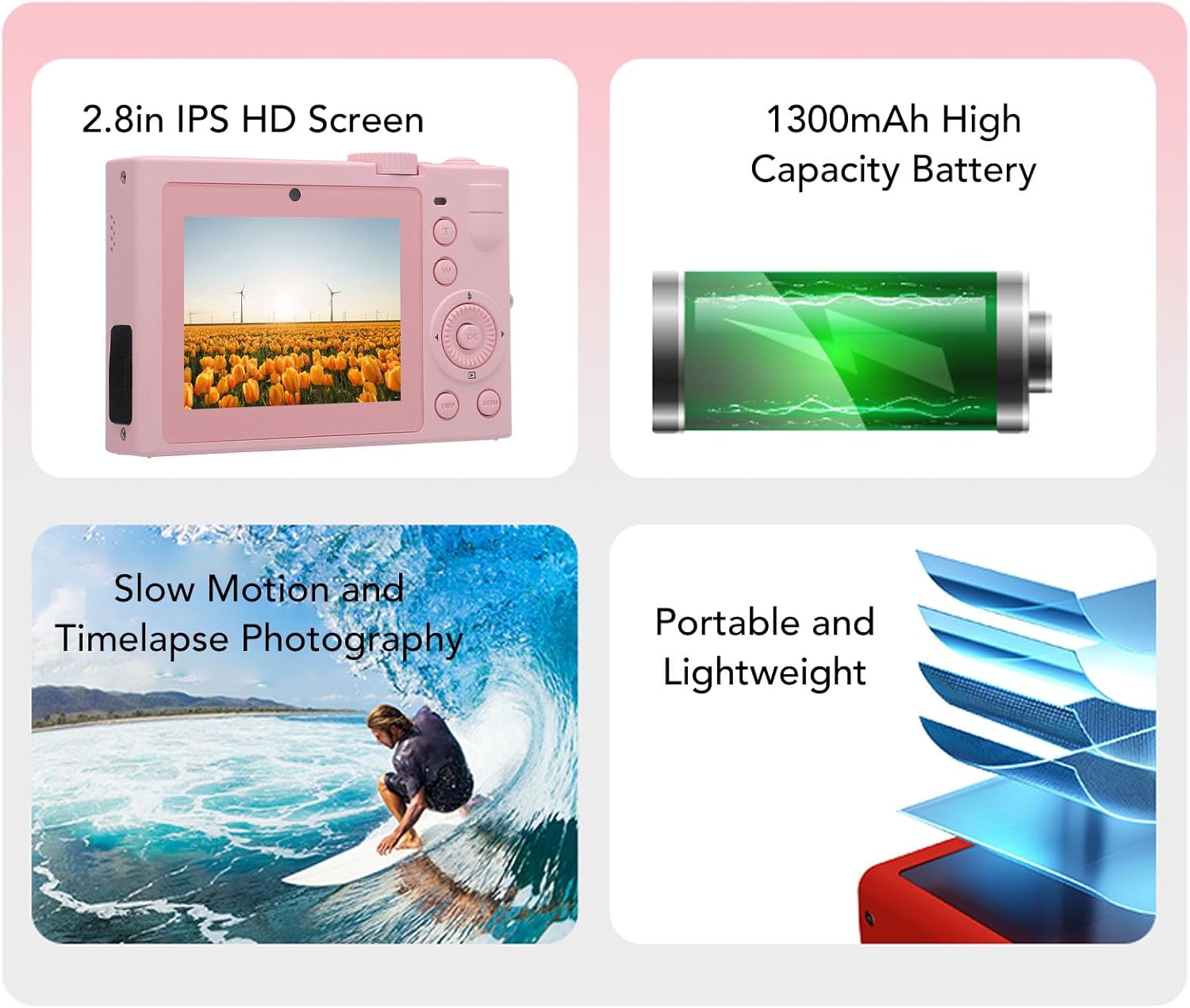
Billede: Overview of key camera features including screen, battery, and photography modes.
Opsætning
1. Batteriinstallation
- Find batteridækslet i bunden af kameraet.
- Skub låsen for at åbne dækslet.
- Insert the NP-40 lithium-ion battery (1300mAh) into the compartment, ensuring the correct polarity.
- Luk batteridækslet, indtil det klikker sikkert.
2. Indsættelse af hukommelseskort
- Find hukommelseskortstikket, typisk i nærheden af batterirummet eller på siden.
- Insert a standard memory card (up to 128GB, not included) into the slot with the contacts facing the correct direction. Push until it clicks into place.
- For at fjerne det skal du forsigtigt skubbe kortet ind igen, indtil det springer ud.
3. Opladning af batteriet
- Slut kameraet til en strømkilde ved hjælp af det medfølgende USB-kabel.
- Opladningsindikatorlampen lyser. Den slukker eller skifter farve, når opladningen er færdig.

Billede: Side view of the camera, highlighting the USB port for charging and data transfer.
Betjeningsvejledning
1. Tænd/sluk
Press and hold the power button (usually located on the top or side) to turn the camera on or off. The camera is ready to use upon power on.

Billede: Bagside view of the camera, showing the 2.8-inch HD screen and control buttons.
2. Grundlæggende fotografering
- Valg af tilstand: Use the mode dial or menu to select between photo and video modes.
- Zoom: Use the zoom buttons (often marked 'W' for wide and 'T' for telephoto) to adjust the 18X digital zoom.
- Fokus: The camera typically features automatic focus.
- Udløserknap: Press the shutter button halfway to focus, then fully to capture a photo.
3. Videooptagelse
- Skift til videotilstand.
- Press the record button (often marked with a red dot) to start and stop recording 5K video.

Image: Illustrates the 5K video recording capability, showing playback on a large screen.
4. Specialeffekter og -tilstande
- Filtre: Access the menu to apply various special effects filters to your photos.
- Timelapse Photography: Set the interval and duration for timelapse sequences through the camera settings.
- Slowmotion: Select slow motion mode for capturing dynamic scenes in slow motion.

Billede: Eksamples of special effects filters that can be applied to photos.
5. Trådløs forbindelse
- Activate the wireless fidelity function in the camera settings.
- On your smartphone or tablet, search for the camera's wireless network and connect.
- Use the dedicated camera application (if available) for remote control, photo transfer, and viewing.

Image: Illustration of the camera's wireless connectivity features, including remote photography and wireless transmission to a smartphone.
Opretholdelse
- Rensning: Brug en blød, tør klud til at rengøre kamerahuset. Brug en specialklud og -opløsning til objektivet.
- Opbevaring: When not in use, store the camera in a cool, dry place, preferably in the provided camera pouch, away from dust and extreme temperatures.
- Batteripleje: Remove the battery if the camera will not be used for an extended period. Charge the battery periodically to maintain its lifespan.
Fejlfinding
| Problem | Mulig årsag | Løsning |
|---|---|---|
| Kameraet tænder ikke. | Batteriet er afladet eller isat forkert. | Oplad batteriet. Sørg for, at batteriet er isat med den korrekte polaritet. |
| Kan ikke tage billeder/videoer. | Hukommelseskortet er fuldt, låst eller ikke isat. | Insert a memory card. Check if the card is locked. Delete unnecessary fileeller formater kortet. |
| Dårlig billedkvalitet. | Linsen er snavset, der er utilstrækkelig belysning, eller der er forkerte indstillinger. | Clean the lens. Ensure adequate lighting. Adjust camera settings as needed. |
| Trådløs forbindelse mislykkes. | Wireless function is off, or incorrect pairing. | Ensure wireless function is enabled on the camera. Re-attempt pairing with your device. |
Specifikationer
| Mærke | Bewinner |
| Modelnavn | Bewinnerc1dy9uoiqb-12 |
| Maksimal billedopløsning | 72 MP |
| Maksimal videoopløsning | 5K |
| Optisk zoom | 18 x |
| Skærmstørrelse | 2.8 tommer |
| Batteritype | Lithium Ion Battery (NP-40) |
| Batterikapacitet | 1300mAh |
| Support til opbevaring | Up to 128GB Standard Memory Card (Not Included) |
| Forbindelsesteknologi | Wireless Fidelity (Wi-Fi) |
| Farve | Lyserød |
Garanti og support
For warranty information and technical support, please refer to the documentation included with your purchase or visit the official Bewinner webwebsted. Gem din købsbevis til garantikrav.