
1. Introduktion
This manual provides comprehensive instructions for the Ailgely Digital Thermometer Hygrometer Sensor Meter. This wireless sensor is designed to measure temperature and humidity both indoors and outdoors, transmitting data to a compatible Fanju weather station. Please read this manual thoroughly before use to ensure proper setup and operation.
2. Pakkens indhold
Ved udpakning skal du kontrollere, at alle nedenstående varer er til stede og i god stand:
- 1 x Ailgely Digital Thermometer Hygrometer Sensor Meter
Bemærk: 2 x AA-batterier kræves til drift og er ikke inkluderet i pakken.
3. Produktfunktioner
- Indendørs og udendørs brug: Suitable for monitoring temperature and humidity in various environments.
- Trådløs transmission: Offers a 60-meter transmission range in open areas for accurate data collection.
- Vandtæt Design: IPX4 waterproof rating ensures durability in different weather conditions.
- Fleksibel installation: Can be easily mounted on a wall or placed on a desktop.
- Kompatibilitet: Specifically designed for use with Fanju weather stations.
4. Opsætning
4.1 Batteriinstallation
- Find batteridækslet på bagsiden af sensoren.
- Skub eller afklips forsigtigt dækslet for at åbne rummet.
- Insert two (2) AA batteries, ensuring correct polarity (+ and - terminals).
- Sæt batterirummets dæksel på igen.
4.2 Placering og montering
The sensor offers versatile placement options:
- Desktopplacering: The sensor can stand upright on any flat surface.
- Vægmontering: Use the integrated hanging hole on the back of the sensor. Secure a screw (not included) into the desired wall location and hang the sensor.

Figur 1: Tilbage view of the sensor with battery compartment and mounting hole.
4.3 Pairing with Fanju Weather Station
Important: This sensor is designed exclusively for use with Fanju weather stations. It may not be compatible with other brands or models.
To pair the sensor with your Fanju weather station:
- Ensure both the sensor and the Fanju weather station are powered on and within the 60-meter transmission range.
- Refer to your Fanju weather station's instruction manual for specific pairing procedures. Typically, this involves initiating a sensor search function on the weather station.
- The sensor will automatically attempt to transmit data once powered. The weather station should detect and display the sensor's readings.
5. Betjening
5.1 Display overview
The sensor features a clear LCD display showing current temperature and humidity readings.
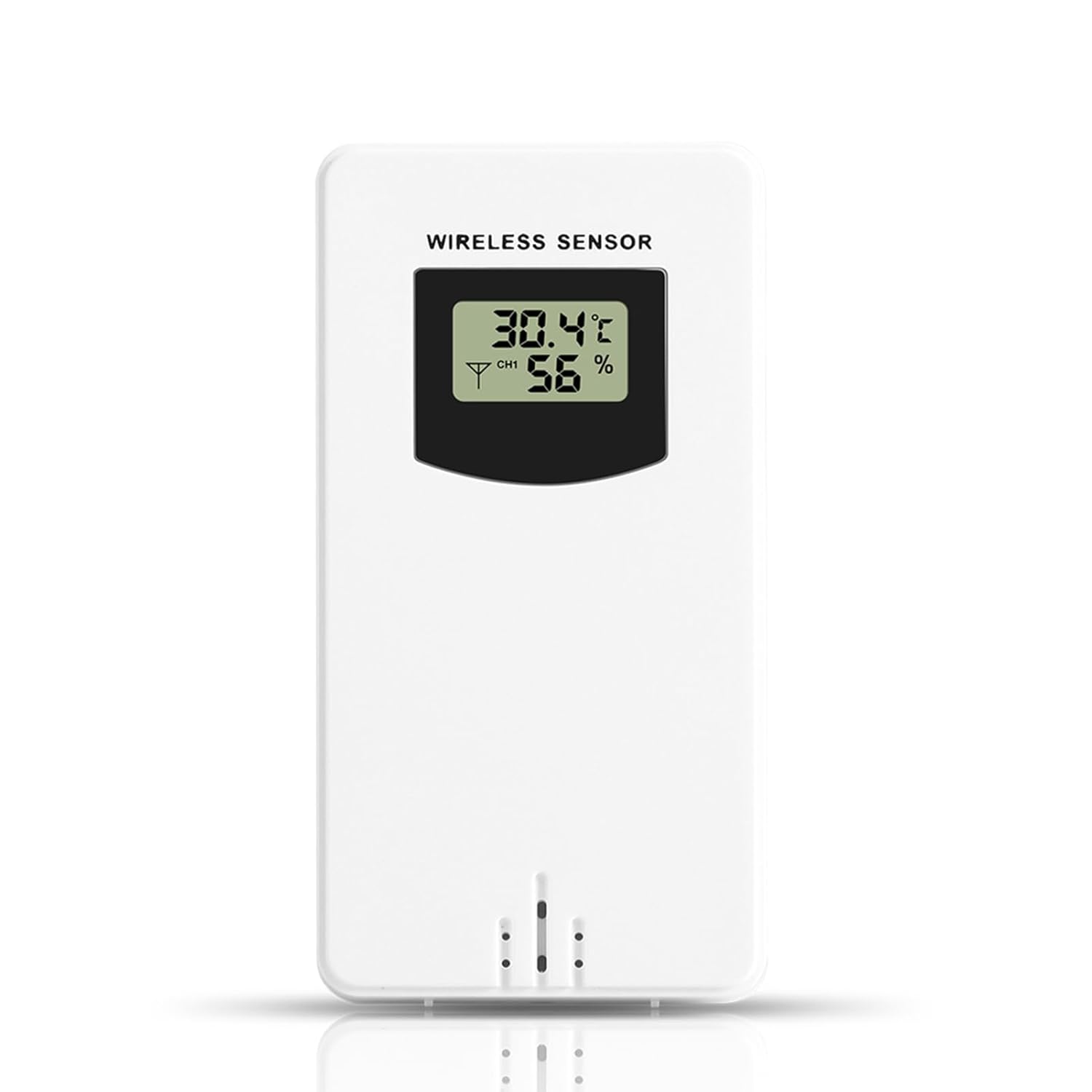
Figur 2: Forside view of the sensor display.
- Temperatur: Displays in Celsius (°C) or Fahrenheit (°F), depending on the setting of the connected Fanju weather station.
- Fugtighed: Vises som en procentdeltage (%).
- Kanalindikator: May show a channel number (e.g., CH1) if the sensor supports multiple channels or if the weather station is configured for multiple sensors.
5.2 Transmission
The sensor wirelessly transmits temperature and humidity data to the paired Fanju weather station. Ensure there are no significant obstructions (e.g., thick walls, large metal objects) between the sensor and the weather station to maintain optimal signal strength and transmission range.
6. Vedligeholdelse
6.1 Udskiftning af batteri
When the display becomes dim or the sensor stops transmitting data, it is time to replace the batteries. Follow the battery installation steps in Section 4.1. Always use fresh AA batteries.
6.2 Rengøring
To clean the sensor, wipe it with a soft, damp cloth. Do not use abrasive cleaners, solvents, or immerse the unit in water. Ensure the battery compartment is dry before closing.
7. Fejlfinding
- Ingen visning: Kontroller batteriinstallationen, og sørg for, at batterierne er friske.
- No Data on Weather Station:
- Verify the sensor is within the 60m transmission range of the weather station.
- Ensure there are no major obstructions blocking the signal.
- Re-pair the sensor with the weather station according to the weather station's manual.
- Replace batteries in the sensor.
- Upræcise læsninger: Ensure the sensor is placed in a location free from direct sunlight, heat sources, or excessive moisture that could skew readings.
8. Specifikationer
| Feature | Specifikation |
|---|---|
| Modelnummer | Ailgelyvwcdo75mzp-5W |
| Materiale | ABS |
| Farve | Hvid |
| Vandtæt vurdering | IPX4 |
| Transmission Range | Op til 60 meter (åbent område) |
| Strømforsyning | 2 x AA batterier (medfølger ikke) |
| Dimensioner (ca.) | 9.6cm (H) x 5cm (W) x 3.4cm (D) / 3.78in (H) x 1.97in (W) x 1.34in (D) |
| Vægt (ca.) | 73 g / 2.57 oz |
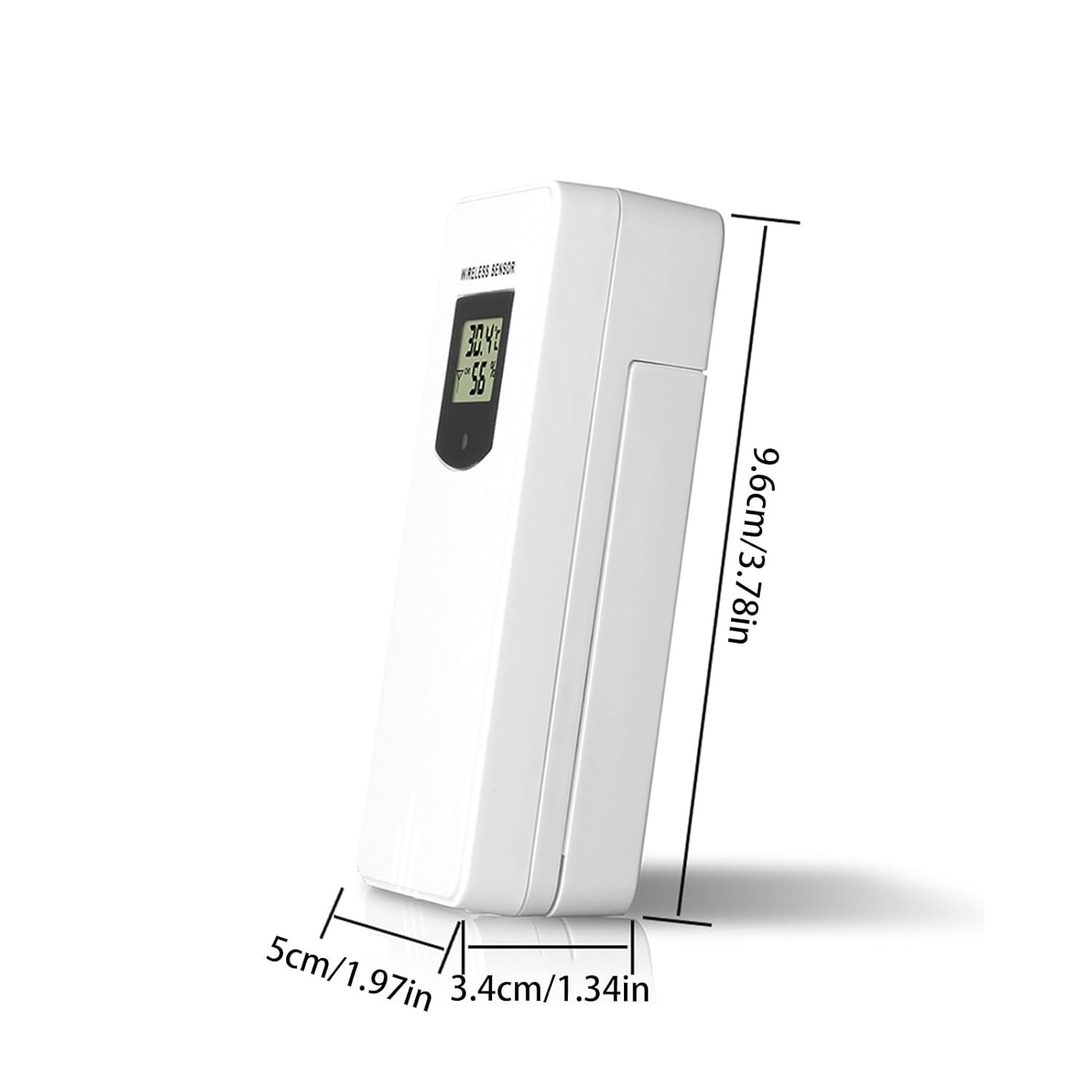
Figure 3: Sensor dimensions.
9. Garanti og support
For warranty information or technical support, please refer to the documentation provided with your purchase or contact the retailer. Keep your purchase receipt as proof of purchase.