
Indledning
This manual provides detailed instructions for the proper use and maintenance of your ACEFAST H2 Wireless Headset. Designed with advanced Active Noise Cancelling (ANC) technology and Bluetooth 5.3 connectivity, these headphones offer a high-quality audio experience. Please read this manual thoroughly before using the product to ensure optimal performance and longevity.
Pakkens indhold
- ACEFAST H2 Wireless Headset
- USB-C ladekabel
- 3.5 mm Aux -kabel
- Brugervejledning (dette dokument)
Produkt overview
Familiarize yourself with the components and controls of your ACEFAST H2 headset.
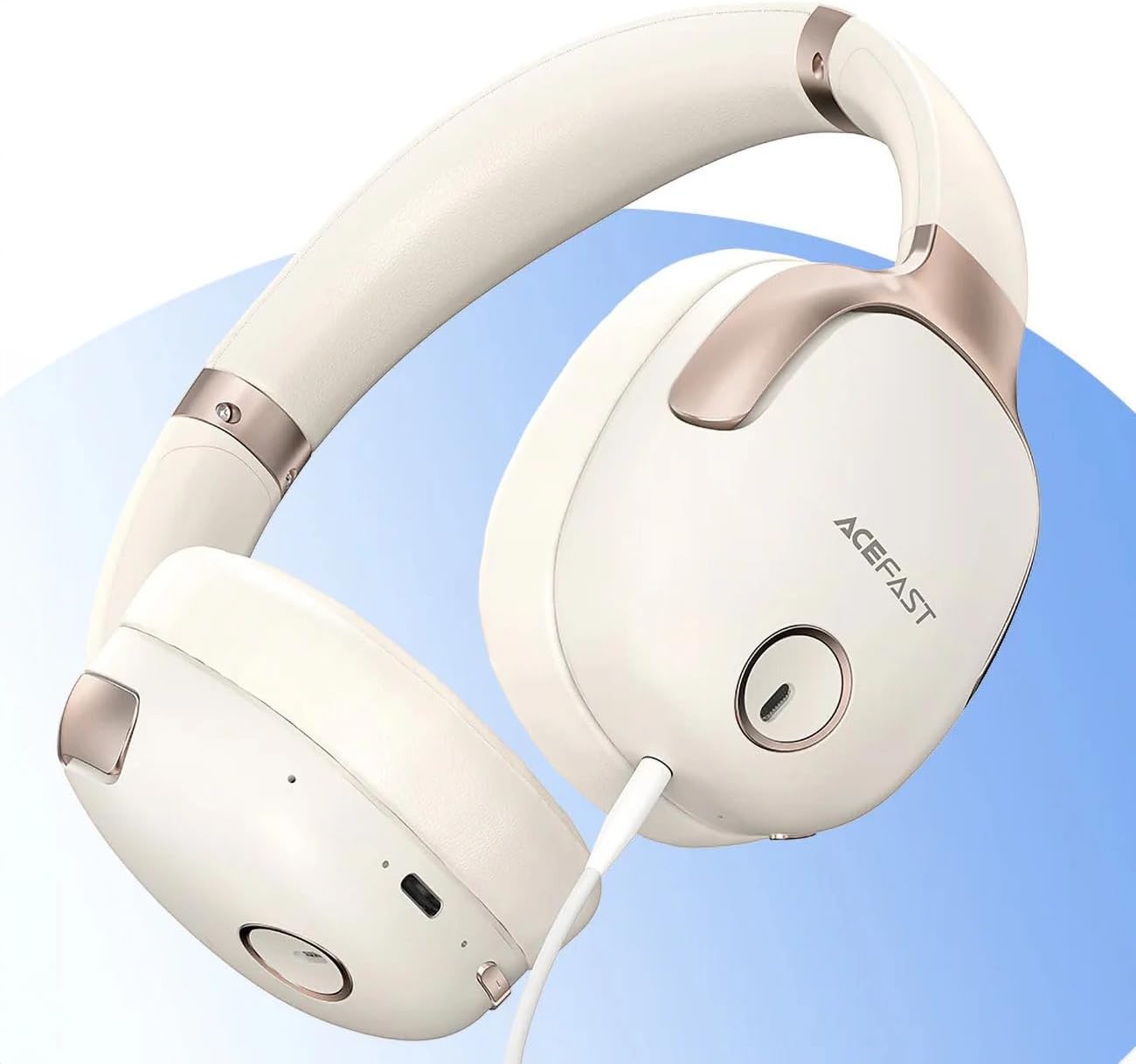
Figur 1: ACEFAST H2 Headset showing USB-C charging port, 3.5mm audio jack, and control buttons.
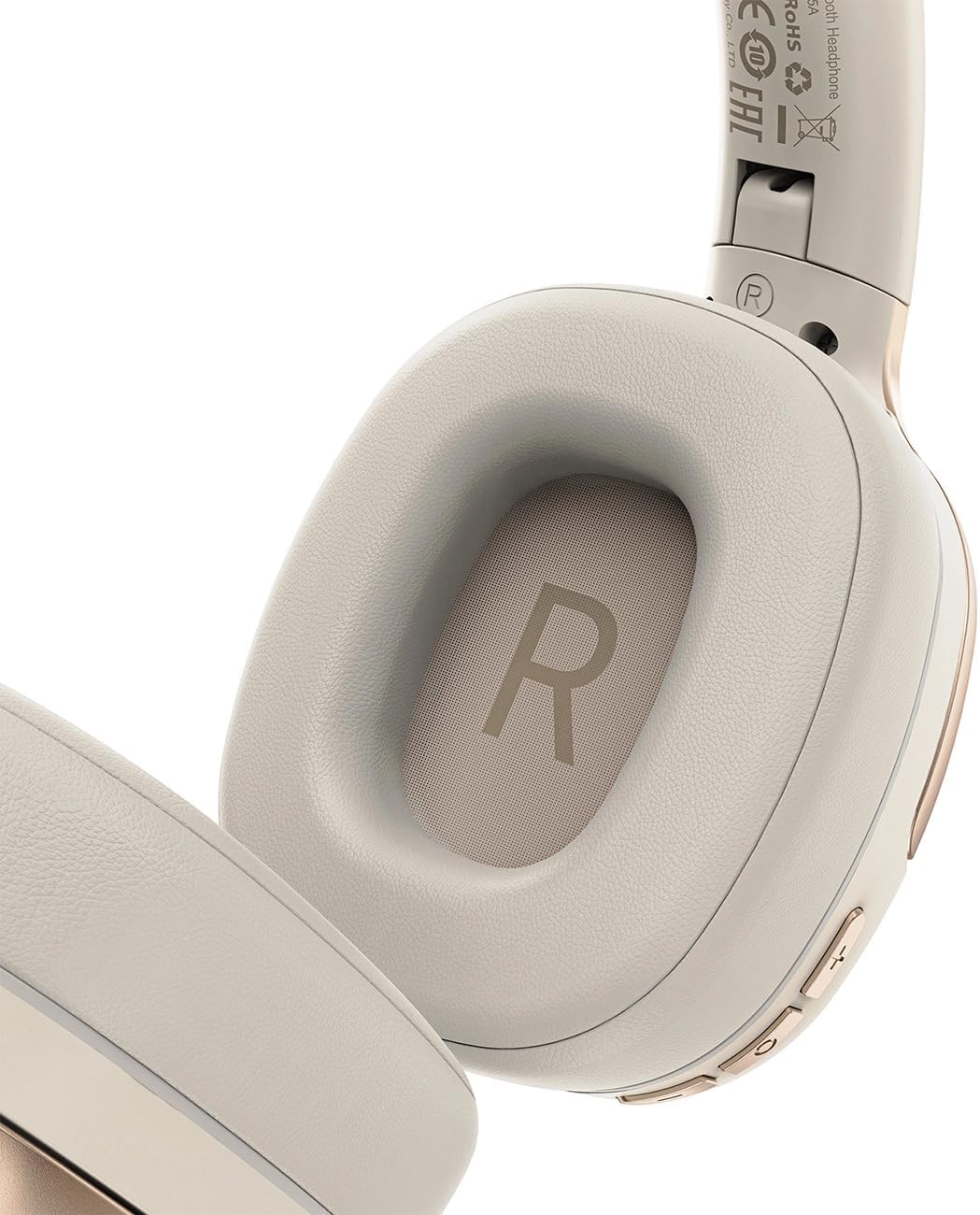
Figur 2: Interior of the right earcup, indicating proper orientation for wearing.

Figur 3: Headband adjustment mechanism and ear cup swivel for comfortable fit.

Figur 4: The foldable design of the headset for easy storage and transport.
Nøglekomponenter:
- Tænd/sluk-/multifunktionsknap: Used for power on/off, play/pause, answer/end calls.
- Knap til lydstyrke op/næste nummer: Tryk for at øge lydstyrken, hold nede for næste nummer.
- Knap til lydstyrke ned/forrige nummer: Tryk for lydstyrke ned, hold nede for forrige nummer.
- ANC knap: Aktiverer eller deaktiverer aktiv støjreduktion.
- USB-C opladningsport: Til opladning af headsettet.
- 3.5 mm lydstik: For wired connection using the Aux cable.
- Mikrofon: Indbygget til opkald.
- LED-indikator: Viser status for strøm, opladning og parring.
Opsætning
1. Opladning af headsettet
- Connect the provided USB-C charging cable to the headset's USB-C port.
- Tilslut den anden ende af kablet til en USB-strømadapter (medfølger ikke) eller en computers USB-port.
- LED-indikatoren viser opladningsstatus (f.eks. rød under opladning, blå når den er fuldt opladet).
- A full charge takes approximately 2 hours and provides up to 80 hours of music playback.
2. Tænd/sluk
- For at tænde: Press and hold the Power/Multi-function button for approximately 3 seconds until the LED indicator flashes.
- For at slukke: Press and hold the Power/Multi-function button for approximately 5 seconds until the LED indicator turns off.
3. Bluetooth-parring
- Sørg for, at headsettet er slukket.
- Tryk på tænd/sluk-/multifunktionsknappen, og hold den nede i cirka 5-7 sekunder, indtil LED-indikatoren blinker skiftevis rødt og blåt, hvilket angiver parringstilstand.
- Aktiver Bluetooth på din enhed (smartphone, tablet, computer) og søg efter tilgængelige enheder.
- Select "ACEFAST H2" from the list of found devices.
- Når parringen er afsluttet, blinker LED-indikatoren langsomt blåt.
- The headset will automatically connect to the last paired device when powered on, if within range.
4. Wired Connection (Aux Mode)
- Connect one end of the 3.5mm Aux cable to the headset's 3.5mm audio jack.
- Connect the other end to your audio source's 3.5mm audio output.
- In wired mode, the headset functions passively, and Bluetooth features are disabled. ANC may still be active if powered on.
Betjeningsvejledning
Musikafspilning
- Afspil/pause: Tryk kort på tænd/sluk-/multifunktionsknappen.
- Lydstyrke op: Tryk kort på lydstyrke op-knappen.
- Skrue ned for lyden: Tryk kort på lydstyrke ned-knappen.
- Næste nummer: Tryk længe på lydstyrke op-knappen.
- Forrige nummer: Tryk længe på lydstyrke ned-knappen.
Telefonopkald
- Besvar/afslut opkald: Tryk kort på tænd/sluk-/multifunktionsknappen.
- Afvis opkald: Tryk længe på tænd/sluk-/multifunktionsknappen.
- Stemmeassistent: Double-press the Power/Multi-function button (if supported by your device).
Aktiv støjafbrydelse (ANC)
- Aktivér/deaktiver ANC: Press the dedicated ANC button. The LED indicator will change to confirm status.
- ANC reduces ambient noise up to -40dB, providing a quieter listening environment.
Opretholdelse
- Rensning: Brug en blød, tør klud til at rengøre headsettet. Brug ikke slibende rengøringsmidler eller opløsningsmidler.
- Opbevaring: Store the headset in a cool, dry place away from direct sunlight and extreme temperatures. When not in use, it is recommended to fold the headset for compact storage.
- Vandtæthed: The headset is IPX4 water-resistant, meaning it is protected against splashing water from any direction. It is not designed for submersion or exposure to heavy rain. Avoid exposing the charging port and audio jack to moisture.
- Batteripleje: To preserve battery life, charge the headset fully before long periods of storage and recharge it at least once every three months.
Fejlfinding
| Problem | Mulig årsag | Løsning |
|---|---|---|
| Headsettet tænder ikke. | Lavt batteri. | Oplad headsettet helt. |
| Kan ikke parres med enheden. | Headsettet er ikke i parringstilstand; enhedens Bluetooth er slået fra; for langt fra enheden. | Ensure headset is in pairing mode (flashing red/blue). Turn on device Bluetooth. Move headset closer to device (within 10 meters). |
| Ingen lyd eller dårlig lydkvalitet. | Volume too low; headset not connected; interference; incorrect audio output selected. | Adjust volume on headset and device. Re-pair headset. Move away from sources of interference. Check device's audio output settings. |
| ANC fungerer ikke effektivt. | ANC ikke aktiveret; forkert pasform. | Press the ANC button to activate. Adjust headset for a snug fit over your ears. |
Specifikationer
| Modelnavn | H2 |
| Forbindelsesteknologi | Wireless (Bluetooth 5.3) / Wired (3.5mm Aux) |
| Bluetooth rækkevidde | Op til 10 meter |
| Støjkontrol | Active Noise Cancellation (ANC) up to -40dB, Environmental Noise Cancelling (ENC) for microphone |
| Batterilevetid | Op til 80 timer (musikafspilning) |
| Opladningstid | Approximately 2 hours (via USB-C) |
| Vandmodstand | IPX4 (stænksikker) |
| Øreplacering | On Ear |
| Materiale | Acrylonitril Butadien Styren (ABS) |
| Farve | Beige |

Figur 5: Illustration of the dynamic HiFi audio driver components.
Garantioplysninger
The ACEFAST H2 Wireless Headset comes with a 6 måneders producentgaranti fra købsdatoen. Denne garanti dækker fabrikationsfejl og udførelse under normal brug. Den dækker ikke skader forårsaget af misbrug, ulykker, uautoriserede ændringer eller normal slitage. Gem venligst din købsbevis i tilfælde af garantikrav.
Støtte
For further assistance, technical support, or warranty inquiries, please refer to the contact information provided by your retailer or visit the official ACEFAST website. Ensure you have your product model number (H2) and proof of purchase ready when contacting support.