
Indledning
Welcome to the Portronics Harmonics Twins S19 Truly Wireless Earbuds. These earbuds are designed to provide a premium audio experience with advanced features for both music and gaming. This manual will guide you through the setup, operation, and maintenance of your new earbuds.

Image: Portronics Harmonics Twins S19 earbuds in their charging case.
Hvad er der i æsken
- 2N Earbuds (Left and Right)
- 1N Documentation (User Manual)
- 1N Charging Cable (Type C)
Video: En kort optaktview demonstrating the unboxing of the Portronics Harmonics Twins S19 earbuds, showing the contents of the package including the earbuds, documentation, and charging cable.
Opsætning
Indledende opladning
Before first use, fully charge the earbuds and the charging case. Connect the provided Type C charging cable to the charging port on the case and a compatible USB power source. The LED indicator on the case will show charging status.

Image: The Portronics Harmonics Twins S19 charging case being charged via a Type C cable, highlighting the fast charging capability.
Parring med en enhed
- Sørg for, at ørepropperne er i opladningsetuiet, og at etuiet har tilstrækkeligt batteri.
- Åbn låget til opladningsetuiet. Ørepropperne går automatisk i parringstilstand.
- Aktiver Bluetooth på din enhed (smartphone, tablet, bærbar computer).
- Søg efter available Bluetooth devices and select "Portronics Harmonics Twins S19" from the list.
- Når der er forbindelse, hører du en lydmeddelelse, og indikatorlamperne på ørepropperne skifter.

Image: Portronics Harmonics Twins S19 earbuds next to a smartphone, illustrating instant Bluetooth V5.3 connectivity.
Betjeningsvejledning
Tryk på kontrolelementer
The Harmonics Twins S19 earbuds feature intuitive touch controls for easy management of music, calls, and voice assistance.

Image: A detailed diagram illustrating the touch control functions on the Portronics Harmonics Twins S19 earbuds.
- Single Click Left Earbud: 1. Pick/End Calls, 2. Play/Pause Music
- Single Click Right Earbud: 1. Pick/End Calls, 2. Play/Pause Music
- Double Click Left Earbud: Previous Track Song
- Double Click Right Earbud: Next Track Song
- Triple Press: Skift til spil/musiktilstand
- Langt tryk: Opkaldsafvisning
- 3s langt tryk: Aktivering af stemmeassistent
Spil-/musiktilstand
Switch between Game Mode for low-latency audio during gaming and Music Mode for an optimized listening experience by performing a Triple Press on either earbud.
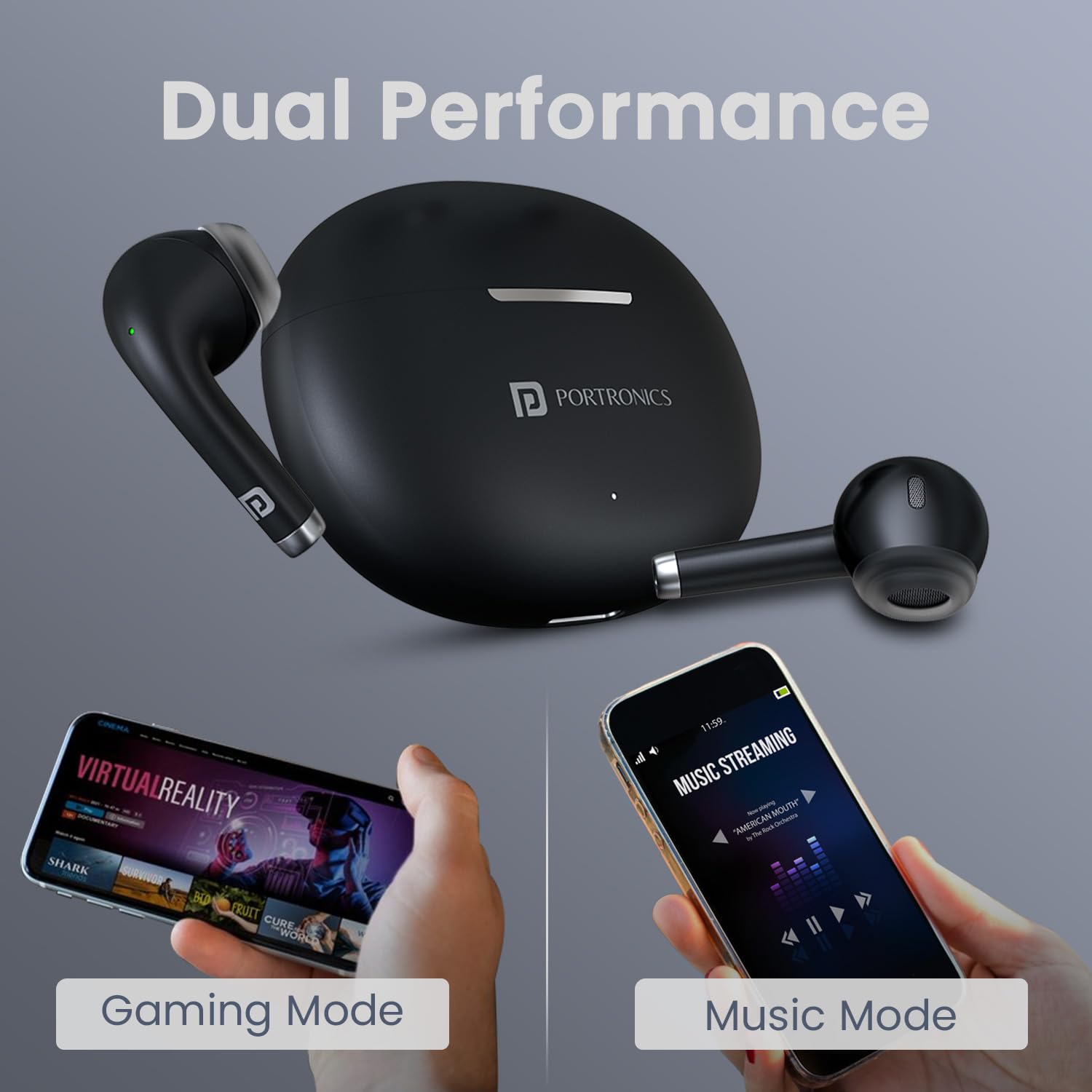
Image: The earbuds and charging case alongside two smartphones, one displaying 'Gaming Mode' and the other 'Music Mode', highlighting the dual performance feature.
Batteri og opladning
The earbuds offer up to 30 hours of playtime with the charging case. The case supports Type C fast charging, allowing for quick power-ups.

Image: The Portronics Harmonics Twins S19 earbuds in their charging case, emphasizing the 30 hours of playtime.
Opretholdelse
Rensning
Regularly clean the earbuds and charging case with a soft, dry cloth. Avoid using harsh chemicals or abrasive materials. Ensure the charging contacts on both the earbuds and the case are clean and dry.
Vandmodstand
The earbuds feature an IPX5 water-resistant rating, making them resistant to rain, splashes, and sweat. However, they are not designed for submersion in water. Avoid exposing them to excessive moisture.

Image: The Portronics Harmonics Twins S19 earbuds and charging case with water droplets, illustrating their IPX5 water-resistant rating.
Komfort og pasform
The unique earbuds design is crafted for a soft, secure, and effortless fit, ensuring comfort during extended use.

Billede: Et nærbillede view of the Portronics Harmonics Twins S19 earbud, highlighting its unique design for a soft, secure, and effortless fit.
Fejlfinding
Øretelefoner parrer ikke
- Sørg for, at begge øretelefoner er opladet.
- Sluk Bluetooth på din enhed, og tænd den igen.
- Glem enheden fra din Bluetooth-liste, og prøv at parre igen.
- Sæt ørepropperne tilbage i etuiet, luk låget, vent et par sekunder, og åbn dem derefter for at aktivere parringstilstand igen.
Ingen lyd eller lav lydstyrke
- Kontroller lydstyrkeniveauerne på både din enhed og ørepropperne.
- Sørg for, at ørepropperne er korrekt tilsluttet din enhed.
- Rengør eventuelt snavs fra øreproppernes højttalere.
Opladningsproblemer
- Kontroller, at opladningskablet er korrekt tilsluttet til både etuiet og strømkilden.
- Sørg for, at opladningskontakterne på ørepropperne og etuiet er rene.
- Prøv et andet opladningskabel eller en anden strømadapter.
Specifikationer
| Feature | Detalje |
|---|---|
| Mærke | Portronics |
| Modelnavn | Harmonics Twins S19 |
| Modelnummer | POR-2214 |
| Øreplacering | In Ear |
| Bluetooth version | 5.3 |
| Spilletid | Op til 30 timer (med opladningsetui) |
| Driver størrelse | 13 mm dynamisk driver |
| Kontrolmetode | Røre |
| Opladningstype | Type C Hurtig opladning |
| Vandmodstand | IPX5 (Rainproof, Splashproof, Sweatproof) |
| Materiale | ABS plast |
| Vægt | 110 gram |
Billede: En eksploderet view of the earbud highlighting the 13mm dynamic bass driver for superior sound.
Garanti og support
Garantioplysninger
The Portronics Harmonics Twins S19 earbuds come with a 1-års standardgaranti fra købsdatoen. Gem venligst din købskvittering i tilfælde af garantikrav.
Kundesupport
Ved spørgsmål, teknisk assistance eller garantikrav bedes du kontakte Portronics kundesupport:
- E-mail: help@portronics.com
- Telefon: +91 9555-245-245