
Produkt overview
The XO BE18 is a stereo audio wireless Bluetooth headset featuring RGB lighting. It is designed for immersive listening experiences and convenient communication, offering multiple playback modes including Bluetooth, AUX, TF card, and FM radio.
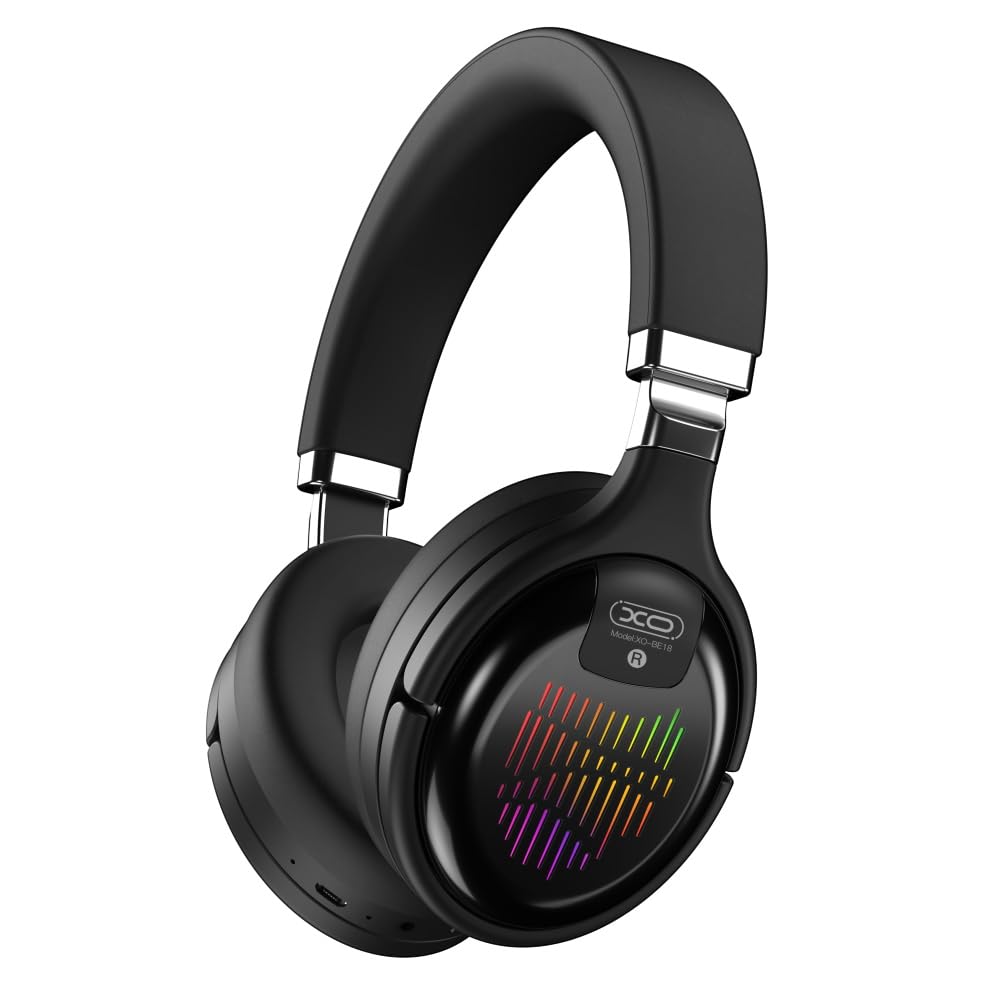
Image: The XO BE18 Wireless Bluetooth Headset, showcasing its over-ear design and integrated RGB lighting on the earcups.
Pakkens indhold
Sørg venligst for, at alle varer er til stede i pakken:
- XO BE18 Wireless Bluetooth Headset
- Ladekabel
- Brugervejledning (dette dokument)

Image: The XO BE18 headset shown within its retail packaging, indicating the included accessories.
Opsætning
Opladning af headsettet
- Find opladningsporten på headsettet.
- Connect the provided charging cable to the headset and a compatible USB power source (e.g., computer USB port, USB wall adapter).
- The LED indicator on the headset will typically show a specific color (e.g., red) during charging and change (e.g., turn off or blue) when fully charged.
- En fuld opladning tager cirka 2.5 timer.
Tænd/sluk
- For at tænde: Press and hold the Power button for approximately 3-5 seconds until the LED indicator lights up and you hear an audible prompt.
- For at slukke: Press and hold the Power button for approximately 3-5 seconds until the LED indicator turns off and you hear an audible prompt.
Betjeningsvejledning
Bluetooth-parring
- Sørg for, at headsettet er slukket.
- Press and hold the Power button for approximately 5-7 seconds until the LED indicator flashes rapidly (e.g., alternating blue and red), indicating pairing mode.
- Aktiver Bluetooth på din enhed (smartphone, tablet, computer) og søg efter tilgængelige enheder.
- Select "XO BE18" from the list of found devices.
- Once paired, the LED indicator will typically flash slowly or turn solid blue, and you will hear a confirmation tone.
Grundlæggende kontrol
The headset features various buttons for controlling audio playback and calls. Refer to the image below for button locations.

Billede: Nærbillede view of the XO BE18 headset earcup, highlighting the control buttons and ports.
- Power knap: Tryk og hold nede for at tænde/slukke. Tryk kort for at afspille/sætte musik på pause eller besvare/afslutte opkald.
- Lydstyrke op (+): Kort tryk for at øge lydstyrken. Langt tryk for næste nummer.
- Skrue ned for lyden (-): Kort tryk for at sænke lydstyrken. Langt tryk for forrige nummer.
- Mode-knap (M): Short press to switch between Bluetooth, AUX, TF card, and Radio modes.
RGB belysning
The headset features integrated RGB lighting on the earcups. This lighting typically activates automatically when the headset is powered on. Specific controls for the RGB lighting (if any) may be integrated with the mode button or a dedicated button not explicitly detailed.

Image: The XO BE18 headset displaying its colorful RGB lighting on the earcups.
Brug af mikrofonen
The built-in microphone allows for hands-free calls. When a call comes in, press the Power button once to answer. Press again to end the call.
AUX-tilstand
Connect an audio cable (not included) from your device's 3.5mm audio jack to the headset's AUX port to use it in wired mode. The headset does not require power in AUX mode.
TF -korttilstand
Indsæt et TF-kort (microSD) med lyd files into the designated slot. Use the Mode button to switch to TF card mode.
Radiotilstand
Use the Mode button to switch to Radio mode. The headset will automatically scan for available FM radio stations.
Opretholdelse
- Rensning: Brug en blød, tør klud til at rengøre headsettet. Brug ikke slibende rengøringsmidler eller opløsningsmidler.
- Opbevaring: When not in use, store the headset in a cool, dry place. The headset features a portable folding design for compact storage.
- Batteripleje: For at forlænge batteriets levetid bør du undgå at aflade batteriet helt ofte. Oplad headsettet regelmæssigt, selvom det ikke er i konstant brug.
- Vandeksponering: Dette headset er ikke vandtæt. Undgå udsættelse for vand eller overdreven fugt.

Image: The XO BE18 headset shown in its folded configuration, demonstrating its portable design.
Fejlfinding
| Problem | Mulig løsning |
|---|---|
| Headsettet tænder ikke. | Sørg for, at headsettet er fuldt opladet. Tilslut det til en strømkilde, og prøv igen. |
| Kan ikke parres med enheden. |
|
| Ingen lyd eller lav lydstyrke. |
|
| Mikrofon virker ikke. |
|
| RGB-belysningen virker ikke. | Ensure the headset is powered on. If the issue persists, contact customer support. |
Specifikationer
| Feature | Detalje |
|---|---|
| Modelnavn | BE18 |
| Forbindelse | Trådløs (Bluetooth V5.0) |
| Wireless Range | Cirka 10 meter |
| Lydteknologi | Hi-Fis Audio, Intelligent Noise Reduction |
| Øreplacering | On Ear |
| Støjkontrol | Lydisolering |
| Mikrofon | Indbygget |
| Batterikapacitet | 250mAh |
| Musik afspilningstid | Cirka 4 timer |
| Opkaldstid | Cirka 4 timer |
| Opladningstid | Cirka 2.5 timer |
| Standby tid | Long Standby Capability |
| Højttalerkraft | 3 mW |
| Følsomhed | 94 ± 3dBm |
| S/N-forhold | >=75dB |
| Arbejdsfrekvens | 20Hz-20KHz |
| Afspilningstilstande | Bluetooth, AUX, TF Card, Radio |
| Bluetooth-protokoller | A2DP, HSP, HFP |
| Dimensioner (pakke) | 195 x 195 x 80 mm |
| Farve | Sort |

Image: A detailed table outlining the technical specifications and product information for the XO BE18 headset.
Garanti og support
This product comes with a standard manufacturer's warranty. For specific warranty terms and conditions, please refer to the warranty card included in your product packaging or contact the retailer where you purchased the product.
For technical support or further assistance, please contact your retailer or visit the official XO webwebsted (hvis tilgængeligt).