1. Introduktion
Thank you for choosing the CTOLITY AP1000 Portable Power Station. This device is designed to provide reliable and portable power for various applications, including outdoor camping, RV use, and home backup. Featuring a 1024Wh LiFePO4 battery and 1600W AC output, it offers fast charging capabilities and multiple output ports to meet your power needs.
This manual provides essential information for the safe and efficient operation of your power station. Please read it thoroughly before use and retain it for future reference.
2. Vigtige sikkerhedsoplysninger
Overhold altid følgende sikkerhedsforanstaltninger for at forhindre personskade eller beskadigelse af enheden:
- Enheden må ikke skilles ad, repareres eller modificeres.
- Hold enheden væk fra ild, vand og ekstreme temperaturer.
- Brug eller opbevar ikke enheden i direkte sollys eller omgivelser med høj temperatur.
- Sørg for korrekt ventilation under brug for at forhindre overophedning.
- Opbevares utilgængeligt for børn og kæledyr.
- Brug kun godkendt tilbehør og opladningskabler.
- Undgå at tabe enheden eller udsætte den for kraftige stød.
- I tilfælde af brand, brug en tørpulverslukker. Vand kan forårsage elektrisk stød.
3. Hvad er der i æsken
Bekræft, at alle følgende varer er inkluderet i din pakke:
- CTOLITY AP1000 Bærbar Kraftstation
- AC -ladekabel (indgang)
- Car Input Charging Cable (Car to XT60 Input)
- Solar ladekabel (MC4 til XT60 indgang)
- Brugermanual

Image: Package contents of the CTOLITY AP1000 Portable Power Station.
4. Produktet er slutview og opsætning
4.1. Enhedslayout
Familiarize yourself with the ports and controls on your AP1000 power station:

Image: Front panel of the CTOLITY AP1000, highlighting various input and output ports and the LCD display.
- Power Button/Main Switch: Tænder/slukker enheden.
- LCD-skærm: Shows input/output power, battery level, and warning icons.
- AC-udgang (110V): Two pure sine wave AC outlets (1600W total).
- USB-udgang: Four QC3.0 USB-A ports (18W each).
- Type-C output: One PD100W and one 22.5W USB-C port.
- DC Output (12V/18A): Two DC output ports.
- Bilopladerudgang: One 12V/18A car charging output.
- Solar Panel Input (XT60): Up to 500W input for solar charging.
- AC Input (1000W): For fast wall charging.
- Overbelastningsbeskytter: Sikkerhedsfunktion.
- LED lys: Integrated lighting with multiple modes.
4.2. Oprindelig opkrævning
Before first use, fully charge the power station. Connect the AC charging cable to the AC input port and plug it into a wall outlet. The LCD display will indicate charging status.
5. Betjening
5.1. Opladning af kraftværket
AP1000 tilbyder flere opladningsmetoder:
- AC vægudtag: Connect the AC charging cable to the AC input. The unit can fully recharge in approximately 1.2 hours (1000W input).
- Solpanel: Connect compatible solar panels (up to 500W) to the XT60 solar input port using the provided solar charging cable. The built-in MPPT controller optimizes charging. Full charge can be achieved in approximately 2 hours under optimal sunlight.
- Biloplader: Use the car charging cable to connect the unit to your vehicle's 12V outlet.

Image: Illustration of the three charging methods: solar, AC, and car charging.
5.2. Powering External Devices
Sådan strømforsyner du dine enheder:
- Press the main power button to turn on the power station.
- Press the corresponding output button (AC, USB, DC) for the port you wish to use. The icon for the activated output will appear on the LCD.
- Tilslut din enhed til den relevante udgangsport.
- When finished, turn off the output ports and then the main power button to conserve battery.

Image: The CTOLITY AP1000 powering various devices simultaneously.
5.3. LCD Display Information
The intuitive LCD display provides real-time status updates:
- Indgangseffekt: Current power being drawn for charging.
- Udgangseffekt: Current power being supplied to devices.
- Resterende batteriniveau: Procenttage tilbageværende.
- Advarselsikoner: Indicators for overload, high/low temperature, fan operation, etc.
- Resterende opladning/afladningstid: Anslået tid indtil fuld eller tom.

Image: Close-up of the LCD display with explanations of each indicator.
5.4. LED Lighting Function
The power station includes an integrated LED light with multiple modes:
- Lav lysstyrke: Til generel belysning.
- Høj lysstyrke: For stronger light.
- Strobetilstand: Blinkende lys til signalering.
- SOS-tilstand: International Morse code for distress.

Image: The CTOLITY AP1000's LED light illuminating a campwebsted.
6. Vedligeholdelse og opbevaring
6.1. Batteripleje
The AP1000 uses LiFePO4 (Lithium Iron Phosphate) battery cells, known for their longevity and safety. The advanced Battery Management System (BMS) provides comprehensive protection:
- Overopladningsbeskyttelse
- Overladningsbeskyttelse
- Overstrømsbeskyttelse
- Over Voltage Beskyttelse
- Kortslutningsbeskyttelse
- Overbelastningsbeskyttelse
- Termisk beskyttelse
- Beskyttelse mod batterifejl
To maximize battery lifespan (rated for 3,000 cycles to 80% capacity):
- Undgå at aflade batteriet helt ofte.
- Store the unit with at least 50% charge if not used for extended periods.
- Recharge the unit every 3-6 months if stored, even if unused.
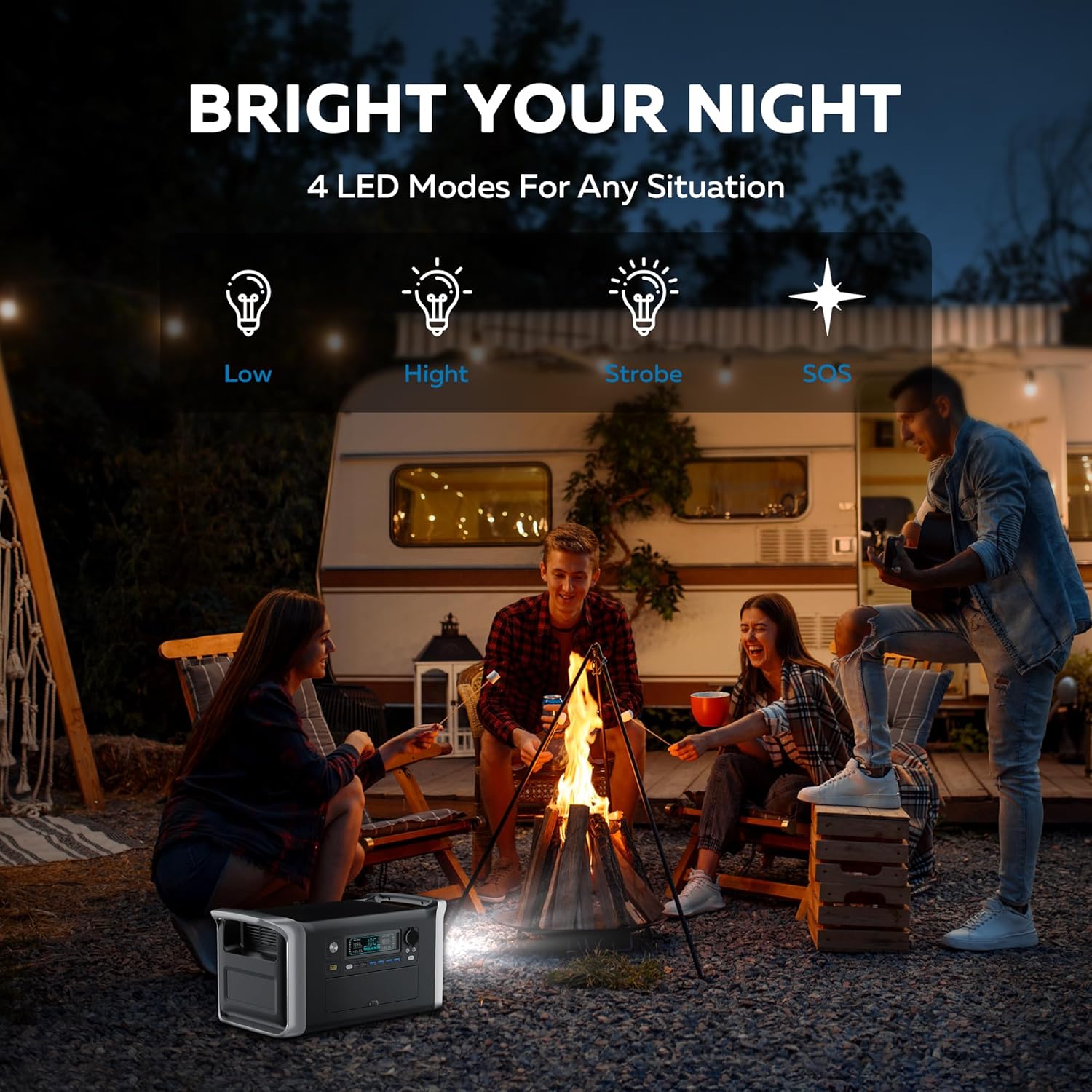
Image: Diagram showing the LiFePO4 battery structure and BMS protection features.
6.2. Rengøring og opbevaring
- Rengør enheden med en tør, blød klud. Brug ikke slibende rengøringsmidler eller opløsningsmidler.
- Opbevares på et køligt, tørt sted, væk fra direkte sollys og fugt.
- Sørg for, at enheden er slukket, før den opbevares.
- The unit is designed to operate in temperatures from -20°C to 40°C.

Image: The CTOLITY AP1000 operating in cold temperatures.
7. Specifikationer
| Feature | Detalje |
|---|---|
| Mærke | KOLITET |
| Modelnavn | Apower1000 Portable Power Station |
| Batteritype | LiFePO4 (lithiumjernfosfat) |
| Kapacitet | 1024Wh |
| AC udgangseffekt | 1600W (nominel), 1800W (spids) |
| AC Output Voltage | 110 volt |
| AC-indgangseffekt | 1000W (Fast Charge) |
| Solindgang (XT60) | Op til 500W |
| USB-A-output | 4 x QC3.0 (18W each) |
| USB-C udgang | 1 x PD100W, 1 x 22.5W |
| DC-udgang | 2 x 12V/18A |
| Billader output | 1 x 12V/18A |
| Opladningstid (AC) | Ca. 1.2 timer |
| Opladningstid (solenergi) | Approx. 2 hours (500W input) |
| Livscykler | 3,000 cyklusser til 80%+ kapacitet |
| Dimensioner | 17.6 cm L x 9.2 cm B x 8.6 cm H |
| Varens vægt | 36.4 pund |
| Driftstemperatur | -20°C til 40°C |
| Materiale | ABS |
| Lydniveau | 40 dB |
8. Fejlfinding
If you encounter issues with your CTOLITY AP1000, please refer to the following common problems and solutions:
- Enheden tænder ikke: Ensure the power button is pressed firmly. Check if the battery is completely depleted; if so, connect to an AC outlet for charging.
- Ingen output fra porte: Ensure the specific output button (AC, USB, DC) for the desired port is activated. Check if the device you are trying to power exceeds the power station's output limits (1600W AC).
- Langsom opladning:
- AC opladning: Verify the AC cable is securely connected and the wall outlet is functioning.
- Solopladning: Ensure solar panels are in direct sunlight and free from obstructions. Check cable connections. Cloudy weather or incorrect panel angle will reduce charging speed.
- Bilopladning: Confirm the car engine is running for optimal charging.
- Advarsel om overbelastning: If an overload icon appears on the LCD, disconnect some devices to reduce the total power draw. The unit will automatically reset after a few seconds.
- Temperaturadvarsel: If high or low temperature icons appear, move the unit to an environment within the recommended operating temperature range (-20°C to 40°C) and allow it to cool down or warm up before resuming use.
Hvis problemet fortsætter, bedes du kontakte kundesupport.
9. Garanti og kundesupport
CTOLITY AP1000 bærbar kraftstation leveres med en 1 års producentgaranti fra købsdatoen. Denne garanti dækker fejl i materialer og udførelse ved normal brug.
Garantien dækker ikke:
- Skader forårsaget af misbrug, misbrug eller uautoriseret ændring.
- Skader forårsaget af naturkatastrofer eller ulykker.
- Almindelig slitage.
For warranty claims, technical assistance, or any questions regarding your product, please contact CTOLITY customer support through the retailer where you purchased the product or visit the official CTOLITY webwebsted for kontaktoplysninger.
CTOLITY Official Webwebsted: Visit the CTOLITY Store on Amazon