
1. Introduktion
This manual provides detailed instructions for the setup, operation, maintenance, and troubleshooting of your lvifloae H80 Mobile Hotspot 4G LTE Router. Please read this manual carefully before using the device to ensure proper functionality and to maximize your user experience.
The H80 Mobile Hotspot is designed to provide high-speed 3G and 4G network access, supporting main frequency bands globally. It is portable, features an LED display, and allows up to 10 users to share the internet connection simultaneously.
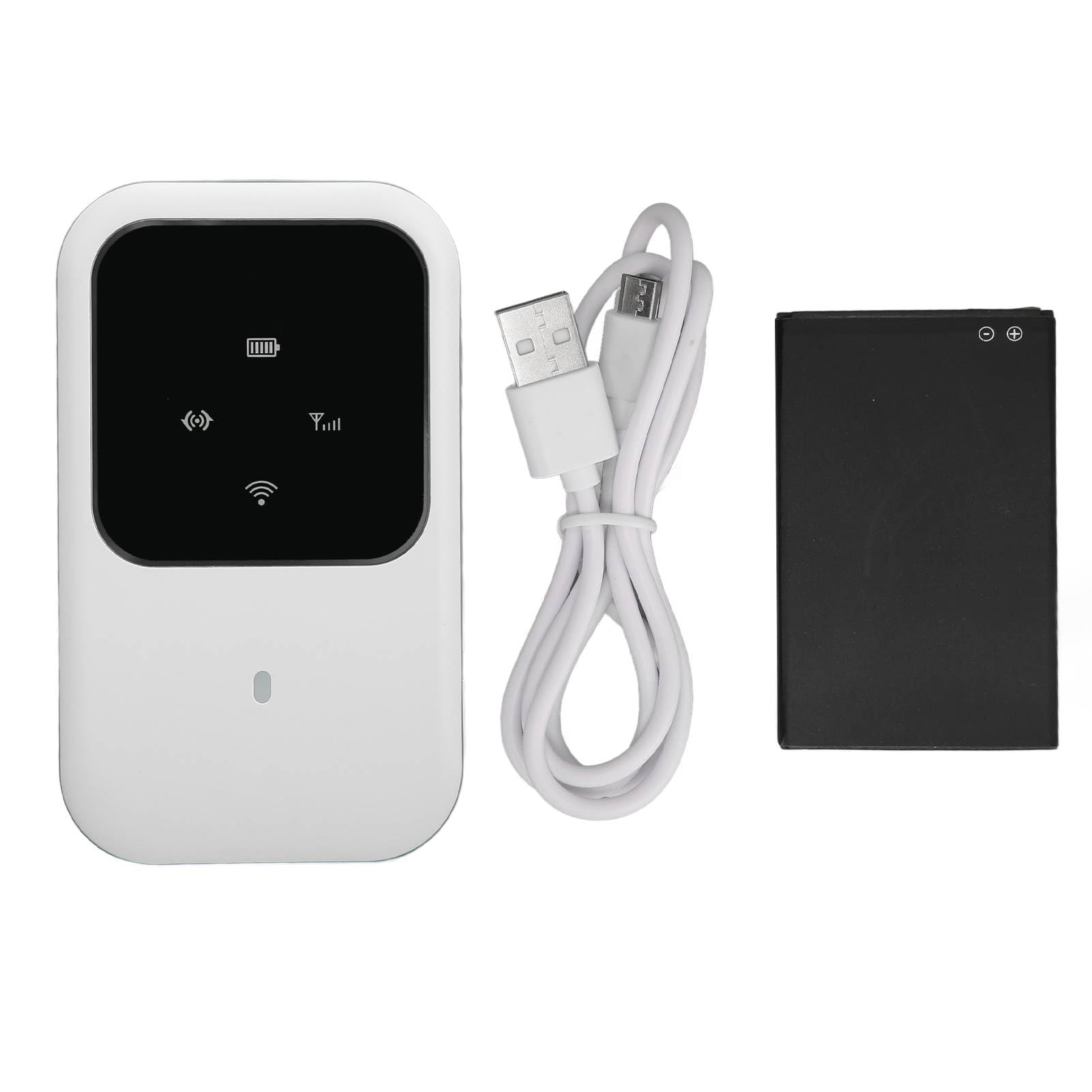
Figur 1: Front view of the lvifloae H80 Mobile Hotspot, showing the LED display and compact design.
2. Pakkens indhold
Bekræft, at alle nedenstående varer er inkluderet i din pakke:
- 1 x lvifloae H80 4G Router
- 1 x 2400mAh litiumbatteri
- 1 x ladekabel
- 1 x Brugermanual (dette dokument)
3. Produktet er slutview
The lvifloae H80 Mobile Hotspot features a sleek design with an intuitive LED display to indicate device status. Familiarize yourself with the device components.

Figur 2: Close-up of the H80's LED smart display, showing indicators for WiFi, signal strength, and battery status.

Figur 3: Side view of the H80 Mobile Hotspot, illustrating its slim profile og knapplacering.
4. Opsætning
Follow these steps to set up your lvifloae H80 Mobile Hotspot for the first time.
- Installer batteriet:
Carefully remove the back cover of the router. Insert the provided 2400mAh lithium battery into its compartment. Vigtig: Before powering on, check for and remove any protective partition sticker or insulation tape from the battery's contacts. Failure to do so will prevent the device from powering on.

Figur 4: Visual guide for battery installation. Image 1 shows the battery with insulation tape, Image 2 shows the tape removed, and Image 3 shows the battery inserted into the device.
- Indsæt SIM-kortet:
Locate the standard SIM card slot. Gently insert your standard SIM card into the slot until it clicks into place. Ensure the SIM card is correctly oriented.
- Udskift bagdækslet:
Align the back cover and press it firmly until it snaps into place.
- Tænd:
Press and hold the power button (usually located on the side) for a few seconds until the LED display illuminates.
5. Betjeningsvejledning
Once the device is set up and powered on, you can connect your devices to the mobile hotspot.
- Tjek LED-indikatorer:
Observe the LED display. It will show the network signal strength, Wi-Fi status, and battery level. A stable signal indicator means the device is connected to the mobile network.
- Connect Devices via Wi-Fi:
On your mobile phone, laptop, tablet, or other Wi-Fi enabled device, search for available Wi-Fi networks. The network name (SSID) and password are typically found on a sticker inside the battery compartment or on the device itself. Select the hotspot's SSID and enter the password to connect.
- Internetadgang:
Once connected, your device should have internet access. The H80 supports up to 10 simultaneous users.
- Sluk:
To turn off the device, press and hold the power button until the LED display turns off.

Figur 5: The H80 Mobile Hotspot in an outdoor setting, demonstrating its portability for travel and business use.
6. Vedligeholdelse
Proper maintenance ensures the longevity and optimal performance of your mobile hotspot.
- Opladning: Use the provided charging cable and a compatible power adapter (not included) to charge the device. The 2400mAh battery provides up to 72 hours of standby time.
- Rensning: Tør enheden af med en blød, tør klud. Undgå at bruge flydende rengøringsmidler eller slibende materialer.
- Opbevaring: Opbevar enheden et køligt, tørt sted væk fra direkte sollys og ekstreme temperaturer.
- Batteripleje: Do not expose the battery to high temperatures or puncture it. If the device will not be used for an extended period, charge it periodically to maintain battery health.
7. Fejlfinding
If you encounter issues with your lvifloae H80 Mobile Hotspot, refer to the following common problems and solutions:
| Problem | Mulig årsag/løsning |
|---|---|
| Enheden tænder ikke. |
|
| No network signal / Cannot access internet. |
|
| Kan ikke oprette forbindelse til Wi-Fi. |
|
| Langsom internethastighed. |
|
8. Specifikationer
Technical specifications for the lvifloae H80 Mobile Hotspot.
| Feature | Detalje |
|---|---|
| Model | H80 |
| Mærke | lvifloae |
| Varetype | 4G router |
| Farve | Hvid |
| Materiale | ABS |
| Card Slot | Standard SIM-kort |
| 4G LTE-bånd | B1, B3, B5, B40 |
| 3G UMTS WCDMA | B1 |
| Peak Download Rate | 150 Mbps |
| Peak Upload Rate | 50 Mbps |
| Wi-Fi-standard | 802.11 b/g/n (Wi-Fi 4) |
| Delingskapacitet | Op til 10 brugere |
| Batteritype | Indbygget 2400mAh lithiumbatteri |
| Standby tid | Op til 72 timer |
| Forbindelsesteknologi | 4G LTE, 3G, Wi-Fi |
| Sikkerhedsprotokol | WPA2, WPA3 |
| Operativsystemkompatibilitet | Windows 7, Windows 8, Windows 10, Linux |
9. Garanti og support
For warranty information, please refer to the documentation included with your purchase or visit the official lvifloae website. For technical support or further assistance, please contact lvifloae customer service through their official channels.