
SuperRC L500 Pro
SuperRC L500 Pro 4K GPS Drone User Manual
Model: L500 Pro
1. Introduktion
This manual provides essential instructions for the safe operation and maintenance of your SuperRC L500 Pro 4K GPS Drone. Please read this manual thoroughly before operating the drone to ensure proper usage and to prevent damage or injury. Keep this manual for future reference.
2. Sikkerhedsretningslinjer
Operating a drone requires responsibility. Adhere to all local regulations and guidelines for drone usage. Failure to do so may result in legal penalties or property damage.
- Tjek før flyvning: Always inspect the drone, remote controller, and batteries for any damage before each flight. Ensure propellers are securely attached.
- Flyvemiljø: Fly in open areas, away from people, animals, buildings, and power lines. Avoid flying in strong winds, rain, or fog. Maintain a clear line of sight with the drone.
- Batterisikkerhed: Brug kun godkendte batterier og opladere. Batterierne må ikke overoplades eller punkteres. Stop brugen, hvis batterierne viser tegn på hævelse eller beskadigelse.
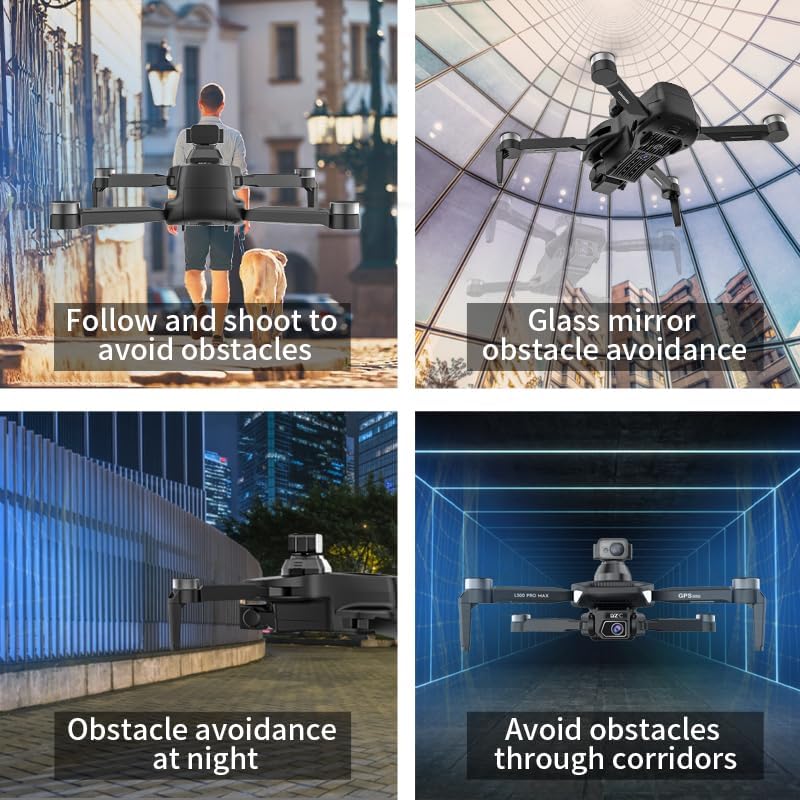
- Undgåelse af forhindringer: While the drone features 360° laser obstacle avoidance, it is not foolproof. Always exercise caution and maintain awareness of your surroundings.
- Aldersanbefaling: This product is intended for adults.
3. Pakkens indhold
Bekræft at alle varer er til stede i din pakke:
- SuperRC L500 Pro Drone
- Fjernbetjening
- Bæretaske
- Propeller (reservesæt medfølger)
- Skruer
- Skruetrækker
- USB Type-C-kabel
- Lithium-ion-batterier (2 medfølger)
- Brugervejledning (dette dokument)

4. Dronekomponenter
Familiarize yourself with the key parts of your SuperRC L500 Pro drone:
- Foldbare arme: Til kompakt opbevaring og transport.
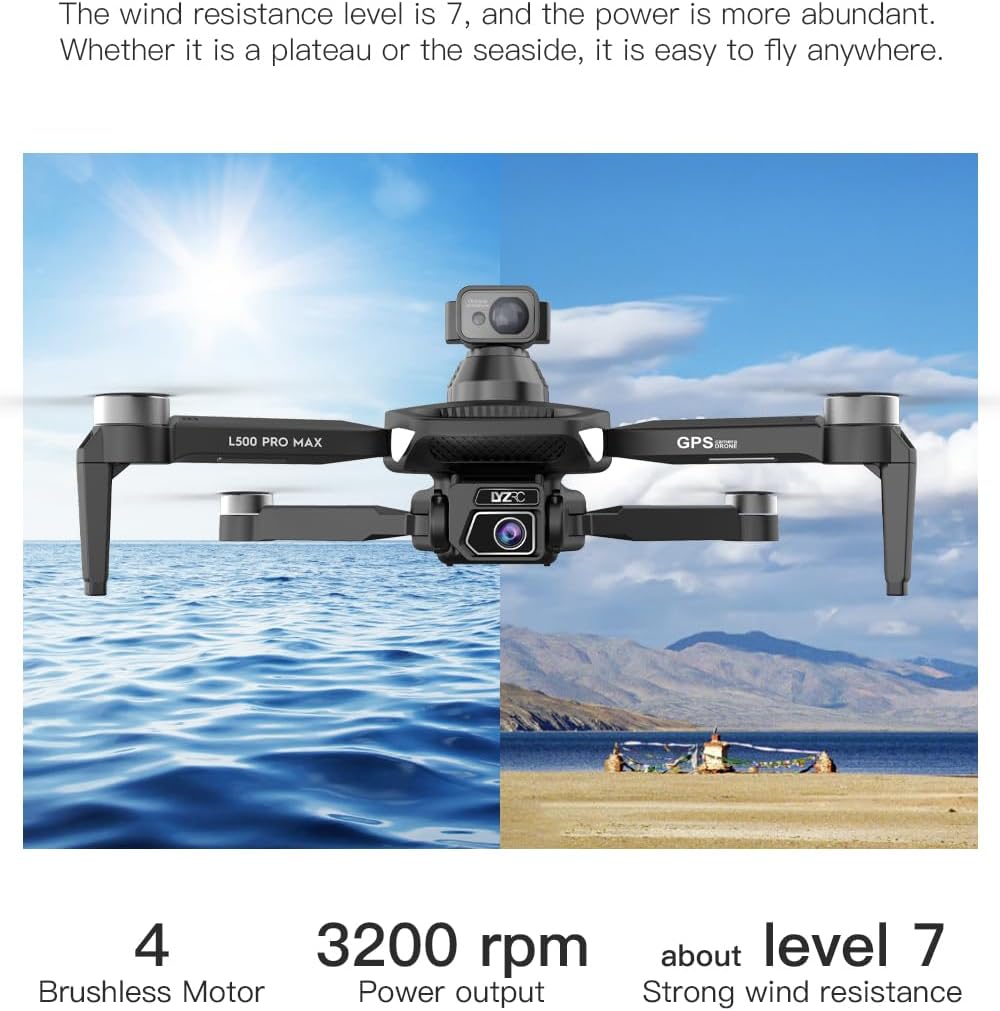
- Børsteløse motorer: Provide stable and quiet flight.
- Propeller: Generer løft til flyvning.
- 4K HD dobbeltkameraer: Front-facing and downward-facing cameras for aerial photography and video. Electrically adjustable shooting angles.
- 360° Laser Obstacle Avoidance Sensor: Registrerer forhindringer i alle retninger.
- GPS-modul: Enables precise outdoor positioning and intelligent flight modes.
- Optisk flowsensor: Provides stable hovering for indoor flight.
- Modulært batteri: Nem at installere og udskifte.


5. Fjernbetjening
The remote controller allows you to operate the drone and access its features. It features a smartphone holder for live video feed and app control.
Refer to the included quick start guide for a detailed diagram of the remote controller buttons and their functions.

6. Batteriinstallation og opladning
6.1 Drone batteri
- Insert the modular battery into the drone's battery compartment until it clicks into place.
- For at fjerne det skal du trykke på udløserknappen (hvis den er monteret) og skubbe batteriet ud.
- Charge the battery using the provided USB Type-C cable and a compatible USB power adapter (not included). The charging indicator will show the charging status.
6.2 Remote Controller Battery
The remote controller typically uses internal rechargeable batteries or standard AA batteries. Refer to the remote controller's specific instructions for battery type and charging/installation procedures.
7. Indledende opsætning
- Oplad batterier: Ensure both drone and remote controller batteries are fully charged.
- Fold dronen ud: Carefully unfold the drone arms until they lock into position.
- Installer propeller: If not pre-installed, attach propellers according to the markings (A/B) on the propellers and motor arms. Ensure they are secure.
- Tænd: Place the drone on a flat, level surface. Power on the drone, then power on the remote controller.
- Parring: The drone and remote controller should automatically pair. If not, follow the pairing instructions in the quick start guide.
- App-forbindelse: Download the SuperRC drone app to your smartphone. Connect your phone to the drone's Wi-Fi network (usually named "SuperRC-XXXX"). Open the app to view livefeedet og adgang til avancerede funktioner.
- GPS-kalibrering: For outdoor flights, ensure the drone acquires sufficient GPS satellites before takeoff. Perform compass calibration as instructed by the app or quick start guide.
8. Betjeningsvejledning
8.1 Grundflyvning
- Start/landing med én knap: Tryk på den dedikerede knap på fjernbetjeningen eller i appen for automatisk start og landing.
- Manuel kontrol: Use the joysticks on the remote controller to control altitude, direction, and rotation.
- GPS Mode (Outdoor): Provides stable flight and precise positioning, resisting wind.
- Optical Flow Mode (Indoor): Uses a downward-facing camera for stable hovering in environments without GPS signal.
8.2 Undgåelse af forhindringer
The 360° laser obstacle avoidance system helps prevent collisions by detecting objects in front, rear, left, and right directions. The drone will automatically adjust its flight path to avoid detected obstacles.
8.3 Kamerabetjening
- 4K HD dobbeltkameraer: Switch between the front and bottom cameras via the remote controller or app.
- Electrically Adjustable Angles: Adjust the camera's tilt angle remotely for optimal shots.
- Foto/videooptagelse: Brug de dedikerede knapper på fjernbetjeningen eller i appen til at tage billeder eller starte/stoppe videooptagelse.
8.4 Intelligente flyvetilstande
- Waypoint-navigation: Plan a custom flight path by tapping points on the map in the app. The drone will follow the designated route.
- GPS Follow/Smart Follow: The drone can automatically follow a moving subject (e.g., a person or vehicle) using GPS and visual tracking.
- Orbit-flyvning: The drone will circle a designated point or subject, capturing 360° footage.
- Image Track: Similar to follow mode, but focuses on tracking a specific image or object.
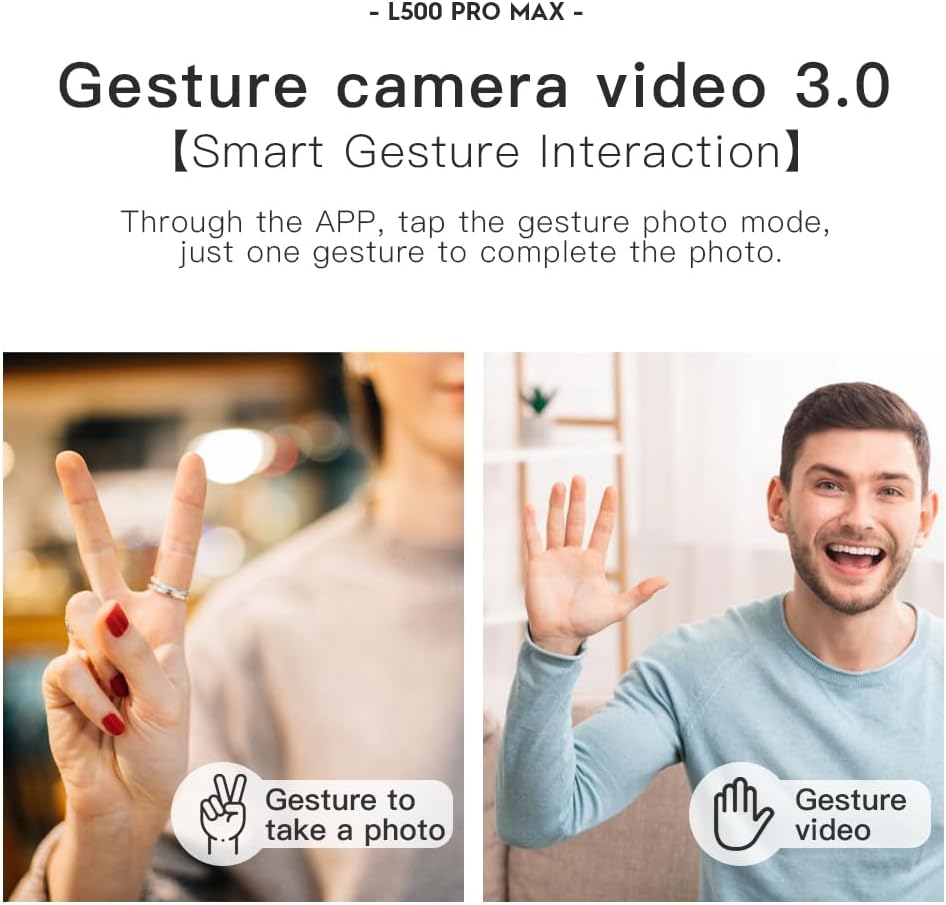
- Bevægelseskontrol: Brug specifikke håndbevægelser til at udløse foto- eller videooptagelse.
- 4 Intelligent Return Modes:
- Tabt signalretur: Drone returns to takeoff point if signal is lost.
- Lavt batteri-returnering: Dronen vender automatisk tilbage, når batteriet er lavt.
- Retur over afstand: Drone returns if it flies beyond the set range.
- One-Tap Return: Manually initiate return to home with a single button press.
9. Vedligeholdelse
- Rensning: Use a soft, dry cloth to clean the drone and remote controller. Avoid water or harsh chemicals.
- Propelinspektion: Regularly check propellers for cracks, bends, or damage. Replace damaged propellers immediately using the provided screwdriver and spare parts.
- Opbevaring: Store the drone and accessories in the carrying case in a cool, dry place, away from direct sunlight. Remove batteries if storing for extended periods.
- Batteripleje: Do not store batteries fully charged or completely depleted. Charge them to about 50-60% for long-term storage.
10. Fejlfinding
| Problem | Mulig årsag | Løsning |
|---|---|---|
| Dronen tænder ikke. | Batteri ikke opladet eller forkert installeret. | Sørg for, at batteriet er fuldt opladet og korrekt isat. |
| Dronen reagerer ikke på fjernbetjeningen. | Not paired, low remote battery, or interference. | Re-pair drone and remote. Charge remote battery. Move to an area with less interference. |
| Ustabil flyvning/drift. | Improper calibration, strong wind, or damaged propellers. | Perform compass calibration. Fly in calm conditions. Check and replace damaged propellers. |
| Ingen live videofeed. | Phone not connected to drone Wi-Fi, or app issue. | Connect phone to drone's Wi-Fi. Restart app and drone. |
| Forhindringsundgåelse virker ikke. | Sensor blocked or system malfunction. | Ensure sensors are clean and unobstructed. Contact support if issue persists. |
11. Specifikationer
| Feature | Detalje |
|---|---|
| Mærke | SuperRC |
| Modelnavn | L500Pro |
| Videooptagelsesopløsning | 1080p (Output), 4K HD (Camera) |
| Forbindelsesteknologi | Wi-Fi (5G Intelligent System) |
| Kontroltype | Fjernbetjening, App-kontrol |
| Særlige funktioner | 360° Laser Obstacle Avoidance, Dual Camera, Brushless Motor, GPS Auto Return, Optical Flow Positioning |
| Varens vægt | 211.6 gram (7.5 ounce) |
| Batterikapacitet | 2200 mioamp Timer (lithium-ion) |
| Flyvetid | Op til 25 minutter (ca.) |
| Produktdimensioner | 12.5 cm L x 11.4 cm B x 3.9 cm H |
| Materiale | Plast |
12. Garanti og support
For warranty information, technical support, or service inquiries, please refer to the contact information provided with your purchase or visit the official SuperRC webwebsted. Gem din købsbevis til garantikrav.
Du kan også besøge SuperRC Store on Amazon for yderligere produktinformation og supportressourcer.
Ask a question about this manual
Ask about setup, troubleshooting, compatibility, parts, safety, or missing instructions. Manuals+ will review the question and use this page’s manual context to help answer it.