
ES-KS-TY-012
Brugermanual til Qualcomm bilradiostereo
Model: ES-KS-TY-012 | Mærke: Generisk
Indledning
Denne manual indeholder detaljerede instruktioner til installation, betjening og vedligeholdelse af din Qualcomm-bilradio. Denne avancerede hovedenhed er specielt designet til Toyota Corolla-modeller fra 2014 til 2016 og har Android 13, en 10.1-tommer QLED-berøringsskærm, GPS-navigation, trådløs CarPlay, Android Auto, Bluetooth 5.0 og AM/FM-radio. Læs venligst denne manual grundigt inden brug for at sikre optimal ydeevne og sikkerhed.
Produkt overview
Nøglefunktioner
- Kompatibilitet: Specielt designet til Toyota Corolla 2014, 2015 og 2016 modeller, understøtter originale bilfunktioner som ratbetjening og lydsystemer. Har en 360° fuld viewjusterbar skærmvinkel og lysstyrke til dag og nat.
- Høj ydeevne: Udstyret med Android 13.0, en Qualcomm 3987 Octa-Core CPU, 4 GB RAM og 64 GB ROM for kraftfuld ydeevne og hurtige responstider.
- Overlegen skærm: 10.1-tommer 1280x720 HD QLED-skærm for klare billeder.
- Forbedret lyd: Indbygget digital signalprocessor (DSP) for fyldig og klar lyd og brugerdefinerede lydindstillinger.
- Smart tilslutning: Understøtter trådløs Apple CarPlay, Android Auto og Mirror Link med Bluetooth 5.0 for problemfri smartphone-integration, inklusive GPS-navigation, håndfri opkald og adgang til apps via stemmestyring (Siri/Google Assistant).
- Internetadgang: Understøtter 4G-netværk og Wi-Fi-forbindelser til online navigation, videostreaming (YouTube, Netflix) og app-downloads.
Visuel repræsentation

Billede: Hovedproduktenheden, vistasing 10.1-tommer QLED-skærmen med navigation, radio og appikoner. Inkluderer også en bagsideview kamera og en smartphone, der demonstrerer trådløs CarPlay/Android Auto-funktionalitet.

Billede: En visuel oversigt over hovedenhedens kernefunktioner: CarPlay/Android Auto/Mirror Link, indbygget DSP Surround sound, Wifi/4G online/offline-funktioner og Bluetooth/GPS/APP-understøttelse.
Pakkens indhold
Når du åbner pakken, skal du kontrollere, at alle komponenter er til stede:
- Hovedenhed i instrumentbrættet (Qualcomm bilradiostereo)
- Ledningsnetkabler
- CANBUS-dekoder
- Rammepanel
- Instruktionsbog
- Ekstra kabler (efter behov for specifikke forbindelser)
Installation
Installationen af denne hovedenhed kræver omhyggelig opmærksomhed på ledningsføring og montering. Det anbefales at konsultere den medfølgende instruktionsbog for detaljeret, trinvis vejledning eller søge professionel installation, hvis du ikke er bekendt med ledningsføring af bilstereosystemer.
Installationsproces overståetview
- Sørg for, at køretøjets strøm er slukket, og at batteriet er frakoblet.
- Fjern forsigtigt den originale bilradio og beklædningspanelet.
- Tilslut de medfølgende ledningsnetkabler og CANBUS-dekoderen til køretøjets eksisterende ledninger og den nye hovedenhed.
- Monter den nye hovedenhed i instrumentbrættet ved hjælp af det medfølgende rammepanel.
- Tilslut batteriet igen, og test enhedens funktionalitet.
For specifikke ledningsdiagrammer og monteringsanvisninger henvises til "Instruktionsbogen", der følger med din pakke.

Billede: Demonstrerer den visuelle transformation af bilens instrumentbræt, der viser den oprindelige opsætning ("Før installation") og den integrerede Qualcomm-bilradio ("Efter installation").

Billede: Hovedenheden er problemfrit integreret i instrumentbrættet på en Toyota Corolla (model 2014-2016) og viser Android 13-grænsefladen med forskellige app-ikoner.
Operation
Qualcomm-bilradioen bruger en intuitiv Android 13-berøringsskærm. Naviger gennem menuer, start applikationer og styr indstillinger med enkle tryk og swipes.
Brugergrænsefladetilpasning
Systemet tilbyder 21 forskellige brugergrænseflader (UI), som du frit kan skifte mellem for at personliggøre din oplevelse.
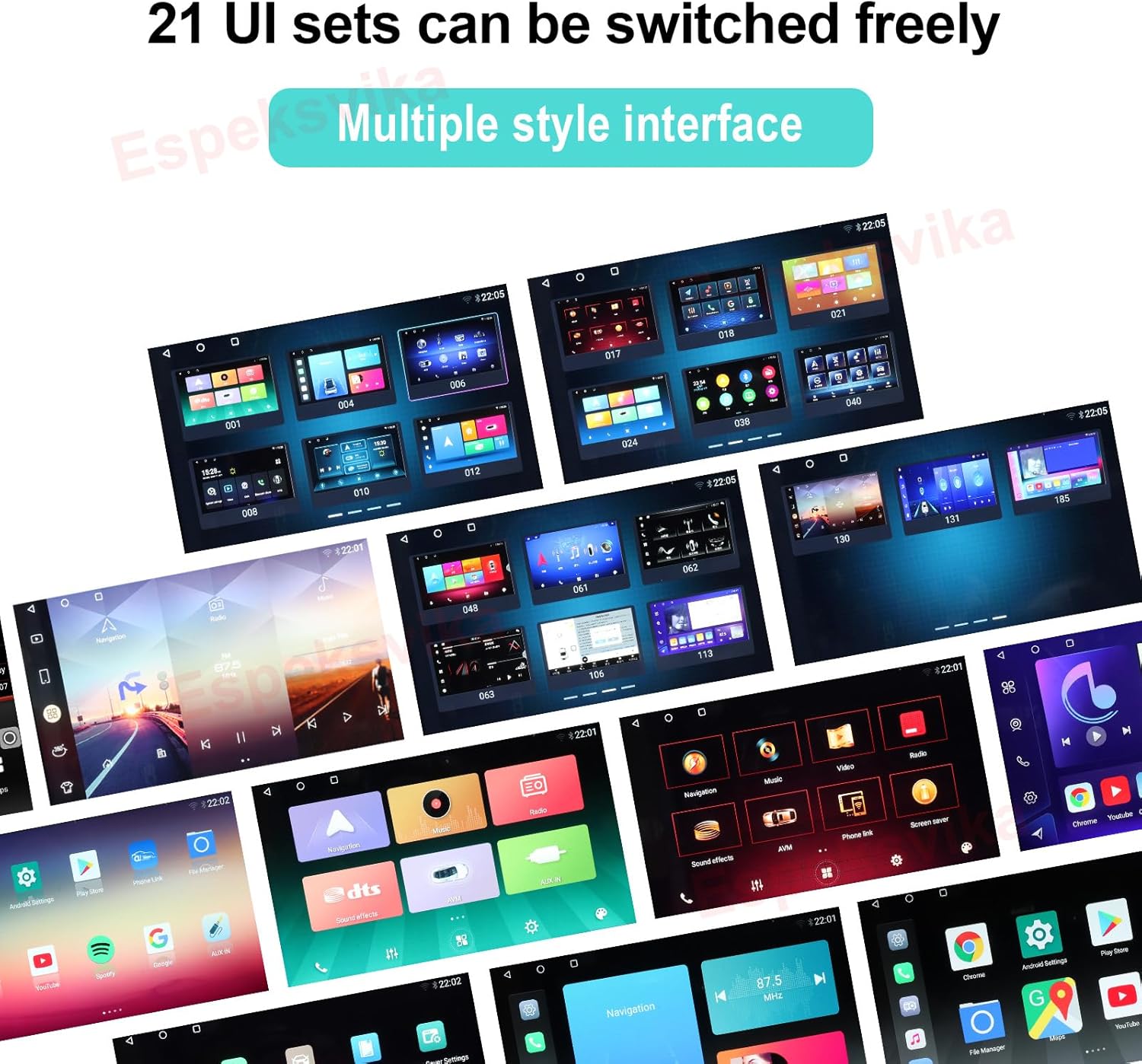
Billede: En collage af forskellige brugergrænsefladedesigns, der demonstrerer de 21 brugerdefinerbare brugergrænsefladesæt, der er tilgængelige på hovedenheden.
Forbindelse
Trådløs CarPlay og Android Auto
Tilslut din smartphone trådløst via Bluetooth 5.0 for at få adgang til Apple CarPlay eller Android Auto. Dette giver mulighed for problemfri integration af din telefons funktioner, herunder GPS-navigation, håndfri opkald, beskeder og musikstreaming, alt sammen styrbart via berøringsskærmen eller stemmekommandoer (Siri/Google Assistant).
Mirror Link
Brug Mirror Link til at vise din smartphones skærm direkte på hovedenheden, hvilket giver adgang til en bredere vifte af applikationer.
Wi-Fi og 4G-netværk
Opret forbindelse til Wi-Fi-hotspots, eller indsæt et 4G SIM-kort (hvis det understøttes af din model) for at få direkte adgang til internettet fra hovedenheden. Dette muliggør online navigation, streamingtjenester som YouTube og Netflix samt download af apps fra app store.
GPS-navigation
Det indbyggede GPS-modul giver præcis navigation. Du kan bruge forudinstallerede kort eller downloade dine foretrukne navigationsapplikationer til både online og offline brug.
Lydfunktioner
Digital signalprocessor (DSP)
Den integrerede DSP forbedrer lydkvaliteten betydeligt og leverer en fyldig og klar lyd. Tilpas din lytteoplevelse med forskellige lydindstillinger, herunder en 16-bånds equalizer, loudness, delay og balance.

Billede: DTS HiFi-lydgrænsefladen, der viser detaljerede equalizer-indstillinger med flere frekvensbånd til præcis lydtilpasning.
FM radio
Den indbyggede FM/AM-tuner giver dig mulighed for at søge efter og lytte til dine yndlingsradiostationer. Nyd radioudsendelser i realtid, og gem dine foretrukne kanaler for hurtig adgang.

Billede: FM-radiogrænsefladen, der vises på hovedenheden, og som viser frekvensindstilling, favoritstationer og en visuel repræsentation af lydniveauer.
Fejlfinding
Hvis du støder på problemer med din Qualcomm-bilradio, bedes du bruge følgende almindelige fejlfindingstips. Ved mere komplekse problemer kan du se den detaljerede instruktionsbog eller kontakte kundesupport.
- Ingen strøm: Kontrollér alle strømtilslutninger og sikringer. Sørg for, at køretøjets batteri er korrekt tilsluttet og opladet.
- Ingen lyd: Kontroller højttalertilslutninger. Kontroller lydindstillinger (lydstyrke, mute, DSP-indstillinger). Sørg for, at den korrekte lydkilde er valgt.
- Problemer med GPS-signal: Sørg for, at GPS-antennen er korrekt installeret og har en klar view af himlen. Prøv at flytte køretøjet til et åbent område.
- Bluetooth-forbindelsesproblemer: Sørg for, at Bluetooth er aktiveret på både hovedenheden og din smartphone. Slet tidligere parringer, og prøv at genoprette forbindelsen.
- CarPlay/Android Auto opretter ikke forbindelse: Bekræft, at din telefons operativsystem er opdateret. Sørg for, at det korrekte USB-kabel (hvis det er kabelbaseret) eller at der er etableret en stærk trådløs forbindelse.
- Berøringsskærm reagerer ikke: Prøv at genstarte enheden. Hvis problemet fortsætter, kan en fabriksnulstilling være nødvendig (se instruktionsbogen for trin).
Specifikationer
| Feature | Detalje |
|---|---|
| Varens vægt | 4.52 pund |
| Pakkedimensioner | 12.99 x 7.9 x 7.6 tommer |
| Varemodelnummer | ES-KS-TY-012 |
| Skærmstørrelse | 10.1 tommer |
| Operativsystem | Android 13.0 |
| Processor | Qualcomm 3987 Octa-Core CPU |
| VÆDDER | 4 GB |
| ROM | 64 GB |
| Skærmopløsning | 1280x720 QLED |
| Bluetooth version | 5.0 |
| Forbindelsesteknologi | Bluetooth, Wi-Fi, USB, 4G-netværk |
| Særlige funktioner | Touchskærm, Bluetooth, trådløs CarPlay, Android Auto, Mirror Link, DSP, GPS-navigation |
| Type køretøjstjeneste | Bil (Toyota Corolla 2014-2016) |
Garanti og support
Din Qualcomm bilradio leveres med en 2 års garanti fra købsdatoen, dækker fabrikationsfejl og funktionsfejl ved normal brug.
Hvis du har spørgsmål vedrørende installation, ledningsføring, samling, betjening eller tilslutningsfejl, er du velkommen til at kontakte vores kundesupport. Sørg for at have dit produktmodelnummer (ES-KS-TY-012) og købsoplysninger klar, når du kontakter support.
Bemærk: Garantien dækker ikke skader forårsaget af forkert installation, misbrug, ulykker eller uautoriserede ændringer.
Ask a question about this manual
Ask about setup, troubleshooting, compatibility, parts, safety, or missing instructions. Manuals+ will review the question and use this page’s manual context to help answer it.