
GEARit GI-HSET-BT-MONO-BK-1
GEARit Wireless Bluetooth Headset with Mic
Model: GI-HSET-BT-MONO-BK-1
Indledning
Thank you for choosing the GEARit Wireless Bluetooth Headset. This headset is designed for clear communication and comfortable all-day use, featuring advanced Environmental Noise Cancelling (ENC) technology and multipoint connectivity. This manual provides detailed instructions for setting up, operating, and maintaining your headset to ensure optimal performance.

The GEARit Wireless Bluetooth Headset, showcasing its sleek design and microphone.
Produkt overview
Komponenter og kontroller
Familiarize yourself with the various parts and controls of your GEARit headset:
- Justerbart pandebånd: For en komfortabel og sikker pasform.
- Soft Padded Earcup: Provides comfort during extended wear.
- Rotating Mic: A 270° rotatable microphone for flexible positioning and optimal voice capture.
- Power / MFB Button: Multi-function button for power, pairing, and call management.
- Lydstyrke +/- knapper: For at justere lydstyrken.
- Mute-knap: For instant microphone muting during calls.
- LED-indikator: Displays status such as power, pairing, and charging.
- Padded Pillow: Provides additional comfort on the opposite side of the earcup.
- USB Type-C opladningsport: Til opladning af headsettet.

Detaljeret view of the headset's components and controls.

Overview of key features including battery life, Bluetooth version, and comfort elements.
Opsætning
Opladning af headsettet
Before first use, fully charge your headset. Use the included USB Type-C cable to connect the headset to a power source (e.g., computer USB port or wall adapter). The LED indicator will show charging status and turn off when fully charged. A full charge takes approximately 2 hours.

The headset and its USB-C charging cable.
Tænd/sluk
- For at tænde: Press and hold the Power / MFB Button for 3 seconds until the LED indicator flashes blue.
- For at slukke: Press and hold the Power / MFB Button for 3 seconds until the LED indicator flashes red and then turns off.
Bluetooth-parring
Sådan tilslutter du dit headset til en enhed:
- Sørg for, at headsettet er slukket.
- Press and hold the Power / MFB Button for 5-7 seconds until the LED indicator flashes red and blue alternately, indicating pairing mode.
- Aktiver Bluetooth på din enhed (smartphone, tablet, bærbar computer), og søg efter nye enheder.
- Select "GEARit Headset" from the list of available devices.
- Når der er forbindelse, blinker LED-indikatoren langsomt blåt.
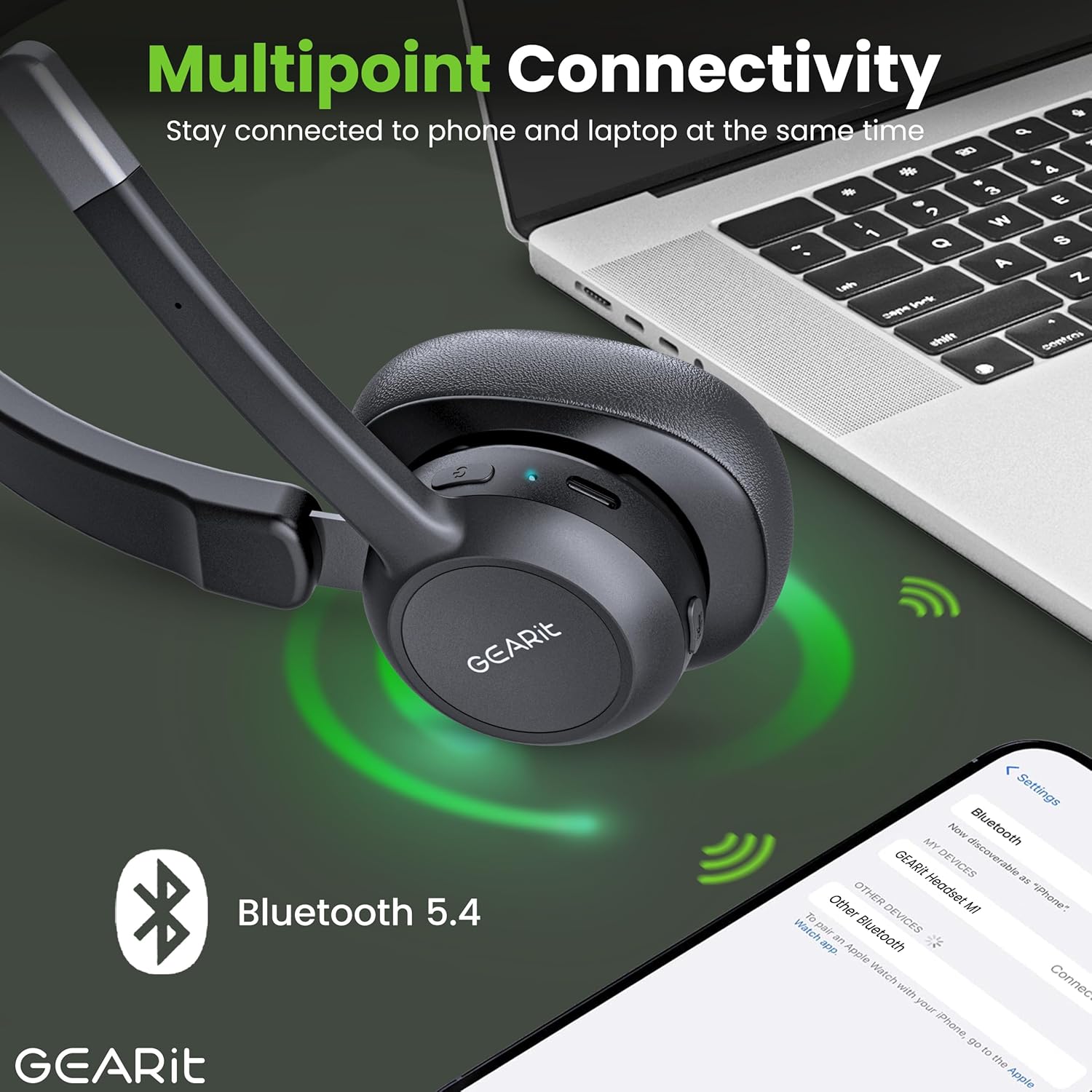
The headset connected to multiple devices via Bluetooth 5.2.
Betjening af headsettet
Foretage og modtage opkald
- Besvar opkald: Press the Power / MFB Button once.
- Afslut opkald: Press the Power / MFB Button once during a call.
- Afvis opkald: Press and hold the Power / MFB Button for 2 seconds.
- Genopkald sidste nummer: Double-press the Power / MFB Button.
Lydstyrkekontrol
- Forøg lydstyrke: Tryk på knappen Lydstyrke +.
- Skru ned for lydstyrken: Tryk på Lydstyrke-knappen.
Mute-funktion
To mute or unmute your microphone during a call, press the dedicated Mute Button located on the microphone boom. The LED indicator may change to indicate mute status.
Multipoint-forbindelse
The GEARit headset supports multipoint connectivity, allowing it to connect to two Bluetooth devices simultaneously. This enables seamless switching between calls on your phone and audio from your laptop without needing to re-pair. To use this feature, pair the headset with the first device, then disconnect its Bluetooth. Pair with the second device. Finally, re-enable Bluetooth on the first device, and the headset should connect to both.
Opretholdelse
Rensning
- Tør headsettet af med en blød, tør og fnugfri klud.
- Do not use abrasive cleaners, solvents, or spray directly onto the headset.
Opbevaring
- Opbevar headsettet et køligt, tørt sted væk fra ekstreme temperaturer og direkte sollys.
- Undgå at placere tunge genstande på headsettet.
Fejlfinding
Fælles problemer og løsninger
| Problem | Løsning |
|---|---|
| Headsettet tænder ikke. | Sørg for, at headsettet er opladet. Tilslut det til en strømkilde med USB-C-kablet. |
| Kan ikke parre headsettet med en enhed. | Ensure the headset is in pairing mode (LED flashing red/blue). Make sure Bluetooth is enabled on your device and it's within range (33 feet). Try restarting both devices. |
| Ingen lyd eller dårlig lydkvalitet. | Check the volume levels on both the headset and your connected device. Ensure the headset is selected as the audio output device. Move closer to your device to improve signal. |
| Mikrofon virker ikke. | Sørg for, at mikrofonen ikke er slået fra. Kontroller mikrofonindstillingerne på din tilsluttede enhed. |
| Headsettet afbrydes ofte. | Ensure you are within the Bluetooth range (33 feet). Avoid obstacles between the headset and your device. Fully charge the headset. |
Specifikationer
Tekniske detaljer
| Feature | Detalje |
|---|---|
| Mærke | GEARit |
| Modelnummer | GI-HSET-BT-MONO-BK-1 |
| Trådløs kommunikationsteknologi | Bluetooth 5.2 |
| Støjkontrol | Environmental Noise Cancelling (ENC) |
| Batterilevetid (taletid) | Op til 16 timer |
| Batterilevetid (musiktid) | Op til 26 timer |
| Batterilevetid (standbytid) | Op til 100 timer |
| Opladningstid | Approx. 2 Hours (via USB Type-C) |
| Bluetooth rækkevidde | Op til 10 meter (33 fod) |
| Kompatible enheder | Smartphones, Tablets, Laptops, Desktops, PCs |
| Ørestykke form | Over Ear (Mono) |
| Varens vægt | 6.4 ounce |
| Farve | Sort |
| UPC | 810166801652 |
Garanti og support
For detailed warranty information, please refer to the warranty card included with your product or visit the official GEARit website. If you encounter any issues not covered in this manual, please contact GEARit customer support.
Du kan også se den officielle brugermanual (PDF) for yderligere oplysninger: Download brugermanual (PDF)
Ask a question about this manual
Ask about setup, troubleshooting, compatibility, parts, safety, or missing instructions. Manuals+ will review the question and use this page’s manual context to help answer it.