
Indledning
This manual provides instructions for the HCDZ Replacement Remote Control, designed for use with Vamvo L3600US, L3600, 3600L, and WF-VF320 LCD Home Theater Video Projectors. This remote is an infrared (IR) replacement and requires no programming.
Pakkeindhold:
- 1 x HCDZ Replacement Remote Control
- Bemærk: Batterier og yderligere instruktioner er ikke inkluderet i pakken.
Opsætning: Batteriinstallation
To begin using your remote control, you must install two AAA batteries. Ensure correct polarity when inserting the batteries.

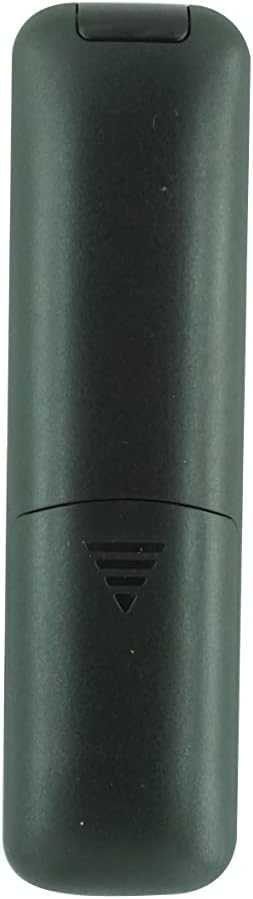
Billede: Bagside view of the remote control with the battery cover removed, showing the two AAA battery slots.
- Find batterirummet på bagsiden af fjernbetjeningen.
- Skub batteridækslet nedad, eller tryk på låsen, og løft det for at åbne.
- Insert two new AAA batteries, matching the positive (+) and negative (-) terminals as indicated inside the compartment.
- Sæt batteridækslet på igen, og sørg for, at det klikker sikkert på plads.
Vigtig information om batterisikkerhed:
- Bland ikke nye batterier med gamle.
- Hvis fjernbetjeningen ikke skal bruges i længere tid, skal batterierne fjernes for at forhindre lækage og korrosion.
Betjeningsvejledning
This HCDZ replacement remote control is designed for immediate use with compatible Vamvo projectors once batteries are installed. No programming or pairing is required.
Billede: Forside view of the HCDZ replacement remote control, showing its button layout.
To operate your projector:
- Point the remote control directly at the infrared (IR) sensor on your Vamvo projector.
- Press the desired function button (e.g., Power, Volume, Menu, Source) to control the projector.
- Sørg for, at der ikke er nogen forhindringer mellem fjernbetjeningen og projektorens IR-sensor.
Vedligeholdelse og pleje
Korrekt pleje vil forlænge levetiden på din fjernbetjening:
- Opbevaring: Do not leave the remote in extremely hot or humid environments.
- Eksponering: Avoid exposing the remote sensor to direct sunlight or strong lighting apparatuses, as this may cause malfunction.
- Rensning: Tør fjernbetjeningen af med en blød, tør klud. Brug ikke flydende rengøringsmidler eller slibende materialer.
- Fjernelse af batteri: If the remote will not be used for an extended period, remove the batteries to prevent potential damage from leakage and corrosion.
Fejlfinding
If your remote control is not functioning as expected, try the following steps:
- Ingen reaktion:
- Udskift fjernbetjeningens batterier med nye.
- Check the battery terminals inside the compartment to ensure they are clean and making proper contact.
- Limited Range or Intermittent Function:
- Move closer to the projector. The maximum effective range is approximately 8 meters.
- Remove any physical obstructions (e.g., furniture, objects) between the remote control and the projector's IR sensor.
- Projector Not Responding:
- Ensure the power cord to your projector is securely plugged in and the projector is turned on.
- Verify that the remote control is pointed directly at the projector's IR sensor.
Specifikationer
| Mærke | HCDZ |
| Modelkompatibilitet | Vamvo L3600US, L3600, 3600L, WF-VF320 Projectors |
| Forbindelsesteknologi | Infrarød (IR) |
| Controller type | Knap kontrol |
| Speciel funktion | No programming needed; works out of the package |
| Maksimal rækkevidde | 8 meter (ca. 26 fod) |
| Antal understøttede enheder | 1 (Projector) |
| Batterier påkrævet | 2 x AAA batterier (medfølger ikke) |
| Fabrikant | HCDZ |
| ASIN | B0DLB2R6PB |
Garantioplysninger
This HCDZ Replacement Remote Control comes with a 3 måneders garanti fra købsdatoen. Denne garanti dækker fabrikationsfejl ved normal brug. Den dækker ikke skader forårsaget af misbrug, ulykker, uautoriserede ændringer eller batterilækage.
Gem venligst din købsbevis i tilfælde af garantikrav.
Støtte
For further assistance or if you encounter issues not covered in this manual, please refer to the support resources provided by your retailer or the HCDZ brand. You may also consult the user manual for your Vamvo projector for specific operational details.
For general inquiries, please visit the HCDZ Store on Amazon.