
Hvad er der i æsken
- 1 x Q55 Bluetooth Speaker
- 1 x Remote Control (Requires 2*AAA batteries, Not included)
- 1 x AUX-kabel
- 1 x USB TYPE-C kabel
- 1 x brugermanual
Produkt overview

Den TAMPROAD Q55 Bluetooth Speaker features a sleek design with integrated colorful LED lights on the front grille.

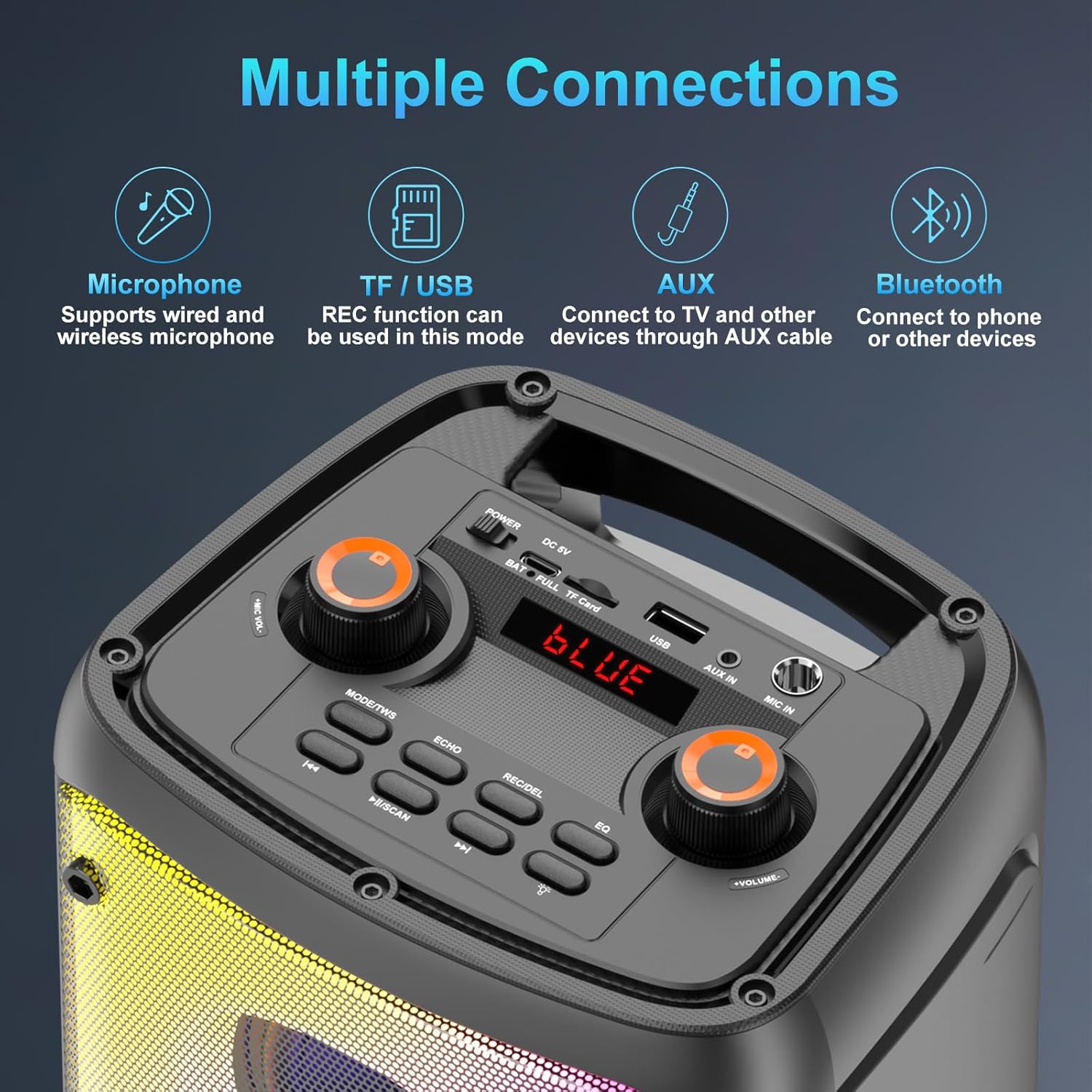
The top panel provides access to all controls including power, volume, microphone input, USB, TF card slot, AUX input, and mode selection buttons.
Opsætning
Opladning af højttaleren
Den TAMPROAD Q55 speaker is equipped with a built-in 10000mAh rechargeable battery. Connect the provided USB Type-C cable to the charging port on the top panel and the other end to a compatible USB power adapter (not included). A full charge typically takes 3-6 hours, providing 8-20 hours of playback time depending on usage.
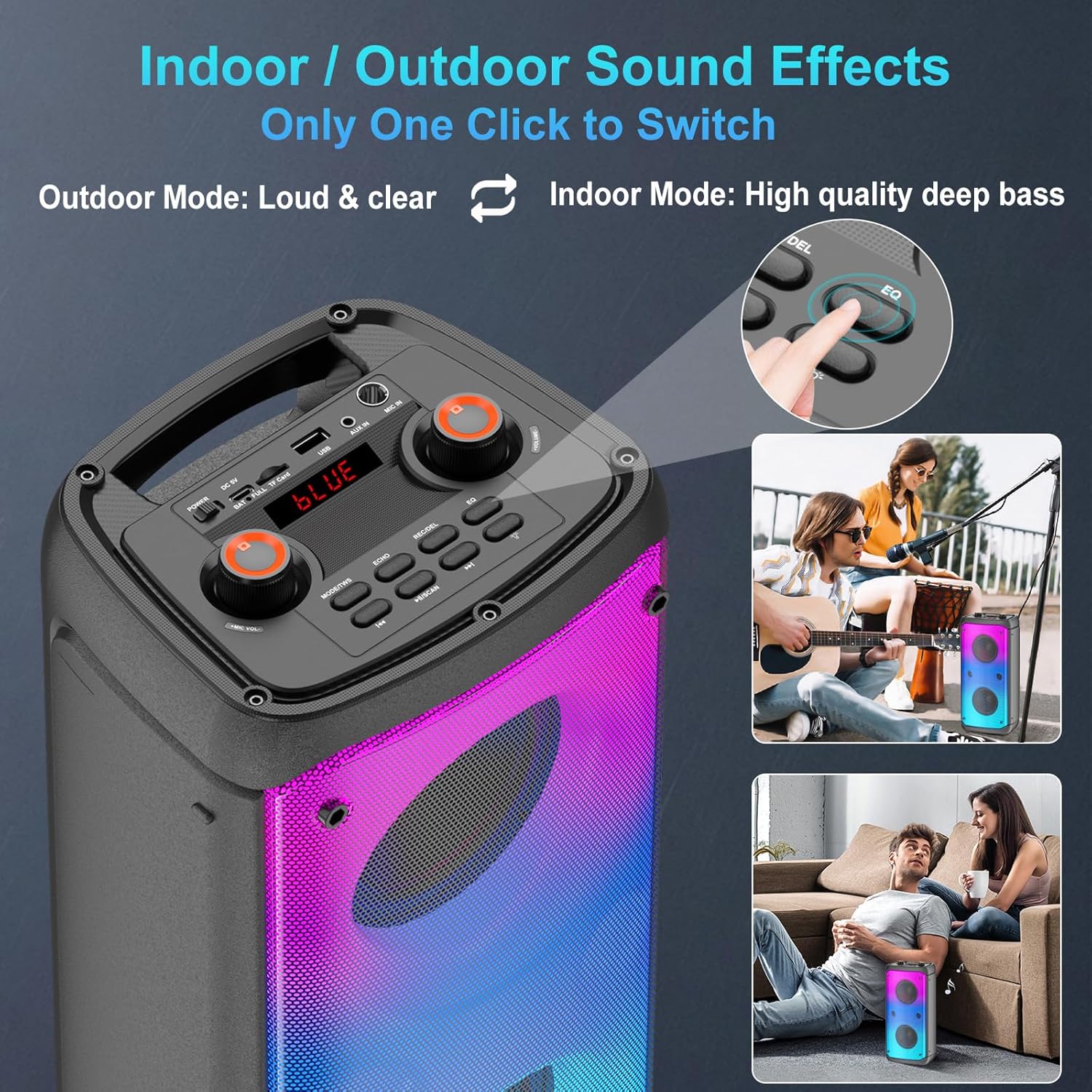
Illustration of the speaker's battery capacity, charging time, and playback duration.
Tænd/sluk
Locate the Power switch on the top panel. Slide the switch to the 'ON' position to power on the speaker. Slide it to 'OFF' to power off.
Bluetooth-parring
The speaker features Bluetooth 5.0 for fast, stable, and low-latency signal transmission. To pair with a device:
- Power on the speaker. The LED display will show 'BLUE' and a voice prompt will indicate Bluetooth mode.
- Aktiver Bluetooth på din mobile enhed (smartphone, tablet, bærbar computer).
- Søg efter 'Q55' in the list of available Bluetooth devices and select it to connect.
- En stemmemeddelelse bekræfter den vellykkede parring.
This video demonstrates the Bluetooth pairing process and shows the speaker's colorful lights in action.
Betjeningsvejledning
Lydinputtilstande
The Q55 speaker supports multiple audio input options:
- Bluetooth-tilstand: Connect wirelessly to your device as described in the Setup section.
- USB/TF-korttilstand: Insert a USB drive or TF (microSD) card into the respective slot on the top panel. The speaker will automatically detect and play audio files. This mode also supports recording.
- AUX-tilstand: Use the provided 3.5mm AUX cable to connect external audio devices (e.g., TV, computer) to the AUX IN port.

Visual representation of the various connectivity options available on the speaker.
Ægte trådløs stereo (TWS) parring
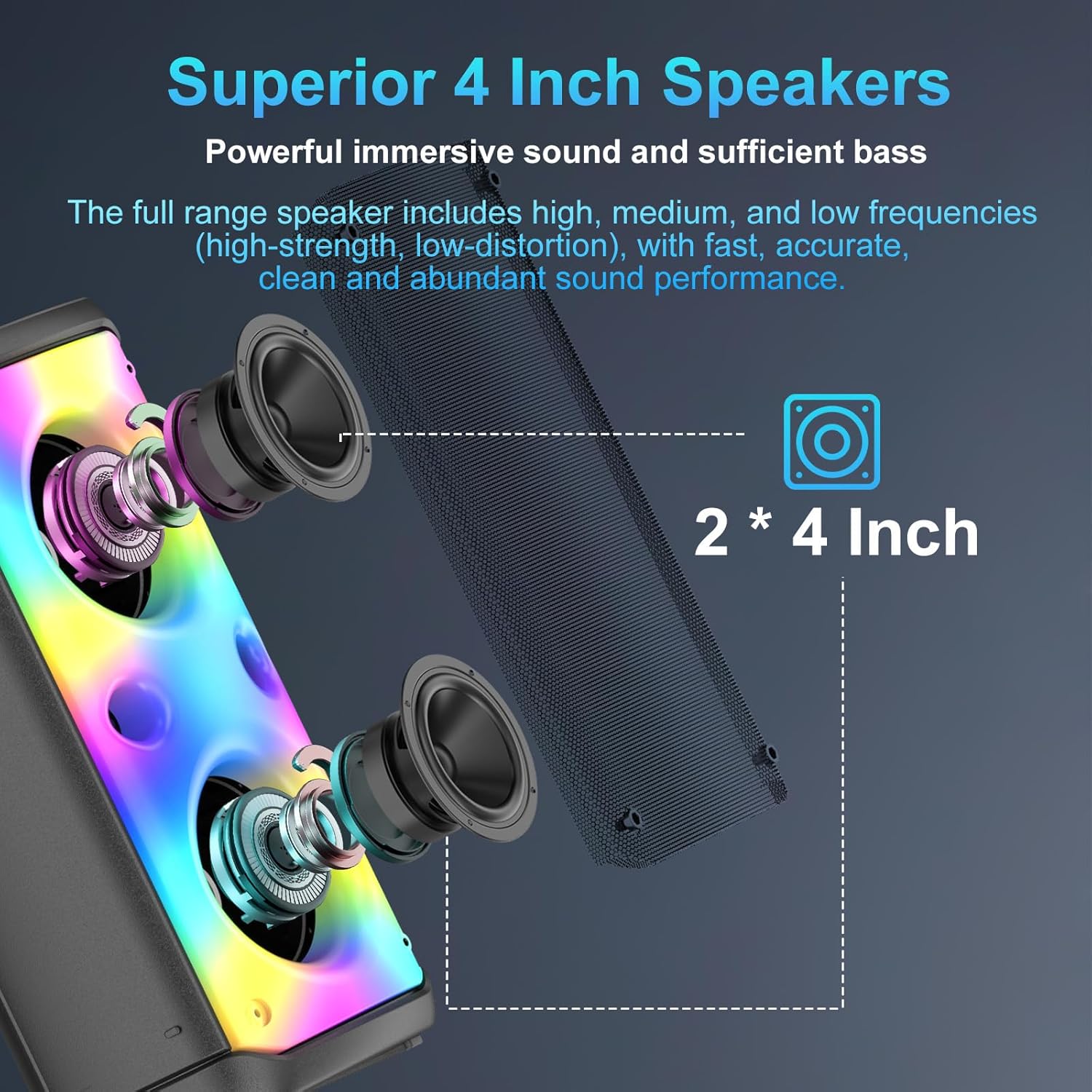
To achieve an immersive 160W stereo surround sound experience, you can pair two TAMPROAD Q55 speakers together:
- Ensure both Q55 speakers are powered on and not connected to any Bluetooth device.
- On one of the speakers, short press the 'MODE/TWS' button. A prompt sound will indicate it's searching for another speaker.
- The two speakers will automatically pair. A voice prompt will confirm successful TWS connection.
- Now, connect your mobile device to one of the paired speakers via Bluetooth. Both speakers will play synchronously.
- To disconnect TWS mode, short press the 'MODE/TWS' button again on either speaker.

Two Q55 speakers set up to deliver a powerful 160W TWS stereo sound experience.
LED farverige lys
The speaker features a unique disco lighting design with 6 dynamic flashing modes. The lights are beat-driven and will synchronize with the rhythm of the music. You can switch between various lighting effects or turn them off using the dedicated light button on the control panel.
The speaker's LED lights can display multiple vibrant patterns, reacting to the music.
Indoor/Outdoor Sound Effects
The speaker offers an EQ (Equalizer) function to optimize sound for different environments. Press the 'EQ' button on the control panel to switch between 'Outdoor Mode' (loud and clear) and 'Indoor Mode' (high quality deep bass).
The EQ button allows users to switch between sound profiles optimized for indoor deep bass or outdoor loud and clear audio.
Microphone Function (Optional)
The speaker includes a MIC IN port for connecting a wired microphone (not included). You can adjust the microphone volume and add echo effects using the dedicated controls on the top panel.
Optagefunktion
When using USB or TF card mode, the speaker supports a recording function. Refer to the user manual for detailed instructions on how to initiate and manage recordings.
FM Radio (Complimentary Feature)
The speaker includes an FM radio function. In radio mode, you can automatically search and save available stations. Note that this is a complimentary feature and its performance may vary.
Opretholdelse
To ensure the longevity and optimal performance of your TAMPROAD Q55 speaker, follow these maintenance guidelines:
- Hold højttaleren væk fra vand, fugt og ekstreme temperaturer.
- Rengør ydersiden med en blød, tør klud. Brug ikke slibende rengøringsmidler eller opløsningsmidler.
- Avoid blocking the speaker grilles or ports to maintain proper airflow and sound quality.
- Opbevar højttaleren et køligt og tørt sted, når den ikke er i brug i længere perioder.
Fejlfinding
| Problem | Mulig løsning |
|---|---|
| Højttaleren tændes ikke | Sørg for, at batteriet er opladet. Tilslut højttaleren til en strømkilde med USB Type-C-kablet. |
| Ingen lydudgang | Check the volume levels on both the speaker and your connected device. Ensure the correct audio input mode is selected. |
| Bluetooth-parring mislykkes | Make sure the speaker is in Bluetooth mode and not already paired with another device. Disable and re-enable Bluetooth on your device and try again. Ensure devices are within range. |
| TWS-parring mislykkes | Ensure both speakers are Q55 models and are not connected to any other Bluetooth device before initiating TWS pairing. |
| LED-lys virker ikke | Press the light mode button to cycle through effects or turn them on. If the issue persists, contact customer service. |
Specifikationer
| Feature | Detalje |
|---|---|
| Mærke | TAMPVEJ |
| Modelnummer | Q55 |
| Monteringstype | Floor Standing |
| Strømkilde | Batteridrevet |
| Connector Type | Aux, USB |
| Materiale | Acrylonitril Butadien Styren (ABS) |
| Antal kanaler | 2 |
| Lydindgang | TF Card, 3.5mm Aux, Bluetooth |
| Produktdimensioner | 7.7 x 6.3 x 16.1 tommer |
| Varens vægt | 6.96 pund |
| Batterier | 1 Lithium Polymer batteri påkrævet (medfølger) |
| Forbindelsesteknologi | AUX, Bluetooth, USB |
| Farve | Q55-N |
| Kompatible enheder | Bærbar computer, smartphone, tablet, fjernsyn |
Garanti og support
All TAMPROAD products come with a 12-month warranty. For any inquiries or assistance, please contact our 24-hour online customer service.