
Indledning
This manual provides detailed instructions for the ASHATA One Handed Mechanical Keyboard, Model ASHATAfgnhxs3dmt. Please read this guide thoroughly to understand the features, setup, and operation of your new device. This keyboard is designed to enhance efficiency for various tasks, including gaming and professional applications, through its programmable keys and macro capabilities.
Pakkens indhold
Før du fortsætter med opsætningen, skal du sørge for, at alle dele er til stede i pakken:
- 1 x ASHATA One Handed Mechanical Keyboard
- 1 x USB Cable (Type-C to USB-A)
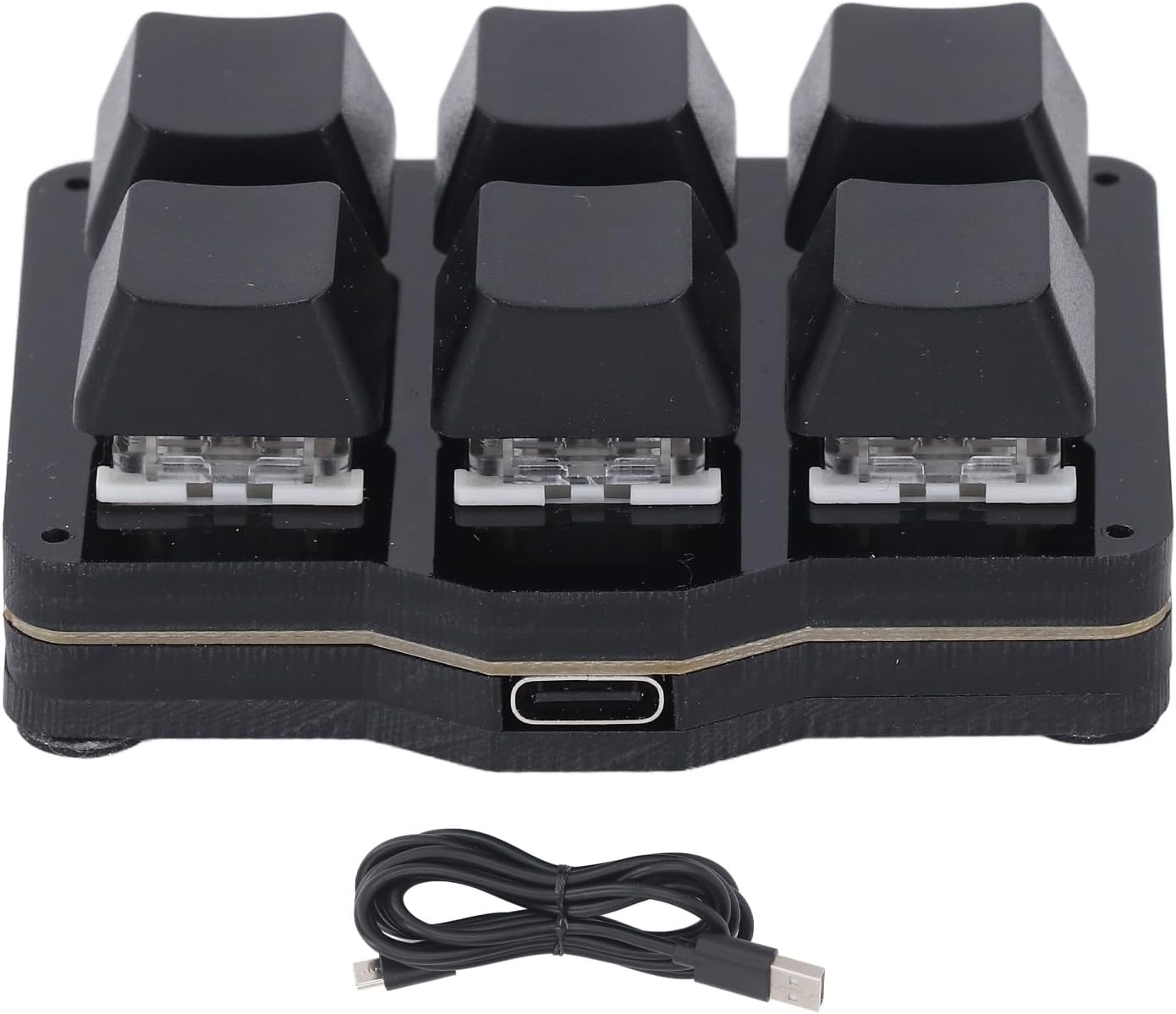
Image: The ASHATA One Handed Mechanical Keyboard shown alongside its included USB cable.
Opsætning
The ASHATA One Handed Mechanical Keyboard is designed for simple plug-and-play functionality. Follow these steps to get started:
- Tilslut USB-kablet: Insert the Type-C end of the provided USB cable into the port on the side of the keyboard.
- Tilslut til computer: Sæt USB-A-enden af kablet i en ledig USB-port på din computer.
- Systemgenkendelse: Your operating system (Windows, macOS, etc.) should automatically detect and install the necessary drivers. No additional software installation is required for basic functionality.
- Indledende brug: The keyboard is now ready for use with its default settings. For advanced customization, refer to the "Customization and Software" section.

Billede: Et nærbillede view of the USB Type-C port located on the side of the keyboard for connection.
Betjeningsvejledning
The ASHATA One Handed Mechanical Keyboard offers a user-friendly experience with its 6 programmable keys and NKRO support.
Nøglefunktioner:
- 6 Fully Programmable Keys: Each of the six keys can be assigned a specific function, macro, or hotkey.
- NKRO (N-Key Rollover) Support: This feature allows for simultaneous pressing of multiple keys without conflict, ensuring accurate and high-speed response, particularly beneficial for gaming and rapid typing.
- Floating Window Interface: A real-time floating window on your computer screen displays the current function of the keys, helping you remember assignments. This interface also allows for switching between different key layers.
- Application-Based Layer Switching: The keyboard can automatically switch key layers based on the application currently in use, optimizing workflow for different software.
Grundlæggende betjening:
Once connected, the keyboard will function according to its programmed settings. For default settings, keys may perform basic functions or be unassigned. Refer to the customization section to assign specific actions.

Image: A top-down perspective of the ASHATA One Handed Mechanical Keyboard, highlighting the layout of its six keys.
Customization and Software
The true power of the ASHATA One Handed Mechanical Keyboard lies in its extensive customization options. This allows you to tailor the keyboard to your specific needs, whether for productivity or gaming.
Nøgleprogrammering:
The keyboard supports various functions for its keys, including:
- Multimedia controls (e.g., volume up/down, play/pause)
- Hotkeys (e.g., copy, paste, cut, undo)
- Real mouse functions
- Complex macros (sequences of key presses or actions)
- One-click access to folders, documents, common websites, or applications
- System functions (e.g., opening system settings)
Sådan programmeres en nøgle:
- Access the keyboard's configuration software (details on obtaining this software are typically provided with the product or on the manufacturer's webwebsted).
- Select the desired function from the available options.
- Drag the selected function to the corresponding virtual key representation within the software interface.
- Click the "FLASH THE KEYBOARD" button (or equivalent) to save and apply the new settings to the device.
Macro Modes:
The keyboard supports multiple macro modes for advanced control:
- Ingen gentagelse: Executes the macro once per key press.
- Repeat by Holding: Continuously executes the macro while the key is held down.
- Additional modes (e.g., Trigger) may be available via future firmware updates.
OTA Upgrade and Setting Sharing:
- Online Firmware Upgrades: The keyboard supports Over-The-Air (OTA) online upgrades. Ensure your software is connected to the internet to receive timely notifications for firmware updates, which may introduce new features or improvements.
- Setting Backup and Sharing: You can export your customized settings for backup purposes. This allows you to easily import your settings to different computers or share them with other users.

Image: A user demonstrating the ASHATA One Handed Mechanical Keyboard in a typical computer setup, highlighting its compact design for efficient use.
Opretholdelse
To ensure the longevity and optimal performance of your ASHATA One Handed Mechanical Keyboard, follow these simple maintenance guidelines:
- Rensning: Use a soft, dry cloth to wipe the surface of the keyboard. For deeper cleaning, a can of compressed air can be used to remove dust and debris from between the keycaps. Avoid using harsh chemicals or abrasive materials.
- Opbevaring: Når tastaturet ikke er i brug, skal det opbevares et rent og tørt sted, væk fra direkte sollys og ekstreme temperaturer.
- Firmwareopdateringer: Regularly check for and install firmware updates through the official software. These updates can improve performance, add features, and fix potential issues.
- Kabelpleje: Undgå at bøje eller vride USB-kablet for meget, da dette kan beskadige de indvendige ledninger.
Fejlfinding
If you encounter any issues with your ASHATA One Handed Mechanical Keyboard, please refer to the following troubleshooting steps:
- Tastaturet reagerer ikke:
- Sørg for, at USB-kablet er korrekt tilsluttet til både tastaturet og din computer.
- Prøv at tilslutte tastaturet til en anden USB-port på din computer.
- Test tastaturet på en anden computer for at afgøre, om problemet skyldes tastaturet eller dit system.
- Genstart din computer.
- Keys Not Performing Assigned Functions:
- Verify that the key assignments are correctly configured in the keyboard's software.
- Ensure you have clicked "FLASH THE KEYBOARD" (or equivalent save button) after making changes in the software.
- Check if the floating window indicates the correct layer is active for your current application.
- Update the keyboard's firmware to the latest version.
- Software registrerer ikke tastatur:
- Sørg for, at tastaturet er korrekt tilsluttet via USB.
- Close and reopen the keyboard's configuration software.
- Reinstall the keyboard's configuration software.
- Check your computer's device manager to see if the keyboard is recognized.
If these steps do not resolve your issue, please contact ASHATA customer support for further assistance.
Specifikationer
| Feature | Beskrivelse |
|---|---|
| Mærke | ASHATA |
| Modelnavn | ASHATAfgnhxs3dmt |
| Varetype | One Handed Mechanical Keyboard |
| Materiale | ABS, akryl |
| Farve | Sort |
| Nøgleantal | 6 nøgler |
| Switch Type | Silent MX Clear |
| Tilslutningstype | Type-C kablet |
| Kompatibilitet | Universal for Computers (Windows, macOS, etc.) |
| N-Key Rollover (NKRO) | Supported (4 non-conflict keys with macros) |
| Programmerbare nøgler | Yes, all 6 keys |
| Firmware opdateringer | OTA Online Upgrade Supported |
Garanti og support
For warranty information and customer support, please refer to the documentation included with your purchase or visit the official ASHATA webwebsted. Gem din købskvittering som købsbevis i tilfælde af garantikrav.
Fabrikant: ASHATA