
SUPVAN E11
SUPVAN E11 Bluetooth-etiketmaskine brugermanual
Indledning
This manual provides detailed instructions for the setup, operation, maintenance, and troubleshooting of your SUPVAN E11 Bluetooth Label Maker Machine. Please read this manual thoroughly before using the device to ensure proper function and longevity.
Sikkerhedsoplysninger
- Hold enheden væk fra vand og høj luftfugtighed.
- Udsæt ikke enheden for ekstreme temperaturer eller direkte sollys.
- Use only SUPVAN approved label tapes to prevent damage to the print head.
- Forsøg ikke selv at adskille eller reparere enheden. Kontakt kundesupport for at få hjælp.
- Opbevares utilgængeligt for børn.
Pakkens indhold
Bekræft at alle varer er til stede i din pakke:
- E11 etiketmaskine
- Brugermanual
- USB-C kabel
- 2 Rolls White Continuous Label Tape (15 mm x 6 m)
- 2 Rolls White Die-cut Label Tape (12 mm x 40 mm)

Image: Contents of the SUPVAN E11 Label Maker package, including the label maker, USB-C cable, user manual, and four rolls of label tape.
Produkt overview
The SUPVAN E11 is a portable thermal label maker designed for various labeling needs. It features a QWERTY keyboard for direct input and Bluetooth connectivity for app-based design and printing.
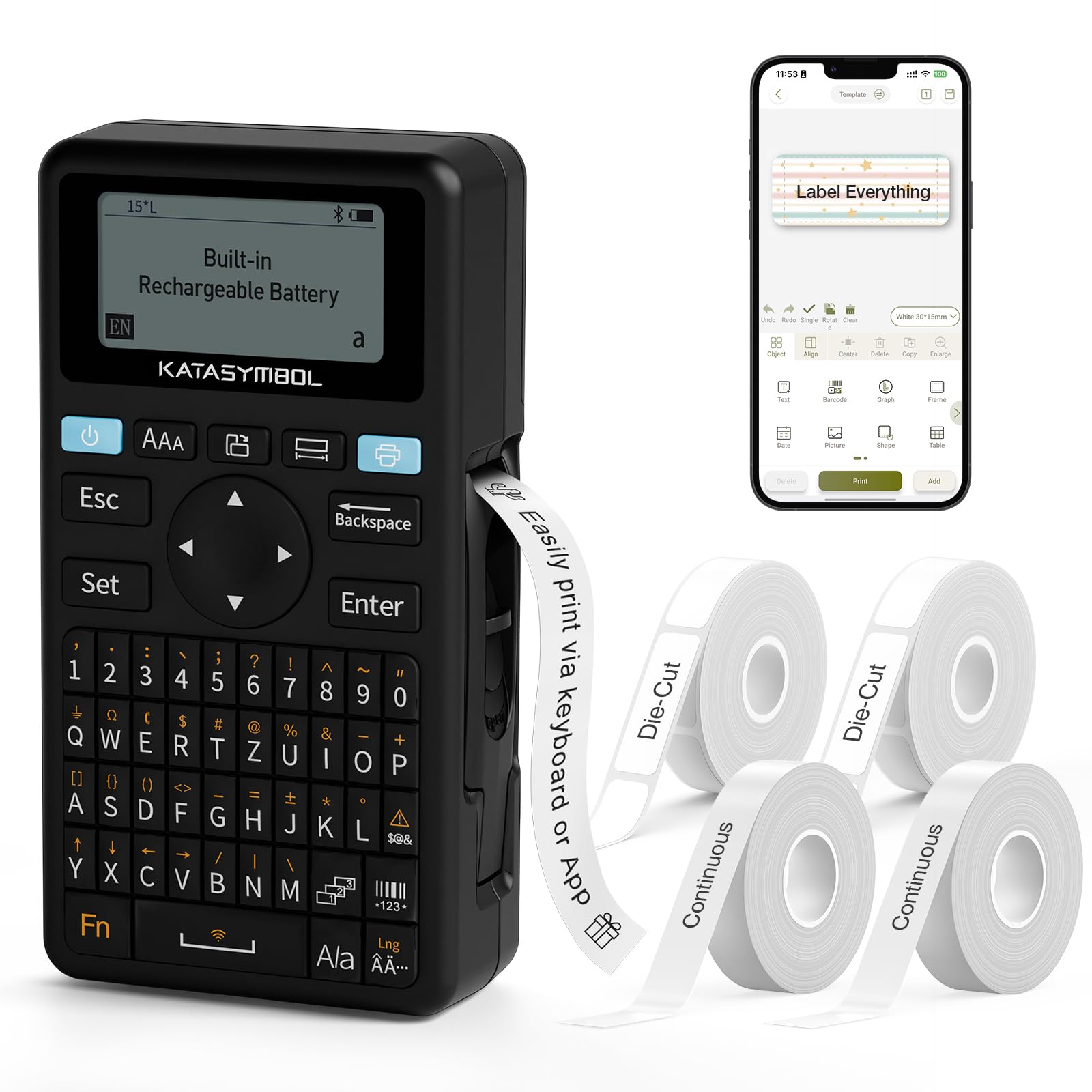
Billede: Forside view of the SUPVAN E11 Label Maker, showing the QWERTY keyboard and display screen.
Opsætning
1. Opladning af enheden
The SUPVAN E11 features a built-in 1200 mAh rechargeable battery. Before initial use, fully charge the device using the provided USB-C cable.
- Connect the USB-C cable to the charging port on the label maker.
- Tilslut den anden ende af kablet til en USB-strømadapter (medfølger ikke) eller en USB-port på computeren.
- Opladningsindikatoren på enheden viser opladningsstatus.

Image: The SUPVAN E11 Label Maker demonstrating that it uses thermal paper and requires no ink or toner.
2. Montering af etiketbånd
The E11 label maker uses thermal label rolls. Follow these steps to install a new roll:
- Åbn dækslet til etiketrummet på siden af enheden.
- Insert the label roll into the compartment, ensuring the label tape feeds out from the bottom and through the guide slot.
- Luk dækslet forsvarligt.

Image: A hand demonstrating how to install a label tape roll into the SUPVAN E11 Label Maker.
3. Connecting via Bluetooth (App)
For advanced customization and printing, connect your label maker to the companion app:
- Download den officielle SUPVAN-app fra din enheds appbutik.
- Turn on the label maker and ensure Bluetooth is enabled on your smartphone.
- Open the SUPVAN app and follow the on-screen instructions to pair with your E11 device.

Image: A visual guide showing the step-by-step process of connecting the label maker to the mobile app via Bluetooth.
Operation
1. Keyboard Printing
For quick and frequent labeling, use the integrated QWERTY keyboard:
- Tænd etiketprinteren.
- Type your desired text using the keyboard. The text will appear on the LCD display.
- Tryk på knappen 'Udskriv' for at udskrive etiketten.
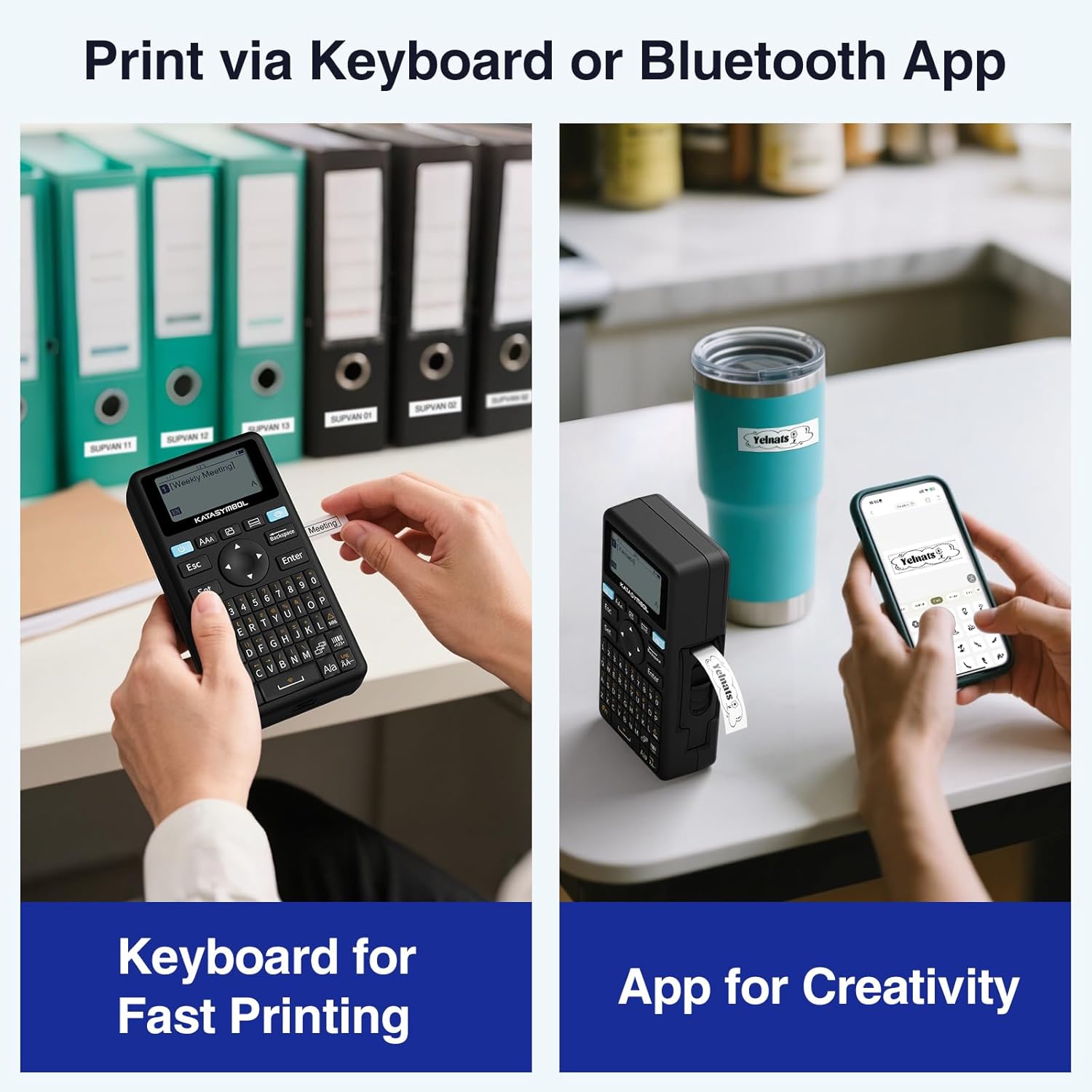
Image: A person using the SUPVAN E11 Label Maker's keyboard to type and print a label.
2. App Printing and Customization
The SUPVAN app offers extensive customization options:
- Ensure your device is connected to the app via Bluetooth.
- Open the app and select your label design.
- Utilize the app's features to customize your label:
- Skrifttyper: Vælg mellem over 30 skrifttyper.
- Rammer: Apply from over 50 frames.
- Ikoner: Select from over 660 icons.
- QR-koder og stregkoder: Generer og udskriv QR-koder og forskellige stregkodetyper.
- Skabeloner: Create and save your own label templates.
- Once your design is complete, tap the 'Print' button in the app.
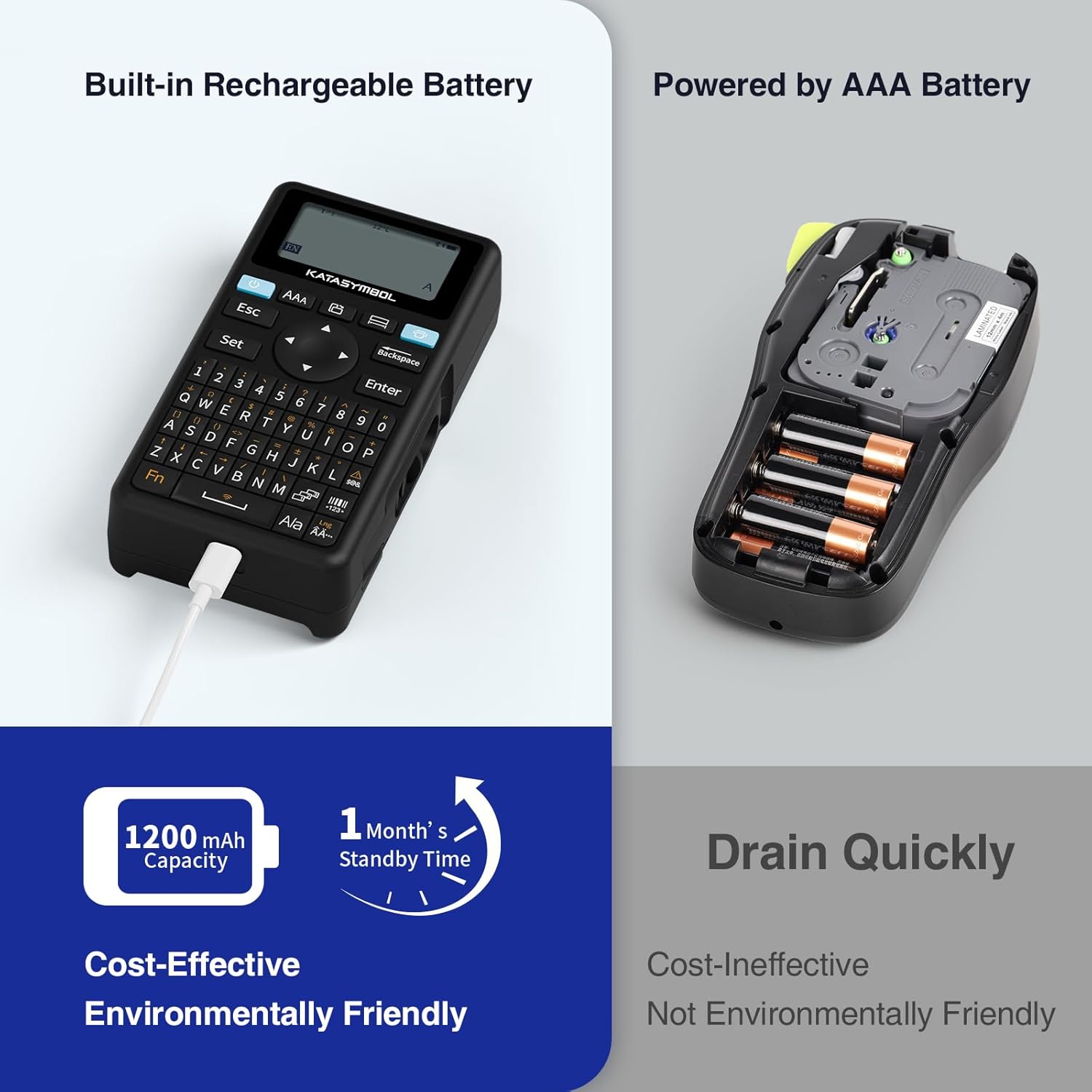
Image: A person using the SUPVAN E11 Label Maker in conjunction with the mobile app to design and print a customized label.

Image: A visual representation of the SUPVAN Label App's features, including a wide selection of fonts, frames, icons, and options for QR codes and barcodes.
Adjusting Label Font Size in the App
Video: This video demonstrates how to adjust the font size of your label text within the SUPVAN mobile application.
Adjusting Font Styles in the App
Video: This video illustrates the process of changing font styles and applying various formatting options to your labels using the SUPVAN mobile application.
3. Label Types and Minimal Margin Printing
The E11 supports both continuous and die-cut labels, offering flexibility for different applications. It also features minimal margin printing, reducing label waste.
- Kontinuerlige etiketter: Ideal for long text or custom lengths.
- Udstansede etiketter: Pre-sized labels for specific items or standard applications.
- Minimal Margin: The E11 prints with only a 0.2-inch margin, significantly less than many other label makers, saving tape.

Billede: Eksamples of die-cut and continuous labels printed by the SUPVAN E11, showcasing its versatility for different label types.
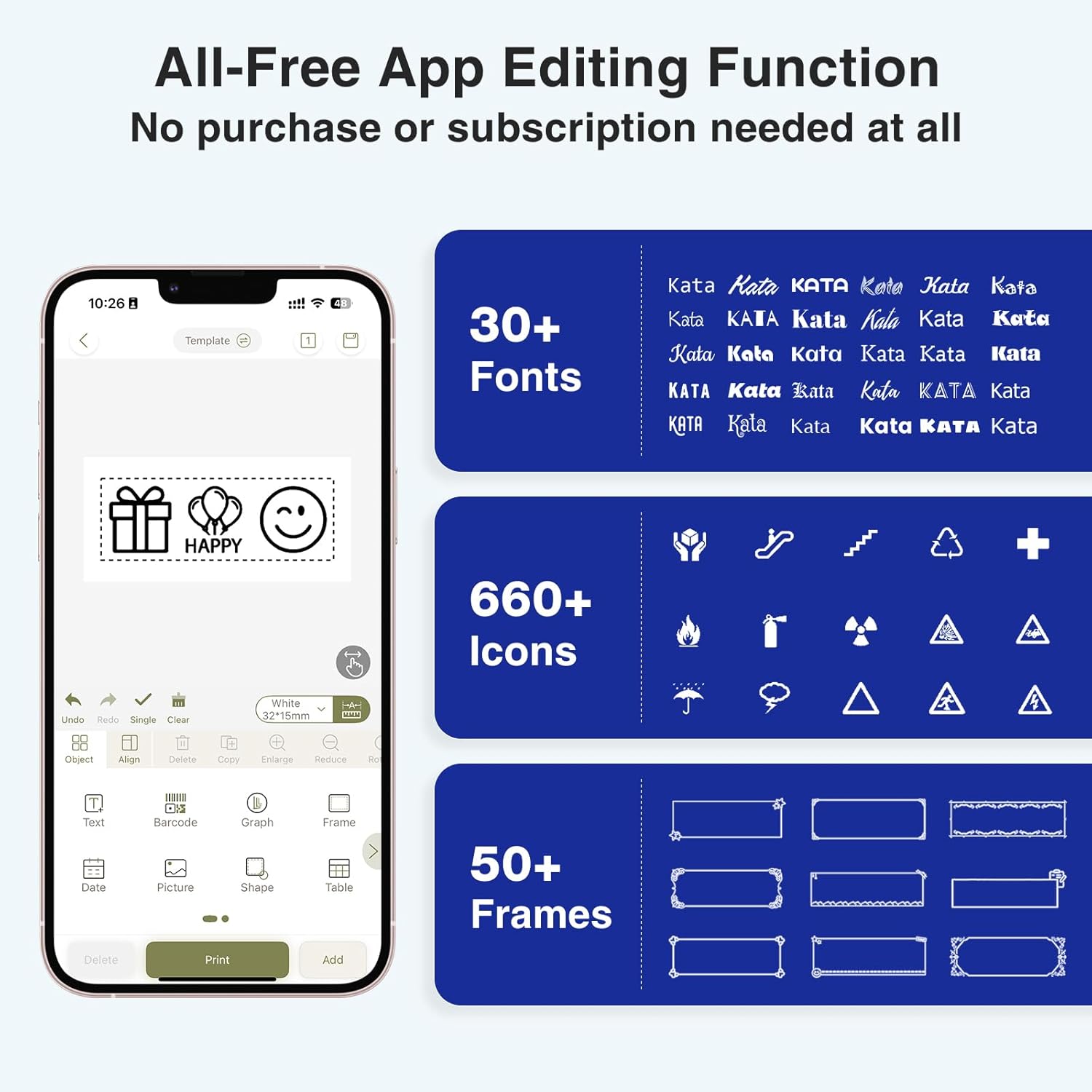
Image: A visual comparison highlighting the minimal 0.2-inch margin of SUPVAN labels versus the larger 1-inch margin of other label makers, demonstrating material efficiency.
4. Brede anvendelser
The SUPVAN E11 is suitable for various organizational tasks in different environments:
- Hjem: Organizing pantry items, storage bins, and personal belongings.
- Køkken: Labeling food containers, spices, and expiry dates.
- Kontor: Categorizing files, mapper og kontorartikler.
- Skole: Labeling school supplies, books, and projects.
- Garage/Værksted: Organizing tools and parts.

Image: A collage showing various applications of labels created with the SUPVAN E11, including labeling bottles, file folders, and storage containers.
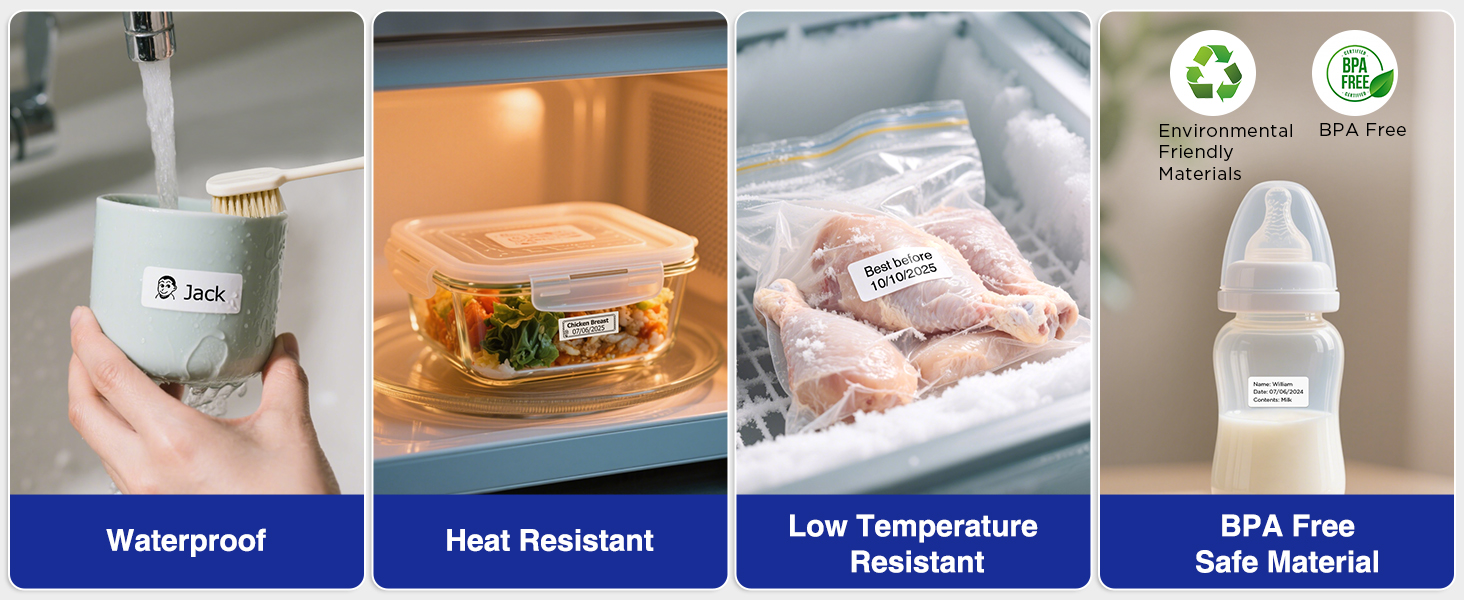
Image: A display illustrating the durability of SUPVAN laminated labels, highlighting their waterproof, heat-resistant, low-temperature resistant, and BPA-free characteristics.
Opretholdelse
1. Rengøring af printhovedet
To ensure optimal print quality, regularly clean the print head:
- Turn off the label maker and open the label compartment.
- Tør forsigtigt printhovedet af med en blød, fnugfri kludampafsluttet med isopropylalkohol.
- Allow the print head to dry completely before closing the compartment and using the device.
2. Batteripleje
For at forlænge batterilevetiden:
- Undgå at aflade batteriet helt ofte.
- Oplad enheden regelmæssigt, selvom den ikke er i brug, for at opretholde batteriets sundhedstilstand.
- Opbevar enheden et køligt og tørt sted, når den ikke er i brug i længere perioder.
Fejlfinding
| Problem | Mulig årsag | Løsning |
|---|---|---|
| Device does not turn on or turns off unexpectedly. | Low battery; device overload during long prints. | Ensure the device is fully charged. For long prints, try breaking the text into shorter segments. |
| Poor print quality (faint, streaky, or blank labels). | Print head is dirty; incorrect label tape installation; faulty label tape. | Clean the print head as described in the Maintenance section. Reinstall the label tape correctly. Try a new roll of label tape. |
| Problemer med Bluetooth-forbindelse. | Bluetooth is off; device not paired; app issues. | Ensure Bluetooth is enabled on both devices. Re-pair the label maker through the app. Restart the app and the label maker. |
| Labels are not feeding correctly or jamming. | Improper tape installation; foreign object in the feed path. | Open the compartment and re-install the tape, ensuring it is aligned. Check for any obstructions and carefully remove them. |
Specifikationer
| Feature | Detalje |
|---|---|
| Mærke | SUPVAN |
| Modelnavn | E11 |
| Forbindelsesteknologi | Bluetooth |
| Udskrivningsteknologi | Termisk |
| Printer output | Monokrom |
| Max Print Speed Monokrom | 40 mm/s |
| Opløsning | 203 dpi |
| Varens vægt | 0.5 pund (ca. 227 g) |
| Produktmål (D x B x H) | 5.8" x 3.1" x 1.5" (ca. 14.7 cm x 7.9 cm x 3.8 cm) |
| Batterikapacitet | 1200 mAh |
| Opladningsgrænseflade | USB Type C |
| Display Type | LCD |
| Kontrolmetode | App, trykknap |
| Maksimal mediestørrelse | 15 mm x 6 m |
Garantioplysninger
The SUPVAN E11 Label Maker comes with a 2 års producentgarantiDenne garanti dækker materiale- og fabrikationsfejl ved normal brug. Gem venligst din købsbevis i tilfælde af garantikrav.
For detailed warranty terms and conditions, please refer to the official SUPVAN webwebsted eller kontakt kundesupport.
Kundesupport
If you encounter any issues or have questions not covered in this manual, please contact SUPVAN customer support:
- Webwebsted: Besøg den officielle SUPVAN webwebsted for ofte stillede spørgsmål og supportressourcer.
- E-mail: Se din produktemballage eller den officielle webhjemmeside for kundeservice e-mailadresser.
Ask a question about this manual
Ask about setup, troubleshooting, compatibility, parts, safety, or missing instructions. Manuals+ will review the question and use this page’s manual context to help answer it.