
1. Introduktion
The Aideepen 360W USB C Tester Meter is a versatile device designed for real-time monitoring and testing of USB Type-C power delivery. It accurately measures voltage, current, power, capacity, energy, temperature, and timing, providing essential data for evaluating the performance of chargers, power banks, and connected devices. This manual provides detailed instructions for its proper use and maintenance.
2. Produktfunktioner
- 360W USB C Tester: Checks charging performance of various power sources (wall, car, solar panel chargers) and USB charging cables. Measures voltage from 4V to 30V and current from 0A to 12A.
- Understøtter flere opladningsprotokoller: Compatible with PD2.0, PD3.0, PPS, QC2.0, QC3.0, FCP, SCP, AFC, PE, DASH VOOC, and Super VOOC.
- Comprehensive Parameter Display: Viser øjeblikkelig lydstyrketage, current, power, and temperature. Also calculates continuous operation time, consumed power, and records maximum voltage, current, and power for the entire charging process.
- Type-C Multi-meter Functionality: For accurate capacity testing, fully charge the power source, insert the USB C voltage meter, double-click the button to clear previous data, then connect the mobile phone or load. Continuous discharge is required for accurate capacity measurement.
- Datalagringsfunktion: Features a built-in memory chip that automatically restores previous test data if the device is accidentally disconnected during testing.
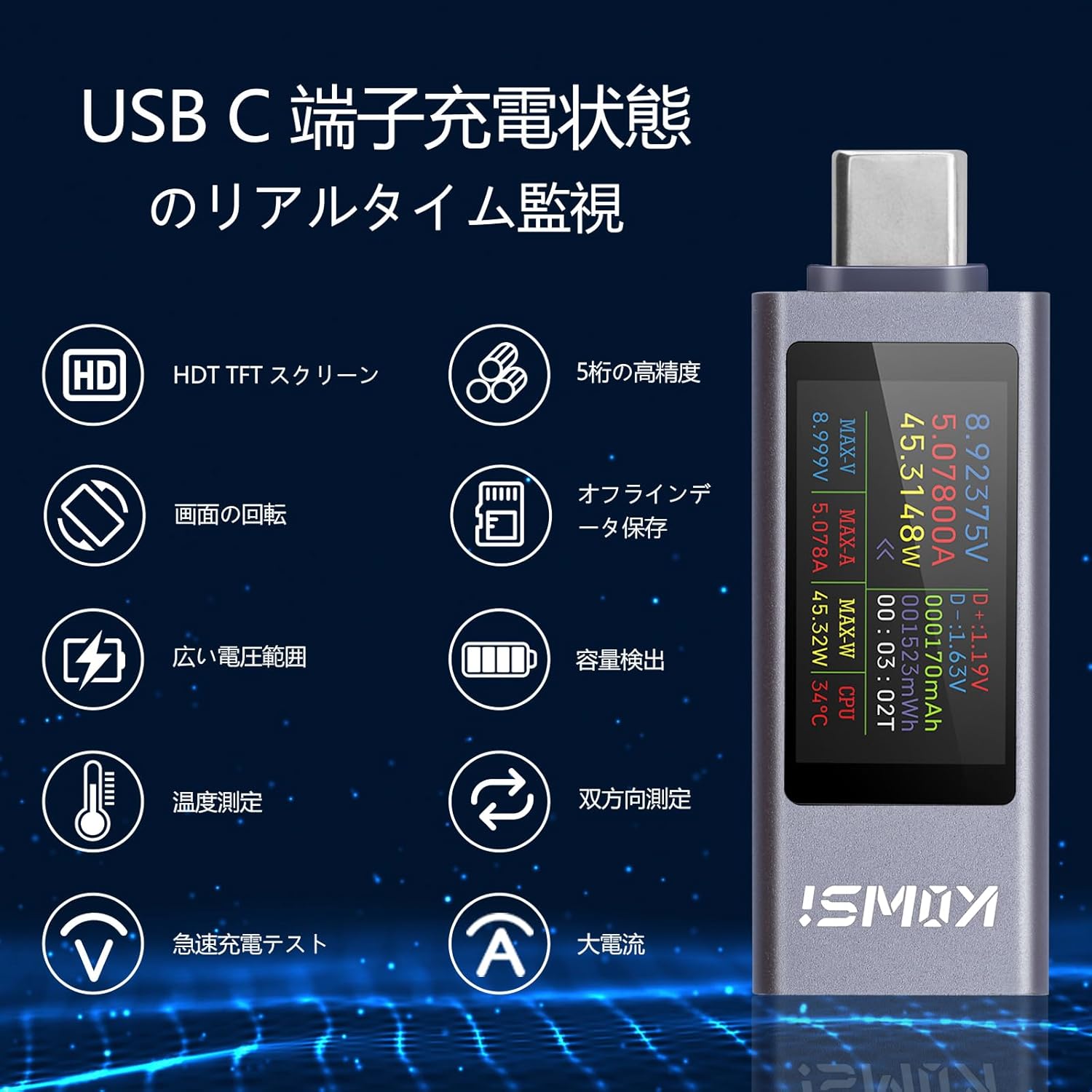
Figure 2.1: Real-time monitoring features of the USB C Tester.
3. Pakkens indhold
Bekræft at alle varer er til stede i pakken:
- Aideepen 360W USB C Tester Meter (KWS-2303CJP)
- Instruktionsmanual
4. Opsætning
To begin using your Aideepen USB C Tester Meter, follow these steps:
- Connect the male Type-C port of the tester to a USB Type-C power source (e.g., wall charger, power bank, laptop port).
- Connect your device (e.g., smartphone, tablet, laptop) to the female Type-C port of the tester using a compatible USB Type-C cable.
- The tester's display will automatically light up and begin showing real-time measurement data.
Video 4.1: Demonstration of connecting the USB C Tester to a power source and a device. This video shows the physical connection process and initial display.

Figur 4.1: Eksample setup showing bidirectional current measurement with two testers.
5. Betjeningsvejledning
The Aideepen USB C Tester features a single button for controlling its functions.
5.1. Display Mode Switching
Press the button once to cycle through different display screens, showing various parameters such as voltage, current, power, capacity, energy, temperature, and timing data.
5.2. Skærmrotation
Double-click the button to rotate the display orientation by 180 degrees, allowing for convenient viewing regardless of the tester's physical orientation.
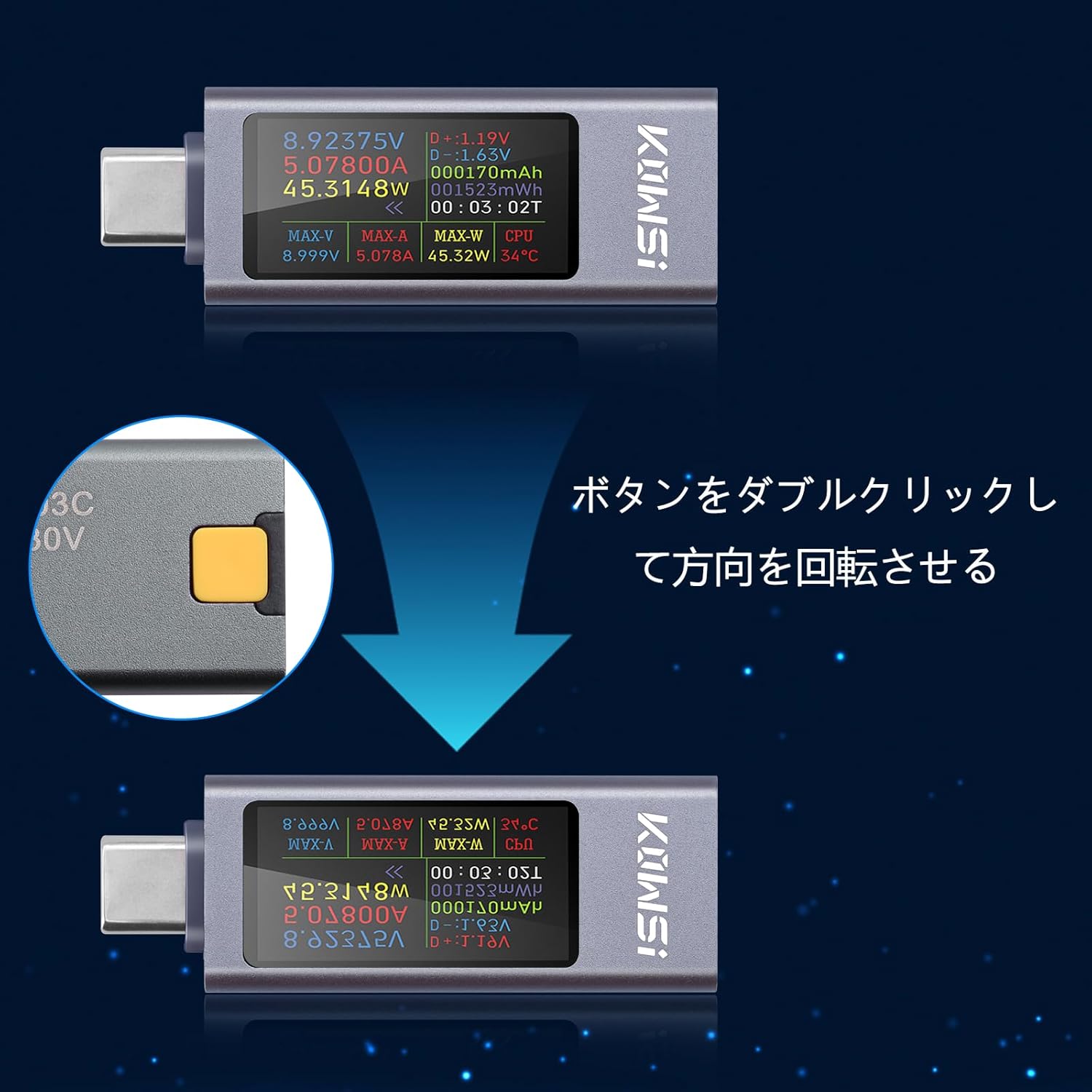
Figure 5.1: Double-click the button to rotate the display.

Figur 5.2: Overview of display modes and button operations.
5.3. Data Reset
To reset accumulated data (mAh, mWh, or timing), press and hold the button for approximately 3 seconds until the display clears or resets the desired parameter.
6. Display Parameters Overview
The tester's display provides a wealth of information. Here is a breakdown of the key parameters:
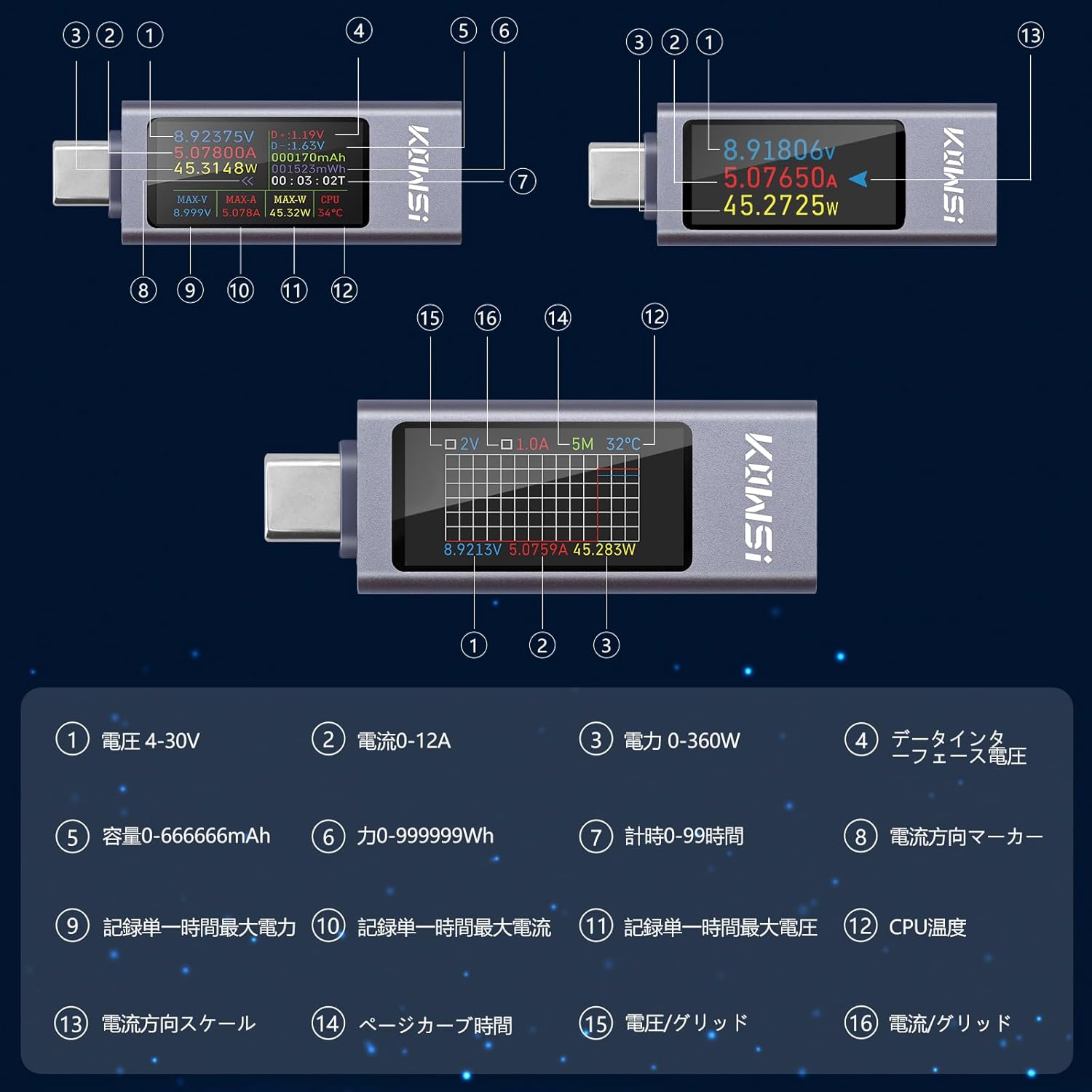
Figure 6.1: Detailed display parameters and their indicators.

Figure 6.2: Table of display parameters.
7. Specifikationer
| Parameter | Værdi |
|---|---|
| Mærke | Hjælp |
| Modelnummer | KWS-2303CJP |
| Minimum drift Voltage | 4 volt |
| Voltage Måleområde | 4V-30V |
| Nuværende måleområde | 0-12A |
| Effektmålingsområde | 0-360W |
| Kapacitetsmåleområde | 0-666666 mAh |
| Energimåleområde | 0-999999Wh |
| Timing Range | 0-99 timer |
| Garanti | 180 dage |
| Oprindelse | Kina |
8. Fejlfinding
- Display not lighting up when connected to PD power only: The tester requires a load (a device to be charged) to fully activate the display when connected to certain power delivery sources. Connect a device to the output port.
- Small current detected without a connected load: It is normal for the product to have a small idle current (typically 0.01-0.02A). To eliminate this, ensure no load is connected, then press and hold the button. Connect a Type-C 5V source to the female port. Release the button when the display shows 'CAL'. The machine will then automatically eliminate the idle current.
- Button responsiveness issues: If the button is unresponsive or overly sensitive, ensure firm and deliberate presses. Repeatedly pressing the button quickly may sometimes cause unexpected behavior.
9. Vedligeholdelse
To ensure the longevity and accuracy of your Aideepen USB C Tester Meter, follow these maintenance guidelines:
- Hold enheden tør og væk fra fugt.
- Undgå at udsætte enheden for ekstreme temperaturer.
- Rengør displayet og casinmed en blød, tør klud. Brug ikke slibende rengøringsmidler eller opløsningsmidler.
- Opbevar enheden et sikkert sted, når den ikke er i brug, for at forhindre fysisk skade.
10. Garanti og support
The Aideepen 360W USB C Tester Meter comes with a 180 dages garanti fra købsdatoen. Denne garanti dækker fabrikationsfejl og funktionsfejl under normal brug.
For technical support, warranty claims, or any questions regarding your product, please contact Aideepen customer service through the retailer where you purchased the device. Please provide your purchase details and model number (KWS-2303CJP) for faster assistance.