
1. Introduktion
The Temtop S1-UP is an advanced air quality monitor designed to provide accurate measurements of PM2.5, AQI (Air Quality Index), temperature, and humidity. This device helps you understand and maintain a healthy indoor environment. Featuring an extended battery life and user-friendly design, the S1-UP is suitable for various settings, including homes and offices.
2. Pakkens indhold
Kontroller venligst, at alle nedenstående varer er til stede i din pakke:
- Temtop S1-UP Air Quality Monitor
- Brugermanual
- Type-C opladerkabel
- Bracket (for stand)
- Opbevaringsboks
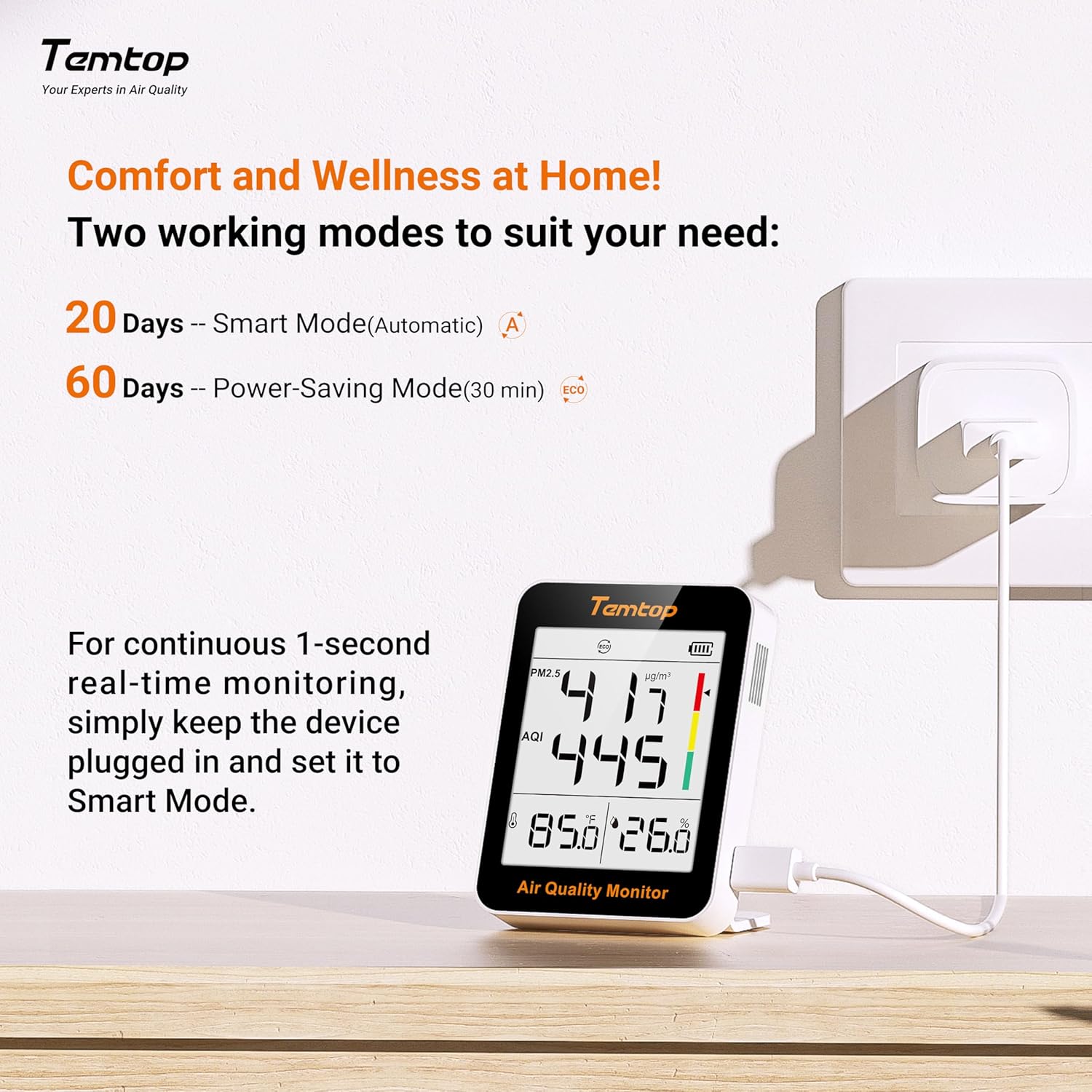
Image 2.1: The Temtop S1-UP package includes the monitor, user manual, Type-C charging cable, a bracket, and a storage box. The dock shown in some promotional images is for display only and is not included.
3. Produktet er slutview
Familiarize yourself with the components and display elements of your Temtop S1-UP monitor.

Image 3.1: Diagram illustrating the key features and display elements of the Temtop S1-UP air quality monitor.
- Arbejdstilstand: Indicates the current operating mode (e.g., Smart, ECO).
- PM2.5 level: Displays the concentration of particulate matter 2.5 microns in micrograms per cubic meter (µg/m³).
- AQI level: Shows the Air Quality Index, a numerical value indicating air quality.
- Temperature & Humidity level: Displays the current ambient temperature and relative humidity.
- Batteriniveau: Angiver den resterende batteriopladning.
- Indicator bar: A visual representation of air quality levels (color-coded).
- Type-C port: Bruges til opladning af enheden.
- Magnetic back: Allows for convenient magnetic mounting on suitable surfaces.
- Power-knap: Tænder eller slukker for enheden.
- Mode knap: Used to toggle between operating modes and switch temperature units (Celsius/Fahrenheit).
4. Opsætning
4.1 Opladning af enheden
Before first use, fully charge the Temtop S1-UP using the provided Type-C charging cable. Connect the cable to the Type-C port on the device and plug the other end into a standard USB power adapter (not included). The battery indicator on the display will show charging status.
4.2 Placeringsmuligheder
The S1-UP offers flexible placement options:
- Magnetisk montering: The device features a magnetic back, allowing it to be attached to metallic surfaces like refrigerators.
- Bordstativ: Use the included bracket to position the monitor upright on any flat surface.
- Direkte placering: The device can be placed directly on a desk or shelf.
- Håndholdt: Its compact size makes it suitable for handheld use for spot checks.

Billede 4.1: Eks.amples of flexible placement options for the Temtop S1-UP, including magnetic, tabletop, and handheld use.
4.3 Tænd/sluk
Tryk og hold på Power-knap located on the side of the device to turn it on or off.
5. Betjeningsvejledning
5.1 Forstå skærmen
The clear display provides real-time readings for:
- PM2.5: Particulate matter concentration.
- AQI: Air Quality Index, derived from PM2.5 levels.
- Temperatur: Ambient temperature in Celsius or Fahrenheit.
- Fugtighed: Relativ luftfugtighed i procenttage.
5.2 driftstilstande
The S1-UP features two operating modes to optimize battery life and monitoring frequency:
- Smart Mode (Automatic): Provides continuous monitoring with a battery life of approximately 20 days.
- Power-Saving Mode (ECO): Takes readings every 30 minutes, extending battery life to approximately 60 days.
To switch between modes, short press the Mode button. The current mode will be indicated on the display.

Image 5.1: Illustration of the two operating modes (Smart and Power-Saving) and the recommendation for continuous real-time monitoring.
5.3 Continuous Real-time Monitoring
For continuous 1-second real-time monitoring, it is recommended to keep the device plugged into a power source and set it to Smart tilstand. This ensures the most precise and timely air quality data.
5.4 Skift af temperaturenheder
To switch between Celsius (°C) and Fahrenheit (°F) temperature units, long press the Mode button.
5.5 Luftkvalitetsadvarsler
The device provides visual alerts through its indicator bar and AQI readings, categorizing air quality into different levels:
- God: PM2.5 (0-12 µg/m³), AQI (0-50)
- Gennemsnit: PM2.5 (12.1-55.4 µg/m³), AQI (51-150)
- Usund: PM2.5 (>55.4 µg/m³), AQI (>150)

Image 5.2: Visual representation of air quality levels (Good, Average, Unhealthy) based on PM2.5 and AQI values. *Refers to EPA standards, with PM2.5 as the main responsible pollutant.
6. Vedligeholdelse
6.1 Rengøring
Gently wipe the device with a soft, dry cloth. Do not use abrasive cleaners or solvents, as they may damage the casing or internal components. Ensure the air inlet/outlet vents are free from dust accumulation.
6.2 Pleje af batterier
To prolong battery life, avoid fully discharging the device frequently. If storing the device for an extended period, charge it to approximately 50% and store it in a cool, dry place.
7. Fejlfinding
- Enheden tænder ikke: Ensure the device is charged. Connect it to a power source using the Type-C cable and try again.
- Unøjagtige aflæsninger: Ensure the device is placed in an area with good air circulation, away from direct drafts, heat sources, or strong odors. Allow a few minutes for readings to stabilize after powering on or moving the device.
- Skærmen virker ikke: If the display is blank or frozen, try restarting the device by holding the power button. If the issue persists, contact customer support.
- Kort batterilevetid: Ensure the device is fully charged. Consider switching to Power-Saving (ECO) mode if extended battery life is preferred over continuous real-time monitoring.
8. Specifikationer
| Feature | Beskrivelse |
|---|---|
| Mærke | Temtop |
| Model | S1-UP |
| Mål | PM2.5, AQI, Temperature, Humidity |
| Batterilevetid (ECO-tilstand) | Op til 60 dage |
| Batterilevetid (smart-tilstand) | Op til 20 dage |
| Monteringstype | Freestanding, Magnetic |
| Farve | Grå |
| Øverste temperaturvurdering | 50 grader Celsius |
9. Garanti og support
Temtop products are designed for reliability and performance. For warranty information, technical support, or service inquiries, please refer to the official Temtop webwebstedet eller kontakt deres kundeserviceafdeling. Behold din købskvittering som købsbevis.