
1. Introduktion
This manual provides detailed instructions for the installation, operation, and maintenance of the Axis M3126-LVE Network Surveillance System. Please read this manual thoroughly before using the product to ensure proper functionality and safety. The Axis M3126-LVE is an outdoor-rated, vandal-proof, and weather-resistant network camera designed for reliable surveillance.
2. Sikkerhedsoplysninger
Overhold følgende sikkerhedsforanstaltninger for at forhindre skader på produktet og sikre brugerens sikkerhed:
- Installation: Installationen skal udføres af kvalificeret personale i overensstemmelse med alle lokale forskrifter og regler.
- Strømkilde: Use only the specified Power over Ethernet (PoE) source. Do not use unauthorized power adapters.
- Miljø: Although the camera is weather-resistant, avoid direct exposure to extreme conditions beyond its operating specifications.
- Rensning: Afbryd strømmen før rengøring. Brug en blød, tør klud. Brug ikke flydende rengøringsmidler eller aerosolrengøringsmidler.
- Service: Forsøg ikke selv at servicere dette produkt. Overlad al service til kvalificeret servicepersonale.
3. Pakkens indhold
Bekræft at alle varer er til stede i pakken:
- Axis M3126-LVE netværksovervågningskamera
- Installationsvejledning
- Monteringstilbehør
- Bor skabelon
- Resistorx T20 tool
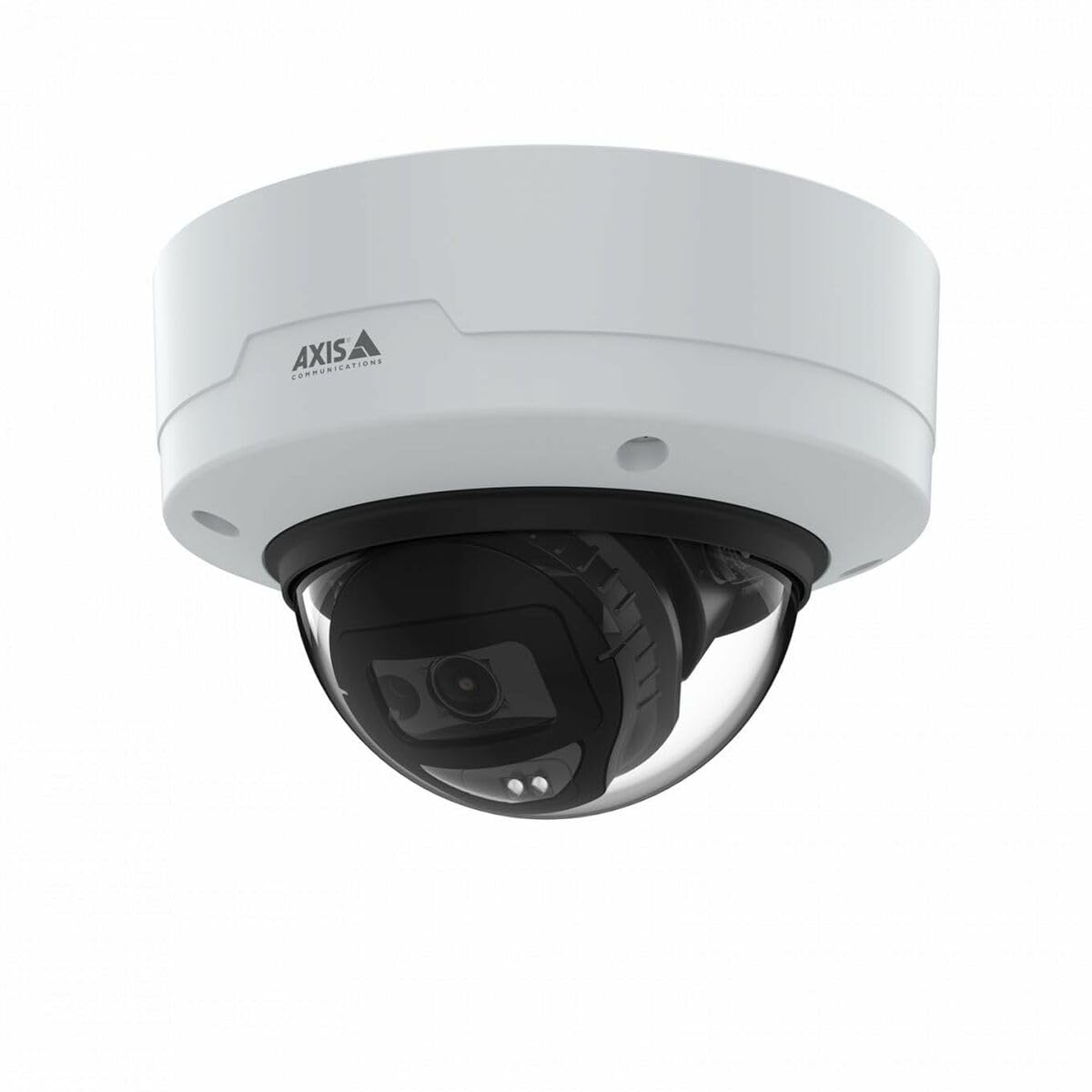
Image: The Axis M3126-LVE Network Surveillance System, a white dome camera, shown with its included mounting accessories.
4. Opsætning og installation
4.1 Montering af kameraet
The Axis M3126-LVE is designed for ceiling mount installation in outdoor environments. Ensure the mounting surface is strong enough to support the camera's weight (approximately 1.1 kg / 2.42 lbs).
- Vælg placering: Choose a suitable outdoor location for optimal surveillance coverage, considering power and network cable access.
- Forbered overflade: Use the provided drill template to mark and drill holes for mounting screws and cable routing.
- Sikker montering: Attach the camera's mounting base securely to the ceiling using appropriate screws and anchors.
- Tilslut kabler: Route the Ethernet cable through the designated opening. Connect the Ethernet cable to the camera's M12 connection port. This camera supports Power over Ethernet (PoE) for both power and data transmission.
- Fastgør kamerahus: Secure the camera body to the mounting base. Ensure all seals are properly seated to maintain weather resistance.
4.2 Netværksforbindelse og indledende konfiguration
The camera connects to your network via a wired PoE Ethernet connection.
- Tænd: Once connected to a PoE-enabled network switch or injector, the camera will power on automatically.
- Opdag kamera: Use the Axis IP Utility or Axis Device Manager software (available on the Axis Communications webwebsted) for at finde kameraet på dit netværk.
- Tildel IP-adresse: Assign a static IP address or configure DHCP settings as required by your network infrastructure.
- Adgang Web Interface: Åbn a web browseren og indtast kameraets IP-adresse for at få adgang til dens web interface.
- Indledende login: Follow the on-screen prompts to set a strong password for the administrator account.
- Grundlæggende indstillinger: Configure essential settings such as date, time, and video resolution (up to 4 MP, 2688 x 1512).
5. Betjening af kameraet
The Axis M3126-LVE offers advanced surveillance capabilities. Access the camera's web interface for full control and configuration.
5.1 Live View og optagelse
- Levende View: Fra web grænsefladen, naviger til "Live" View" section to see real-time video feed.
- Videokvalitet: Adjust video stream settings (resolution, frame rate, compression using MJPEG, H.264, H.265, Zipstream) to optimize for network bandwidth and storage.
- Indspilning: Configure recording schedules, motion detection triggers, and storage locations (e.g., network-attached storage, SD card if supported).
5.2 Avancerede funktioner
- IR nattesyn: The camera automatically switches to infrared (IR) night vision in low-light conditions, providing clear black and white video.
- Bredt dynamisk område (WDR): WDR technology ensures clear images even in scenes with both very bright and very dark areas.
- Lyd: The camera supports audio input for surveillance with sound. Configure audio settings in the web interface.
- Eventhåndtering: Opsæt hændelsesudløsere (f.eks. bevægelsesdetektion, tampering alarm) and corresponding actions (e.g., send email, start recording, upload video).
6. Vedligeholdelse
Regelmæssig vedligeholdelse sikrer optimal ydeevne og levetid for dit overvågningssystem.
- Rengøring af linsen: Periodically clean the camera lens with a soft, lint-free cloth. For stubborn dirt, use a mild lens cleaning solution. Do not use abrasive materials.
- Firmwareopdateringer: Tjek regelmæssigt Axis Communications webwebsted for firmwareopdateringer. Ved at holde firmwaren opdateret sikrer du adgang til de nyeste funktioner, sikkerhedsrettelser og forbedringer af ydeevnen.
- Kabelinspektion: Undersøg regelmæssigt alle kabler for tegn på slid eller skader, især ved udendørs installationer.
- Monteringssikkerhed: Verify that the camera remains securely mounted and that all screws are tight.
7. Fejlfinding
This section addresses common issues you might encounter with the Axis M3126-LVE.
| Problem | Mulig årsag | Løsning |
|---|---|---|
| Intet video-feed | No power; Network cable disconnected; Incorrect IP address. | Check PoE connection; Verify network cable is securely connected; Confirm IP address and network settings. |
| Dårlig billedkvalitet | Dirty lens; Incorrect video settings; Insufficient lighting. | Clean the camera lens; Adjust resolution, compression, and WDR settings; Ensure IR night vision is active in low light. |
| Kan ikke få adgang web interface | Forkert IP-adresse; Problem med netværksforbindelse; Firewall blokerer adgang. | Verify IP address; Check network cable and switch; Temporarily disable firewall for testing; Use Axis IP Utility to find camera. |
| Kamera offline periodisk | Unstable network connection; Faulty PoE injector/switch; Loose cable connection. | Check network infrastructure; Test PoE equipment; Secure all cable connections. |
8. Specifikationer
Key technical specifications for the Axis M3126-LVE Network Surveillance System:
- Modelnavn: AXIS M3126-LVE
- Varenummer: 02918-001
- Indendørs/udendørs brug: Udendørs
- Forbindelsesprotokol: Ethernet
- Monteringstype: Loftmontering
- Farve: Hvid
- Varens vægt: 1.1 kilo (2.42 pund)
- Videooptagelsesformat: MPEG-4, H.264, H.265, MJPEG
- Fabrikant: Axis Communications
- Særlige funktioner: 4 MP HD, IR night vision, WDR (Wide Dynamic Range), Zipstream, rugged weather/vandal resistance
- Forbindelse teknologi: Wired PoE Ethernet, extensive network protocol support
- Opløsning: Up to 2688 x 1512 (4 MP)
- Inkluderede komponenter: Camera, Mounting Accessories
- Batterier påkrævet: Ingen
- Anbefalede anvendelser: Outdoor/indoor security, wide-area monitoring, day/night surveillance, smart detection
9. Garanti og support
For detaljerede garantioplysninger henvises til den officielle Axis Communications-side. website or the warranty card included with your product. Axis Communications provides technical support and resources for their products.
Online support: Visit the official Axis Communications support portal for FAQs, documentation, and software downloads.
Kontakt support: For direct assistance, contact Axis Communications customer support through their webwebstedet eller kontaktoplysningerne i din produktdokumentation.
Note: Protection plans may be available from third-party providers. These are separate from the manufacturer's warranty.