
1. Introduktion
Welcome to the user manual for your new redbeat M2 11-inch Android 15 Gaming Tablet. This guide provides essential information for setting up, operating, maintaining, and troubleshooting your device. Please read this manual thoroughly to ensure optimal performance and longevity of your tablet.

Image: redbeat M2 Gaming Tablet with its protective case.
2. Hvad er der i æsken
Upon unboxing your redbeat M2 tablet, verify that all the following items are included:
- M2 tablet
- Sort sag
- Type-C kabel
- Instruktionsbog
- Kortnål

Image: All items included in the redbeat M2 tablet package.
3. Opsætning
Follow these steps to set up your redbeat M2 tablet for first-time use:
- Tænd: Press and hold the power button located on the side of the tablet until the redbeat logo appears.
- Sprogvalg: Vælg dit foretrukne sprog fra listen.
- Wi-Fi-forbindelse: Connect to a Wi-Fi network by selecting your network and entering the password.
- Google-konto: Log ind med din Google-konto, eller opret en ny. Dette er nødvendigt for at downloade apps fra Google Play Store.
- Sikkerhedsopsætning: Opsæt en skærmlås (pinkode, mønster eller adgangskode) for at sikre enheden.
- Læsetilstand: Configure your preferred reading mode (chromatic or grayscale) for optimal viewkomfort.
- Navigationstilstand: Select your preferred navigation method (e.g., 3-button navigation or gesture navigation).
Video: A demonstration of the redbeat M2 tablet's initial setup and user interface.
4. Produktet er slutview
The redbeat M2 tablet features a sleek, all-metal body with a thickness of 0.75mm and a weight of 511g, making it highly portable. Key physical components include:
- Power knap: Located on the side, used for powering on/off and screen lock.
- Lydstyrkeknapper: Juster lydstyrken.
- USB-C-port: Til opladning og dataoverførsel.
- 3.5 mm hovedtelefonstik: Til lydudgang.
- MicroSD -kortplads: Til udvidelig lagerplads.
- Dual SIM Card Slot: Supports 2 Nano SIM cards for 4G LTE connectivity.
- Forreste kamera: Til videoopkald og selfies.
- Bagkamera: Til billeder og videoer i høj opløsning.
- Højttalere: Four stereo speakers for immersive audio.

Image: The redbeat M2 tablet showcasing its slim profile and protective case.
Video: A brief demonstration of a tablet's ultra-thin metal body, similar to the redbeat M2.
5. Betjeningsvejledning
The redbeat M2 runs on the Android 15 operating system, offering a personalized and secure user experience. It is GMS certified, allowing full access to the Google Play Store for downloading your favorite applications.
Grundlæggende navigation:
- Stryg: Navigate through home screens, app drawers, and menus.
- Tryk på: Vælg elementer, åbn apps eller bekræft handlinger.
- Knib-for-at-zoome: Forstør eller formindsk indholdet på skærmen.
- Three-Pointer Screenshot: Use a three-finger gesture to quickly capture a screenshot.
Video: Demonstration of the three-pointer screenshot gesture on an Android tablet.
6. Forbindelse
Stay connected with the redbeat M2's versatile connectivity options:
- 4G LTE Dual SIM: The tablet supports two Nano SIM cards, allowing you to make calls and access mobile data simultaneously. Compatible network frequencies include GSM: B2/3/5/8, WCDMA: B1/2/4/5/8, LTE: B1/2/3/4/7/8/12/17/20/28ab/40/41/38/66.
- Dual-band Wi-Fi: Understøtter 2.4G og 5G Wi-Fi for hurtig og stabil internetadgang.
- Bluetooth 5.0: For efficient wireless connection to accessories like headphones and keyboards.
- GPS: Integreret GPS til navigation og positionstjenester.

Image: redbeat M2 tablet highlighting its 4G Global Connectivity and dual SIM support.
7. Display og ydeevne
Experience smooth performance and vibrant visuals:
- Processor: Powered by the Unisoc T616 octa-core processor, ensuring optimal performance for gaming, high-definition video playback, and graphics-intensive applications.
- VÆDDER: 16GB RAM (8GB physical + 8GB extended memory) for seamless multitasking.
- Opbevaring: 256GB ROM, expandable up to 1TB with an SD/TF card (not included), providing ample space for apps, media, and documents.
- Vise: 11-inch 2K display with a resolution of 1915*1200, offering sharper images and richer colors.
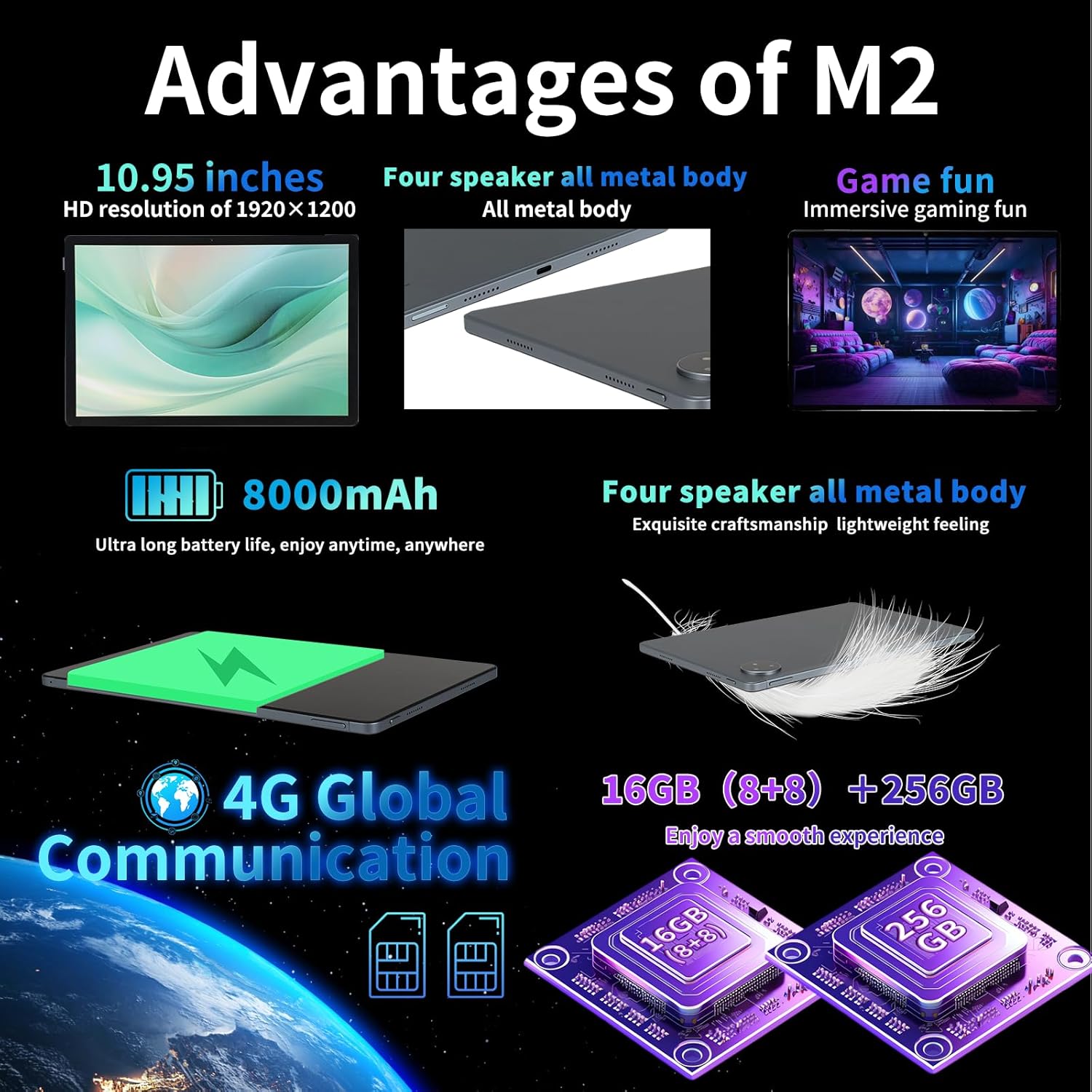
Billede: Nøglefordeltages and specifications of the redbeat M2 tablet.
8. Kamera
Capture your moments with the integrated cameras:
- Bagkamera: 13MP for clear photos and videos.
- Forreste kamera: 5MP til videoopkald og selfies.
9. Batteri og opladning
The redbeat M2 is equipped with an 8000mAh large-capacity battery and supports 18W fast charging:
- Brugstid: Up to 12 hours of continuous TV watching or 10 hours of gaming on a full charge.
- Standby tid: Op til 30 dage.
- Opladning: Use the provided 18W fast charger and Type-C cable for quick recharging.
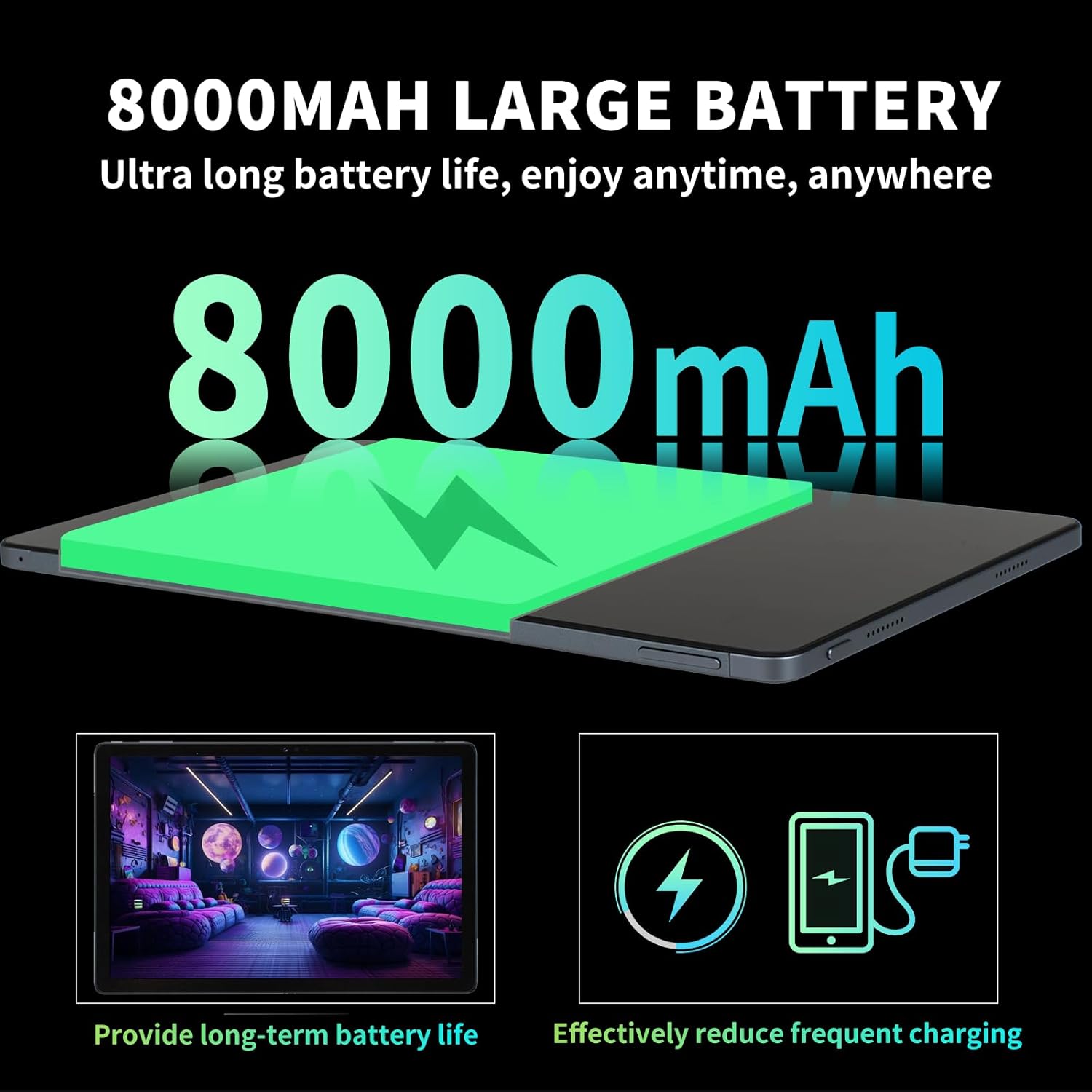
Image: Details on the 8000mAh battery and its benefits.
Video: A demonstration of a tablet's large battery capacity and reverse charging capabilities.
10. Vedligeholdelse
To ensure the longevity and optimal performance of your redbeat M2 tablet, follow these maintenance guidelines:
- Rensning: Brug en blød, fnugfri klud til at rengøre skærmen og kabinettet. Undgå skrappe kemikalier.
- Softwareopdateringer: Søg regelmæssigt efter og installer systemopdateringer for at drage fordel af de nyeste funktioner, sikkerhedsrettelser og forbedringer af ydeevnen.
- Batteripleje: Undgå ekstreme temperaturer. Lad ikke batteriet aflades helt for ofte.
- Lagerstyring: Ryd periodisk unødvendigt fileog apps for at frigøre lagerplads og opretholde ydeevnen.
11. Fejlfinding
If you encounter issues with your redbeat M2 tablet, try the following solutions:
- Enheden reagerer ikke: Tryk og hold tænd/sluk-knappen nede i cirka 10-15 sekunder for at fremtvinge en genstart.
- Wi-Fi/Bluetooth-problemer: Toggle Wi-Fi or Bluetooth off and on. Restart your router if Wi-Fi problems persist.
- App-nedbrud: Clear the app's cache and data in Settings > Apps. If the issue continues, uninstall and reinstall the app.
- Langsom ydeevne: Luk ubrugte apps, ryd cachen, og sørg for tilstrækkelig lagerplads. Overvej en fabriksnulstilling som en sidste udvej (tag først en sikkerhedskopi af dine data).
- Batteriet aflades hurtigt: Reduce screen brightness, disable unnecessary features (GPS, Bluetooth, Wi-Fi when not in use), and identify power-hungry apps in battery settings.
12. Specifikationer
| Feature | Specifikation |
|---|---|
| Mærke | redbeat |
| Modelnavn | M2 |
| Operativsystem | Android 15 |
| Skærmstørrelse | 11 tommer |
| Skærmopløsning | 1920 x 1200 pixels (2K) |
| Processor | Unisoc T616 Octa-Core (2 GHz) |
| VÆDDER | 16 GB (8 GB + 8 GB udvidet) |
| Intern opbevaring | 256 GB |
| Udvidelig opbevaring | Up to 1TB (via MicroSD/TF card) |
| Batterikapacitet | 8000mAh |
| Hurtig opladning | 18W |
| Bagkamera | 13 MP |
| Forreste kamera | 5 MP |
| Forbindelse | 4G LTE (Dual SIM), 2.4G/5G Wi-Fi, Bluetooth 5.0, GPS |
| Dimensioner | 10.28 x 6.89 x 0.47 tommer |
| Varens vægt | 1.54 pund (ca. 698 g) |
| Farve | Black set |
13. Garanti og support
redbeat is committed to providing excellent customer service:
- Livsvarig kundesupport: redbeat offers lifetime customer service to assist with any queries or issues you may encounter.
- Et års garanti: The tablet includes a one-year warranty covering manufacturing defects, ensuring your investment is protected.
- Kontakt support: You can contact support by clicking on the seller's name under the 'Add to cart' button on the product page and sending a message via 'Ask a question'. Alternatively, go to your Amazon account > order history > relevant order > contact the seller.