
1. Introduktion
This manual provides detailed instructions for the installation, operation, and maintenance of your XSDTS CS7 Smart Door Lock. Please read this manual thoroughly before installation and use to ensure proper functionality and security.
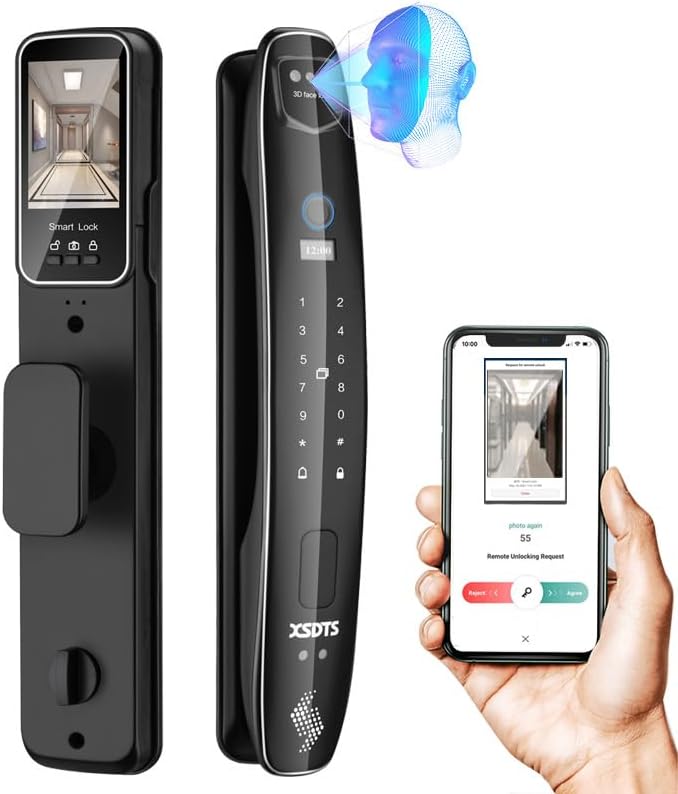
Figure 1.1: XSDTS CS7 Smart Door Lock showcasing its sleek design and smart features, including 3D face recognition and remote app control.
Nøglefunktioner:
- 7 oplåsningsmetoder: 3D Face Recognition, Biometric Fingerprint, Password, IC Card, Tuya App, Manual Key, and Temporary Password.
- Integreret kamera: Smart monitoring camera for enhanced security.
- Fjernadgang: Unlock and manage access from anywhere via the Tuya app.
- Lang batterilevetid: 4200mAh battery provides over two months of operation.
- Nødkraft: USB power bank support for emergency unlocking.
- Bred kompatibilitet: Suitable for door thicknesses from 35mm to 100mm.
2. Opsætning og installation
2.1 Kontrol før installation
- Sørg for, at din dørtykkelse er mellem 35 mm og 100 mm.
- Verify the door opening direction (left or right) as the lock can be adjusted.
- Confirm the door size matches the lock's dimensions (refer to Figure 2.1).
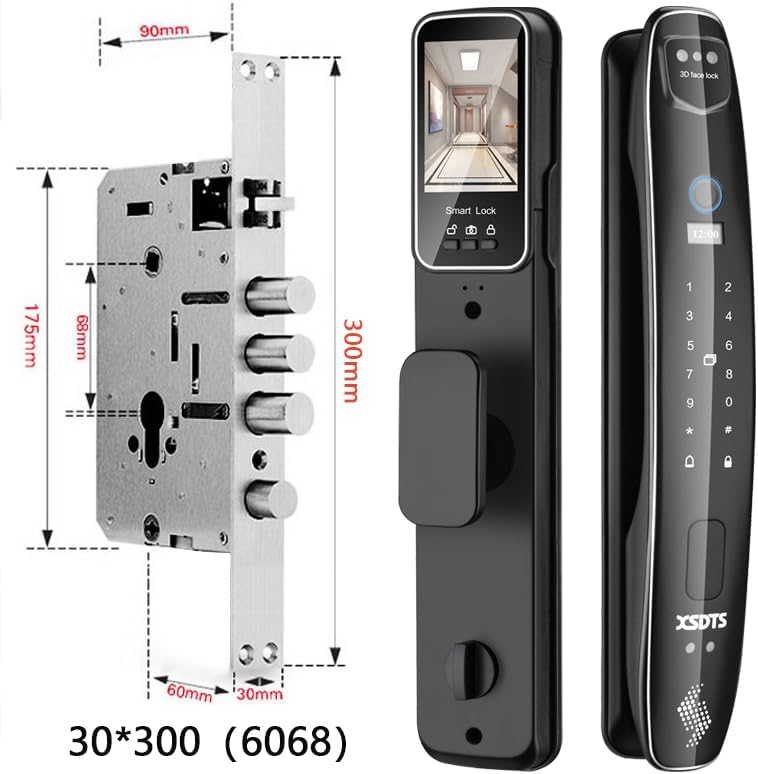
Figure 2.1: Detailed dimensions of the XSDTS CS7 Smart Door Lock and its internal components, including the lock body and mounting points.
2.2 Medfølgende komponenter
Pakken indeholder følgende varer:
- Frontpanel (x1)
- Bagpanel (x1)
- Lock Body (x1)
- Lock Core (x1)
- Mekaniske nøgler (x2)
- Smart Cards (x4)
- USB -opladningskabel (x1)
- Screw Fittings Set (x1)
- Instructions + Installation Drawings (x1)
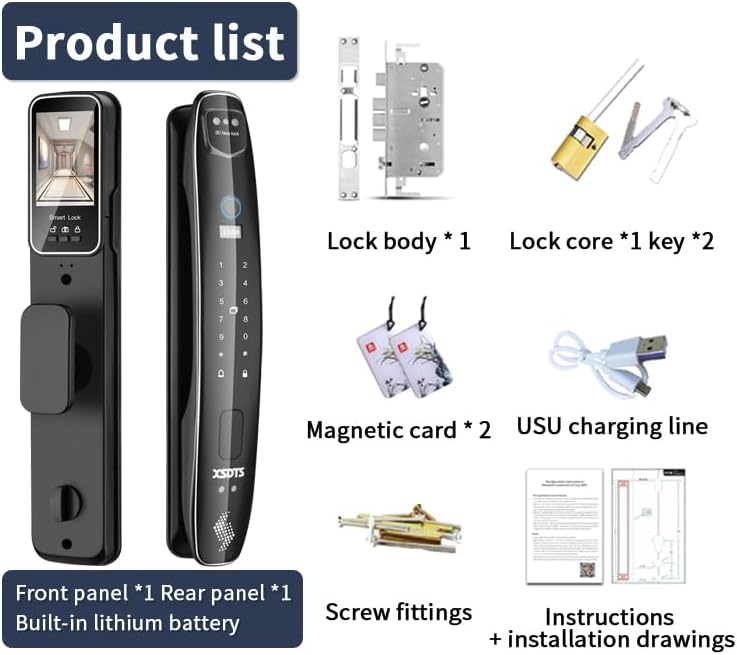
Figure 2.2: All components included in the XSDTS CS7 Smart Door Lock package, such as the front and rear panels, lock body, keys, smart cards, and installation hardware.
2.3 Installationstrin
- Prepare the door according to the provided installation drawings.
- Install the lock body into the door.
- Connect the front and rear panels, ensuring all cables are properly routed.
- Secure the panels with the provided screw fittings.
- Test all unlocking methods to ensure correct installation.
3. Betjeningsvejledning
3.1 Oplåsningsmetoder

Figure 3.1: Visual representation of the seven distinct unlocking methods available for the XSDTS CS7 Smart Door Lock.
- 3D-ansigtsgenkendelse: The lock features a 3D face recognition camera for quick and secure unlocking. Simply approach the lock, and it will automatically recognize your face and unlock.
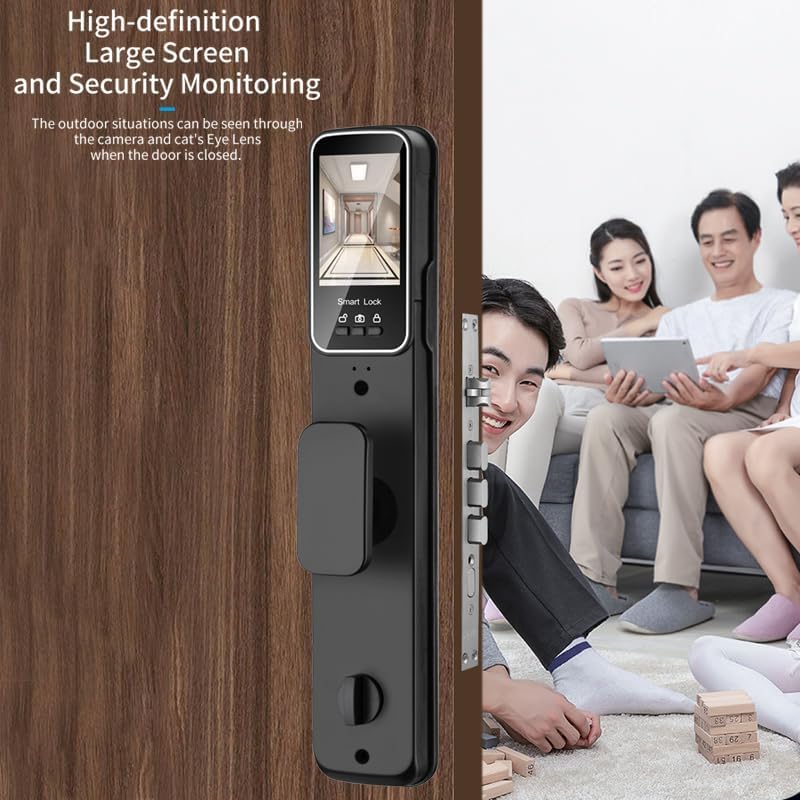
Figure 3.2: Demonstrates the 3D Face Recognition feature, allowing for quick, no-touch unlocking.
- Biometrisk fingeraftryk: Place your registered finger on the fingerprint sensor for instant access. The AI fingerprint algorithm ensures high accuracy and fast recognition.

Figure 3.3: Illustrates the AI Fingerprint Algorithm, highlighting its 99.9% success rate and fast recognition time.
- Adgangskode: Indtast din numeriske adgangskode på tastaturet.
- IC-kort: Tap a registered IC card on the designated area to unlock.
- Tuya-appen: Use the Tuya Smart app on your smartphone for remote unlocking and management.

Figur 3.4: Overview of the Tuya or Smart Life app features, including remote unlock, temporary passwords, and information notifications.
- Manuel nøgle: In case of emergency or battery depletion, use the physical mechanical key to unlock.
- Midlertidig adgangskode: Generate time-limited or one-time passwords via the Tuya app for guests or service personnel. These codes are automatically deleted after use.
3.2 Remote Access via Tuya App
The Tuya app allows you to:
- Remotely unlock the door from anywhere in the world.
- Generate and manage temporary access codes.
- Receive real-time notifications about lock activity.
- View adgangslogfiler.
To activate the mobile app, press the doorbell button on the lock.
4. Vedligeholdelse
4.1 Batteristyring
- The lock is powered by a 4200mAh battery, providing approximately two months of usage.
- A low battery audible alarm will sound to remind you to change or recharge the battery.
- In case of complete battery drain, use the backup mechanical key or connect a USB power bank to the emergency charging port to power the lock temporarily.
4.2 Rengøring og pleje
- Wipe the lock surface with a soft, dry cloth.
- Undgå at bruge slibende rengøringsmidler eller opløsningsmidler, der kan beskadige finishen.
- Keep the fingerprint sensor and camera lens clean for optimal performance.
5. Fejlfinding
Almindelige problemer og løsninger:
| Spørgsmål | Mulig årsag | Løsning |
|---|---|---|
| Lås reagerer ikke | Lavt batteri eller helt afladet. | Recharge battery via USB power bank or use mechanical key. |
| Fingeraftryk ikke genkendt | Fingerprint sensor is dirty or finger is not placed correctly. | Clean the sensor. Ensure your finger covers the sensor completely. Re-register fingerprint if issue persists. |
| Fejl i ansigtsgenkendelse | Camera lens is obstructed or lighting conditions are poor. | Clean the camera lens. Ensure adequate lighting. Try adjusting your position. |
| Fjernoplåsning virker ikke | No internet connection on lock or phone, or app not configured correctly. | Check Wi-Fi connection for the lock and your phone. Ensure the Tuya app is properly set up and connected to the lock. |
If you encounter issues not listed here or require further assistance, please contact XSDTS customer support.
6. Specifikationer

Figure 6.1: Detailed product parameters including overall dimensions (410mm height, 80mm width for front panel, 70mm width for rear panel).
| Feature | Detalje |
|---|---|
| Modelnavn | CS7 - Black |
| Mærke | XSDTS |
| Materiale | Aluminium |
| Farve | Sort |
| Stil | Moderne |
| Afslutter | Lakeret |
| Form | Rund |
| Særlige funktioner | Resettable, Scratch Resistant, Fingerprint, Passcode Unlock, One Touch Lock |
| Kommunikationsprotokol | Wi-Fi |
| Controller type | Tuya app |
| Anbefalede anvendelser | Families, Airbnb, Rentals, Offices, Business Departments |
| Dørtykkelseskompatibilitet | 35 mm - 100 mm |
| Batterikapacitet | 4200mAh (inkluderet) |
7. Garanti og support
7.1 Garantioplysninger
All XSDTS products come with a direct 12 måneders garanti from the date of purchase. This warranty covers manufacturing defects and ensures the proper functioning of your smart door lock under normal use.
7.2 Teknisk support
XSDTS offers unlimited technical consultations to assist you with any questions or issues. Our team of certified technicians is available to provide support via:
- Telefonsupport
- Live chat
- Videoopkald
Additionally, we provide comprehensive installation, configuration, and solution videos to guide you through various processes. These resources will be made available to you after your purchase.