
Indledning
This manual provides comprehensive instructions for the ZWP Replacement Remote Control, designed for use with various Senville LETO Series Air Conditioner models. This remote control offers a direct replacement solution without the need for complex programming. Please read this manual thoroughly before use to ensure proper operation and longevity of your device.
Kompatibilitet
This remote control is compatible with the following Senville LETO Series Air Conditioner models:
- SENL-09CD-16
- SENL-09CD/220/X
- SENL-12CD-16
- SENL-12CD/220/X
- SENL-18CD-16
- SENL-24CD-16
- SENL-30CD/X
- SENL-36CD-16
Ensure your air conditioner model is listed above for guaranteed compatibility.
Opsætning
Installation af batteri
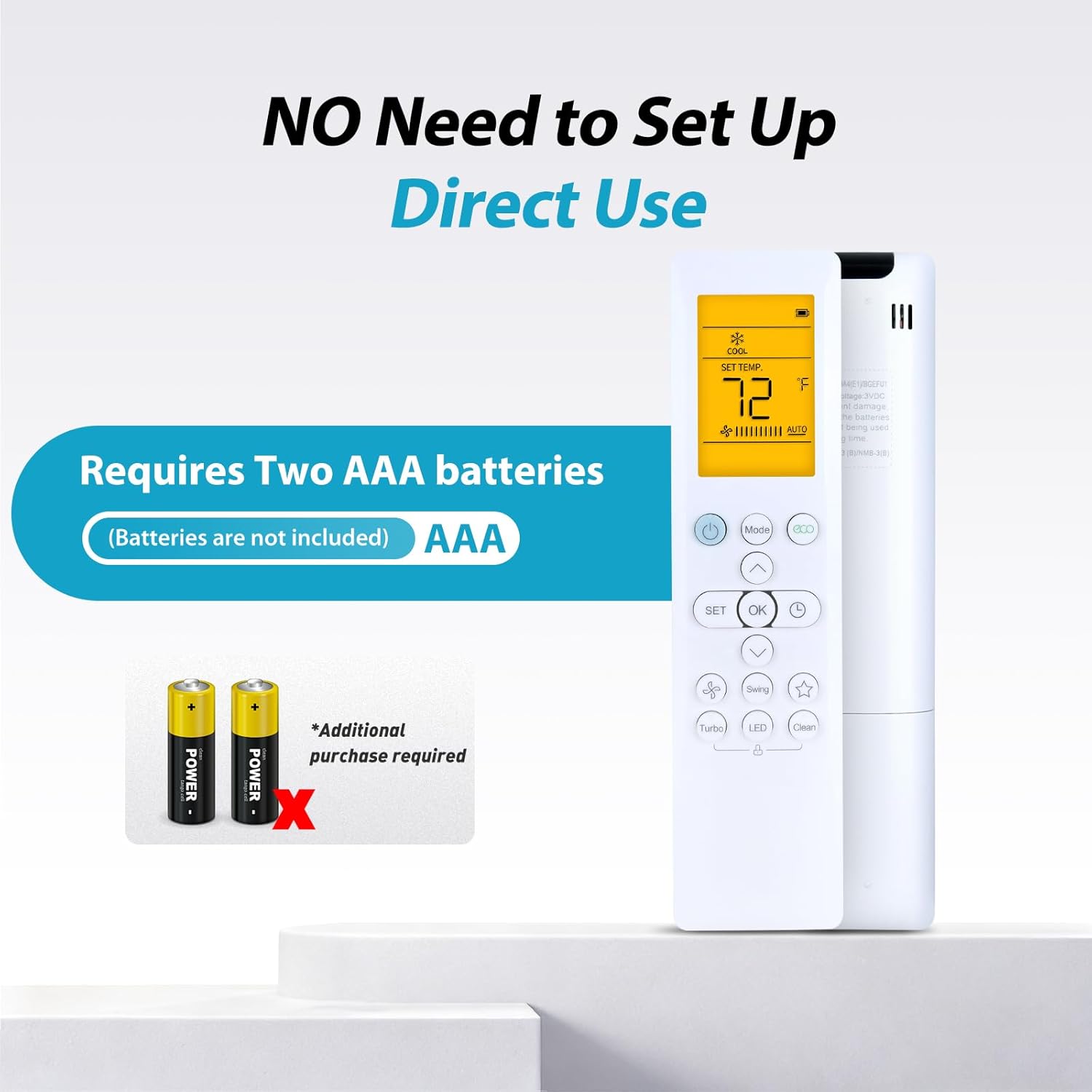
The ZWP Replacement Remote Control requires two AAA alkaline batteries (not included). Follow these steps to install the batteries:
- Find batterirummets dæksel på bagsiden af fjernbetjeningen.
- Skub dækslet nedad, eller tryk på låsen for at åbne rummet.
- Isæt to AAA-batterier, og sørg for, at de positive (+) og negative (-) poler er justeret korrekt med markeringerne inde i batterirummet.
- Skub batteridækslet tilbage på plads, indtil det klikker sikkert.
No programming or setup is required after battery installation. The remote is ready for immediate use.

Betjeningsvejledning
This remote control utilizes advanced infrared technology for stable and responsive communication with your air conditioner. It offers a long transmission distance and multi-angle control.
Grundlæggende funktioner
- Power knap: Tryk for at tænde eller slukke for klimaanlægget.
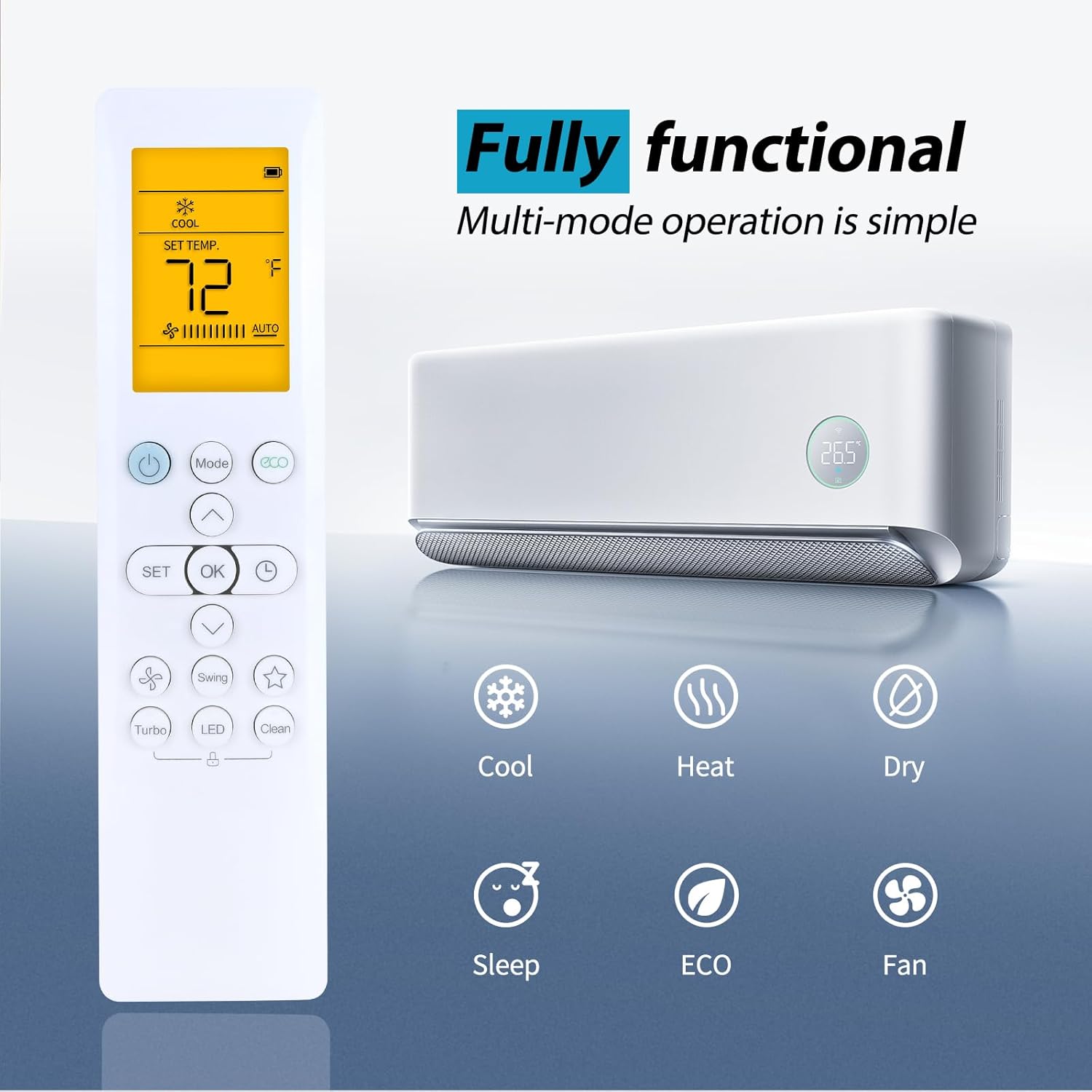
- Mode knap: Cycle through available operating modes (Cool, Heat, Dry, Sleep, ECO, Fan).
- Temperaturjustering: Use the Up and Down arrow buttons to increase or decrease the desired temperature.
- Blæserhastighed: Adjust the fan speed (if available on your AC model).
- Svinge: Aktiver eller deaktiver lamelsvingningfunktionen.

LED Luminous Display
The remote control features an LED luminous display, ensuring that buttons and the screen are clearly visible even in low-light conditions. This eliminates the need to turn on room lights at night to operate your air conditioner.
Driftstilstande
The remote supports multiple operating modes to suit your comfort needs:
- Afkøle: Til afkøling af rummet.
- Varme: Til opvarmning af rummet.
- Tørre: Til affugtning af rummet.
- Sove: Justerer temperaturen for behagelig søvn og energibesparelse.
- ØKO: Energibesparende tilstand.
- Ventilator: Cirkulerer luft uden opvarmning eller afkøling.

Kontrolområde
The remote control provides sensitive buttons and precise control over a long distance, up to 40 feet (approximately 12 meters) with a 180-degree multi-angle range, allowing you to operate your air conditioner from various positions within a room.

Opretholdelse
Rensning
To clean the remote control, gently wipe its surface with a soft, dry cloth. Avoid using abrasive cleaners, solvents, or wet cloths, as these can damage the remote's finish or internal components.
Udskiftning af batteri
Replace batteries when the remote's response becomes sluggish or the display dims. Always replace both AAA batteries simultaneously with new ones. Do not mix old and new batteries, or different types of batteries.
Opbevaring
Hvis fjernbetjeningen ikke skal bruges i længere tid, skal du fjerne batterierne for at forhindre lækage og potentiel beskadigelse af enheden.
Fejlfinding
If you experience issues with your ZWP Replacement Remote Control, please refer to the following common solutions:
- Fjernbetjeningen svarer ikke:
- Kontroller, om batterierne er isat korrekt med den korrekte polaritet.
- Udskift gamle batterier med nye AAA alkaliske batterier.
- Ensure there are no obstructions between the remote control and the air conditioner's infrared receiver.
- Verify that your air conditioner model is listed in the compatibility section.
- Limited range or intermittent control:
- Sørg for at batterierne er friske.
- Reducer afstanden mellem fjernbetjeningen og klimaanlægget.
- Remove any potential sources of infrared interference.
Hvis problemet fortsætter efter at have forsøgt disse løsninger, henvises der til afsnittet Garanti og support for yderligere assistance.
Specifikationer
| Feature | Detalje |
|---|---|
| Modelnummer | RG10A4(D1) |
| Kompatible enheder | Senville LETO Series Air Conditioners |
| Strømkilde | 2 x AAA batterier (medfølger ikke) |
| Materiale | ABS af høj kvalitet |
| Farve | Hvid |
| Dimensioner (L x B x H) | 7.83 x 2.44 x 0.94 tommer (ca. 19.9 x 6.2 x 2.4 cm) |
| Varens vægt | 3.17 ounce (ca. 90 gram) |
| Teknologi | Infrarød |
| Max kontrolafstand | 8 meter (ca. 26 fod) |
Garanti og support
ZWP provides a 1-year warranty return service for this product. If you encounter any issues or have questions regarding your ZWP Replacement Remote Control, please contact the seller directly. They are committed to responding to inquiries within 12 hours to provide assistance.