
DOOGEE T35
Brugervejledning til DOOGEE T35 tablet
Model: T35 | Mærke: DOOGEE
1. Introduktion
This manual provides essential information for the operation and maintenance of your DOOGEE T35 tablet. Please read it thoroughly before using the device to ensure proper functionality and longevity.
The DOOGEE T35 is an 11-inch tablet featuring a Helio G99 Octa-core processor, Android 14 operating system, and a 2.5K FHD+ display. It comes equipped with 20GB RAM and 256GB internal storage, expandable up to 2TB. Key features include 4G LTE calling, 5G Wi-Fi, an 8580mAh battery with 33W fast charging, and a 20MP camera. Accessories such as a keyboard, stylus, and protective case are included to enhance productivity and user experience.
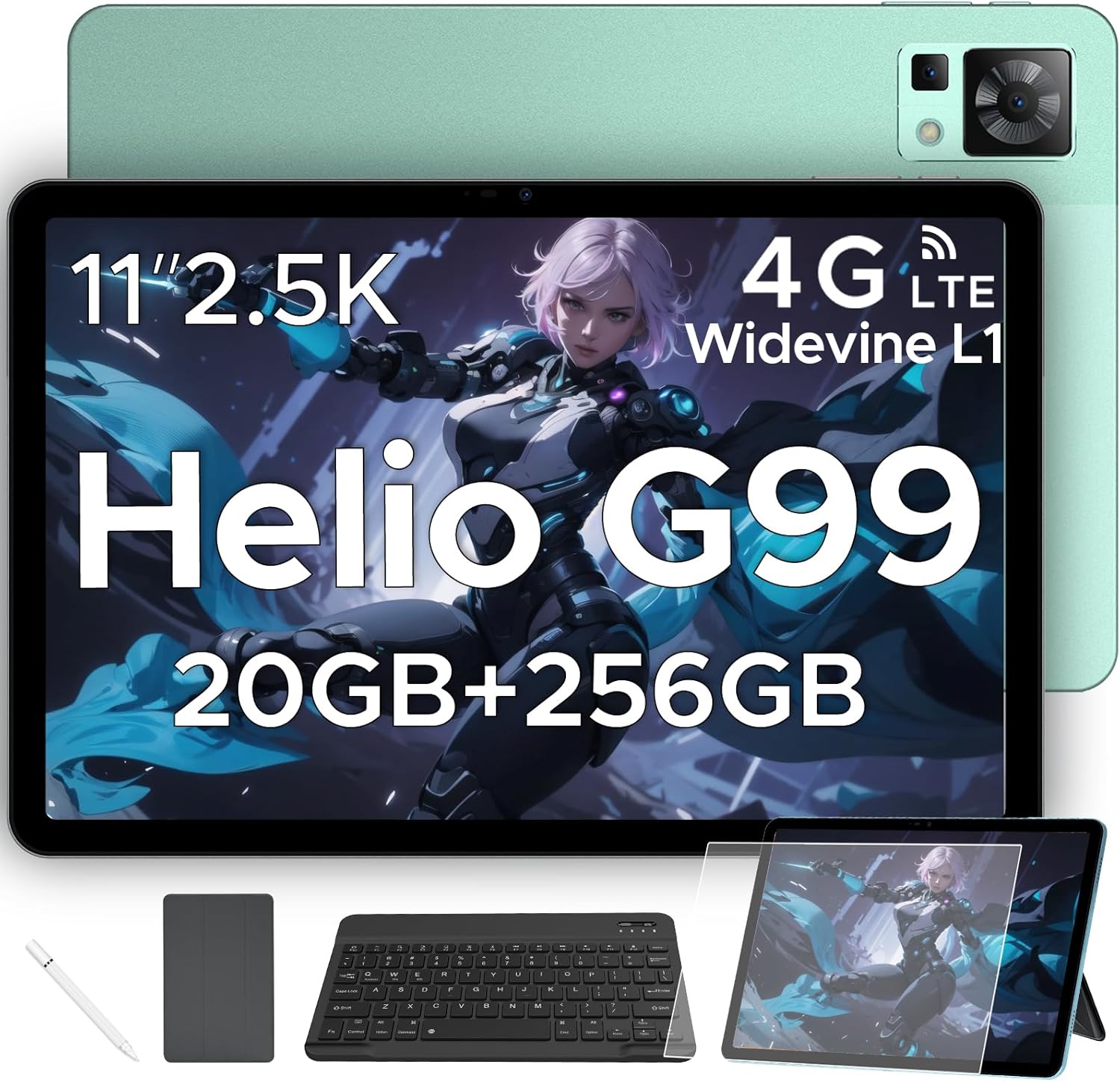
Figure 1.1: DOOGEE T35 Tablet and its accompanying accessories.
2. Hvad er der i æsken
Når du åbner pakken, skal du kontrollere, at alle nedenstående varer er til stede og i god stand:
- DOOGEE T35 tablet
- Oplader
- Type-C USB-kabel
- SIM Card Tray Ejector Tool
- Brugermanual
- Bluetooth tastatur
- Beskyttende film
- Touching Pen (Stylus)
- Business Leather Case
Video 2.1: An unboxing video demonstrating the contents of the DOOGEE T35 package, including the tablet and all listed accessories.
3. Opsætning
3.1 Indledende tænding
- Tryk og hold tænd/sluk-knappen på siden af tabletten nede, indtil DOOGEE-logoet vises.
- Følg vejledningen på skærmen for at vælge dit sprog og din region og oprette forbindelse til et Wi-Fi-netværk.
- Log ind med din Google-konto, eller opret en ny for at få adgang til Google Play Butik og andre tjenester.
3.2 Isætning af SIM-kort og MicroSD-kort
The DOOGEE T35 supports 4G LTE connectivity and expandable storage via a MicroSD card (up to 2TB).
- Find SIM-kortbakken på siden af tabletten.
- Insert the provided SIM card tray ejector tool into the small hole next to the tray and gently push until the tray pops out.
- Placer dit/dine Nano-SIM-kort og/eller MicroSD-kort i de dertil beregnede pladser på bakken, og sørg for, at de vender korrekt.
- Sæt forsigtigt bakken tilbage i tabletten, indtil den klikker på plads.
3.3 Tilslutning af tilbehør
The tablet comes with a Bluetooth keyboard, stylus, and a business leather case.
- Bluetooth-tastatur: Turn on the keyboard and enable Bluetooth on your tablet. Søg efter the keyboard in the Bluetooth settings and pair it.
- Stylus: The stylus is ready for use directly on the screen for drawing or navigation.
- Business Leather Case: Insert the tablet into the protective case for enhanced protection and convenience.
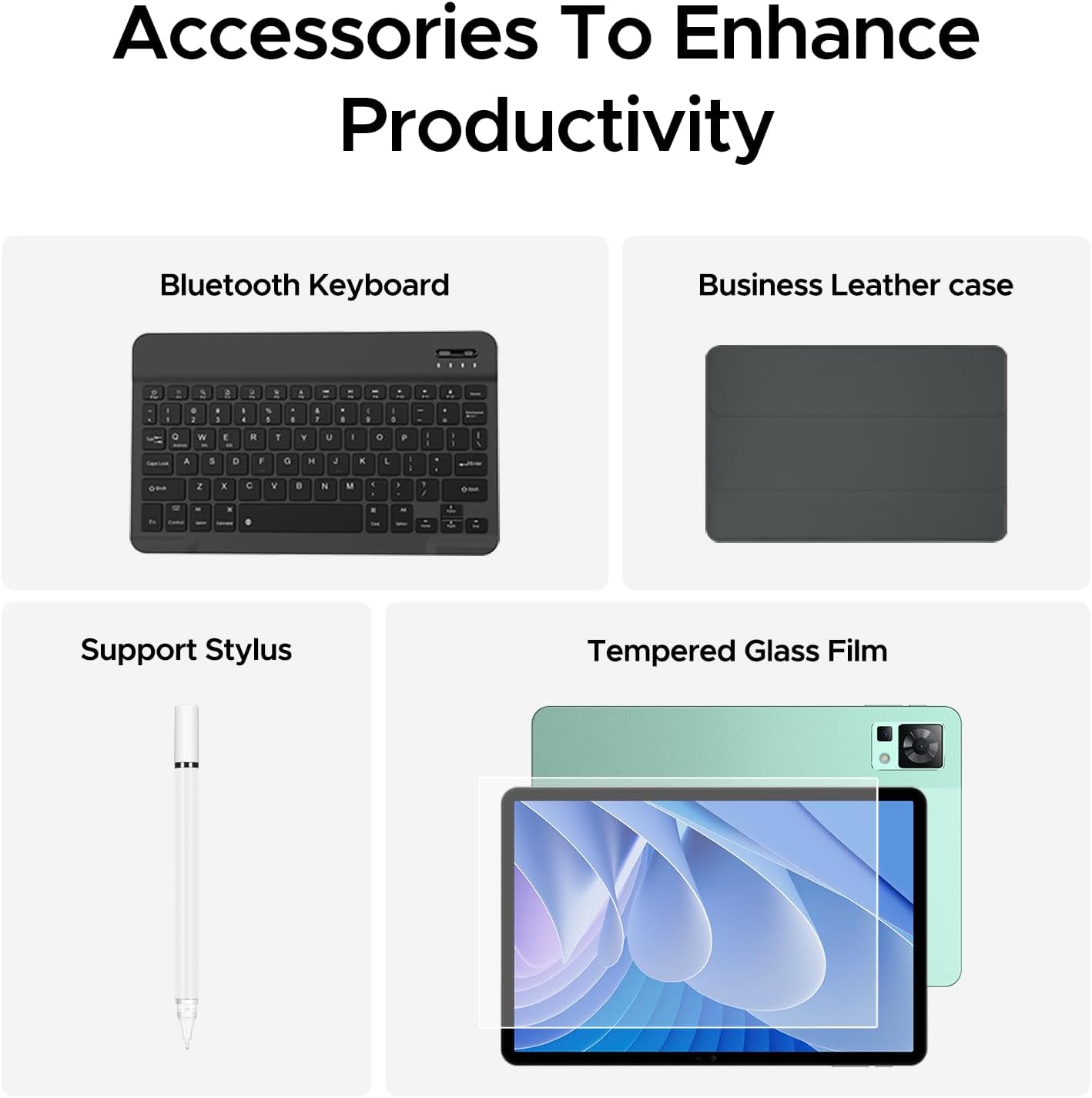
Figure 3.1: The DOOGEE T35 tablet with its included accessories, ready for use.
4. Betjeningsvejledning
4.1 Display og navigation
The DOOGEE T35 features an 11-inch 2.5K ultra-clear display (2560 x 1600 pixels) for a high-quality visual experience.
- Berøringsbevægelser: Navigate the Android 14 interface using standard touch gestures like tap, swipe, pinch-to-zoom.
- Opdelt skærm: Utilize the split-screen feature to run two applications simultaneously for enhanced multitasking.
- Læsetilstande: Adjust the display settings to Warm, Standard, or Cool mode for comfortable reading in various lighting conditions.

Figure 4.1: The 11-inch 2.5K ultra-clear display provides excellent visuals for all content.
4.2 Ydeevne og lagring
Powered by the Helio G99 Octa-core processor, the T35 offers robust performance for gaming, streaming, and productivity. It offers 20GB RAM (8GB base + 12GB extended) and 256GB ROM, expandable up to 2TB with a MicroSD card.
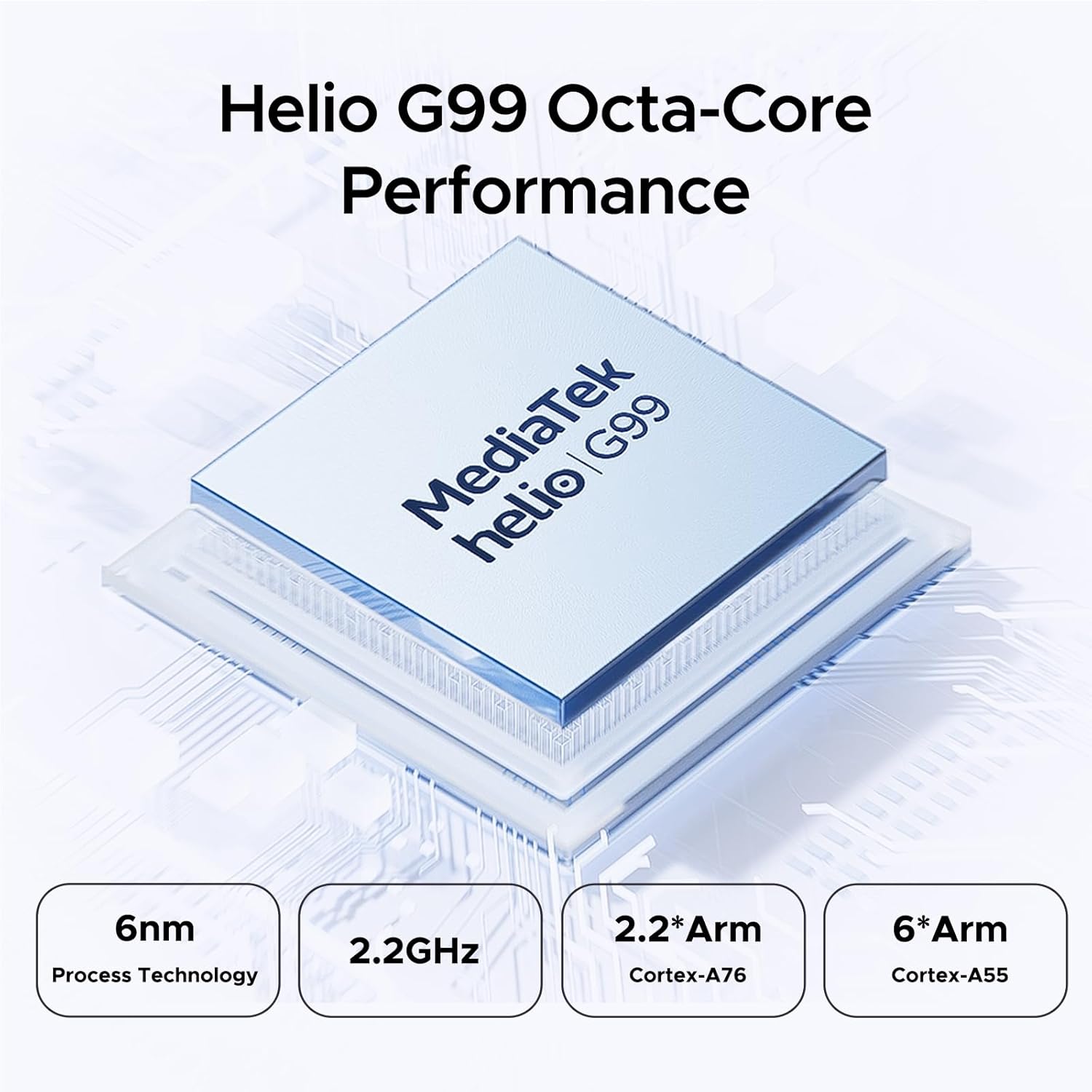
Figure 4.2: Helio G99 Octa-Core Processor for robust performance.

Figure 4.3: Memory and storage capabilities of the DOOGEE T35.
4.3 Batteristyring
The 8580mAh large capacity battery provides extended usage. It supports 33W fast charging and reverse charging, allowing the tablet to act as a power bank for other devices.

Figure 4.4: 8580mAh Battery with 33W Fast Charging.
4.4 Forbindelse
The tablet supports 4G LTE for cellular calls and data, and 5G Wi-Fi for high-speed internet. It also includes GPS, Glonass, Galileo, Beidou, and AGPS for accurate navigation.
4.5 Multimedie
Enjoy immersive audio with quad speakers and Smart PA. Widevine L1 support ensures high-quality streaming from platforms like Netflix and Amazon Prime Video.
Video 4.1: En reklamevideoasing the DOOGEE T35 Android Tablet and its accessories, highlighting its features and design.
5. Vedligeholdelse
5.1 Rengøring af tabletten
- Brug en blød, fnugfri klud til at rengøre skærmen og tablettens kabinet.
- Til genstridige pletter, let dampRengør kluden med vand eller et skærmrensemiddel. Undgå skrappe kemikalier.
- Sørg for, at alle porte er fri for støv og snavs.
5.2 Pleje af batterier
- Undgå at udsætte tabletten for ekstreme temperaturer.
- Undgå at aflade batteriet helt regelmæssigt. Oplad det, før det falder til under 20%.
- Brug kun den medfølgende oplader og det medfølgende kabel for optimal opladningsydelse og sikkerhed.
5.3 Softwareopdateringer
Tjek regelmæssigt efter og installer systemopdateringer for at sikre, at din tablet har de nyeste funktioner, sikkerhedsrettelser og forbedringer af ydeevnen. Gå til Indstillinger > System > Systemopdatering for at søge efter opdateringer.
6. Fejlfinding
| Problem | Mulig årsag | Løsning |
|---|---|---|
| Tabletten tænder ikke. | Lavt batteri; softwarenedbrud. | Oplad tabletten i mindst 30 minutter. Tryk på tænd/sluk-knappen og hold den nede i 10-15 sekunder for at tvinge genstart. |
| Problemer med Wi-Fi-forbindelse. | Incorrect password; router issues; tablet Wi-Fi disabled. | Verify Wi-Fi password. Restart router. Toggle Wi-Fi off/on on tablet. |
| Apps går ned eller fryser. | Utilstrækkelig RAM; app-fejl; forældet software. | Close background apps. Clear app cache/data. Update the app or system software. |
| Langsom ydeevne. | For mange apps kører; lav lagerplads; forældet software. | Close unused apps. Free up storage space. Perform a system update. |
| Cannot connect to Google server/account. | Network issues; incorrect account details; software glitch. | Ensure stable internet connection. Verify Google account credentials. Restart tablet. If persistent, consider a factory reset (backup data first). |
7. Specifikationer
| Feature | Specifikation |
|---|---|
| Model | DOOGEE T35 |
| Operativsystem | Android 14 |
| Processor | MediaTek Helio G99 Octa-core (6nm, 2.2GHz) |
| Vise | 11-inch 2.5K (2560 x 1600 pixels) |
| VÆDDER | 8 GB (kan udvides til 20 GB) |
| Internt lager (ROM) | 256 GB |
| Udvidelig opbevaring | Op til 2 TB via MicroSD-kort |
| Batterikapacitet | 8580mAh |
| Opladning | 33W hurtigopladning, omvendt opladning |
| Forbindelse | 4G LTE, 5G Wi-Fi (802.11ax), Bluetooth |
| Navigation | GPS, Glonass, Galileo, Beidou, AGPS |
| Lyd | Quad Speakers with Smart PA, Hi-Res Audio, 3.5mm Headphone Jack |
| Sikkerhed | Face ID |
| Dimensioner (LxBxH) | 10.12 x 6.64 x 0.3 tommer |
| Vægt | 3 pund |
8. Garanti og support
DOOGEE provides comprehensive support for your T35 tablet:
- Penge-tilbage-garanti: Få 30 dages pengene-tilbage-garanti og gratis returnering.
- Begrænset garanti: The tablet comes with a 2-year limited warranty.
- Kundesupport: For any inquiries or assistance, please contact DOOGEE customer service.
For yderligere hjælp henvises til den officielle DOOGEE webwebstedet eller kontakt deres supportkanaler.
Ask a question about this manual
Ask about setup, troubleshooting, compatibility, parts, safety, or missing instructions. Manuals+ will review the question and use this page’s manual context to help answer it.