
DOOGEE BLADEGTULTRA
Brugermanual til DOOGEE Blade GT Ultra 5G robust smartphone
Model: BLADEGTULTRA | Brand: DOOGEE
Indledning
The DOOGEE Blade GT Ultra 5G Rugged Smartphone is engineered for users who demand both robust durability and cutting-edge performance. This device combines a powerful MediaTek Dimensity 7300 processor with a large 36GB RAM and 512GB ROM, ensuring seamless operation for all your tasks. Its unique dynamic LED light effects provide smart notifications and a personalized aesthetic. Built to withstand challenging environments, the Blade GT Ultra is waterproof, dustproof, and drop-proof, making it an ideal companion for outdoor adventures and demanding work conditions. This manual provides comprehensive instructions to help you get the most out of your new smartphone.

Opsætningsvejledning
Pakkens indhold
Før du begynder, skal du sørge for, at alle varer er til stede i pakken:
- 1 x DOOGEE Blade GT Ultra Rugged Smartphone
- 1 x Type-C USB Cable and 33W Charger
- 1 x brugermanual og garantikort
- 1 x pakkeboks

Første opstart og opladning
Your DOOGEE Blade GT Ultra comes with a powerful 5500mAh battery. For optimal performance, it is recommended to fully charge the device before first use. Use the provided 33W fast charger and Type-C USB cable.
- Connect the Type-C USB cable to the charging port at the bottom of the smartphone.
- Tilslut den anden ende af kablet til 33W-opladeren.
- Sæt opladeren i en stikkontakt. Opladningsindikatoren vises på skærmen.
- Press and hold the Power button on the side of the device until the DOOGEE logo appears to power on.

Installation af SIM-kort og TF-kort
The device supports a Nano SIM + TF card in a 2-in-1 setup.
- Find SIM-kortbakken på siden af telefonen.
- Sæt SIM-kortudkastningsværktøjet i det lille hul ved siden af bakken, og skub forsigtigt, indtil bakken springer ud.
- Placer dit/dine Nano SIM-kort og/eller TF-kort i de dertil beregnede pladser på bakken, og sørg for, at de vender korrekt.
- Skub forsigtigt bakken tilbage i telefonen, indtil den flugter med enhedens kabinet.
Betjeningsvejledning
Display og navigation
The DOOGEE Blade GT Ultra features a 6.72-inch FHD+ IPS display with a 120Hz refresh rate, providing a smooth and immersive visual experience.

Smart Dynamic LED Notifications
The smartphone features dynamic LED lights that sync with music and notifications, offering a high-tech and customizable experience. You can set different light effects for calls, messages, and various applications.


Ydeevne og software
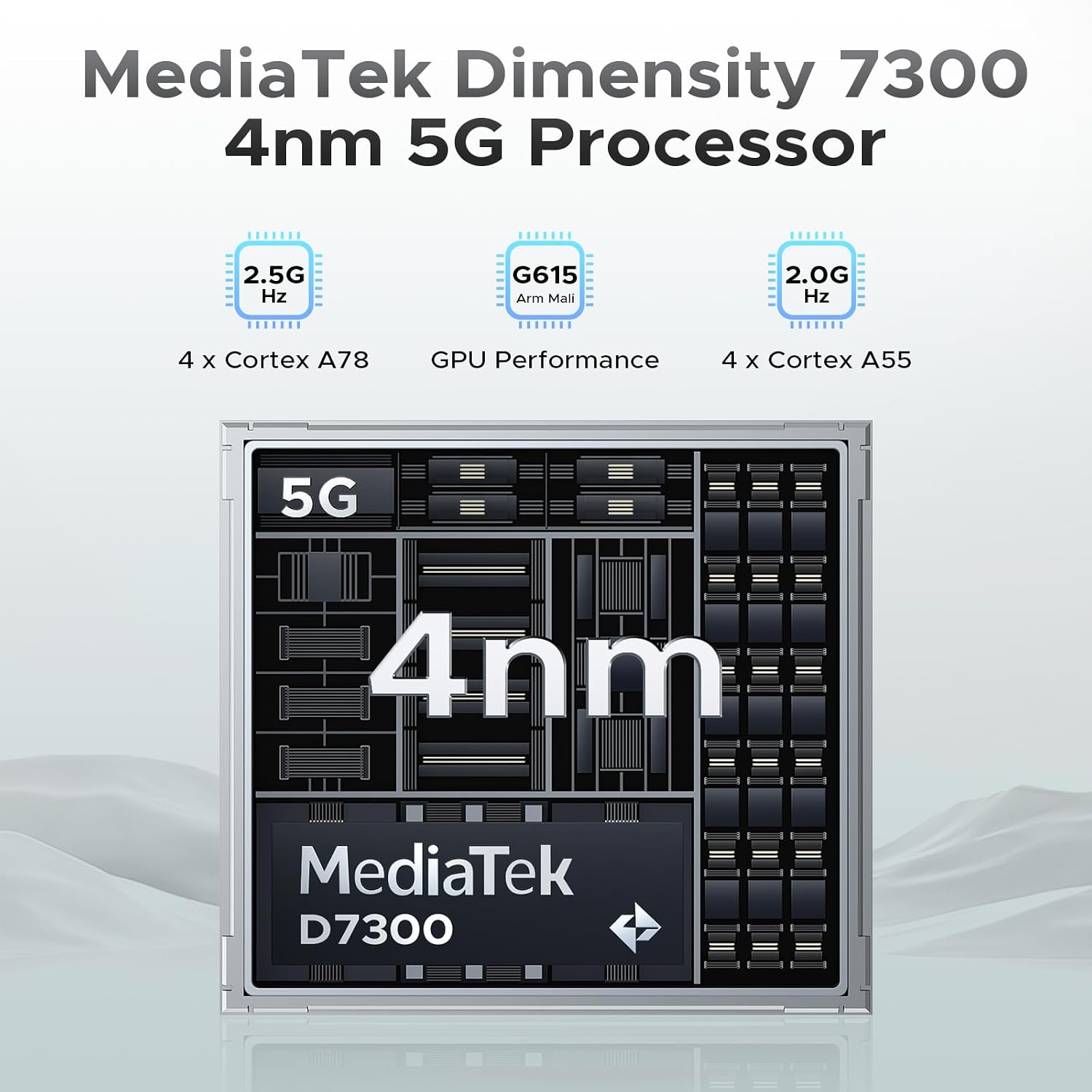
Powered by the MediaTek Dimensity 7300 octa-core processor and running Android 14, the Blade GT Ultra offers robust performance and a smooth user experience. With 36GB of RAM (16GB physical + 20GB virtual) and 512GB of ROM, expandable up to 2TB, you have ample space and speed for all your applications and data.

Kamerafunktioner
Capture stunning photos and videos with the 100MP AI main camera, 5MP wide-angle lens, and 32MP front camera. Advanced AI features like AI Erase and AI Background Replacement enhance your photography experience.


Sikkerhedsfunktioner
The Blade GT Ultra offers fast and secure access with both side fingerprint ID and face unlock.
Forbindelse
Stay connected with WiFi 6 for stable, high-speed internet, NFC for Google Pay and mobile identification, and reliable navigation with GPS, Glonass, Galileo, and Beidou.

Vedligeholdelse og pleje
Holdbarhed og beskyttelse
The DOOGEE Blade GT Ultra is built to last, with IP68, IP69K, and MIL-STD-810H certifications, making it waterproof, dustproof, and drop-proof. While designed for rugged use, proper care will extend its lifespan.

Batteristyring
To maximize battery life, avoid extreme temperatures, and use the provided charger. The phone provides precise battery reminders to help you manage power efficiently.

Rensning
Brug en blød, fnugfri klud til at rengøre telefonens skærm og kabinet. Undgå at bruge skrappe kemikalier eller slibende materialer, der kan beskadige enheden.
Fejlfinding af almindelige problemer
Generel fejlfinding
- Enheden tænder ikke: Sørg for, at batteriet er opladet. Tilslut det til opladeren, og vent et par minutter, før du forsøger at tænde det.
- Skærmen reagerer ikke: Try restarting the device by holding the Power button for about 10-15 seconds.
- Netværksproblemer: Check your SIM card installation. Ensure mobile data is enabled in settings. If issues persist, contact your carrier.
Softwareproblemer
The Android 14 operating system includes features to help manage software performance and privacy.

Tekniske specifikationer
| Feature | Specifikation |
|---|---|
| Mærke | DOOGEE |
| Modelnavn | BLADEGTULTRA-01 |
| Operativsystem | Android 14 |
| CPU model | MediaTek Dimensity 7300 Octa-Core |
| Installeret RAM-hukommelsesstørrelse | 36 GB (16GB + 20GB expansion) |
| Hukommelseslagringskapacitet | 512 GB (kan udvides op til 2 TB) |
| Skærmstørrelse | 6.72 tommer FHD+ IPS |
| Opdateringshastighed | 120 Hz |
| Hovedkamera | 100MP AI-hovedkamera |
| Forreste kamera | 32 MP |
| Batteristyrke | 5500 mAh |
| Opladning | 33W hurtig opladning |
| Forbindelsesteknologier | 5G, WIFI6, NFC, Bluetooth BT5.2 |
| Navigation | GPS, Glonass, Galileo, Beidou |
| Holdbarhed | IP68/IP69K/MIL-STD-810H (Waterproof, Dustproof, Drop-proof) |
| Dimensioner | 7.03 x 3.29 x 0.41 tommer |
| Varens vægt | 8.5 ounces (242 gram) |
Garanti og support
Garantioplysninger
Your DOOGEE Blade GT Ultra 5G Rugged Smartphone comes with a 2-Year Limited Warranty. Please refer to the included Warranty Card for detailed terms and conditions.
Kundesupport
For any inquiries or technical assistance, DOOGEE offers 24/7 One-on-One Online Support. You can find contact information on the official DOOGEE website or through the support details provided in your package.

Ask a question about this manual
Ask about setup, troubleshooting, compatibility, parts, safety, or missing instructions. Manuals+ will review the question and use this page’s manual context to help answer it.