
1. Introduktion
Tak for købetasing the Arafuna NDR111B Portable DAB/DAB+/FM Radio. This manual provides essential information for setting up, operating, and maintaining your device. Please read it carefully before use and keep it for future reference.
Sikkerhedsoplysninger
- Udsæt ikke enheden for regn, fugt eller ekstreme temperaturer.
- Undgå at skille enheden ad; overlad service til kvalificeret personale.
- Holdes væk fra stærke magnetiske felter.
- Brug kun det medfølgende Type-C-opladerkabel.
2. Produktet er slutview
The Arafuna NDR111B is a versatile portable radio offering DAB/DAB+, FM, and Bluetooth connectivity. It features a clear LCD display, 40 preset stations, dual alarms, and a sleep timer, all powered by a built-in rechargeable battery.
Hvad er der i æsken
- Arafuna NDR111B Portable Radio
- Type-C USB-opladningskabel
- Brugermanual
Kontroller og komponenter
Familiarize yourself with the radio's layout:
Billede: Forside view of the Arafuna NDR111B Portable Radio, showing the speaker grille, LCD display, and control buttons.

Billede: Side view of the Arafuna NDR111B Portable Radio, highlighting the Type-C charging port, headphone jack, and volume knob.
- LCD-skærm: Viser tid, stationsinformation, tilstand og batteristatus.
- Power knap: Tænder/slukker radioen.
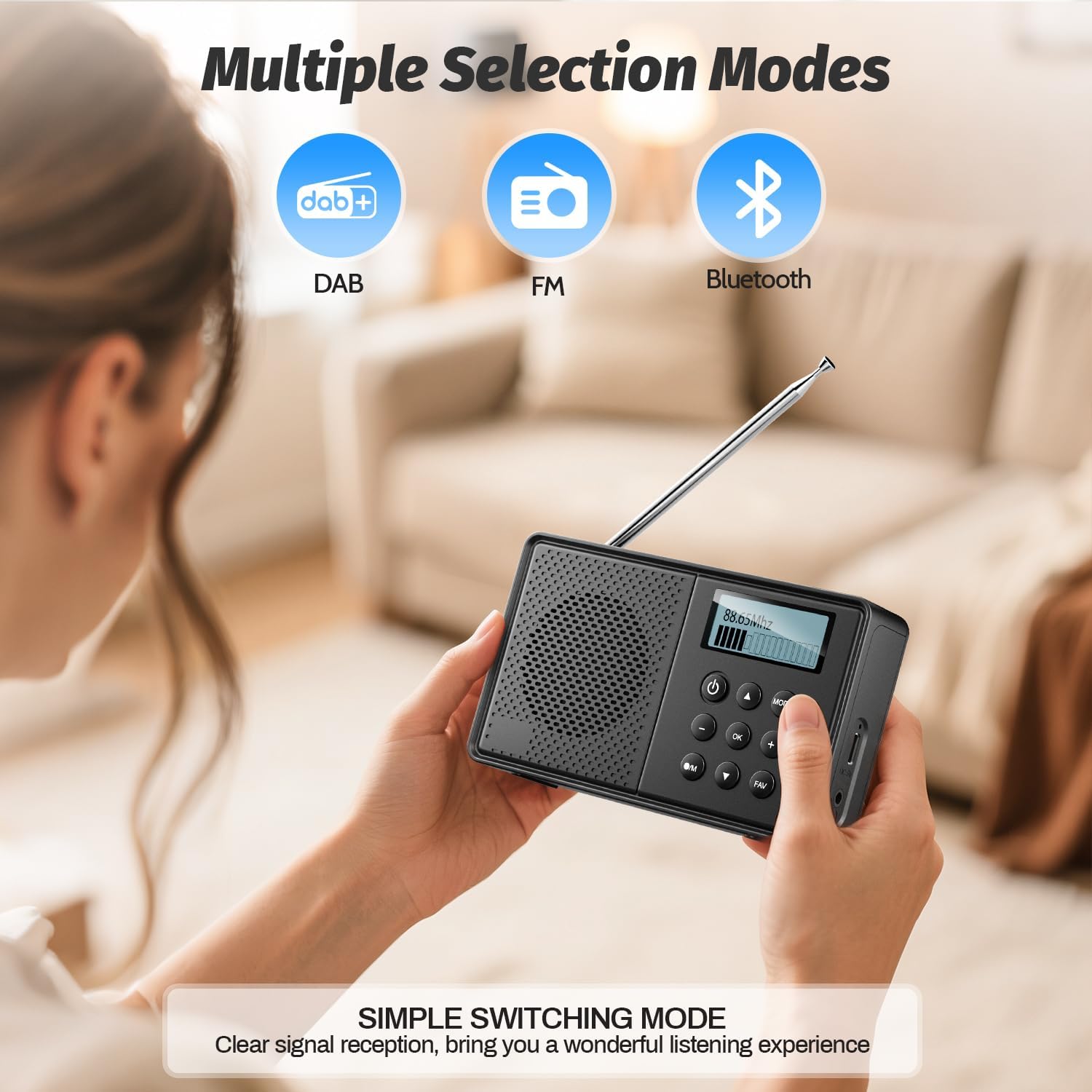
- Mode knap: Skifter mellem DAB-, FM- og Bluetooth-tilstande.
- Lydstyrkeknap: Justerer lydstyrken.
- Tuning/Navigation Buttons: Used for tuning stations, navigating menus, and setting alarms.
- Forudindstillede knapper (1-5): Quick access to saved stations.
- FAV knap: Gemmer og genkalder favoritstationer.
- Antenne: Forlæng for optimal radiomodtagelse.
- Type-C opladningsport: Til opladning af det interne batteri.
- 3.5 mm hovedtelefonstik: Til privat lytning.
3. Opsætning
Indledende opladning
Before first use, fully charge the radio. Connect the provided Type-C USB cable to the radio's charging port and the other end to a USB power adapter (not included) or a computer USB port. The battery indicator on the LCD display will show charging status.

Image: The Arafuna NDR111B radio connected to a Type-C charging cable, illustrating its high battery capacity and charging method.
Antenne forlængelse
For optimal radio reception, extend the telescopic antenna fully. Adjust its position for the best signal quality.
4. Betjeningsvejledning
Tænd/sluk
- Tryk på Magt knappen til at tænde eller slukke radioen.
Selecting Radio Modes (DAB/DAB+/FM)
- Tryk på MODE knappen gentagne gange for at skifte mellem DAB-, FM- og Bluetooth-tilstande.
Image: The Arafuna NDR111B radio displaying icons for DAB, FM, and Bluetooth modes, indicating multiple selection options.
DAB/DAB+ radiodrift
- In DAB mode, the radio will automatically scan for available stations upon first use.
- Use the navigation buttons to browse through the list of available DAB stations.
- Trykke OK for at vælge en station.
Betjening af FM-radio
- In FM mode, you can perform an auto-scan or manual tuning.
- To auto-scan, press and hold the SCAN button (if available) or follow on-screen prompts.
- For manual tuning, use the navigation buttons to adjust the frequency.

Image: The Arafuna NDR111B radio illustrating its auto-scan feature and the ability to store 40 preset stations (20 DAB, 20 FM).
Lagring og genkaldelse af forudindstillinger
The radio allows you to store up to 40 stations (20 DAB / 20 FM).
Sådan gemmer du en station:
- Stil ind på den ønskede station.
- Tryk og hold på FAV knappen i 2 sekunder.
- Use the navigation buttons to select a preset number (1-20 for DAB, 1-20 for FM).
- Trykke OK for at bekræfte.

Image: A visual guide showing three steps to store favorite stations using the FAV and OK buttons on the Arafuna NDR111B radio.
Sådan genkalder du en station:
- Tryk på FAV knap kortvarigt.
- Use the navigation buttons to select the desired preset number.
- Trykke OK for at bekræfte.

Image: A visual guide showing three steps to recall favorite stations using the FAV and OK buttons on the Arafuna NDR111B radio.
Bluetooth-forbindelse
- Skift til Bluetooth-tilstand ved hjælp af MODE button. The display will show "Bluetooth".
- On your smartphone, tablet, or other Bluetooth device, enable Bluetooth and search for "NDR111B".
- Select "NDR111B" to pair. Once connected, you can stream audio to the radio.
- Note: Bluetooth headphones are not supported for output.

Image: The Arafuna NDR111B radio demonstrating Bluetooth connectivity with various devices like smartphones, PCs, and tablets. A note indicates that Bluetooth headphones are not supported.
Dobbelt alarmindstillinger
You can set two independent alarms for different schedules (e.g., weekdays and weekends).
- Access the alarm settings via the menu.
- Set the desired alarm time, source (buzzer or radio station), and frequency (daily, weekdays, weekends).
- Trykke OK at gemme.
- Note: Alarms function only when the radio is connected to a power supply.
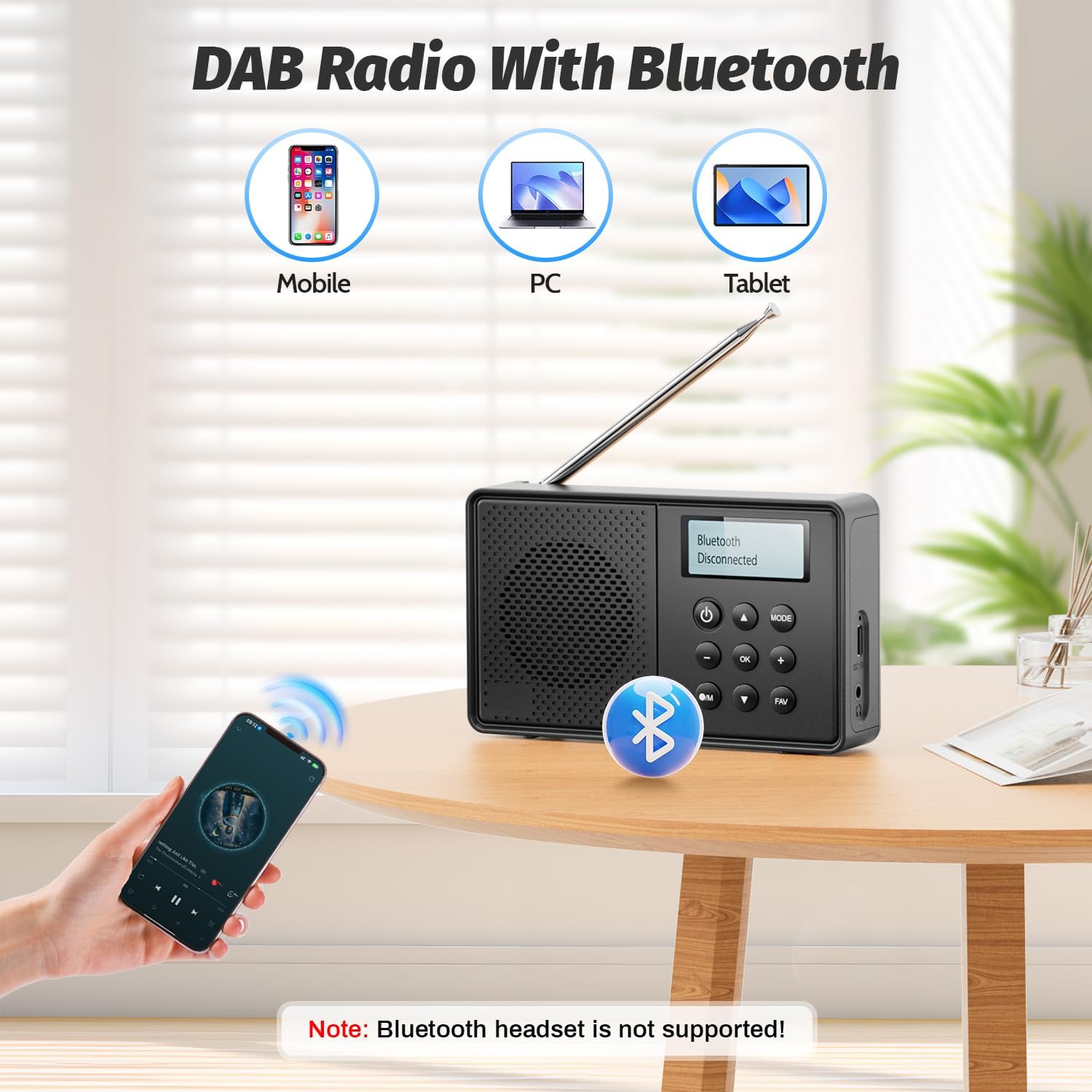
Image: The Arafuna NDR111B radio on a table next to a sleeping person, with an overlay showing the dual alarm and sleep timer settings. A note clarifies that alarms work only when connected to power.
Sleep Timer funktion
The sleep timer allows the radio to turn off automatically after a set period (15-90 minutes).
- Access the sleep timer settings via the menu.
- Vælg den ønskede varighed (f.eks. 15, 30, 60, 90 minutter).
- Radioen slukker automatisk efter det valgte tidspunkt.
Brug af hovedtelefoner
- Plug 3.5mm wired headphones into the headphone jack for private listening.
5. Opladning
The Arafuna NDR111B features a built-in lithium battery that provides up to 5 hours of playback and can be fully recharged in approximately 2.5 hours via the Type-C port.
- Connect the Type-C cable to the radio and a power source.
- Batteriikonet på displayet viser opladningsstatus.
- Frakobl kablet, når det er fuldt opladet, for at forlænge batteriets levetid.
6. Vedligeholdelse
- Rengør radioen med en blød, tør klud. Brug ikke slibende rengøringsmidler eller opløsningsmidler.
- Hold enheden væk fra støv og direkte sollys.
- If not used for a long period, charge the battery periodically to maintain its health.
7. Fejlfinding
| Problem | Mulig årsag | Løsning |
|---|---|---|
| Ingen strøm | Batteriet er opbrugt | Oplad radioen med Type-C-kablet. |
| Dårlig radiomodtagelse | Antenna not extended or poor signal area | Extend the telescopic antenna fully and adjust its position. Try moving to a different location. |
| Bluetooth forbinder ikke | Enheden er ikke i parringstilstand eller uden for rækkevidde | Ensure the radio is in Bluetooth mode. Check that your device's Bluetooth is on and within 10 meters. |
| Alarmen lyder ikke | Radio not connected to power or alarm not set correctly | Connect the radio to a power source. Verify alarm settings (time, source, frequency). |
8. Specifikationer
| Feature | Detalje |
|---|---|
| Mærke | Arafuna |
| Model | NDR111B |
| Produktdimensioner | 12 x 2 x 6 cm |
| Varens vægt | 230 g |
| Tuner-teknologi | DAB / DAB + / FM |
| Understøttede radiobånd | DAB, DAB+, FM |
| Frequency (DAB/DAB+) | 174-240 MHz |
| Frequency (FM) | 87.5-108 MHz |
| Forbindelsesteknologi | Bluetooth |
| Vise | LCD |
| Højttaler udgangseffekt | 3 watt |
| Strømkilde | Batteridrevet (1 lithium-ion-batteri inkluderet) |
| Batterikapacitet | 2200 mAh (approx. 5 hours playback) |
| Opladningstid | Cirka 2.5 timer (via Type-C) |
| Yderligere funktioner | DAB Plus Radio, Dual Alarm, Sleep Timer, 40 Presets |
9. Garanti og support
Arafuna products are designed for reliability and performance. For warranty information, technical support, or customer service inquiries, please refer to the contact details provided on the product packaging or the official Arafuna webwebstedet. Behold din købskvittering som købsbevis.
10. Produktvideoer
Unboxing and Overview
Video: An unboxing video of a similar product, demonstrating the initial setup and components. This video provides a visual guide to what to expect when opening your Arafuna NDR111B radio.
Produkt demonstration
Video: A practical product illustration, showcasing the features and functionality of the radio in use. This video helps visualize how to operate the various modes and settings.
Radio Features Overview
Video: A demonstration of a portable FM radio, highlighting its features and ease of use. While not the exact model, it provides a general understanding of portable radio operation.
Bærbar radio med Bluetooth
Video: En videovisningasing a portable radio with Bluetooth functionality, similar to the Arafuna NDR111B. It illustrates how to use the radio for both traditional broadcasts and Bluetooth audio streaming.