
1. Introduktion
Khadas Mind 2 Mini PC er en kompakt og kraftfuld computerenhed designet til forskellige opgaver, lige fra daglig produktivitet til kreative projekter. Denne manual indeholder vigtige oplysninger om opsætning, betjening og vedligeholdelse af din enhed.

Figur 1: Khadas Mind 2 Mini PC, vistasing dens kompakte design og tilgængelige porte.
Enheden har et elegant, ultra-bærbart design, der kun vejer 435 gram og er kun 2 cm tyk. Dens CNC unibody-design og anodiseret aluminiumskonstruktion ...asing giver både holdbarhed og et behageligt greb. Khadas Mind 2 er udstyret med en Intel Core Ultra 5 125H processor, 16 GB LPDDR5 hukommelse og en 512 GB PCIe 4.0 SSD, hvilket sikrer effektiv ydeevne til forskellige applikationer.

Figur 2: Khadas Mind 2 Mini PC'en demonstrerer sit ultrabærbare og lette design, der nemt passer i en lille taske.
Video 1: En overview af Khadas Mind Portable Workstation, der fremhæver dens funktioner og modularitet.
2. Hvad er der i æsken
Sørg venligst for, at alle varer er til stede i emballagen:
- Mind 2 Mini PC
- Strømadapter
- USB-C kabel
- Instruktionsmanual
3. Opsætningsvejledning
3.1 Indledende opsætning
- Tilslut strøm: Tilslut den medfølgende strømadapter til Khadas Mind 2 Mini PC'en, og sæt den i en stikkontakt.
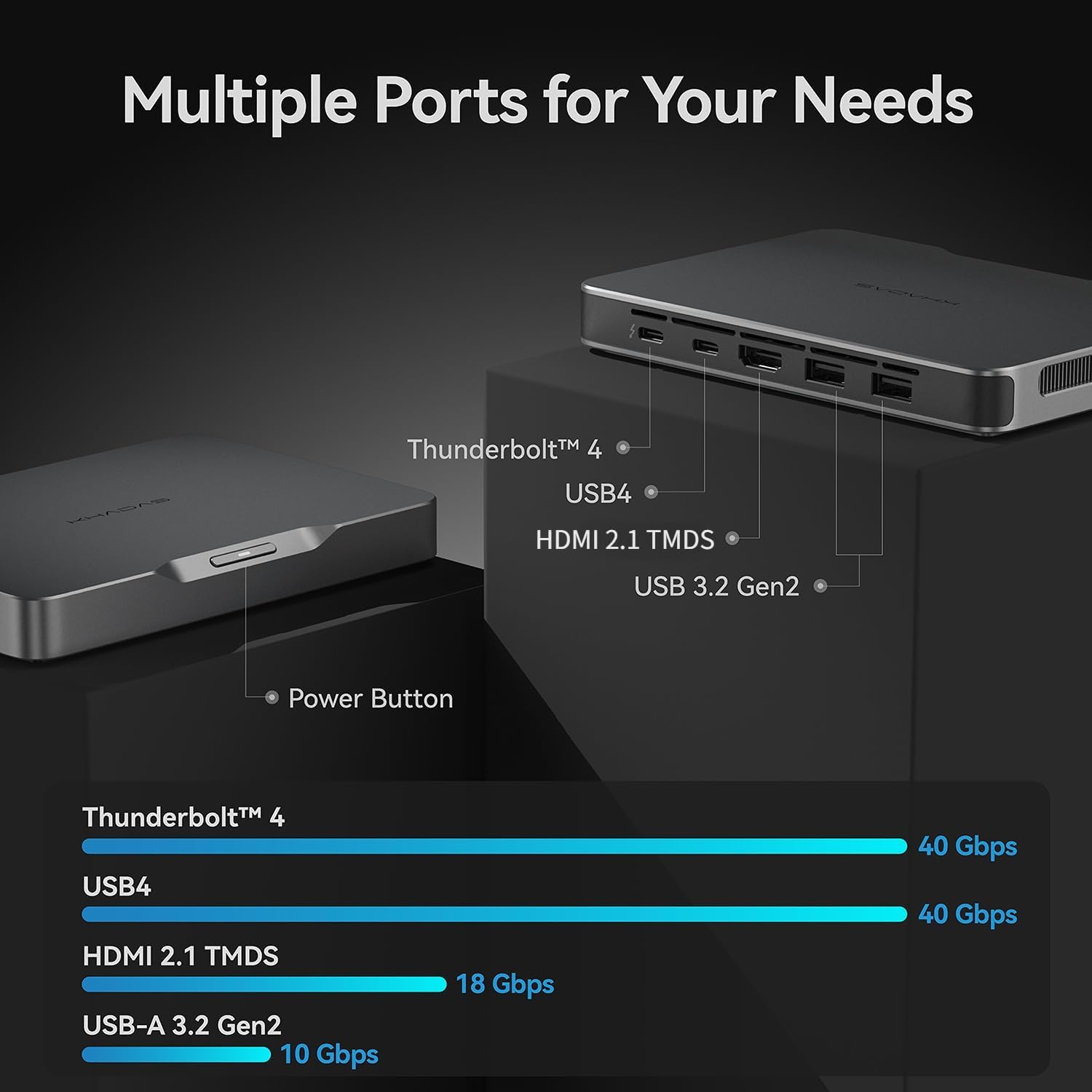
- Tilslut til skærm: Brug et HDMI 2.1-kabel til at tilslutte mini-pc'en til din skærm eller dit tv. Enheden understøtter også Thunderbolt 4/USB4 til skærmudgang.
- Tilslut ydre enheder: Tilslut dit tastatur og din mus til de tilgængelige USB-A 3.2 Gen2-porte.
- Tænd: Tryk på tænd/sluk-knappen på enheden for at tænde den.
Figur 3: Bagside view af Khadas Mind 2 Mini PC'en, der illustrerer de tilgængelige porte til tilslutning.
3.2 Førstegangskonfiguration af operativsystemet
Ved første opstart vil Windows 11 Home-operativsystemet guide dig gennem den indledende opsætningsproces, herunder valg af sprog, netværksforbindelse og oprettelse af brugerkonto. Følg instruktionerne på skærmen for at fuldføre opsætningen.
Video 2: En vejledning til, hvordan man konfigurerer grafik for første gang, relevant for den indledende OS-konfiguration.
4. Betjeningsvejledning
4.1 Ydeevne overview
Khadas Mind 2 er drevet af Intel Core Ultra 5 125H-processoren med en tre-i-en-arkitektur (CPU, GPU og NPU) for afbalanceret ydeevne. Den inkluderer 14 kerner og 18 tråde med en maksimal turbofrekvens på op til 4.5 GHz. Den integrerede Arc-grafik giver forbedret visuel ydeevne, og AI Boost NPU tilbyder 34 TOPS kombineret computerkraft til AI-drevne opgaver.

Figur 4: Detaljerede specifikationer og ydeevnebenchmarks for Intel Core Ultra 5 125H-processoren.

Figur 5: Overview af Arc Integrated Graphics og AI Boost NPU, der fremhæver deres ydeevnemålinger.
4.2 Tilslutning og udvidelse
Mini-pc'en tilbyder alsidige tilslutningsmuligheder:
- Thunderbolt 4 og USB4: Til lynhurtige dataoverførsler og skærmoutput på 40 Gbps.
- HDMI 2.1 TMDS: Understøtter 18 Gbps output til skærme med høj opløsning.
- USB-A 3.2 Gen2: To porte, der tilbyder 10 Gbps dataoverførsel.
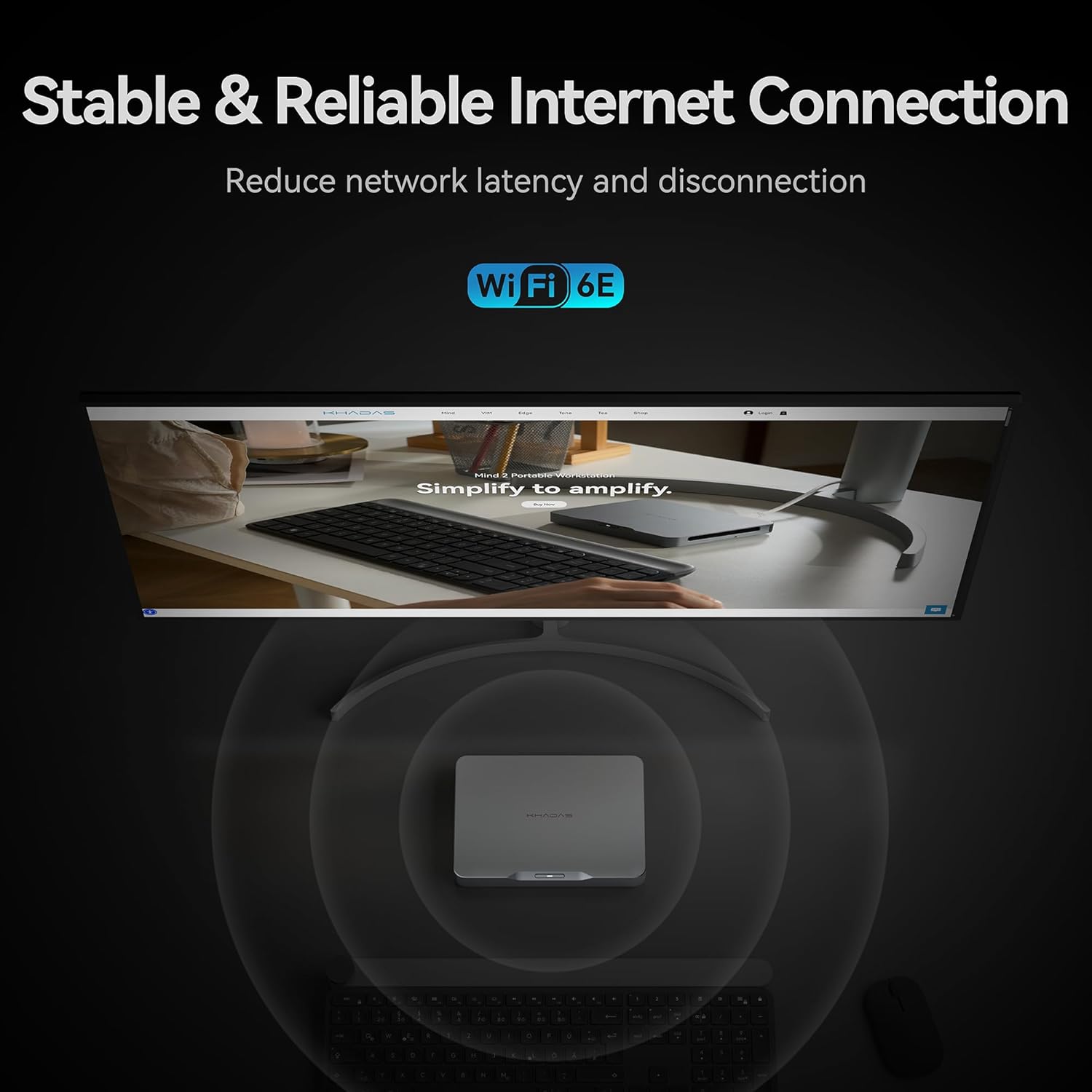
- Trådløs: Indbygget Bluetooth 5.3 og Wi-Fi 6E for problemfri trådløse forbindelser.

Figur 6: Thunderbolt 4-grænsefladen og dens høje dataoverførselshastigheder sammenlignet med andre porte.
Til udvidelse af lagerplads inkluderer enheden et M.2 2230 SSD-udvidelsesstik med et genialt magnetisk dækseldesign, der muliggør nem tilføjelse af op til 2 TB PCIe 4.0 SSD-lagerplads.
Figur 7: M.2 2230 SSD-udvidelsesporten, designet til nemme lageropgraderinger.
4.3 Indbygget batteri
Khadas Mind 2 har et indbygget 5.55 Wh batteri, der giver op til 25 timers standbytid. Dette gør det muligt for enheden at gå i dvaletilstand øjeblikkeligt ved strømafbrydelse, hvilket bevarer dit arbejde uden datatab. Den kan vågne op på bare 2 sekunder, hvilket muliggør hurtig genoptagelse af opgaver.

Figur 8: Illustration af det indbyggede 5.55 Wh batteri, der muliggør uafbrudt mobilitet og standbytid.
5. Specifikationer
| Feature | Detalje |
|---|---|
| Processor | Intel Core Ultra 5 125H (14 kerner, 18 tråde, op til 4.5 GHz) |
| VÆDDER | 16 GB LPDDR5 (6400.0 MHz) |
| Opbevaring | 512 GB PCIe 4.0 SSD |
| Grafik | Intel Arc integreret grafik (op til 2.2 GHz, 8 GB VRAM) |
| Operativsystem | Windows 11 Home |
| Trådløs forbindelse | Bluetooth 5.3, Wi-Fi 6E |
| I/O-porte | Thunderbolt 4, USB4, HDMI 2.1 TMDS, 2x USB-A 3.2 Gen2 |
| Batteri | 5.55 Wh (op til 25 timers standby) |
| Dimensioner (LxBxH) | 5.75 x 4.13 x 0.79 tommer |
| Vægt | 15.2 ounce (ca. 435 gram) |
6. Vedligeholdelse
6.1 Softwareopdateringer
Søg regelmæssigt efter og installer operativsystemopdateringer (Windows Update) og driveropdateringer for at sikre optimal ydeevne og sikkerhed. Besøg den officielle Khadas. webwebsted for de nyeste drivere og firmware til din Mind 2 Mini PC.
6.2 Rengøring
For at opretholde optimal ydeevne og forhindre overophedning skal enheden rengøres med jævne mellemrum. Brug en blød, tør klud til at tørre ydersiden af. Brug trykluft til forsigtigt at fjerne støvophobning fra ventilationsåbninger. Sørg for, at enheden er slukket, og at stikket er taget ud, før du rengør den.
7. Fejlfinding
7.1 Ingen strøm
- Sørg for, at strømadapteren er korrekt tilsluttet enheden og stikkontakten.
- Kontroller, at stikkontakten fungerer ved at tilslutte en anden enhed.
7.2 Ingen skærmudgang
- Kontroller, at HDMI- eller USB-C-skærmkablet er korrekt tilsluttet til både mini-pc'en og skærmen.
- Sørg for, at skærmen er tændt og indstillet til den korrekte inputkilde.
- Prøv et andet skærmkabel eller en anden skærm for at udelukke hardwareproblemer.
7.3 Forbindelsesproblemer
- For Wi-Fi skal du sørge for, at routeren fungerer, og at enheden er inden for rækkevidde. Opret forbindelse til Wi-Fi-netværket igen.
- For Bluetooth skal du sørge for, at den eksterne enhed er i parringstilstand og inden for rækkevidde.
- For USB-enheder skal du prøve at tilslutte til en anden USB-port eller genstarte Mini PC'en.
8. Garanti og support
Khadas Mind 2 Mini PC leveres typisk med en 3-årig beskyttelsesplan. For detaljerede garantivilkår og -betingelser henvises til garantikortet, der er inkluderet i produktemballagen, eller besøg den officielle Khadas-support. webwebsted.
For teknisk support, hjælp til fejlfinding eller serviceforespørgsler, kontakt venligst Khadas kundesupport via deres officielle webwebsted eller udpegede kanaler.