
Sharp BNDL_4TC55FS1UR-WALTS-FM4390-SC
Sharp AQUOS OLED 4K UHD Roku TV User Manual
Model: 4T-C55FS1UR
Includes Walts TV Full Motion Mount and Screen Cleaner Kit
Indledning
This manual provides essential information for setting up, operating, maintaining, and troubleshooting your new Sharp 4T-C55FS1UR 55 Inch AQUOS OLED 4K Ultra HD Roku TV. It also covers the included Walts TV Large/Extra Large Full Motion Mount and Walts HDTV Screen Cleaner Kit. Please read this manual thoroughly before using your product to ensure optimal performance and safety.

The Sharp 55-inch AQUOS OLED 4K UHD Roku TV, bundled with a full motion mount and screen cleaner kit.
Opsætningsvejledning
1. Udpakning og placering
Carefully remove all components from the packaging. The TV weighs approximately 38.5 pounds and has product dimensions of 9.84"D x 48.27"W x 31.18"H. Ensure you have adequate space for placement.
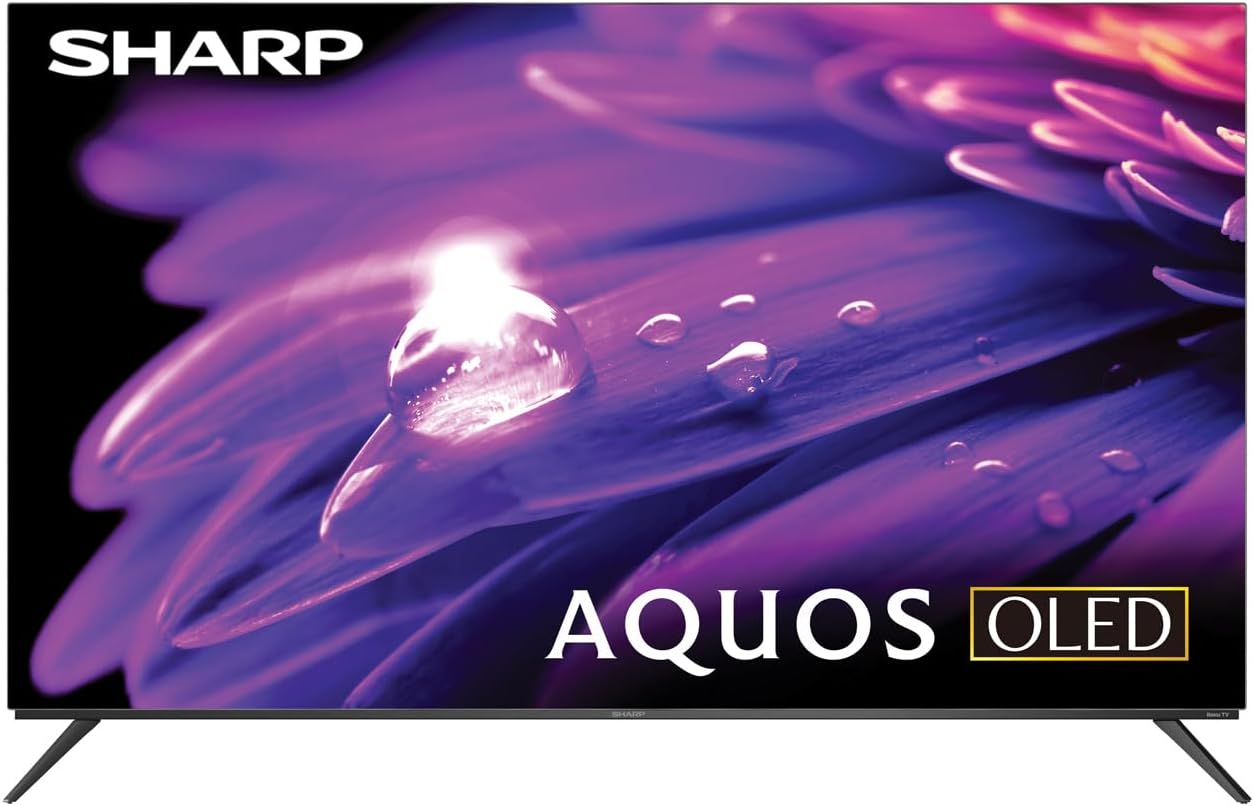
The Sharp AQUOS OLED TV, showcasing dens elegante design og livlige skærm.
Montering af stativ
The TV comes with two legs that attach to the outer edges of the TV. These stands provide approximately 3.5 inches of clearance, allowing space for a soundbar or other accessories beneath the TV. Ensure the stands are securely fastened before placing the TV on a flat, stable surface.
Full Motion Mount Installation
The Walts TV Large/Extra Large Full Motion Mount is designed for 43-90 inch compatible TVs and supports VESA compatibility up to 700mm x 500mm. This articulating mount allows for extensive movement, including tilting up or down, angling side to side, and extending away from the wall. Refer to the separate mount instruction manual for detailed installation steps and safety guidelines.

The Walts TV Full Motion Mount, shown in an extended position, offering flexible viewing vinkler.
2. Forbindelser
The TV features side-angled inputs for easy access, whether wall-mounted or on a stand. Connect your devices to the appropriate ports:
- HDMI-porte: 4 HDMI inputs, including one with eARC for enhanced audio return channel functionality.
- USB-porte: 2 USB ports for media playback or connecting compatible devices.
- Ethernet: Til en kablet internetforbindelse.
- Antenna In: Til tilslutning af en trådløs antenne.
- Digital lydudgang: Til tilslutning til eksterne lydsystemer.

En detaljeret view of the conveniently located side-angled input ports on the Sharp TV.
3. Første opstart og Roku-opsætning
Once all connections are made, plug in the TV and press the power button on the remote. Follow the on-screen instructions to complete the initial Roku TV setup, including connecting to your Wi-Fi network and logging into your Roku account. The intuitive Roku interface provides access to a wide range of streaming services.

The Sharp Roku TV home screen, showing popular streaming applications and navigation options.
Betjening af dit tv
Billedkvalitet
The Sharp AQUOS OLED TV delivers stunning visuals with its 4K Ultra HD resolution, providing 8.3 million pixels for incredible detail. It supports HDR10, HLG, and Dolby Vision IQ, enhancing contrast and color accuracy for a more immersive viewing experience. The OLED technology ensures true blacks and vibrant colors.
For gamers, the TV features a 120Hz refresh rate and Variable Refresh Rate (VRR) with Low Latency, ensuring smooth gameplay and reduced input lag, especially with next-gen consoles.
Officiel produktanmeldelseview video for the Sharp FS1UR Series TV, highlighting its features and performance.
Lydfunktioner
Experience rich and clear sound with Dolby Audio. The TV features built-in speakers designed to complement the visual experience. For enhanced audio, utilize the eARC HDMI port to connect a compatible soundbar or audio receiver.
Smart Features (Roku TV)
The integrated Roku TV platform provides access to a vast library of streaming content. Supported internet services include Netflix, Disney+, Apple TV, Roku Channel, Discovery+, HBO Max, Paramount+, and many more. The included voice remote control allows for convenient navigation and content search.
Viewing Angles and Reflection Handling
The Sharp AQUOS OLED TV offers excellent viewing angles, ensuring consistent picture quality even when viewed from the side. Its reflection handling is also exceptional, minimizing glare in most environments. However, in extremely bright rooms, some reflections may still be visible due to the nature of OLED panels.
Opretholdelse
Skærmrensning
Use the included Walts HDTV Screen Cleaner Kit to keep your screen pristine. This non-ammonia and alcohol-free solution cleans without dripping, streaking, or staining, leaving no film or residue. It effectively removes dust, dirt, and fingerprints. Apply the solution to a soft, lint-free cloth (not directly to the screen) and gently wipe the display.

The Walts HDTV Screen Cleaner Kit, designed for safe and effective cleaning of display screens.
Almen pleje
- Opbevar tv'et et sted med god ventilation for at forhindre overophedning.
- Undgå at udsætte tv'et for direkte sollys eller ekstreme temperaturer.
- Placer ikke tunge genstande oven på tv'et.
- Tag stikket til tv'et ud af stikkontakten under tordenvejr eller når det ikke bruges i længere perioder.
Fejlfinding
If you encounter issues with your Sharp AQUOS OLED TV, refer to the following common troubleshooting tips:
- Ingen strøm: Sørg for, at netledningen er korrekt tilsluttet både tv'et og en fungerende stikkontakt. Prøv en anden stikkontakt.
- Intet billede/lyd: Verify that the correct input source is selected. Check all cable connections (HDMI, antenna, etc.) for looseness.
- Fjernbetjeningen virker ikke: Udskift batterierne i fjernbetjeningen. Sørg for, at der ikke er nogen forhindringer mellem fjernbetjeningen og tv'ets IR-sensor.
- Problemer med netværksforbindelse: Restart your Wi-Fi router. Go to the Roku TV settings to re-establish the network connection or try a wired Ethernet connection.
- Problemer med billedkvaliteten: Adjust picture settings (brightness, contrast, color) in the TV's menu. Ensure your content source is high-quality (e.g., 4K content for 4K resolution).
For mere detaljeret fejlfinding eller vedvarende problemer, kontakt venligst kundesupport.
Specifikationer
| Feature | Beskrivelse |
|---|---|
| Mærkenavn | Skarp |
| Modelnavn | 4T-C55FS1UR |
| Skærmstørrelse | 55 tommer |
| Displayteknologi | OLED |
| Opløsning | 4K Ultra HD |
| Opdateringshastighed | 120 Hz |
| Særlige funktioner | HDR10, HLG, Dolby Vision IQ, Full Roku TV Experience, Dolby Digital Audio, Variable Refresh Rate (VRR) with Low Latency, Voice Remote Control |
| Forbindelse | 4 HDMI (1 eARC), 2 USB, Wi-Fi Compatible, Ethernet |
| Understøttede internettjenester | Netflix, Disney+, Apple TV, Roku Channel, Discovery+, HBO Max, Paramount+, and More |
| Produktdimensioner | 9.84" D x 48.27" B x 31.18" H |
| Varens vægt | 38.5 pund |
| Farve | Sort |
Garanti og support
For warranty information and customer support, please refer to the documentation included with your product or visit the official Sharp webwebstedet. Du kan også finde yderligere supportressourcer og ofte stillede spørgsmål på Sharp Store på Amazon.

Dedicated customer support is available for assistance.
Ask a question about this manual
Ask about setup, troubleshooting, compatibility, parts, safety, or missing instructions. Manuals+ will review the question and use this page’s manual context to help answer it.