
Indledning
Welcome to your new Brookstone Oversized Electric Heated Throw. This manual provides essential information for safe and effective use, maintenance, and care of your heated throw. This electric throw blanket is designed to provide customizable warmth and comfort with its soft polyester material and multiple heat settings.
Vigtige sikkerhedsadvarsler
- Må ikke anvendes til spædbørn, børn, handicappede personer eller personer, der er ufølsomme over for varme.
- Må ikke bruges, hvis den er våd.
- Må ikke anvendes med kæledyr.
- Do not use if folded, bunched, or creased.
- Afbryd altid strømmen før rengøring.
- Må ikke kemisk renses.
- Brug ikke blegemiddel.
- Må ikke stryges.
- Ensure the product is dry before plugging in.
Opsætningsinstruktioner
- Unpack the heated throw and ensure all components are present: heated throw, controller, and power cord.
- Locate the connector on the heated throw, typically in a bottom corner.
- Connect the controller cable securely to the connector on the throw.
- Plug the power cord into a standard 110-120 volt AC outlet.
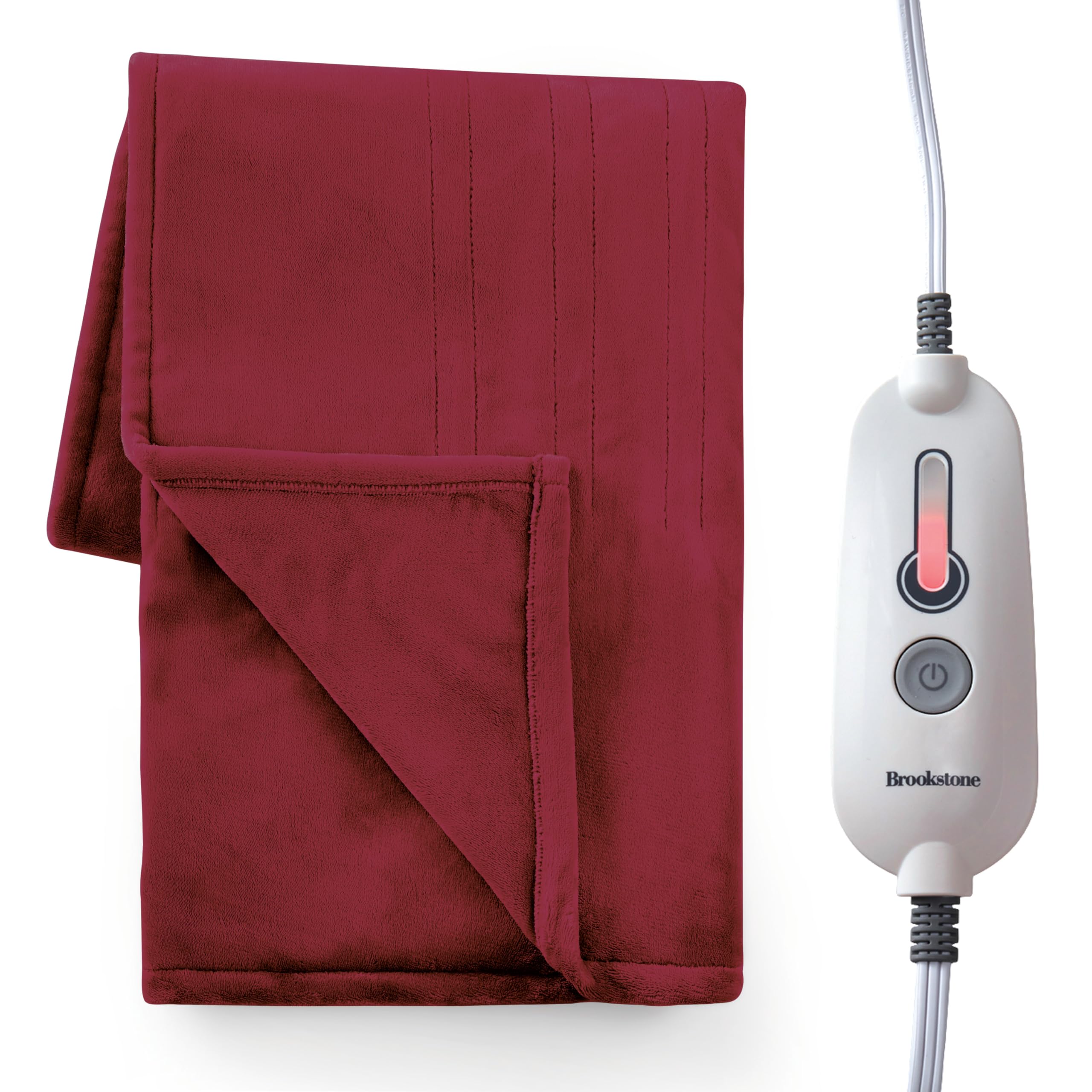
Image: The Brookstone Oversized Electric Heated Throw draped over a couch, highlighting the integrated controller.

Image: Detail of the power cord connecting to the heated throw, showing the discreet placement.
Betjeningsvejledning
Powering On and Adjusting Heat Settings
- Press the power button on the controller to turn on the heated throw.
- The controller features 4 heat settings. Press the power button repeatedly to cycle through the heat levels. Indicator lights will show the selected heat intensity.
- The throw heats up quickly, typically within 30-40 seconds, allowing you to feel warmth almost immediately.
Automatisk sluk
For safety and energy efficiency, the heated throw is equipped with a 4-hour automatic shut-off feature. After 4 hours of continuous use, the throw will automatically turn off. To resume heating, simply press the power button again.

Image: The controller with power button and four heat indicator lights.

Image: Visual summary of key features: 4 heat settings, soft material, and easy power connection.
Pleje og vedligeholdelse
Vaskeanvisning
The Brookstone Oversized Electric Heated Throw is machine washable and dryer safe.
- Before washing, always disconnect the power cord from the wall outlet and detach the controller from the blanket.
- Maskinvask i koldt vand på en skånsom cyklus.
- Må ikke bleges.
- Tumble dry on low heat. Ensure the product is completely dry before reconnecting to power.
- Må ikke stryges eller renses.

Image: A folded heated throw with callouts for "Ultra-Soft Plush Material," "Machine Washable," and "Heats Up Quickly."

Image: Close-up of the care label sewn into the heated throw, detailing washing and drying instructions.

Image: Visual summary of features including 4-hour auto shutoff, 1-touch controller, and machine washable care.
Fejlfinding
Throw is not heating:
- Sørg for, at netledningen er korrekt tilsluttet en fungerende stikkontakt.
- Verify that the controller cable is firmly connected to the blanket.
- Press the power button on the controller to ensure it is turned on and a heat setting is selected.
- Check if the 4-hour auto shut-off has activated. If so, press the power button to restart.
- Ensure the blanket is not folded, bunched, or creased, as this can trigger safety features.
Controller lights are flashing:
- This may indicate a safety feature has been activated. Disconnect the blanket from the power outlet, wait a few minutes, then reconnect and try again.
- Kontakt kundesupport, hvis problemet fortsætter.
Produktspecifikationer
| Feature | Detalje |
|---|---|
| Model | B0DGWPY4S |
| Mærke | Brookstone |
| Materiale | 100% polyester |
| Dimensioner | 60 cm L x 50 cm B |
| Varmeindstillinger | 4 |
| Automatisk sluk | 4 timer |
| Magt | AC-adapter (110-120V) |
| Plejevejledning | Maskinvaskbar, tørretumblersikker |
| Certificeringer | ETL-certificeret |
Garanti og kundesupport
For warranty information or customer support, please refer to the product packaging or contact Brookstone directly through their official webwebsted eller kundeservicekanaler.
Besøg Brookstone-butikken på Amazon for mere information.