
Indledning
This manual provides detailed instructions for the safe and efficient use of your Generico C71 Pro 4G Flip Phone. Please read this manual thoroughly before operating the device and retain it for future reference.
The Generico C71 Pro is a 4G flip phone designed for ease of use, featuring a KaiOS operating system, large buttons, a 2.8-inch display, and essential functions like an SOS button and a charging dock. It supports 2G, 3G, and 4G networks.
Pakkens indhold
Bekræft, at alle nedenstående varer er til stede i din produktpakke:
- 1 x 4G Flip KaiOS Senior Phone (Generico C71 Pro)
- 1 x Charger & Charging Cable (USB cable and power adapter)
- 1 x Battery (1400mAh Lithium-ion)
- 1 x Brugermanual (dette dokument)
- 1 x opladningsholder
- 1 x høretelefon

Image: Contents of the Generico C71 Pro flip phone package, including the phone, charging dock, charger, cable, battery, earphones, and user manual.
Enhed overview
Familiarize yourself with the main components of your Generico C71 Pro flip phone.

Image: The Generico C71 Pro flip phone in an open position, displaying its large keypad and 2.8-inch screen with a KaiOS interface. Beside it is the charging dock.

Billede: Side view of the Generico C71 Pro flip phone, highlighting the rear camera, SOS button, and volume controls. The external display shows icons for incoming call, message, alarm, and battery level alerts.
Opsætning
1. Installation af SIM-kort og batteri
- Åbn telefonens bagdæksel.
- Insert your 4G compatible SIM card(s) into the designated slot(s). Ensure the SIM card is correctly oriented.
- Insert the 1400mAh Lithium-ion battery into the battery compartment, aligning the contacts.
- Sæt bagdækslet sikkert på igen.
2. Første opladning
Oplad telefonens batteri helt før første brug.
- Connect the USB cable to the charger and then to the phone's Micro USB port, or place the phone in the charging cradle.
- Sæt opladeren i en stikkontakt.
- Opladningsindikatoren viser opladningsstatussen. En fuld opladning tager typisk cirka 2 timer.
Betjeningsvejledning
1. Tænd/sluk
- For at tænde: Tryk på tænd/sluk-knappen/afslut opkald, og hold den nede, indtil skærmen lyser.
- Sådan slukker du: Press and hold the Power/End Call button, then select "Power Off" from the options.
2. Foretage og modtage opkald
- Foretag et opkald: Ring nummeret op ved hjælp af det store tastatur, og tryk på den grønne opkaldsknap.
- Besvare et opkald: Når telefonen ringer, skal du trykke på den grønne opkaldsknap for at besvare.
- Afslutning af et opkald: Tryk på den røde Afslut opkald-knap.

Image: Close-up of the Generico C71 Pro's keypad, showing individual, large, and backlit buttons for easy dialing and navigation.
3. SOS-nødfunktion
The SOS button allows for quick contact with pre-set emergency numbers.
- Indstilling af SOS-numre: Navigate to the SOS settings in the phone menu to add up to 5 emergency contacts.
- Aktivering af SOS: In an emergency, press and hold the SOS button on the back of the phone for 3 seconds. The phone will automatically dial the pre-set emergency numbers sequentially and send an emergency text message.
4. Speed Dial Keys
Assign frequently called numbers to speed dial keys for one-touch dialing.
- Indstilling af hurtigopkald: Access the speed dial settings in the phone menu. You can assign up to 10 numbers to the numeric keys (0-9) and M1/M2 keys.
- Brug af hurtigopkald: Press and hold the assigned numeric key (e.g., '2' for "Best Friend") to dial the contact.

Image: The Generico C71 Pro's keypad illustrating the 10 speed dial keys, with examples like M1 for "Wife/Husband" and M2 for "Daughter", and numbers 2-9 assigned to other family members.
5. KaiOS Features and Applications
Your Generico C71 Pro runs on KaiOS, offering a range of smart features.
- Forudinstallerede apps: WhatsApp, Facebook, Google Maps.
- Andre funktioner: Integrated video player, Bluetooth connectivity, FM radio, calculator, alarm clock, calendar, and web browser.
- App Store: Access the Google App Store to download and install additional applications.
- Note: Video calling functionality is not supported by the operating system.

Image: A graphic displaying icons for various features available on the Generico C71 Pro, including Bluetooth, WiFi, SOS Button, Maps, Browser, E-Mail, Camera, Music, Clock, and FM Radio.
6. Kamerabrug
The phone features both front and rear cameras for capturing photos and videos.
- Adgang til kamera: Naviger til Kamera-applikationen fra hovedmenuen.
- Optagelse af billeder/videoer: Use the on-screen controls to switch between front/rear cameras, take pictures, or record videos.
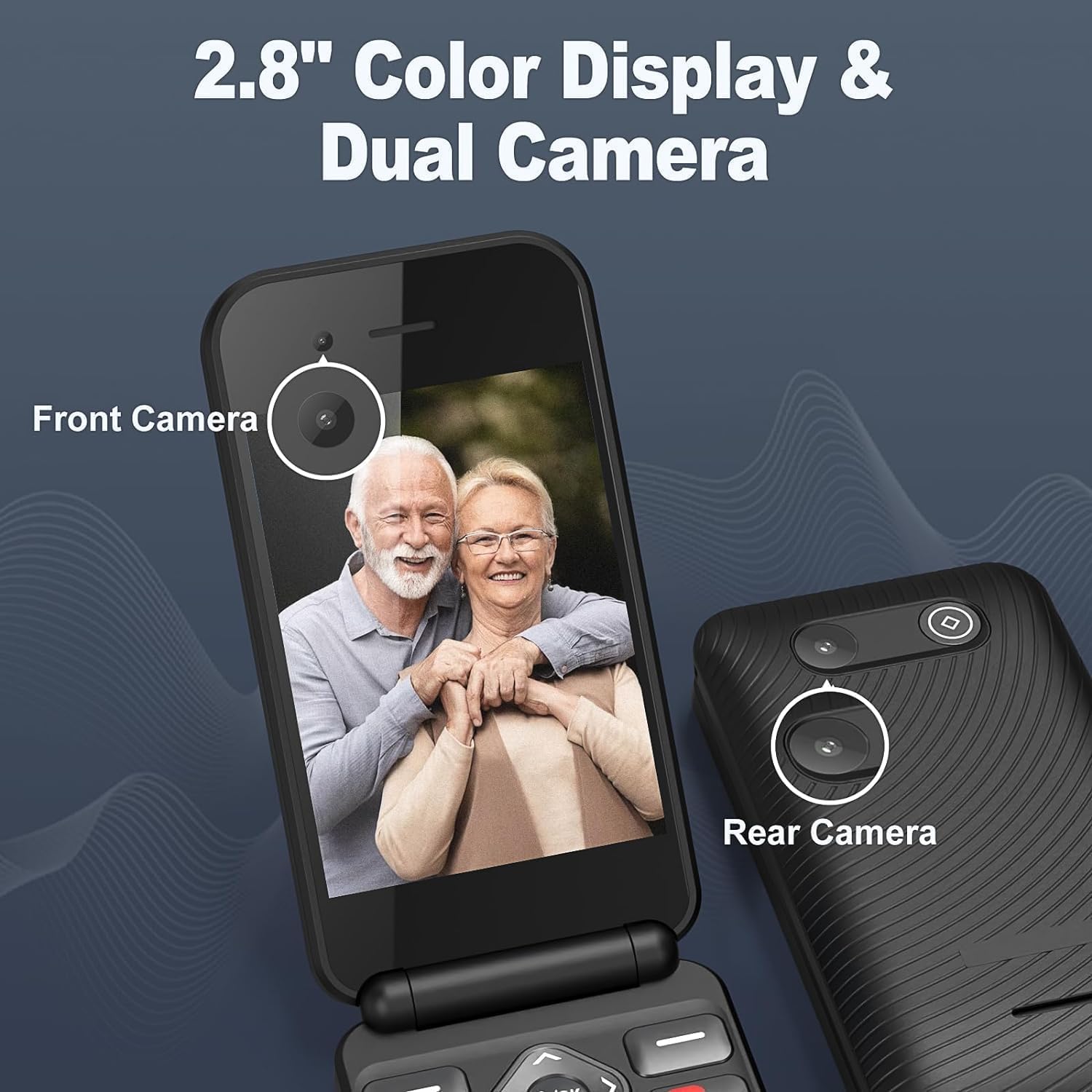
Image: The Generico C71 Pro flip phone displaying its 2.8-inch color screen with a photo of two seniors. The image also points out the front camera and the rear camera.
Opretholdelse
- Rensning: Brug en blød, tør klud til at rengøre telefonens skærm og kabinet. Undgå at bruge flydende rengøringsmidler eller slibende materialer.
- Batteripleje: For at forlænge batteriets levetid skal du undgå at udsætte telefonen for ekstreme temperaturer. Oplad batteriet regelmæssigt, men undgå at overoplade det.
- Opbevaring: Hvis du opbevarer telefonen i længere tid, skal du sørge for, at den er delvist opladet (ca. 50%) og opbevare den et køligt og tørt sted.
- Softwareopdateringer: Periodically check for KaiOS software updates through the phone's settings to ensure optimal performance and security.
Fejlfinding
| Problem | Mulig løsning |
|---|---|
| Telefonen tænder ikke. | Sørg for, at batteriet er korrekt installeret og opladet. Tilslut telefonen til opladeren, og prøv igen. |
| Kan ikke foretage eller modtage opkald. | Kontroller, om SIM-kortet er korrekt isat og aktiveret. Kontroller netværkssignalets styrke. Sørg for, at flytilstand er slået fra. |
| Batteriet aflades hurtigt. | Reducer skærmens lysstyrke. Luk ubrugte applikationer. Begræns brugen af baggrundsdata. Overvej at udskifte batteriet, hvis det er gammelt. |
| SOS-knappen virker ikke. | Ensure emergency numbers are correctly set in the SOS settings. Test the function in a non-emergency situation. |
| Kan ikke oprette forbindelse til Wi-Fi/Bluetooth. | Ensure Wi-Fi/Bluetooth is enabled in settings. Check network availability and password. Restart the phone. |
Specifikationer
| Feature | Detalje |
|---|---|
| Mærke | Generisk |
| Modelnummer | C71 Pro |
| Operativsystem | KaiOS |
| Cellulær teknologi | 4G (compatible with 2G/3G) |
| Forbindelse | Bluetooth, USB, Wi-Fi |
| Skærmstørrelse | 2.8 tommer |
| Internal Storage (RAM Size) | 32 GB (Note: This is likely internal storage, not RAM) |
| SIM-kortpladser | Enkelt SIM |
| Batterikapacitet | 1400 mAh Lithium-ion |
| Taletid | Op til 5-6 timer |
| Standby tid | Op til 200 timer (ca. 8 dage) |
| Opladningsport | Micro USB |
| Særlige funktioner | Expandable memory, WhatsApp/Facebook support, USB OTG, Fast charging, SOS button, Large backlit buttons, Dual Camera. |
| Farve | Sort |

Image: Graphic illustrating the Generico C71 Pro's 1400mAh battery, showing 2 hours for fast charging, 5 hours of continuous talk time, and 8 days of long standby time.

Image: A visual representation of the Generico C71 Pro's 4G HD Voice Calling capability, emphasizing backward compatibility with 3G/2G for stronger signal, faster speed, and clearer calls.
Garanti og support
For garantioplysninger og teknisk support henvises til den dokumentation, der fulgte med dit køb, eller kontakt din forhandler. Gem din købsbevis til garantikrav.
Manufacturer: Shenzhen Arington LTD