
Indledning
Welcome to your Maxwell Fusion Smart Watch. This manual provides essential information for setting up, operating, and maintaining your device. Please read it carefully to ensure optimal performance and longevity of your smartwatch.
Hvad er der i æsken
- Maxwell Fusion Smart Watch
- Trådløs oplader
- Rem
- Brugervejledning (dette dokument)
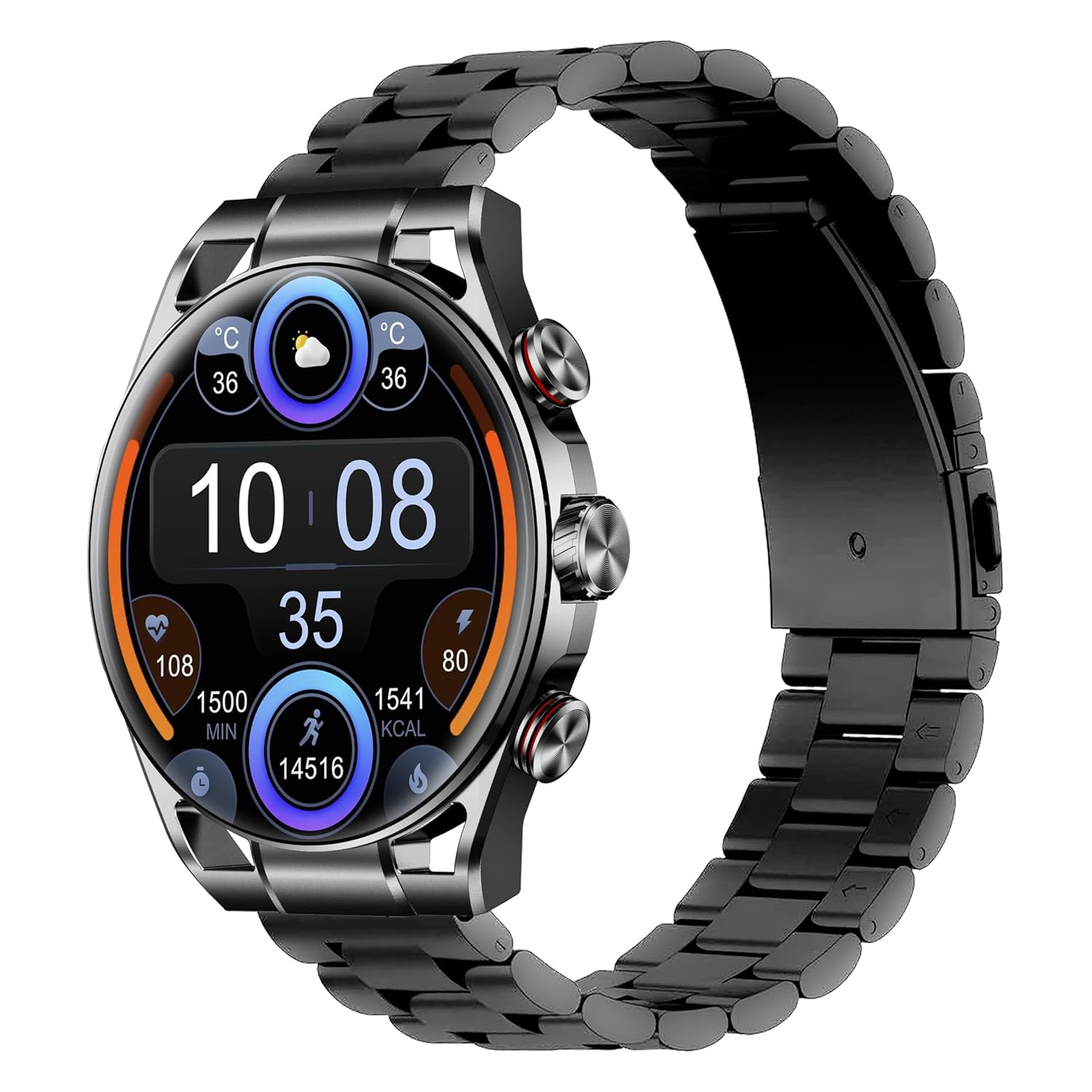
Image: The Maxwell Fusion Smart Watch with a black metal strap, displaying time and fitness metrics.
Opsætning
1. Opladning af smarturet
Before first use, fully charge your Maxwell Fusion Smart Watch. Connect the wireless charger to a power source and place the watch onto the charging pad. The watch will indicate charging status. A full charge typically takes approximately 2 hours.
The watch offers an extended standby time of up to 40 days on a single charge.
2. App Installation
To unlock the full functionality of your smartwatch, download and install the companion application on your smartphone. Scan the QR code below with your phone's camera or visit the provided links.

Image: Product packaging displaying technical specifications and QR codes for the companion app.
Download appen:
3. Parring med din smartphone
- Sørg for, at din smartphones Bluetooth er aktiveret.
- Open the installed companion app on your phone.
- Follow the in-app instructions to search for and connect to your Maxwell Fusion Smart Watch. The watch uses Bluetooth 5.2 for a stable connection.
- Bekræft parringsanmodningen på både dit ur og din smartphone.
The Maxwell Fusion Smart Watch is compatible with both iOS and Android devices.
Betjeningsvejledning
Grundlæggende navigation
The Maxwell Fusion Smart Watch features a responsive AMOLED Retina touchscreen and three physical buttons for navigation. Swipe across the screen to access different functions and menus. Press the buttons for specific actions such as returning to the home screen or accessing quick settings.

Image: The Maxwell Fusion Smart Watch showcasing its Super AMOLED Retina screen with bright, clear visuals.
Call and SMS Functionality
Once paired with your smartphone, you can dial and answer calls directly from your wrist. You will also receive SMS notifications on your watch. Ensure your watch is within Bluetooth range of your phone for these features to work.
Sportstilstande og aktivitetssporing
The watch includes various sports modes to track your physical activities. Access these modes through the watch menu to monitor metrics such as steps, distance, calories burned, and activity duration. The watch supports custom activity tracking.

Image: The Maxwell Fusion Smart Watch face with icons indicating features such as water resistance, iOS/Android compatibility, sport mode, 1400 NITS brightness, and heart rate monitoring.
Sundhedsovervågning
The Maxwell Fusion Smart Watch is equipped with a Heart Rate Monitor and supports Cycle Tracking. Access these features through the watch or the companion app to monitor your health data.
Vandtæthed (IP68)
Your smartwatch has an IP68 waterproof rating, making it suitable for swimming and other water-related activities. It can withstand immersion up to 1.4 meters. Avoid hot water or steam, as this can compromise the seal.

Image: A person wearing the Maxwell Fusion Smart Watch in a swimming pool, emphasizing its IP68 waterproof rating.
Displayets lysstyrke
The AMOLED Retina screen offers a brightness of up to 1400 NITS, ensuring clear visibility even in bright sunlight. Adjust the brightness settings through the watch menu for optimal viewi forskellige miljøer.
Opretholdelse
Rensning
Rengør regelmæssigt dit ur og din rem med en blød kludamp cloth. Avoid using harsh chemicals or abrasive materials, which can damage the finish or sensors.
Batteripleje
For at forlænge batteriets levetid bør du undgå at aflade uret helt ofte. Oplad det, når batteriniveauet er lavt. Opbevar uret et køligt og tørt sted, hvis det ikke bruges i længere perioder.
Forholdsregler for vandtæthed
While the watch is IP68 waterproof, it is not suitable for diving or high-pressure water activities. Do not expose the watch to hot water, steam, or detergents, as this may compromise its water resistance.
Fejlfinding
- Uret tænder ikke: Sørg for, at uret er fuldt opladet. Tilslut det til den trådløse oplader i mindst 30 minutter.
- Kan ikke parres med telefonen:
- Sørg for, at Bluetooth er aktiveret på din telefon og uret.
- Sørg for, at uret er inden for din telefons rækkevidde.
- Genstart både uret og din telefon, og prøv derefter at parre igen.
- Tjek om den tilhørende app er opdateret til den nyeste version.
- Notifikationer vises ikke:
- Verify that notifications are enabled in the watch's settings and the companion app.
- Sørg for, at uret er korrekt forbundet til din telefon via Bluetooth.
- Check your phone's notification settings to allow the app to send notifications.
- Unøjagtige sundhedsdata: Sørg for, at uret sidder tæt på dit håndled, men ikke for stramt. Rengør sensorerne regelmæssigt.
Specifikationer
| Feature | Detalje |
|---|---|
| Modelnummer | Fusion |
| Display Type | AMOLED Retina Screen |
| Forbindelse | Bluetooth 5.2, Wi-Fi |
| Batterikapacitet | 360 mAh |
| Batterilevetid (Standby) | Op til 40 dage |
| Opladningstid | Ca. 2 timer |
| Vandmodstand | IP68 (Waterproof up to 1.4 meters) |
| Hukommelseslagringskapacitet | 64 MB |
| Kompatible enheder | iOS & Android Smartphones |
| Human Interface Input | Touchscreen, 3 Buttons |
| Målte metrikker | Heart Rate, Activity |
| Materiale | Silicone (Band) |
| Vægt | 200 gram |
Garanti og support
Maxwell provides a standard manufacturer's warranty for this product. Please refer to the warranty card included in your packaging or visit the official Maxwell webhjemmeside for detaljerede garantivilkår.
For technical support, troubleshooting assistance, or service inquiries, please contact Maxwell customer support through their official channels.