
1. Introduktion
Thank you for choosing the LiebeWH ZT-300AB Wireless Digital Multimeter. This device is a high-precision, 6000-count True RMS multimeter designed for a wide range of electrical measurements. It features wireless connectivity, allowing real-time data recording, analysis, and processing via a mobile application. This manual provides essential information for the safe and effective use of your multimeter.
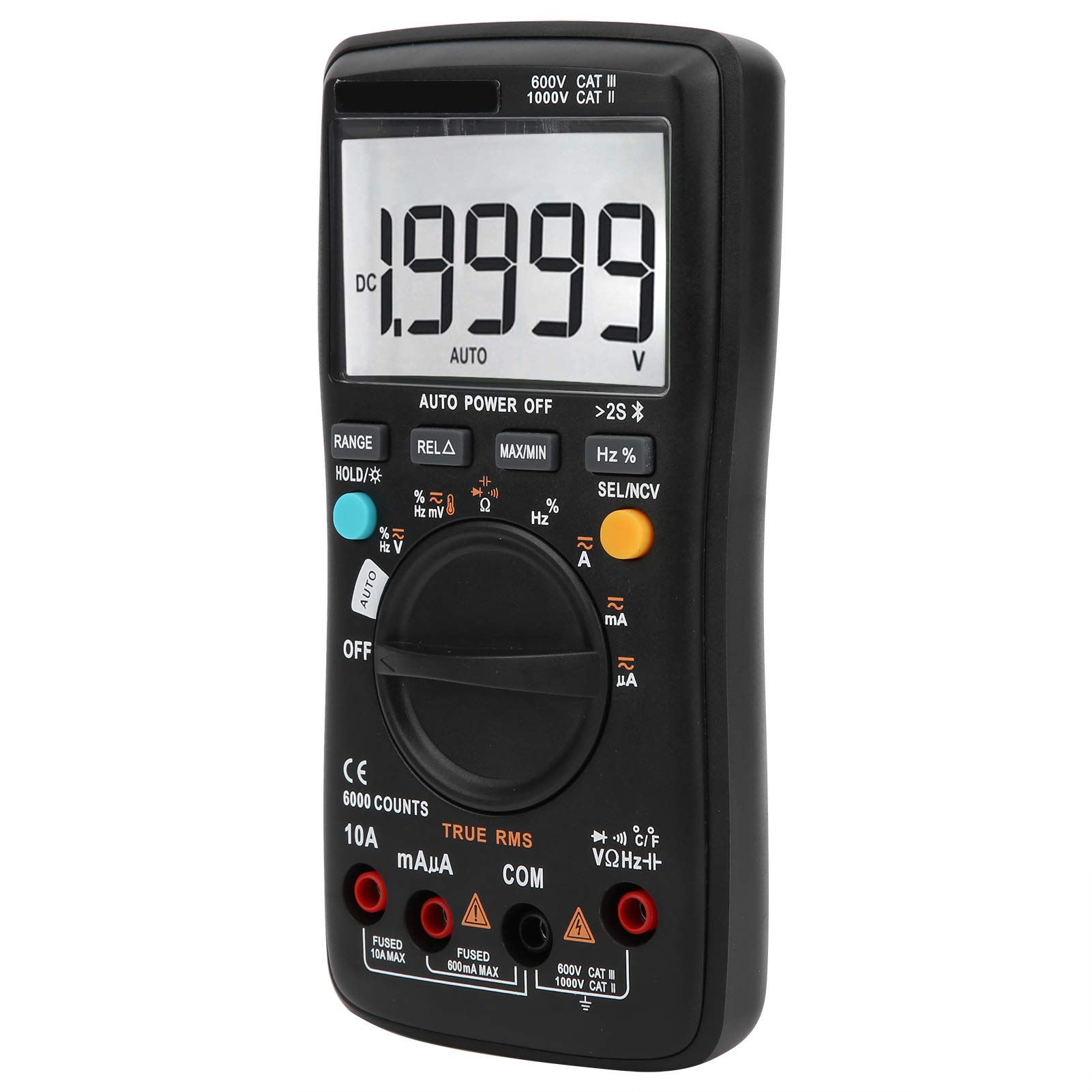
Billede 1.1: Forside view of the LiebeWH ZT-300AB Wireless Digital Multimeter, showing the large LCD display and function dial.
2. Sikkerhedsoplysninger
For at sikre sikker betjening og service af måleren skal du følge disse instruktioner. Manglende overholdelse af disse advarsler kan resultere i alvorlig personskade eller død.
- Frakobl altid testledningerne fra kredsløbet, før du skifter funktioner.
- Påfør ikke mere end den nominelle voltage, som markeret på måleren, mellem terminaler eller mellem enhver terminal og jord.
- Vær forsigtig, når du arbejder med voltagover 30V AC RMS, 42V peak eller 60V DC. Sådanne lydstyrkertages udgør en stødfare.
- Brug altid de korrekte terminaler, funktioner og måleområde til dine målinger.
- Brug ikke måleren, hvis den ser beskadiget ud, eller hvis huset er åbent.
- Replace the battery as soon as the low battery indicator appears to avoid incorrect readings.
- Brug ikke måleren i eksplosive miljøer med gas, damp eller støv.
- Ensure test leads are in good condition, with no damaged insulation.
3. Opsætning
3.1 Pakkens indhold
Bekræft, at din pakke indeholder følgende varer:
- LiebeWH ZT-300AB Digital Multimeter
- Testledninger (røde og sorte)
- Temperatursonde
- Brugermanual

Image 3.1: The multimeter shown with its included test leads and temperature probe.
3.2 Batteriinstallation
The multimeter requires batteries for operation. To install or replace batteries:
- Sørg for, at multimeteret er slukket, og frakobl alle testledninger.
- Find batteridækslet på bagsiden af enheden.
- Brug en skruetrækker til at åbne batterirummet.
- Isæt de nye batterier, og overhold den korrekte polaritet (+ og -).
- Sæt batterirummets dæksel på igen og fastgør det med skruen.
3.3 Tilslutning af testledninger
Tilslut testledningerne til de relevante indgangsstik på multimeteret:
- Tilslut sort testledning til KOM (fælles) stik.
- Tilslut rød testledning til VΩHz stik til lydstyrketage. modstands-, frekvens-, kapacitans-, diode- og kontinuitetsmålinger.
- For current measurements (mA/µA), connect the rød testledning til mAµA stik.
- For high current measurements (up to 10A), connect the rød testledning til 10A stik.
3.4 Wireless Function and Mobile App
The ZT-300AB can connect to your smartphone via its wireless function for real-time data monitoring and analysis.
- Download the dedicated mobile application from your device's app store. (App name not specified, refer to product packaging or manufacturer's webwebsted).
- Enable wireless on your smartphone and the multimeter.
- Open the app and follow the on-screen instructions to pair your multimeter.
- The app allows real-time data display, recording, and curve graphing. It can connect to and monitor up to four wireless multimeters simultaneously.

Image 3.2: The multimeter displaying a reading, with a smartphone screen showing the companion application for data monitoring.
4. Betjeningsvejledning
4.1 Tænd/sluk
Turn the rotary dial from the OFF position to any measurement function to power on the multimeter. To power off, turn the dial back to the OFF position. The multimeter also features an automatic power-off function to conserve battery life.
4.2 Funktionsvalg
Drej den centrale drejeknap for at vælge den ønskede målefunktion (f.eks. V~ for AC Voltage, V- for DC Voltage, Ω for Resistance, A~ for AC Current, A- for DC Current, Temp for Temperature, etc.).
4.3 Knapfunktioner
- RÆKKEVIDDE: Switches between automatic and manual ranging. In manual range, press repeatedly to cycle through available ranges.
- HOLD/☀: Press once to hold the current reading on the display. Press again to release. Long press to activate/deactivate the backlight.
- REL△: Relative measurement mode. Displays the difference between the current reading and a stored reference value.
- MAX / MIN: Records and displays the maximum and minimum values measured during a session.
- Hz %: For frequency and duty cycle measurements.
- SEL/NCV: Selects between different sub-functions within a dial position (e.g., AC/DC, Diode/Continuity). Long press to activate Non-Contact Voltage (NCV) detektion.
4.4 Udførelse af målinger
Always ensure the test leads are connected to the correct jacks and the function dial is set to the appropriate measurement type before connecting to a circuit.
- Voltage Måling (AC/DC): Select V~ for AC or V- for DC. Connect test leads in parallel with the circuit or component.
- Strømmåling (AC/DC): Select A~ for AC or A- for DC. Connect test leads in series with the circuit. Ensure the correct current jack (mAµA or 10A) is used.
- Modstandsmåling (Ω): Select Ω. Connect test leads across the component when it is de-energized.
- Kapacitansmåling: Select the capacitance function. Connect test leads across the capacitor when it is de-energized.
- Diode test: Select the diode function. Connect test leads across the diode.
- Kontinuitetstest: Select the continuity function. Connect test leads across the circuit. A beep indicates continuity.
- Frekvens (Hz) / Duty Cycle (%): Select the Hz% function. Connect test leads to the signal source.
- Temperaturmåling: Connect the temperature probe to the appropriate jacks (usually VΩHz and COM). Select the temperature function.
- Non-Contact Voltage (NCV): Long press the SEL/NCV button. Bring the top of the multimeter near an AC voltagkilden. Måleren vil indikere tilstedeværelsen af vol.tage uden direkte kontakt.
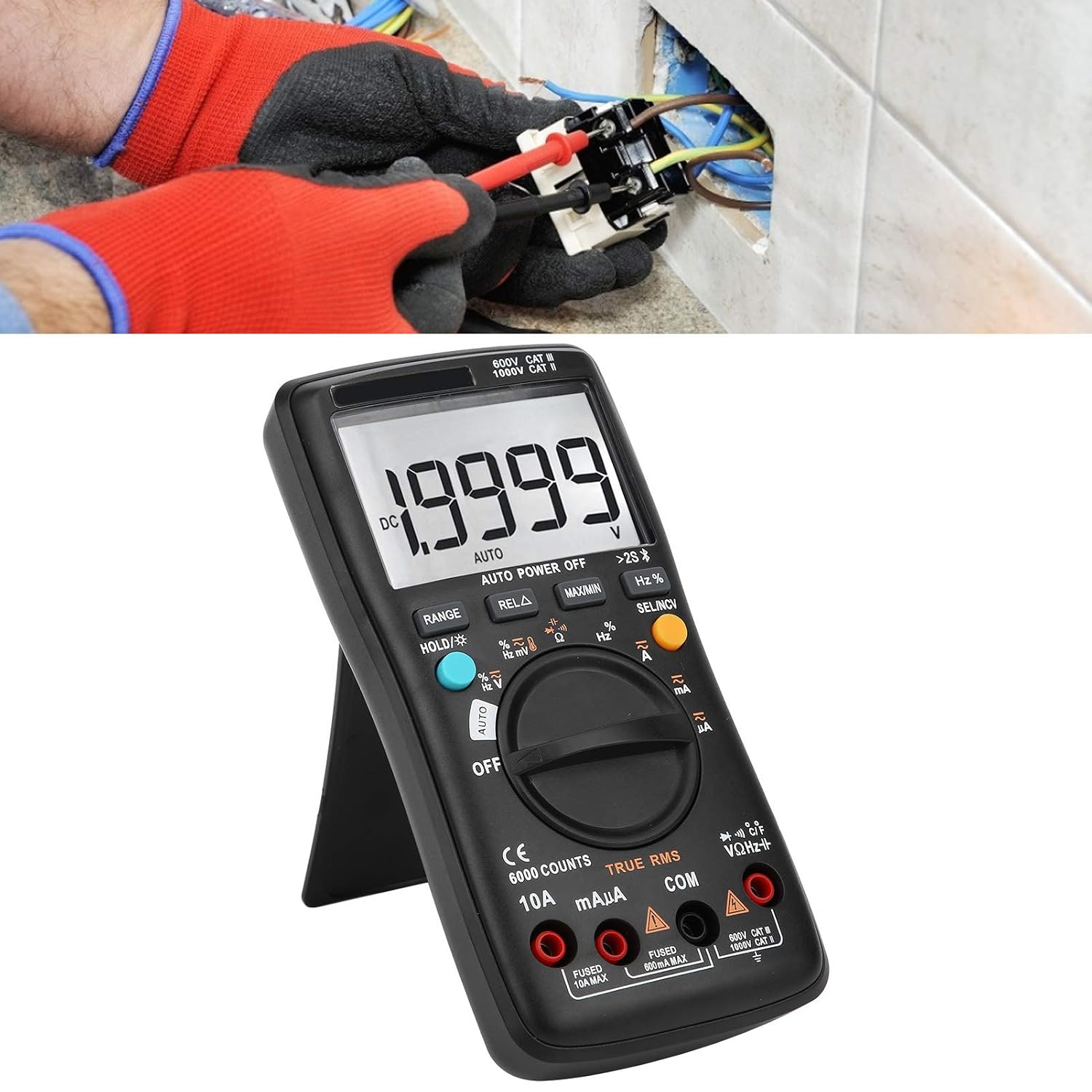
Image 4.1: The multimeter in use, positioned on its integrated kickstand for convenient viewunder målingerne.
5. Vedligeholdelse
5.1 Rengøring
Tør sagen af med annonceamp en klud og et mildt rengøringsmiddel. Brug ikke slibemidler eller opløsningsmidler. Hold terminalerne fri for snavs og fugt.
5.2 Udskiftning af batteri
Se afsnit 3.2 for instruktioner om batteriudskiftning. Udskift batterierne med det samme, når indikatoren for lavt batteriniveau vises på displayet.
5.3 Udskiftning af sikringer
If the current measurement functions stop working, the fuse may need replacement. Fuses are located inside the multimeter. Fuse specifications are typically printed near the current input jacks (e.g., FUSED 10A MAX, FUSED 600mA MAX). To replace a fuse:
- Sørg for, at multimeteret er slukket, og frakobl alle testledninger.
- Open the back case of the multimeter (this may require removing screws).
- Carefully locate and remove the blown fuse.
- Replace it with a fuse of the exact same type and rating. Using an incorrect fuse can damage the meter or pose a safety hazard.
- Reassemble the multimeter, ensuring all screws are securely fastened.
6. Fejlfinding
- Ingen visning eller svag visning: Kontroller batteriinstallation og opladningsniveau. Udskift batterierne om nødvendigt.
- Forkerte aflæsninger: Ensure test leads are properly connected to the correct jacks. Verify the function dial is set to the appropriate measurement type and range. Check for damaged test leads.
- Strømmåling virker ikke: Check the fuse (refer to Section 5.3). Ensure the red test lead is connected to the correct current input jack (mAµA or 10A).
- Problemer med trådløs forbindelse: Ensure wireless is enabled on both the multimeter and your smartphone. Restart both devices and try pairing again. Check the mobile app for troubleshooting tips.
- Måleren reagerer ikke: Turn the meter off and then on again. If the issue persists, remove batteries for a few minutes and then reinsert them.
7. Specifikationer
| Feature | Specifikation |
|---|---|
| Vise | 6000 tæller |
| Rangering | Auto/Manuel |
| Sampling Rate | 3 sekunder/tid |
| Ægte RMS | Understøttet |
| Datahold | Understøttet |
| Baggrundsbelysning | Understøttet |
| Lavt batteri indikation | Understøttet |
| Automatisk sluk | Understøttet |
| DC bindtage (V) | 6V, 60V, 600V, 1000V |
| DC bindtage (mV) | 60mV |
| Dimensioner | 20 x 12 x 5 cm (7.9 x 4.7 x 2 tommer) |
| Vægt | 374 g (0.82 lbs) |
| Fabrikant | LiebeWH |
| Produkt Modelnummer | LiebeWHso0iq29gfn |

Image 7.1: Dimensions of the LiebeWH ZT-300AB Multimeter, showing its compact size.
8. Garanti og support
For warranty information and technical support, please refer to the documentation included with your purchase or contact the manufacturer directly. Contact details can typically be found on the product packaging or the official LiebeWH webwebsted.