
1. Introduktion
This manual provides detailed instructions for the AWEI H37 Smartwatch. It covers setup, operation, maintenance, and troubleshooting to ensure optimal use of your device. The H37 Smartwatch features a 2.01-inch display, Bluetooth calling, multi-sport modes, and health monitoring capabilities.
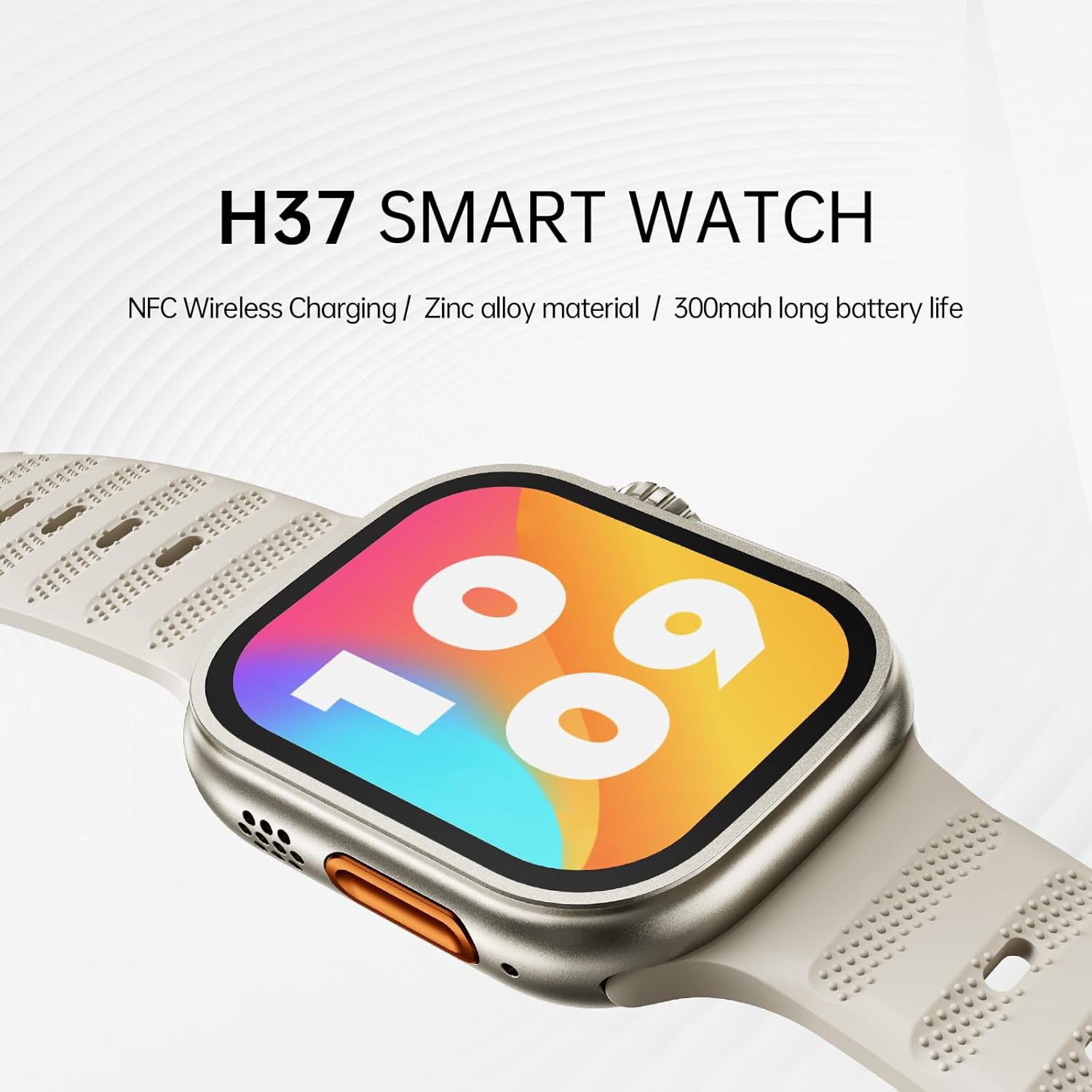
Image: The AWEI H37 Smartwatch, highlighting its NFC wireless charging capability, zinc alloy construction, and 300mAh battery life.
2. Sikkerhedsoplysninger
- Udsæt ikke enheden for ekstreme temperaturer (varme eller kolde).
- Undgå kraftige stød eller at enheden tabes.
- Hold enheden væk fra stærke magnetiske felter.
- Forsøg ikke selv at adskille eller reparere enheden.
- The device has an IP65 waterproof rating, suitable for hand washing and light rain. It is anbefales ikke for use in hot water, seawater, swimming, or diving.
- Rådfør dig med en læge, før du starter et nyt træningsprogram, især hvis du har eksisterende helbredsproblemer.
3. Pakkens indhold
Sørg for at alle varer er til stede i pakken:
- AWEI H37 Smartwatch
- Ladekabel
- Brugermanual
4. Produktet er slutview
Familiarize yourself with the components of your AWEI H37 Smartwatch.

Image: The smartwatch display, illustrating its rounded square watch case and 2.5D narrow-edged glass. The screen shows various fitness metrics like steps, calories, current time, heart rate (BPM), and distance (KM).
4.1 Fysiske komponenter
- Vise: 2.01-inch touchscreen for interaction and information display.
- Sideknap/krone: Used for power on/off, screen wake, menu navigation, and selection.
- Mikrofon: For voice input during calls.
- Højttaler: For audio output during calls and notifications.
- Pulssensor: Located on the back of the watch, used for health monitoring.
- Opladningskontakter: Located on the back, for connecting the charging cable.
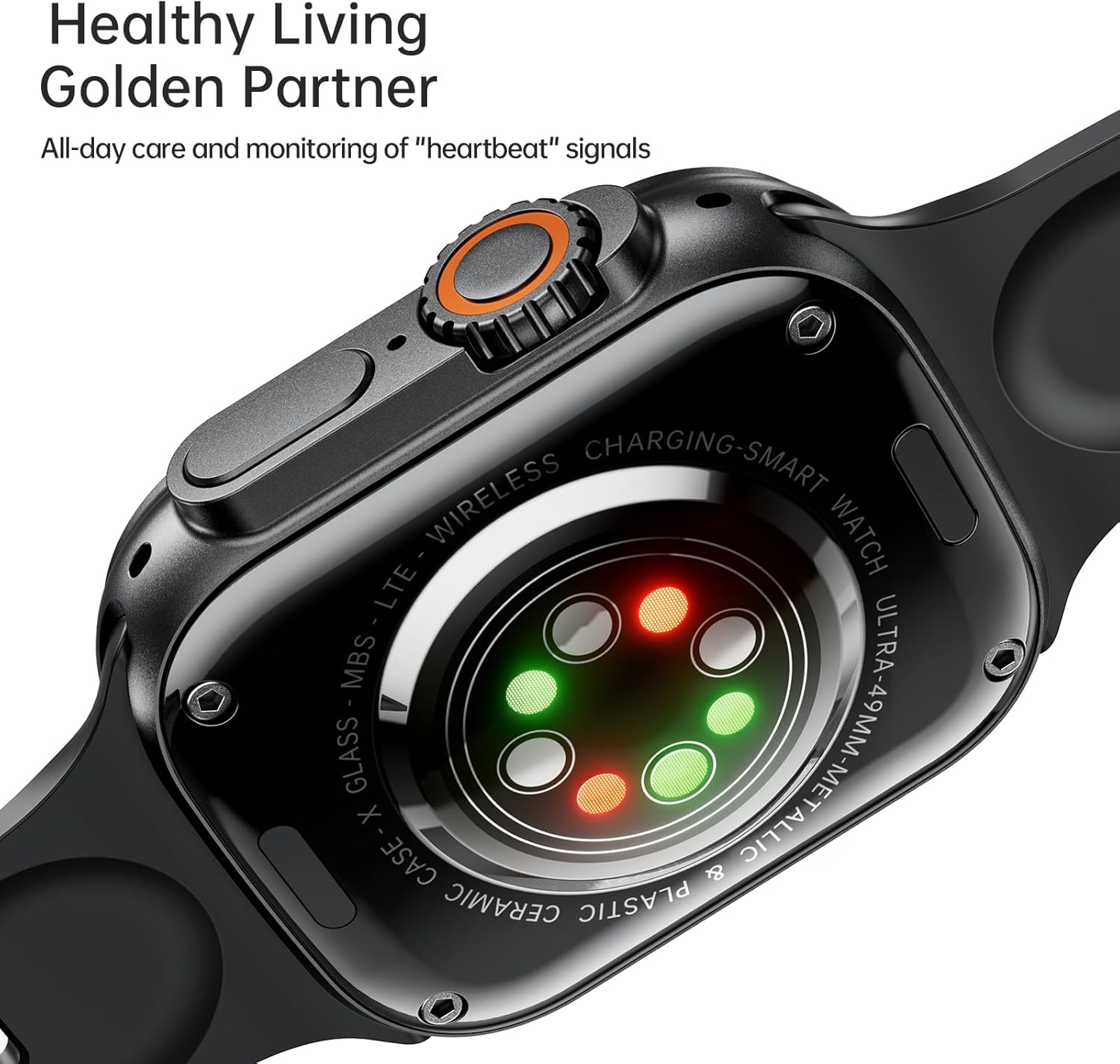
Image: The back of the AWEI H37 Smartwatch, featuring the heart rate sensor with green and red lights for health monitoring.
5. Opsætning
5.1 Opladning af smartwatchet
Oplad dit smartwatch helt før første brug.
- Connect the charging cable to the charging contacts on the back of the watch.
- Tilslut den anden ende af opladningskablet til en USB-strømadapter (medfølger ikke) eller en computers USB-port.
- The watch display will show the charging status. A full charge typically takes 2.5-3 hours.

Image: The AWEI H37 Smartwatch displaying a charging icon on its screen, indicating the device is receiving power. This image also highlights the battery performance: 5-7 hours of airtime, 300mAh battery capacity, and 3 hours charging time.
5.2 Parring med din smartphone
To access all features, pair your smartwatch with the companion app on your smartphone.
- Download appen: Søg efter the official AWEI smartwatch app in your smartphone's app store (Google Play Store for Android, Apple App Store for iOS). Install the app.
- Aktiver Bluetooth: Sørg for, at Bluetooth er aktiveret på din smartphone.
- Åbn appen: Start den installerede app, og følg instruktionerne på skærmen for at oprette en konto eller logge ind.
- Tilføj enhed: I appen skal du navigere til afsnittet "Tilføj enhed" eller "Par enhed".
- Select H37: The app will scan for nearby devices. Select "AWEI H37" from the list.
- Bekræft parring: Der kan blive vist en parringsanmodning på både din telefon og dit smartwatch. Bekræft parringen på begge enheder.
- Komplet opsætning: Follow any remaining prompts in the app to complete the initial setup, including personal information and notification permissions.
6. Betjeningsvejledning
6.1 Grundlæggende navigation
- Tænd/sluk: Tryk og hold sideknappen nede for at tænde eller slukke.
- Vækningsskærm: Press the side button or raise your wrist (if enabled) to wake the screen.
- Berøringsskærmbevægelser:
- Stryg op/ned: Rul gennem menuer eller meddelelser.
- Swipe Left/Right: Access quick functions or widgets.
- Tryk: Vælg et element eller bekræft en handling.
- Press and Hold: Customize watch faces (on the home screen).
6.2 Bluetooth-opkald
Når den er parret med din smartphone, kan du foretage og modtage opkald direkte fra dit smartwatch.
- Besvarelse af opkald: Når du modtager et opkald, skal du trykke på det grønne svarikon på urskærmen.
- Afvisning af opkald: Tap the red reject icon on the watch screen.
- Foretage opkald: Få adgang til opkaldsfunktionen eller kontaktlisten på dit ur for at starte et opkald.
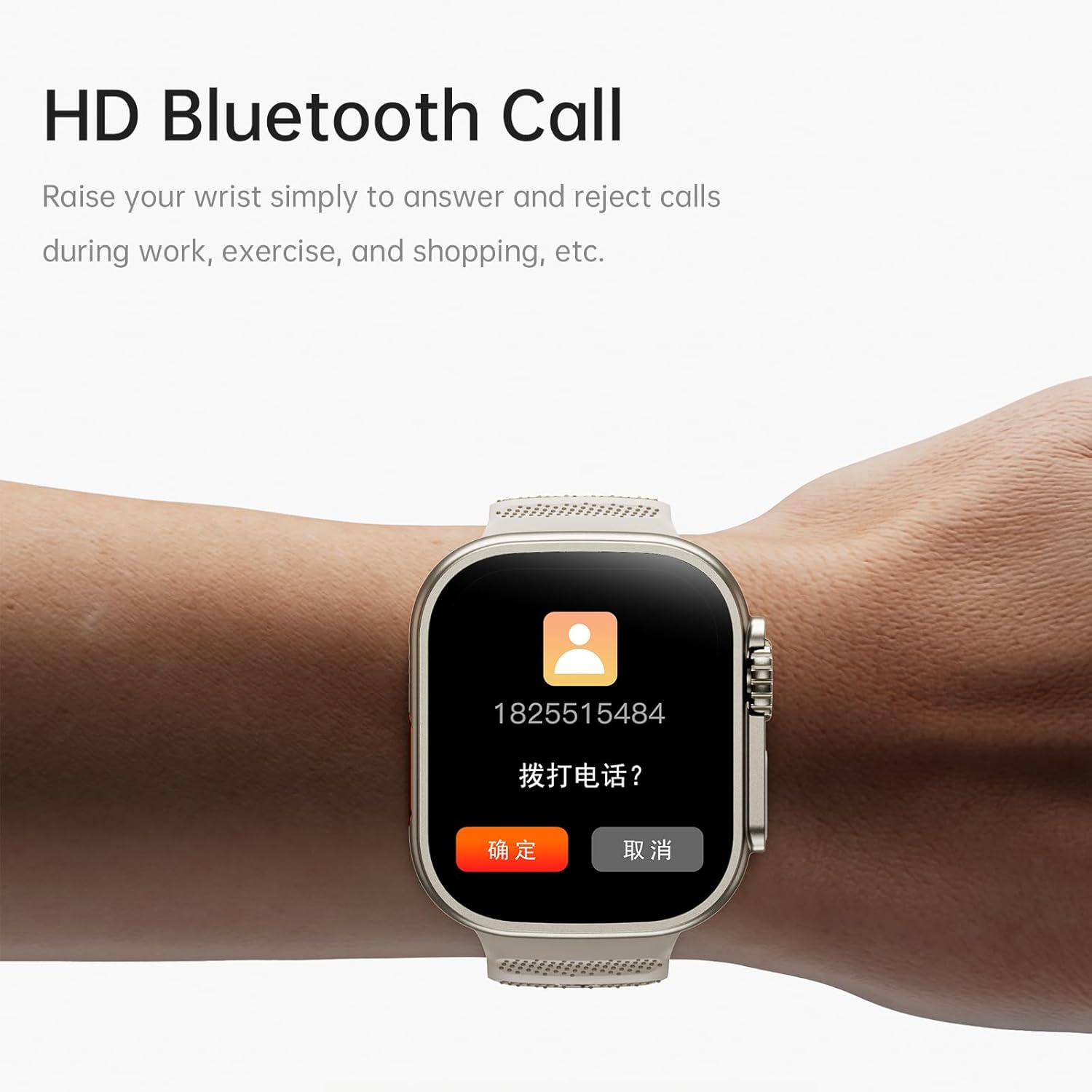
Image: The AWEI H37 Smartwatch screen showing an incoming call with the caller's number and options to answer or reject the call. This illustrates the HD Bluetooth Call feature.
6.3 sportstilstande
The H37 Smartwatch supports multiple sport modes to track your activities.
- Navigate to the "Sport" or "Workout" menu on your watch.
- Select your desired activity (e.g., Running, Walking, Cycling, Yoga).
- Tap to start the activity. The watch will begin tracking metrics like duration, distance, calories burned, and heart rate.
- To pause or end an activity, swipe or press the side button as prompted on the screen.
6.4 Sundhedsovervågning
The smartwatch monitors various health metrics throughout the day.
- Puls: Kontinuerlig pulsmåling kan aktiveres i appen. View realtidsdata på uret eller detaljeret historik i appen.
- Skridt og kalorier: The watch automatically tracks your steps taken and estimated calories burned.
- Søvnsporing: Tag uret på i seng for at spore dine søvnmønstre. View søvndata i den tilhørende app.
- Kvindelig fysiologisk cyklus: Track and predict menstrual cycles through the app.
- Stillesiddende påmindelse: Receive alerts if you have been inactive for too long.
6.5 Customization and Other Features
- Se ansigter: Press and hold the home screen to change watch faces. More options are available in the app, including uploading your own photos.
- Musik kontrol: Control music playback on your smartphone (play, pause, skip) directly from the watch.
- Fjernfotografering: Brug uret som fjernbetjent lukker til dit smartphonekamera.
- Vækkeur: Set alarms through the app, and the watch will vibrate to notify you.
- Hæv for at vågne: Enable this feature in the app to automatically wake the screen when you raise your wrist.
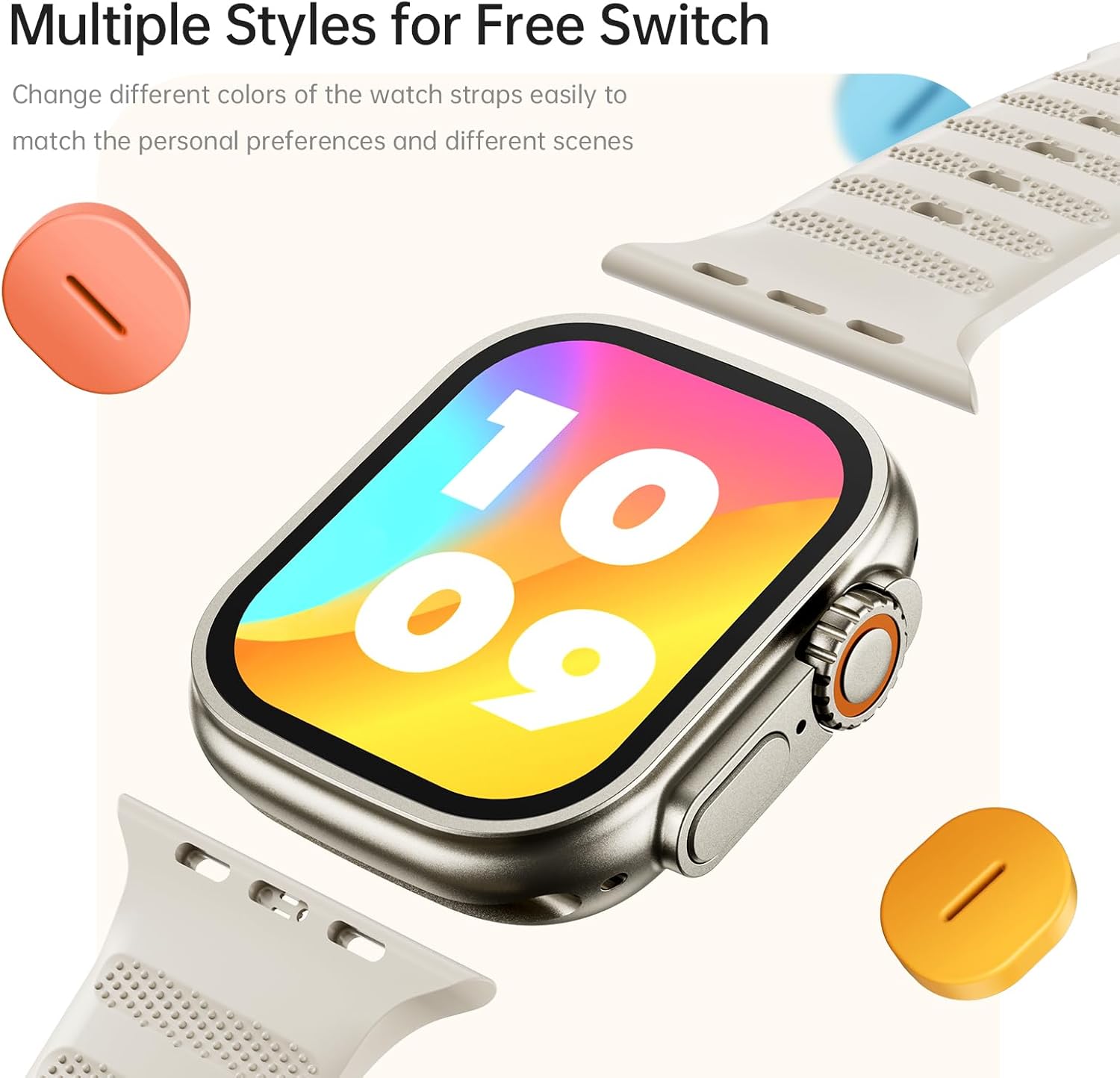
Image: The AWEI H37 Smartwatch shown with various colored straps, illustrating the option to change watch straps to match personal preferences and different occasions.
7. Vedligeholdelse
7.1 Rengøring af enheden
- Tør uret og remmen regelmæssigt af med en blød kludamp klæde.
- Brug ikke skrappe kemikalier, slibende rengøringsmidler eller opløsningsmidler.
- Sørg for, at opladningskontakterne er rene og tørre, før du oplader.
7.2 Pleje af batterier
- Undgå at aflade batteriet helt ofte.
- Oplad enheden ved hjælp af det medfølgende opladningskabel.
- Store the device in a cool, dry place if not used for extended periods, with the battery partially charged.
7.3 Vandtæthed
The AWEI H37 has an IP65 waterproof rating. This means it is protected against dust ingress and low-pressure water jets from any direction. It is suitable for daily use such as hand washing or light rain. However, it is not designed for swimming, showering with hot water, or exposure to seawater. Water damage caused by improper use is not covered under warranty.
8. Fejlfinding
| Problem | Mulig løsning |
|---|---|
| Uret tænder ikke. | Sørg for, at uret er fuldt opladet. Tilslut det til opladeren i mindst 30 minutter. |
| Kan ikke parres med smartphone. |
|
| Meddelelser modtages ikke. |
|
| Unøjagtige sundhedsdata. |
|
| Kort batterilevetid. |
|
9. Specifikationer
| Feature | Detalje |
|---|---|
| Model | H37 |
| Skærmstørrelse | 2.01 tommer |
| Skærmopløsning | 360 x 360 pixels |
| Batterikapacitet | 300 mAh |
| Opladningstid | Cirka 2.5-3 timer |
| Typisk brugstid | 5-7 dage |
| Standby tid | Op til 30 dage |
| Vandtæt vurdering | IP65 |
| Forbindelse | Bluetooth |
| Kompatibel OS | Android, iOS |
| Materiale | Zinc alloy (case) |
| Særlige funktioner | Multi-sport mode, One-touch Bluetooth calling, NFC Wireless Charging, Heart Rate Monitoring, Sleep Tracking, Sedentary Reminder, Female Physiological Cycle, Music Control, Remote Photography |
10. Garanti og support
The AWEI H37 Smartwatch comes with a one-year warranty from the date of purchase. This warranty covers manufacturing defects under normal use. It does not cover damage caused by misuse, accidents, unauthorized repairs, or water damage from improper use (e.g., swimming or hot water exposure).
For warranty claims, technical support, or any questions regarding your device, please contact AWEI customer service through the contact information provided on the official AWEI website or your purchase platform. Please have your purchase receipt and product model number (H37) ready when contacting support.